Workly: AI Shift Tracker
Designed for iPhone, iPad, iPod touch
Free · In-app purchases
- Age rating4+
- CategoryProductivity
- DeveloperSeyit Ahmet MINAZ
- LanguagesEnglish+ 11 more
- Size156.1 MB
Links to the official App Store page
Download.org hosts no file of Workly: AI Shift Tracker. The button opens its official App Store page, published by Seyit Ahmet MINAZ. Listing last checked on Nov 18, 2026.
Screenshots



About
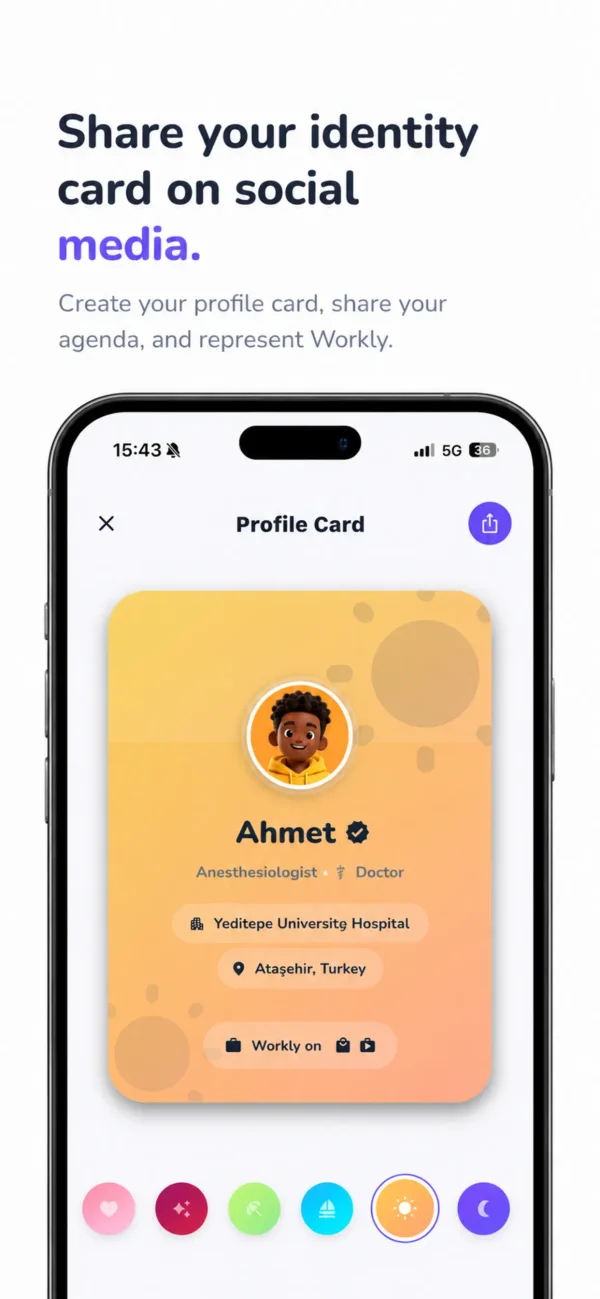
Workly is an AI-powered Shift Tracker, Work Hours Tracker, Timesheet, Time Clock, and Work Schedule app designed for shift workers, hourly employees, freelancers, healthcare professionals, and anyone who wants to manage work hours more efficiently. Track work hours, plan shifts, record overtime, monitor breaks, generate PDF reports, and analyze detailed work statistics in one simple app.
Whether you work day shifts, night shifts, rotating schedules, fixed shifts, or flexible hours, Workly helps you organize your work schedule, improve time management, and keep every work record in one secure place.
AI Assistant
Chat with AI about your work history. Ask questions like "How many hours did I work this week?", "What's my overtime this month?", or "How many shifts did I complete?" AI instantly analyzes your work hours, shifts, breaks, overtime, and statistics to provide accurate answers, summaries, and insights that help you better understand your work habits.
Shift Tracker
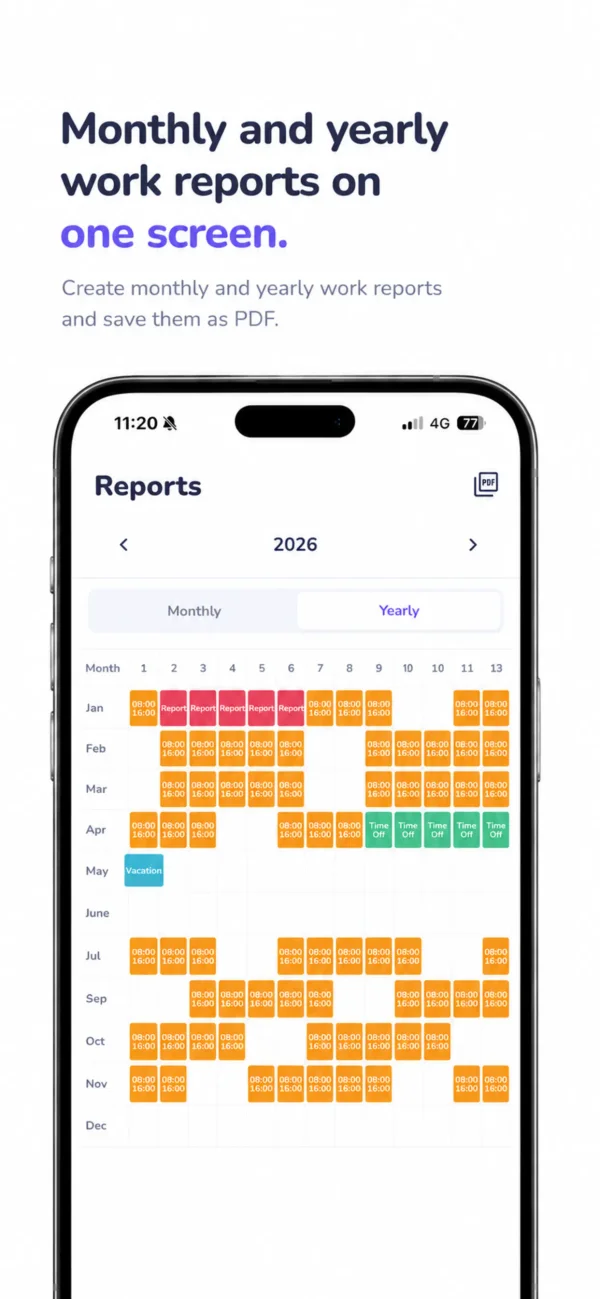
Create and manage day shifts, night shifts, rotating shifts, custom schedules, and on-call duties. View your weekly, monthly, and yearly work schedule in an easy calendar and never miss another shift.
Work Hours Tracker
Clock in and clock out with one tap. Use the built-in timer to track work hours in real time. Record break times and let Workly automatically calculate your net working hours, daily hours, weekly hours, monthly hours, and overtime.
Timesheet
Maintain accurate digital timesheets without spreadsheets or paperwork. Store every work session, review previous records, and keep your work history organized and accessible.
PDF Reports
Generate professional PDF reports for work hours, shifts, overtime, and timesheets. Export daily, weekly, or monthly reports and easily share them with employers, clients, payroll departments, or keep them for personal records.
Statistics
Analyze total work hours, overtime, completed shifts, average working hours, break duration, and productivity with detailed statistics and visual charts.
Work Schedule
Manage your work calendar, organize upcoming shifts, review previous work sessions, and keep your entire schedule in one place.
Home Screen Widgets
View today's shift, work hours, and upcoming schedule directly from your home screen without opening the app.
Break Tracker
Track every break accurately. Break time is automatically deducted from total work hours for precise calculations.
Simple & Fast
A clean and modern interface makes work hour tracking easy. No unnecessary features or complicated setup. Start tracking shifts and work hours in seconds.
Privacy First
Your work records stay under your control. Access your data whenever you need it.
Multi-Language Support
Use Workly in multiple languages with the same fast and intuitive experience.
Perfect For
• Shift Workers
• Nurses
• Doctors
• Healthcare Professionals
• Security Guards
• Factory Workers
• Warehouse Workers
• Retail Employees
• Restaurant Staff
• Hotel Staff
• Drivers
• Technicians
• Freelancers
• Contractors
• Part-Time Employees
• Hourly Workers
Workly combines Shift Tracker, Shift Planner, Work Hours Tracker, Timesheet, Time Clock, Work Schedule, Overtime Tracker, Break Tracker, PDF Reports, Statistics, Calendar, and AI Assistant in one powerful app.
Track work hours, manage shifts, calculate overtime, organize your work schedule, create PDF reports, review statistics, and use AI to make time tracking smarter, faster, and easier with Workly.
Terms of Use (EULA): https://www.apple.com/legal/internet-services/itunes/dev/stdeula/
What’s new
Version 1.0.1 · Aug 11, 2026
Fixed an issue that could prevent Workly PRO subscription plans from loading on iOS. Improved purchase account synchronization and subscription reliability.
App privacy
What Seyit Ahmet MINAZ declares on the App Store about how this app handles data.
-
Data used to track you
May be used to track you across apps and websites owned by other companies.
- Purchases
- Usage data
- Diagnostics
-
Data linked to you
May be collected and linked to your identity.
- Purchases
- Financial info
- Location
- Contact info
- User content
- Identifiers
- Usage data
- Diagnostics
-
Data not linked to you
May be collected but is not linked to your identity.
- Diagnostics
Privacy practices may vary, for example with the features you use or your age.
Information
- Seller
- Seyit Ahmet MINAZ
- Category
- Productivity
- Version
- 1.0.1
- Updated
- Aug 11, 2026
- Released
- Jul 29, 2026
- Size
- 156.1 MB
- Requires
- iOS 15.0 or later
- Age rating
- 4+
- Price
- Free
- In-app purchases
- Yes
- Languages
- English, Arabic, French, German, Hindi, Portuguese, Russian, Simplified Chinese, Spanish, Thai, Turkish, Urdu
- Copyright
- © 2026 Workly AI
You might also like
-
 Flowline: AI Day PlannerAI-Powered Daily Planning
-
 Worxly: Work Hours TrackerTrack time, projects & pay
-
 DarkGhost Agent: AI AssistantResearch. Create. Take action.
-
 NewOmapProductivity
-
 Demi: AI AssistantVoice AI Agent for Your Watch
-
 Sonnical: AI Work PlannerStaff rota & shift scheduling
-
 Paid Time OffProductivity
-
 GamaxseneReminders that speak Georgian
-
 Event Plannnig AppPlan Events Collaboratively
-
 TodoGPT: To do list & CalendarReminder, tracking task, event