- Age rating4+
- CategoryProductivity
- LanguagesSimplified Chinese+ 4 more
- Size27.5 MB
Links to the official App Store page
Download.org hosts no file of WorkTime Auto. The button opens its official App Store page, published by . Listing last checked on Nov 11, 2026.
Screenshots



About
Your hours. Your earnings. A clearer picture.
From regular workdays to late finishes, keep a personal record of the time you put in. WorkTime Auto brings your work hours, overtime and estimated earnings together, so you can look back on each day and make sense of the month.
Whether you earn a monthly salary, work by the hour or take on freelance projects, track your time in a way that fits your work.
KEEP EVERY DAY CLEAR
View, add and edit work hours in a calendar. Overnight shifts are supported, so work that crosses midnight stays together.
SEE YOUR OVERTIME AND ITS VALUE
Review overtime hours, earnings and effective hourly pay together. When some overtime is unpaid, see it separately for a clearer picture of your extra time.
KNOW WHAT TO EXPECT
Set salary, hourly rates and overtime rules for each project. See estimated income and separate breakdowns for weekday, rest-day and holiday overtime.
UNDERSTAND YOUR WORK PATTERNS
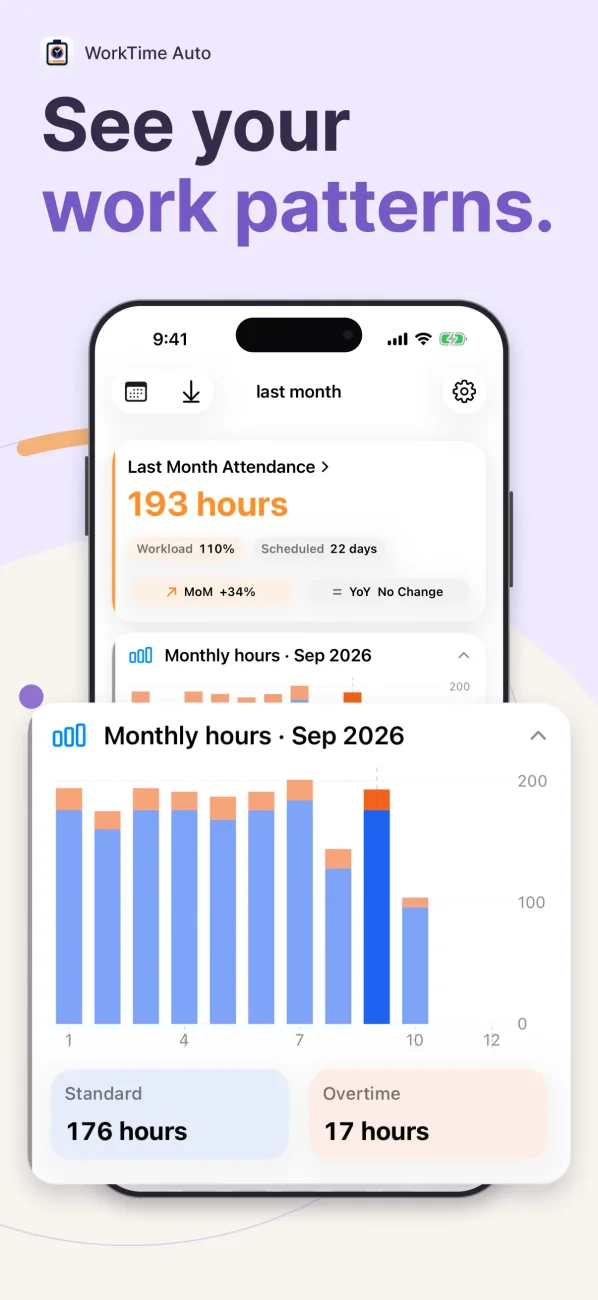
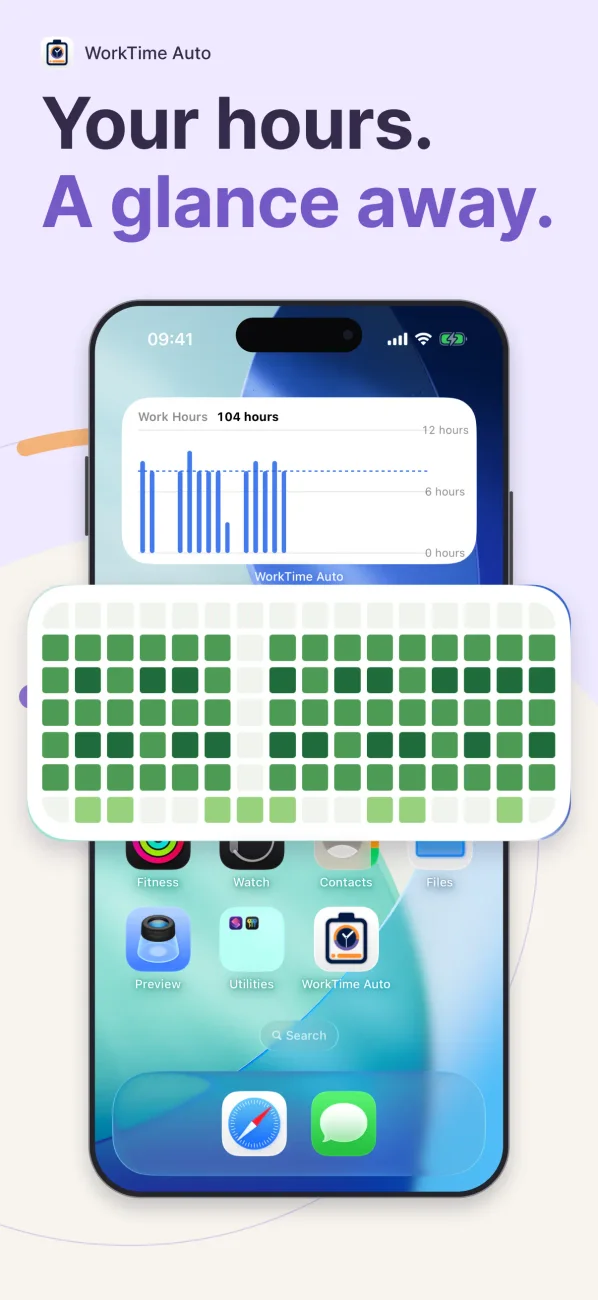
Explore monthly trends and calendar heatmaps. Review total hours, days worked and work intensity to see how your workload changes.
KEEP PROJECTS ORGANIZED
Manage your main job, side work and freelance projects with separate pay settings and breakdowns of hours and earnings.
LET PRO HANDLE THE ROUTINE
Set a work location and let arrivals and departures trigger automatic logging. Check your hours with Home Screen widgets and follow an active work session with Live Activities.
KEEP CONTROL OF YOUR DATA
Your data is stored on your device by default. Turn on iCloud sync when you want it. No ads, no advertising tracking and no continuous location history.
Start with today. Build a clearer picture of your working time.
Terms of Use (EULA): https://www.apple.com/legal/internet-services/itunes/dev/stdeula/
Privacy Policy: https://workhourlog.cn/en/privacy/
What’s new
Version 3.3.0 · Oct 21, 2026
This update improves charts and everyday navigation, while making automatic logging more reliable.
[Interface & Usability]
• Improved page loading, month switching, and scrolling through statistics. Fixed occasional freezes and unresponsive screens.
• Refined work hours and income analysis. Statistics cards can now be collapsed and remember their expanded or collapsed state.
• Monthly trends now show a full year of data, with improved chart selection, date labels, and horizontal scrolling.
• Fixed extra decimal digits in overtime multipliers and hid breakdown items with no data.
[Automatic Logging]
• Reworked automatic logging to improve reliability.
• Reduced the minimum location monitoring radius from 200 meters to 80 meters, allowing smaller logging areas.
App privacy
What declares on the App Store about how this app handles data.
-
Data not collected
The developer does not collect any data from this app.
Privacy practices may vary, for example with the features you use or your age.
Information
- Seller
- 心霖 王
- Category
- Productivity
- Version
- 3.3.0
- Updated
- Oct 21, 2026
- Released
- Oct 22, 2025
- Size
- 27.5 MB
- Requires
- iOS 18.0 or later
- Age rating
- 4+
- In-app purchases
- Yes
- Languages
- Simplified Chinese, Traditional Chinese, Korean, Japanese, English
- Copyright
- © 2025 工时记
You might also like
-
 WorkHours – Time TrackerTrack Daily Work Hours
-
 时积-工时记录薪资日历Productivity
-
 斑马记工时 - 快捷工时记录加班考勤助手Productivity
-
 口袋记工时 - 记工时小时工记工资记加班考勤管理Productivity
-
 TimeTracker: Hours & PayTimesheets, overtime & pay
-
 Worker Tools: Shift CalendarRota, Work Hours & Pay Tracker
-
 TapHoursProductivity
-
 Wise 40: Work Hours & ShiftsTimesheet, Leave & Work Log
-
 小时工记录考勤-加班考勤计时工资Productivity
-
 Salary Calculator - Track PayTrack Hourly Wages & Income