WorkTimer|ManageMultiStepTimer
Designed for iPhone, iPad, iPod touch
In-app purchases
- Age rating4+
- CategoryUtilities
- DeveloperRyota Yamamoto
- LanguagesJapanese+ 1 more
- Size32.0 MB
Links to the official App Store page
Download.org hosts no file of WorkTimer|ManageMultiStepTimer. The button opens its official App Store page, published by Ryota Yamamoto. Listing last checked on Nov 14, 2026.
Screenshots


About
Work Timer keeps the steps and timing of repeatable work together in one place.
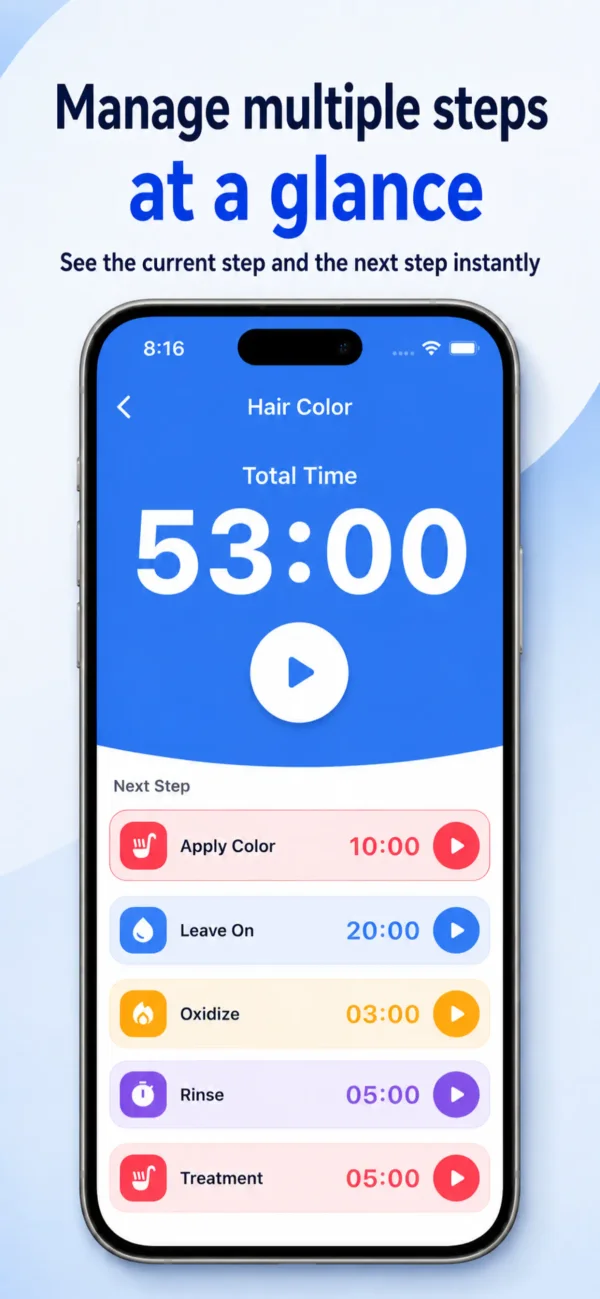
Create a routine for tasks with a set order and duration, such as cooking, prep work, cleaning, inspection, training, or study. While a timer is running, you can see the current step, remaining time, and next step at a glance.
Main Features
• Manage multiple steps as one routine
• Set a duration, color, and icon for each step
• Advance manually or automatically
• Create routines from templates
• Repeat an entire routine
• Run multiple timers at the same time
• Receive step-finished notifications in the background
• Restore an interrupted timer session
• Follow timers on the Lock Screen and Dynamic Island with Live Activities
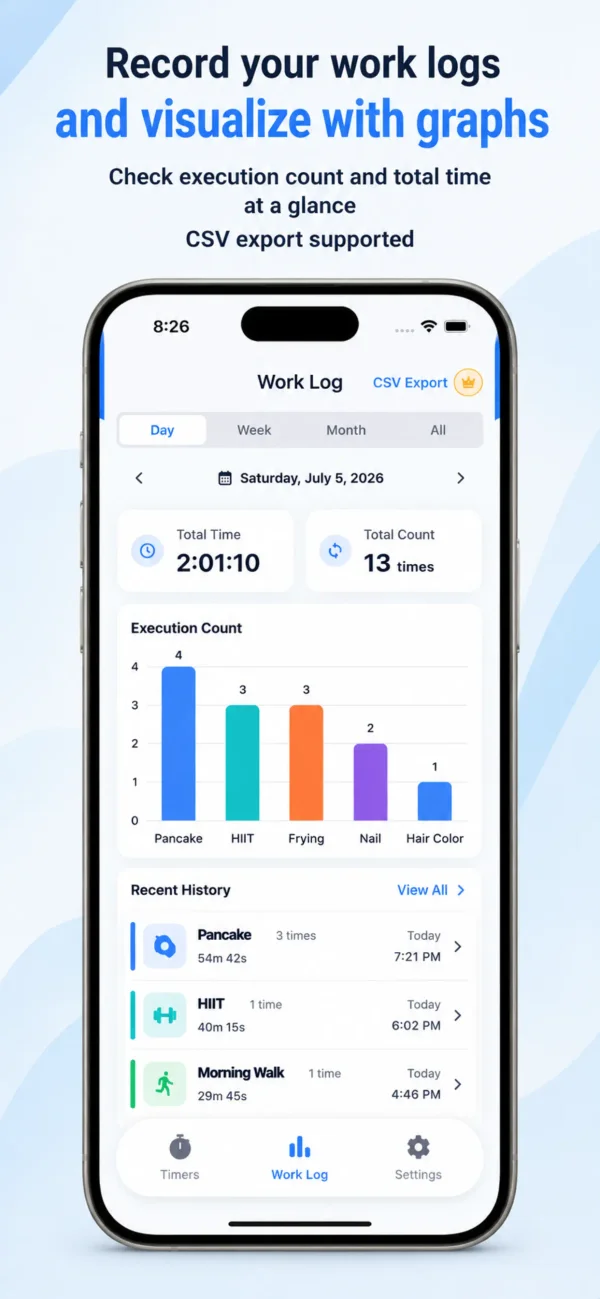
• Record work logs and view graphs by period
• Control timers and receive feedback by voice
• Export CSV files
• Back up data as JSON and share routines
• Keep the screen awake while a timer is running
Recommended For
• Cooking, prep work, and plating
• Cleaning and opening checklists
• Inspection, research, experiments, and timed measurements
• Strength training, HIIT, and stretching
• Pomodoro focus and break cycles
• Daily routines
Premium
Premium is a one-time purchase that removes routine and multi-timer limits, unlocks CSV export, and removes ads. You can try CSV export once before purchasing Premium.
Keep repeatable work clear, smooth, and easy to follow with Work Timer.
What’s new
Version 1.1.1 · Sep 11, 2026
Work Timer is now more useful for repeatable tasks.
• Create routines from templates
• Repeat an entire routine a set number of times
• Receive step-finished notifications in the background
• Restore an interrupted timer session
• Follow timers on the Lock Screen and Dynamic Island with Live Activities
• Use the redesigned Premium screen
• Try CSV export once without Premium
• Improved CSV compatibility and reliability
• Improved timer and work-log displays and behavior
App privacy
What Ryota Yamamoto declares on the App Store about how this app handles data.
-
Data used to track you
May be used to track you across apps and websites owned by other companies.
- Identifiers
-
Data linked to you
May be collected and linked to your identity.
- Purchases
- Identifiers
- Usage data
-
Data not linked to you
May be collected but is not linked to your identity.
- Location
- Diagnostics
- Other data
Privacy practices may vary, for example with the features you use or your age.
Information
- Seller
- Ryota Yamamoto
- Category
- Utilities
- Version
- 1.1.1
- Updated
- Sep 11, 2026
- Released
- Jul 10, 2026
- Size
- 32.0 MB
- Requires
- iOS 15.0 or later
- Age rating
- 4+
- In-app purchases
- Yes
- Languages
- Japanese, English
- Copyright
- © 2026 Ryota Yamamoto
You might also like
-
 Multi-Step Interval TimerUtilities
-
 Multi Timer - SLOXRun multiple timers at once
-
 まとめタイマー - 複数のキッチンタイマーUtilities
-
 スマート工数管理-チームワークと工数管理の一体化Utilities
-
 Multi Timer: Kitchen Timer ProCooking, workout & homework
-
 IntVtimerA simple Interval Timer.
-
 Multi Timer Interval StopwatchInterval Stopwatch Flip Clock
-
 MultiTimer: Cooking & FitnessKitchen, Workout & Focus
-
 M-TimerMultiTimer
-
 Multiple timers: Stopwatch LapPomodoro HIIT countdown timer