
World Team Clock
For teams across time zones
Designed for iPhone, iPad
Free · In-app purchases
- Age rating4+
- CategoryProductivity
- DeveloperAlexander Fitterling
- LanguagesEnglish
- Size12.1 MB
Links to the official App Store page
Download.org hosts no file of World Team Clock. The button opens its official App Store page, published by Alexander Fitterling. Listing last checked on Nov 17, 2026.
Screenshots

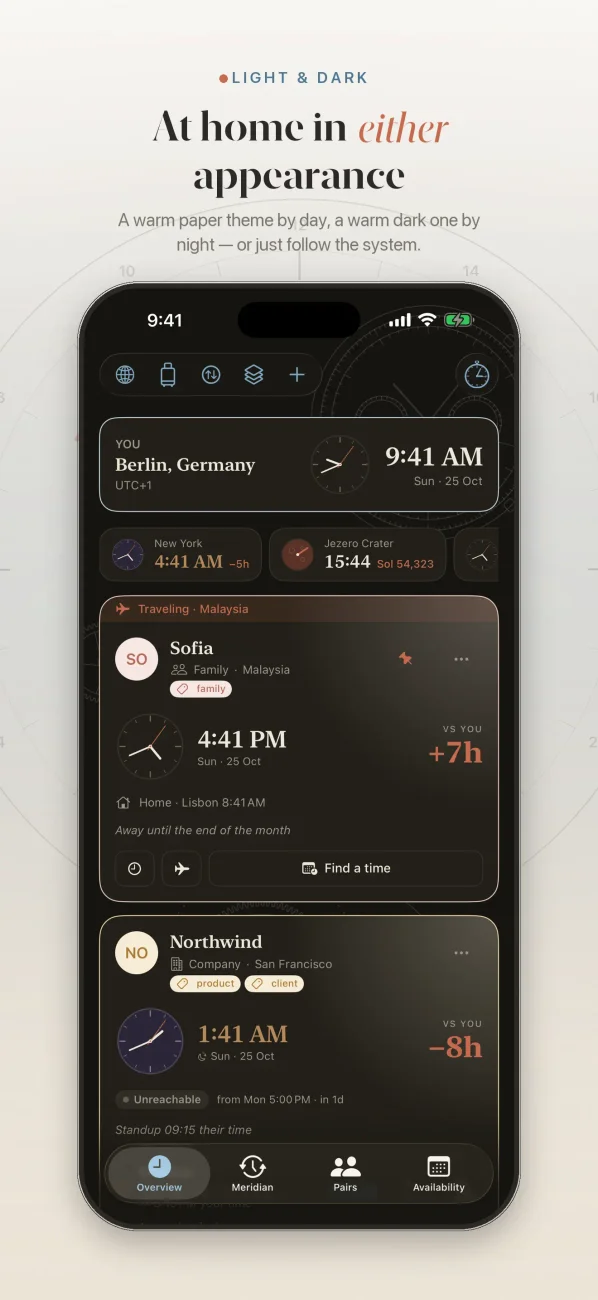
About
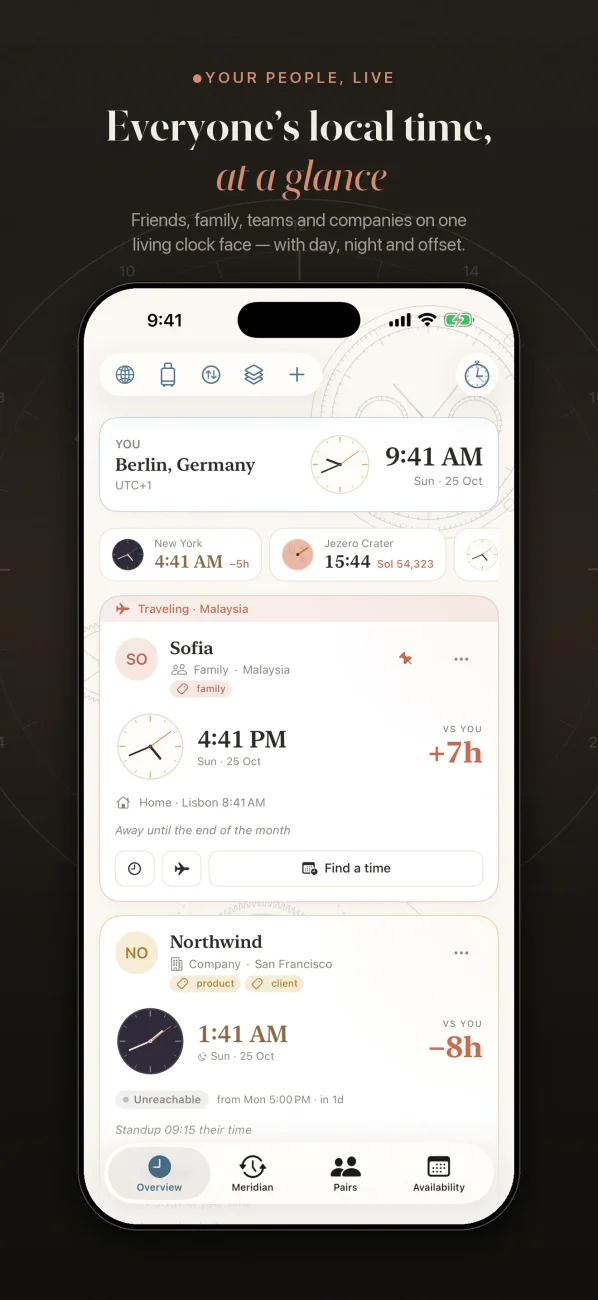
World Team Clock Converter keeps the people, teams and companies you care
about on the same clock.
Most timezone tools convert a number. This one is built around people — where
your teammates are right now, how far they are from you, when they're
travelling, and when your hours actually overlap.
LIVE LOCAL TIMES
Everyone you care about on one calm screen, with the exact gap to your own
time, day-offset markers and a night badge so you know before you call.
THEIR EVENTS, ON YOUR CLOCK
Pin the times that matter — a standup, a dinner, a market open — in their
timezone. Each one shows in your local time with a live countdown.
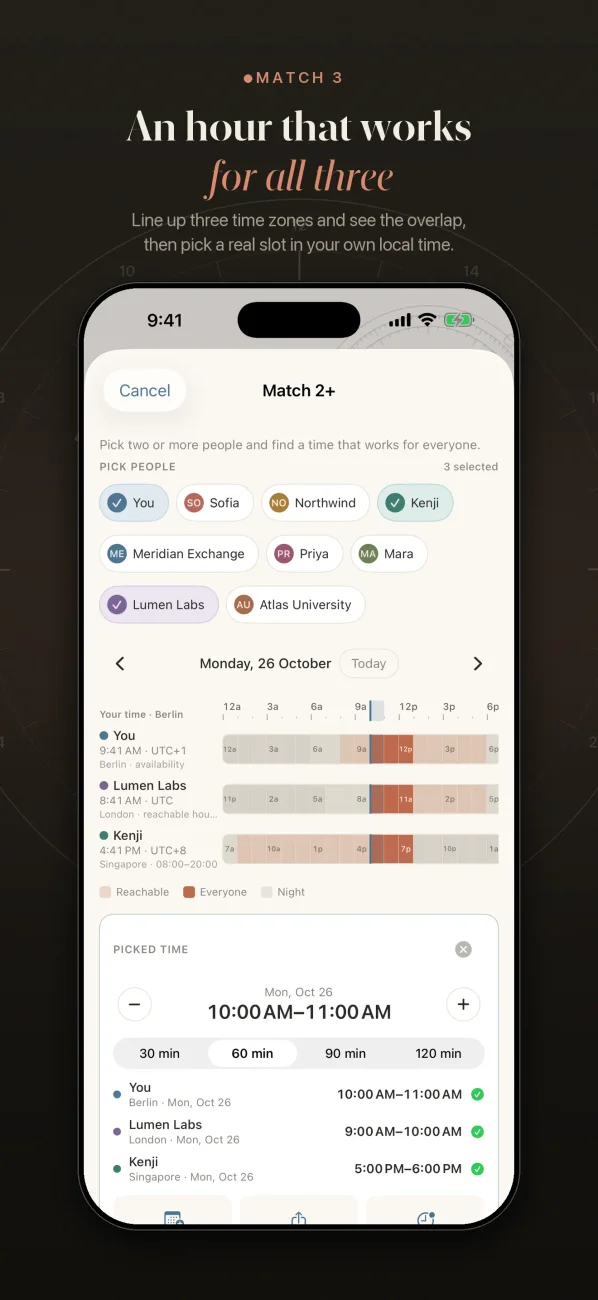
FIND A TIME THAT WORKS
Match two people, or three at once, and see the band where everyone is
reachable. Send the winning slot to Apple or Google Calendar, or share a link
that opens on their clock.
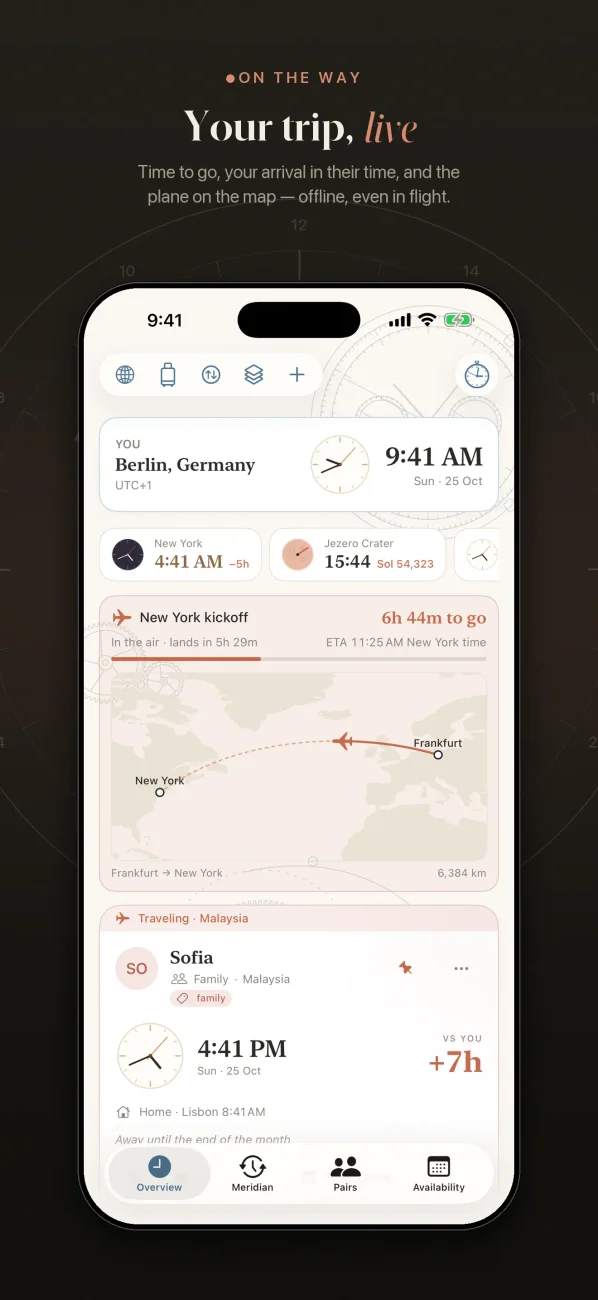
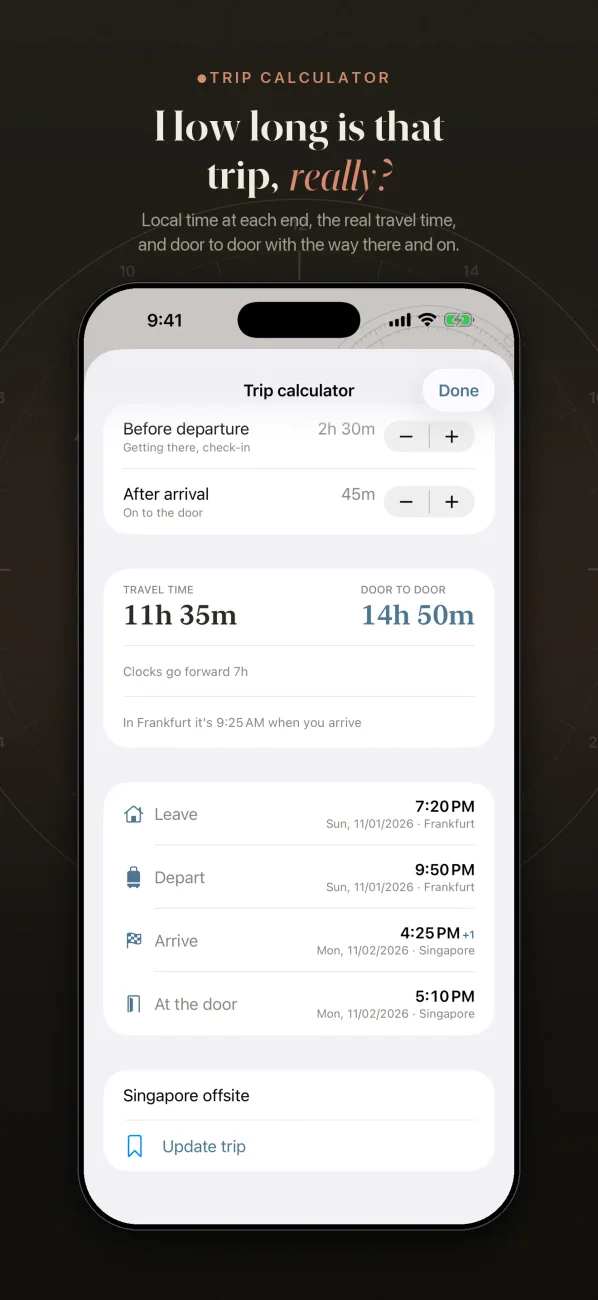
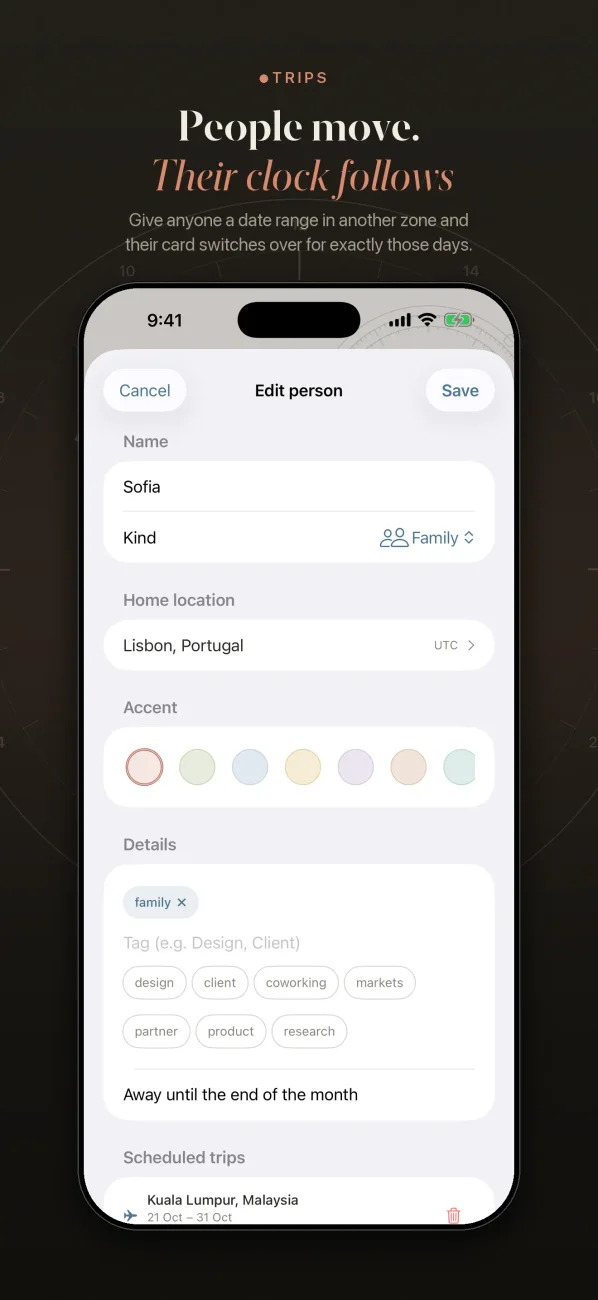
TRAVEL AWARE
Give someone a date range in another timezone and their card follows them
there, then comes home on its own.
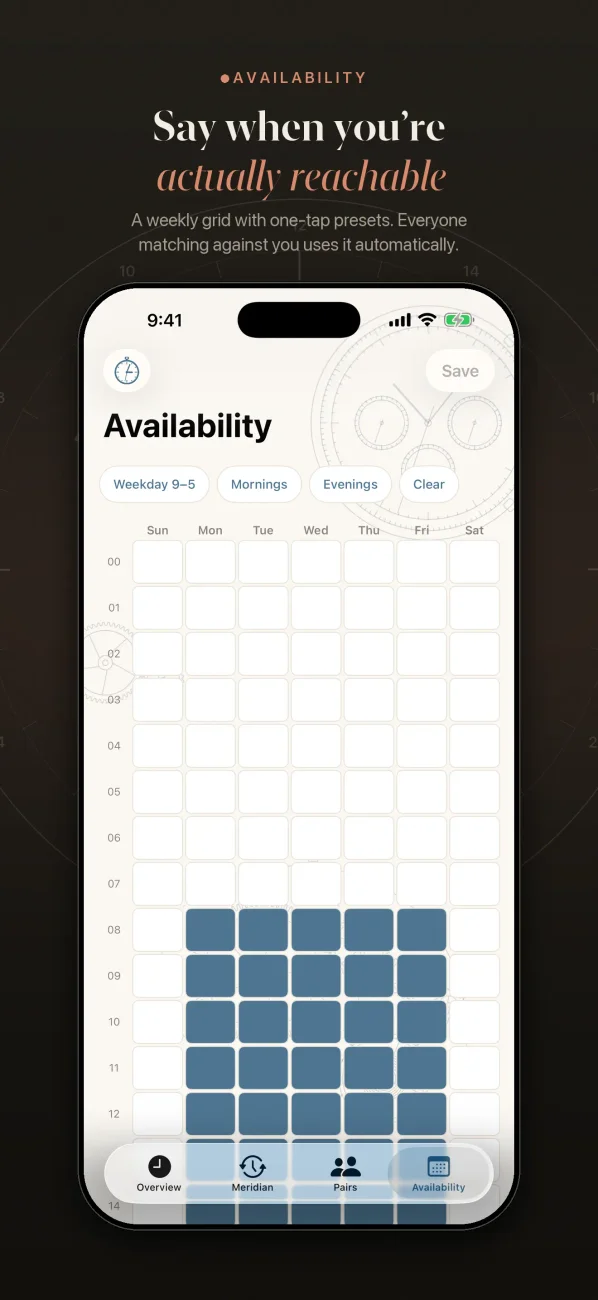
REACHABLE HOURS
Set the hours someone is actually contactable and their card says Reachable or
Unreachable, with the next change in your time.
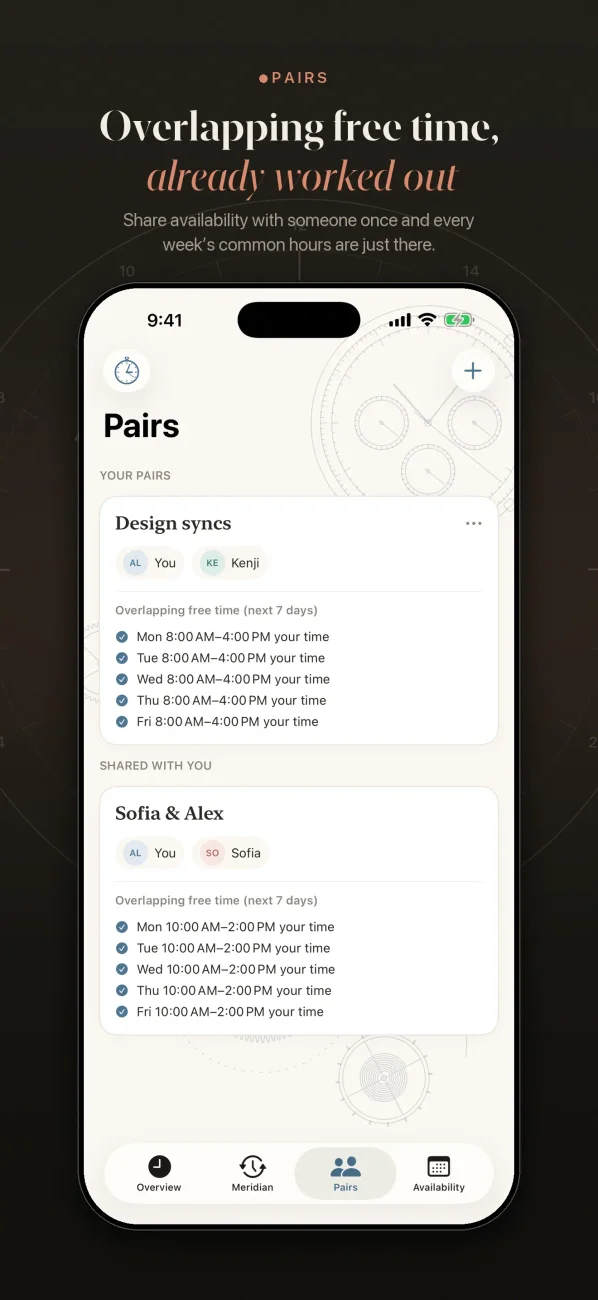
SHARED PAIRS
Pair with someone who also uses the app, and your weekly availability syncs
both ways — so overlapping free hours are found for you.
HOME-SCREEN WIDGET
Your people and their local times, without opening the app.
FREE AND PRO
Free covers three people, live local times, your home zone and weekly
availability — no card required, no trial countdown.
Pro opens unlimited people, trips, time slots, shared pairs and the widget.
It's the same subscription on the web and on iPhone: buy on either and the
other unlocks, because both are one account.
Available in English and German, with more languages in progress.
Terms of Use (EULA): https://worldteamclock.app/terms
Privacy Policy: https://worldteamclock.app/privacy
What’s new
Version 2.0.9 · Nov 9, 2026
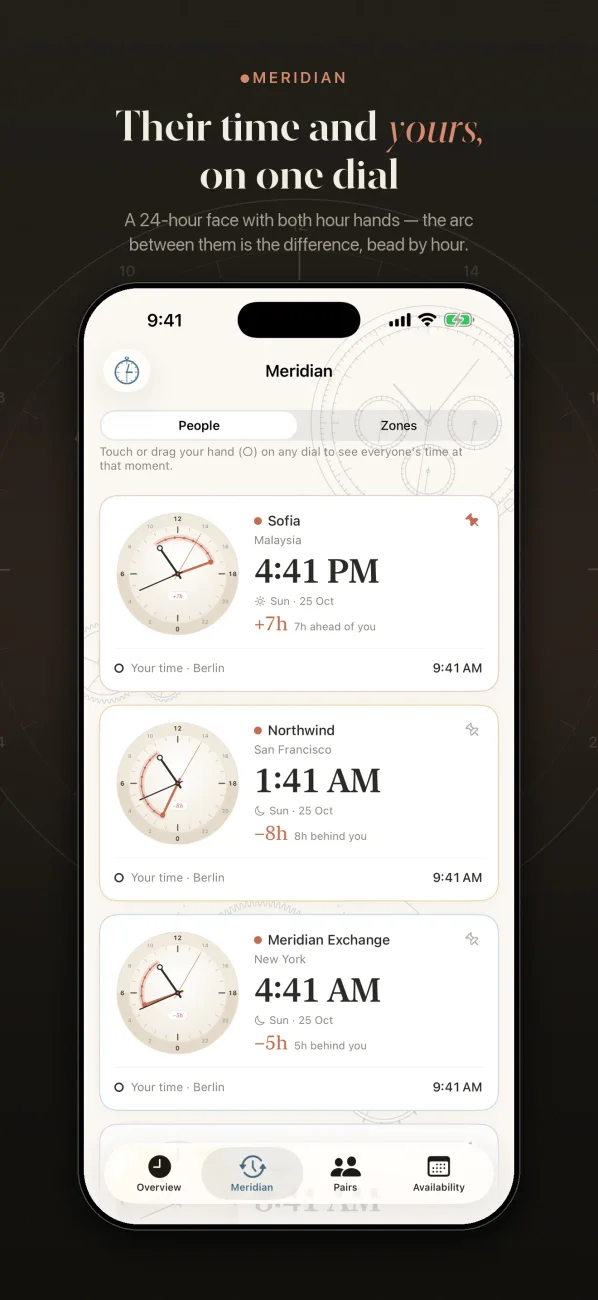
• New setting "Terracotta hand shows my time" for the 24-hour dial, on by default: your own hour hand is terracotta and the other place's takes the ink colour, so the arc reads as the way back to your time. Turn it off for the previous look. Works in the app and the widgets.
• Settings now sit top right on every screen (Overview, Meridian, Pairs and Availability), and the pocket-watch button has a small gear so it's easy to find.
App privacy
What Alexander Fitterling declares on the App Store about how this app handles data.
-
Data linked to you
May be collected and linked to your identity.
- Purchases
- Location
- Contact info
- Contacts
- User content
- Identifiers
Privacy practices may vary, for example with the features you use or your age.
Information
- Seller
- Alexander Fitterling
- Category
- Productivity
- Version
- 2.0.9
- Updated
- Nov 9, 2026
- Released
- Oct 9, 2026
- Size
- 12.1 MB
- Requires
- iOS 17.0 or later
- Age rating
- 4+
- Price
- Free
- In-app purchases
- Yes
- Languages
- English
- Copyright
- © 2026 Alex Fitterling
You might also like
-
 ShowPapersYour Papers, Within Reach
-
 Silent ScribeVoice Recorder & Transcriber
-
 BRICKBOX HRMSSolution for your Workplace
-
 HoursTrackProTrack Time. Stay Productive.
-
 Pomo: Pomodoro Focus TimerDeep Work, Study & Calm
-
 World Clock & Time ZonesTeam overlap meeting planner
-
 TimeBridge World Clock WidgetTime converter & countdown
-
 Candle StudioFragrance Blending & Recipes
-
 World Clock-Time Zone TrackerCompare time zones easily
-
 Consciouss: Personal AI AgentChat, Execute, Automate