
WPressReader for wordpress
Blog Admin Studio Builder
Designed for iPhone, iPad
Free · In-app purchases
- Age rating4+
- CategoryUtilities
- DeveloperFarouk Nasser
- LanguagesEnglish+ 10 more
- Size26.6 MB
Links to the official App Store page
Download.org hosts no file of WPressReader for wordpress. The button opens its official App Store page, published by Farouk Nasser. Listing last checked on Nov 16, 2026.
Screenshots




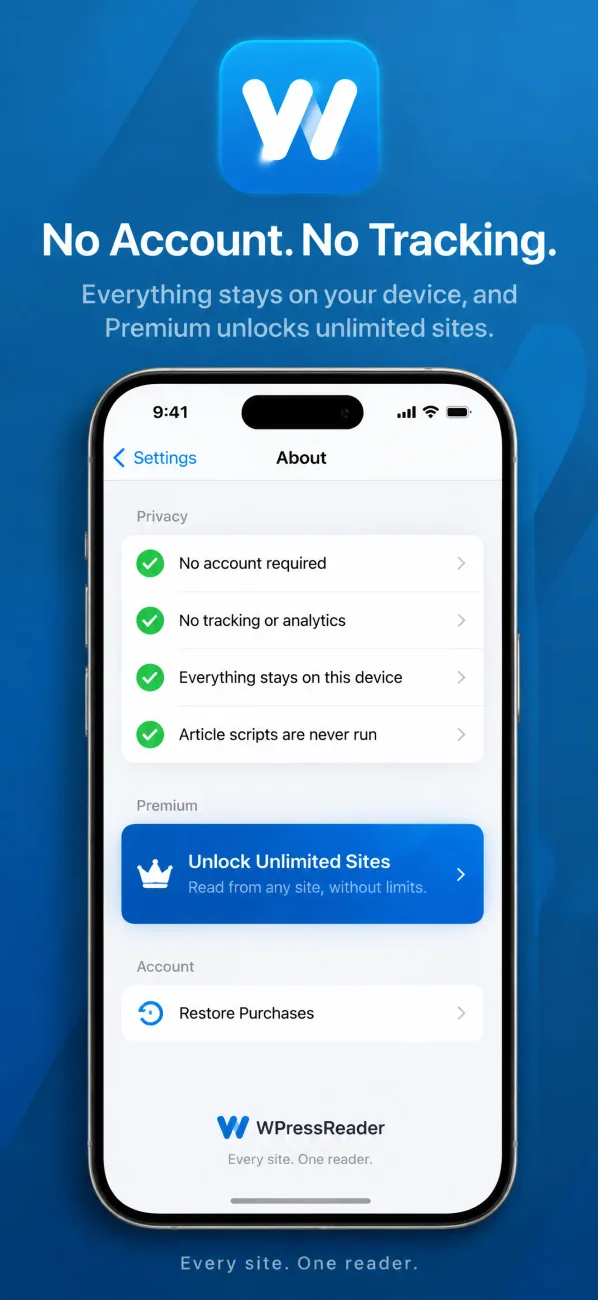
About
Every site. One reader.
WPressReader turns the WordPress sites, blogs and news publishers you follow into one clean, fast news reader. Type a website address, and the app connects to the site's public WordPress feed and shows its latest articles in a home screen you design yourself. No account. No sign-up. No tracking.
READ ANY WORDPRESS SITE
• Add a site by typing its web address, or start with a suggested publication
• The app checks the site for you and tells you plainly if it can't be read
• Works with WordPress blogs, magazines, news sites and independent publishers
• Follow one site for free, or many sites with Premium
• Switch between sites from the menu or site picker without losing your place
A HOME SCREEN THAT'S YOURS
• Choose the categories and tags that matter to you, and turn each into a section on Home
• Show, hide and reorder sections whenever you like
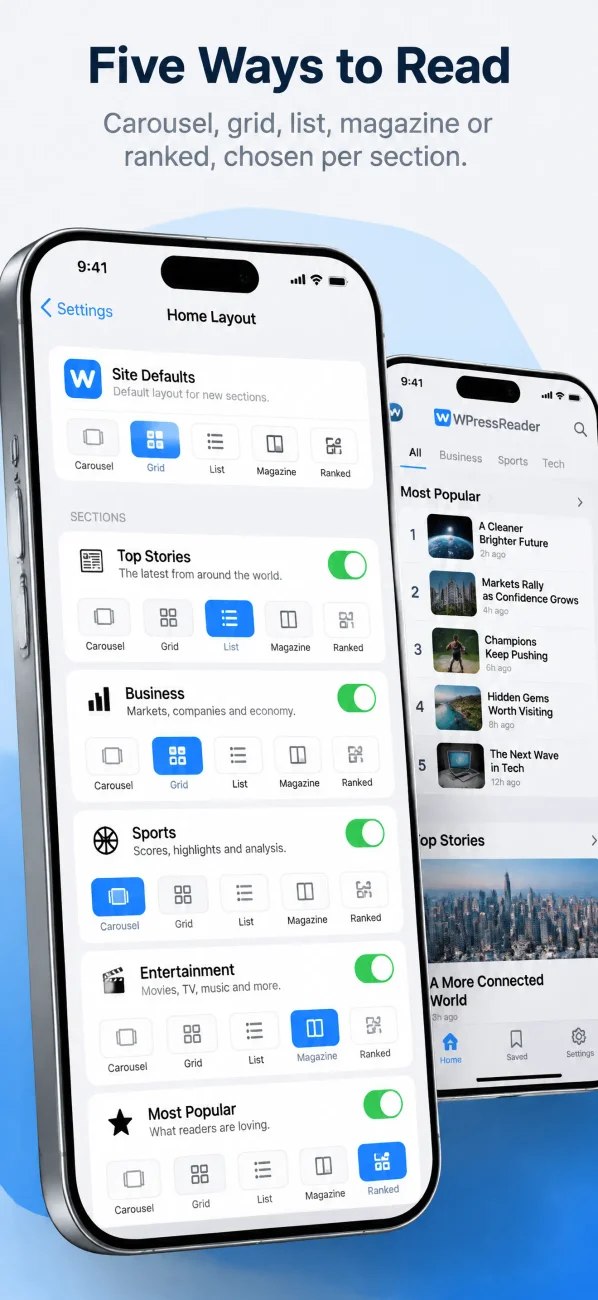
• Set a layout for each section: carousel, grid, list, magazine or ranked list
• Set different layouts for each site, or use one default for all of them
• Pull to refresh and see when each site was last updated
EXPLORE AND SEARCH
• Browse every category and tag a site publishes
• Search articles and topics, and sort by newest, oldest or relevance
• See post counts for each topic before you open it
• Find related articles at the end of every story
A BETTER READING EXPERIENCE
• Articles are drawn natively, so pages load fast and stay clean
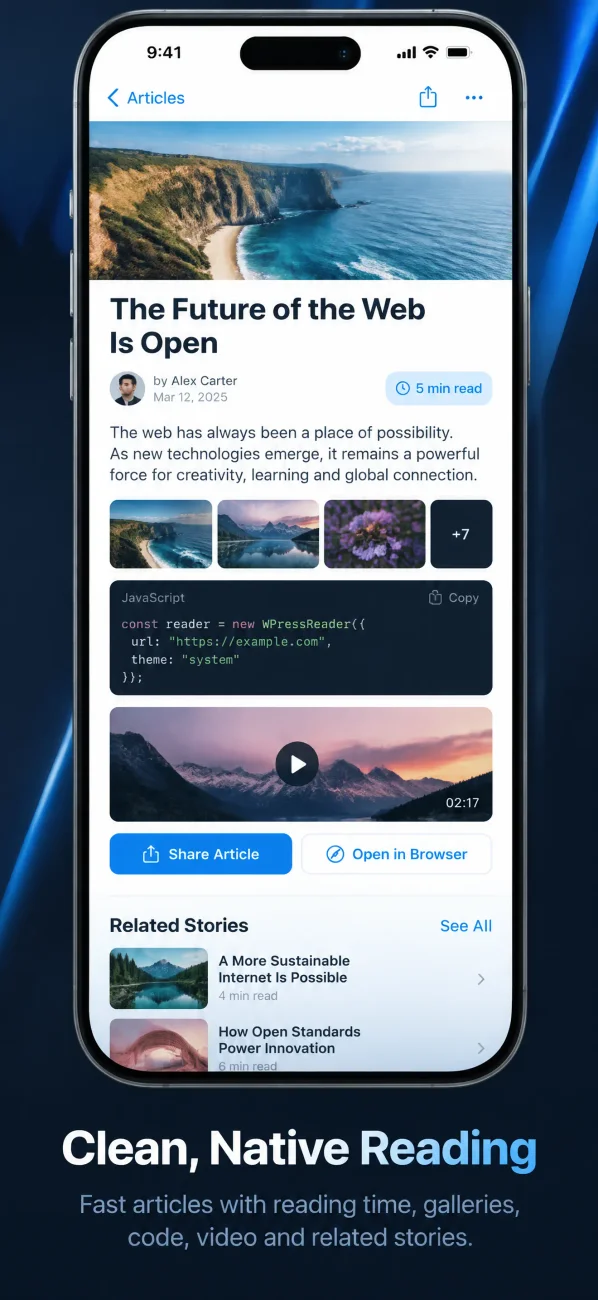
• Reading time is shown on every story, with a progress indicator as you read
• Image galleries, code blocks, audio, video, maps and social posts are all handled
• Article scripts are never run, so nothing from a site executes inside the app
• Share any article, or open the original page in your browser
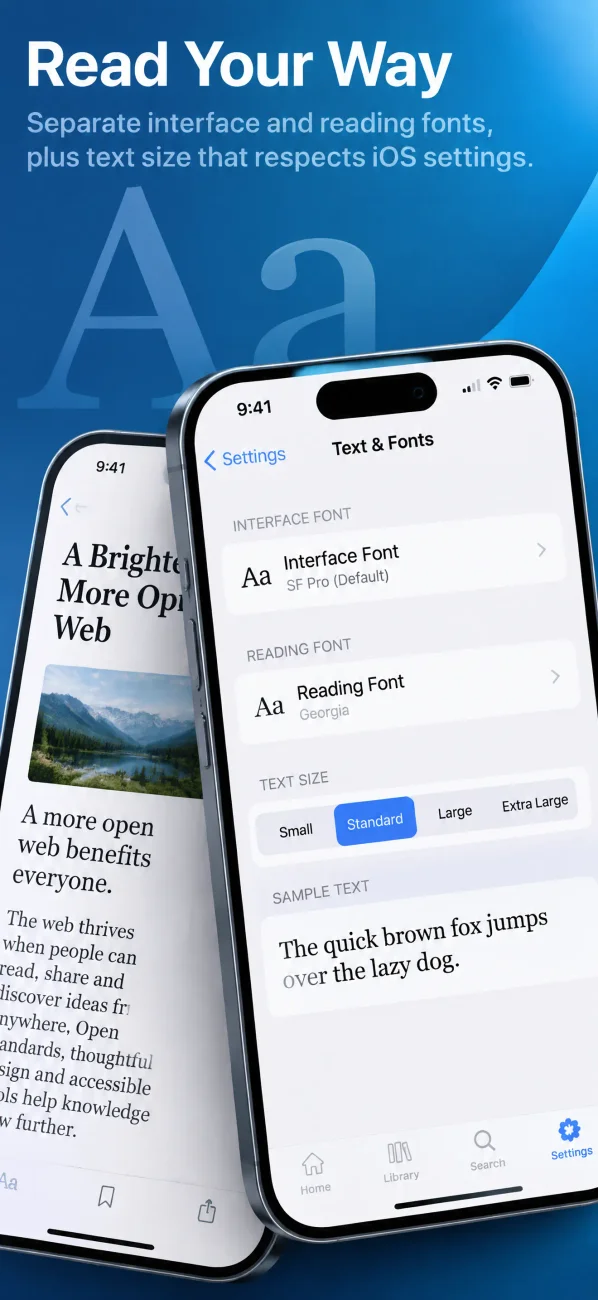
• Adjust text size on top of your iOS settings, so accessibility sizes keep working
SAVE ARTICLES AND READ OFFLINE
• Save any article with one tap and find it again in Saved
• Every saved article keeps its text, ready to read without a connection
• Filter Saved by the current site or all your sites
• With Premium, saved articles are also downloaded with every image, so they read fully offline on a plane, a train or anywhere the signal drops
• Saved stories are clearly marked when they're available offline
MAKE IT LOOK LIKE YOU
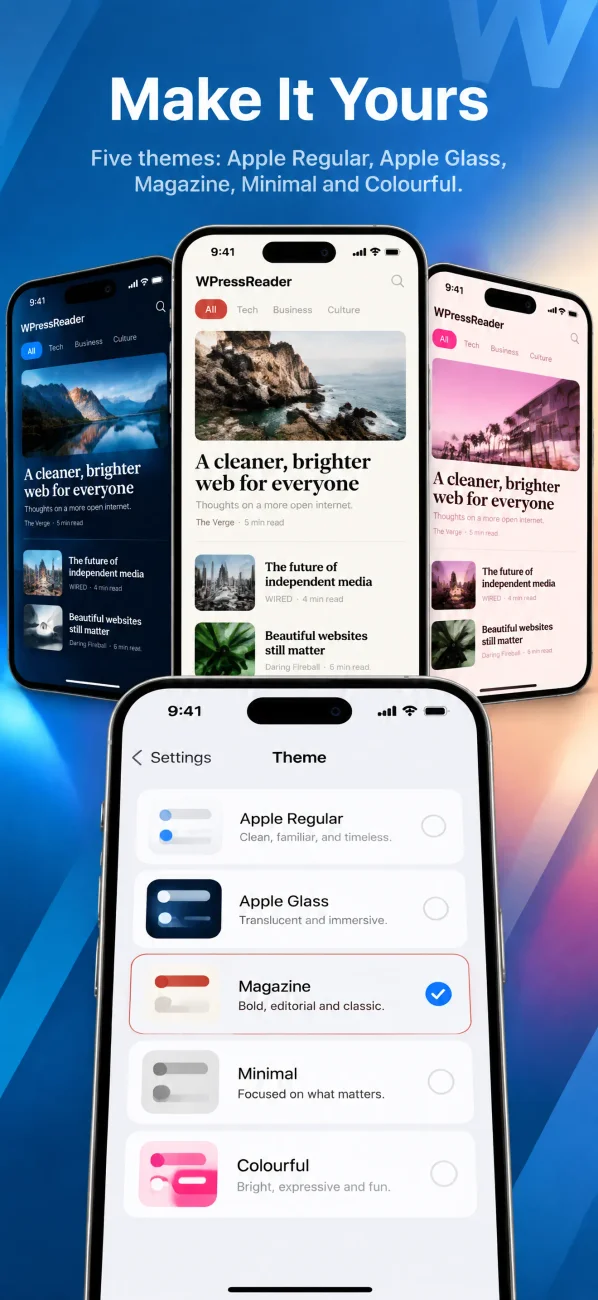
• Five themes: Apple Regular, Apple Glass, Magazine, Minimal and Colourful
• Twelve card styles, from large featured stories to compact lists and text-focused rows
• Choose separate fonts for the interface and for reading, including serif faces for long articles
• Light, Dark or System appearance
• Reduce visual effects for a calmer, simpler look
FRESH CONTENT, LESS DATA
• Background refresh keeps your sites up to date
• Efficient loading keeps even very large sites quick
• See storage used by cached articles and images, and free up space at any time
• Clearing the cache never removes your saved articles or the images they need
PRIVATE BY DESIGN
• No account required
• No tracking or analytics
• Everything stays on your device
• Ad privacy controls in Settings
FREE, PREMIUM AND AD-FREE READING
WPressReader is free to use with ads. Watch a short video to earn ad-free reading time, and add more whenever you like. Your remaining time is always visible in Settings.
Go Premium to unlock:
• Unlimited sites
• Fully offline saved articles with every image downloaded
• Ad-free reading
Restore Purchases is available in Settings at any time.
AVAILABLE IN YOUR LANGUAGE
English, Arabic, French, German, Spanish, Italian, Portuguese (Brazil), Japanese, Korean, Simplified Chinese and Hindi.
Add your first site and build a home screen for the way you read.
Terms of Use (EULA): https://www.apple.com/legal/internet-services/itunes/dev/stdeula/
What’s new
Version 2.0 · Oct 7, 2026
Welcome to WPressReader 1.0.
• Read any WordPress site in one app
• Build a home screen from the categories and tags you choose
• Five themes, twelve card styles and your choice of reading fonts
• Save articles for offline reading
• Search and browse categories and tags
• Available in 11 languages
• Earn ad-free reading time by watching a short video, or go Premium for unlimited sites and fully offline saved articles
App privacy
What Farouk Nasser declares on the App Store about how this app handles data.
-
Data used to track you
May be used to track you across apps and websites owned by other companies.
- Identifiers
-
Data linked to you
May be collected and linked to your identity.
- Identifiers
Privacy practices may vary, for example with the features you use or your age.
Information
- Seller
- Farouk Nasser
- Category
- Utilities
- Version
- 2.0
- Updated
- Oct 7, 2026
- Released
- Jul 14, 2023
- Size
- 26.6 MB
- Requires
- iOS 17.0 or later
- Age rating
- 4+
- Price
- Free
- In-app purchases
- Yes
- Languages
- English, Arabic, French, German, Hindi, Italian, Japanese, Korean, Portuguese, Simplified Chinese, Spanish
- Copyright
- © Wordpress, 2027
You might also like
-
 Refsy - QR WordPress GalleryEdit your Wordpress from phone
-
 FunnelformsEvery lead on your phone
-
 MagLoft - Digital MagazinesHow To Run Digital Magazines
-
 Cow GazerUtilities
-
 Tourlink Walkie TalkieTourlink Walkie Talkie
-
 Buy & Sell Code from CanyCodeCanyCode
-
 Full Circle Victim Safety AppUtilities
-
 ZephyPhoneCall Anywhere, Pay Less
-
 G-Mate- AI Social Copilot