
WPT - Work Project Task
Task & Project Management
Designed for iPhone, iPod touch
Free
- Age rating4+
- CategoryBusiness
- DeveloperNguyen Long
- LanguagesEnglish
- Size40.3 MB
Links to the official App Store page
Download.org hosts no file of WPT - Work Project Task. The button opens its official App Store page, published by Nguyen Long. Listing last checked on Nov 18, 2026.
Screenshots



About
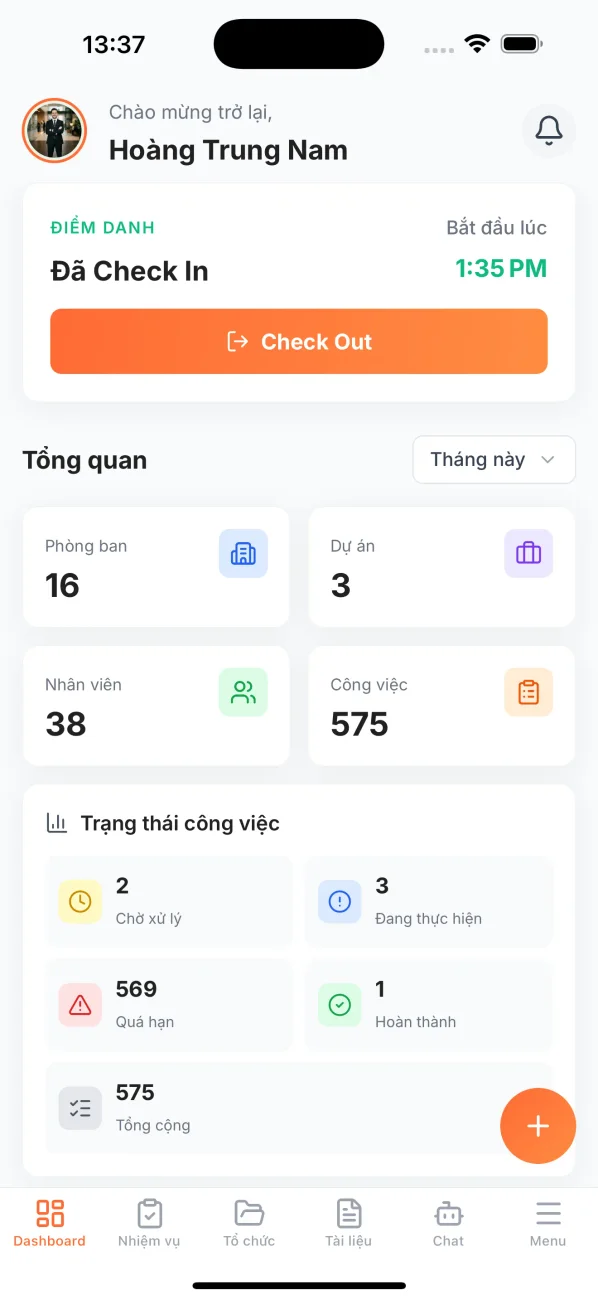
WPT (Work Progress Tracking) is an internal task management and attendance app for employees of organizations using the WPTA platform.
KEY FEATURES
• GPS Attendance: Check in / check out at your office or worksite — the system automatically verifies your location within the allowed radius.
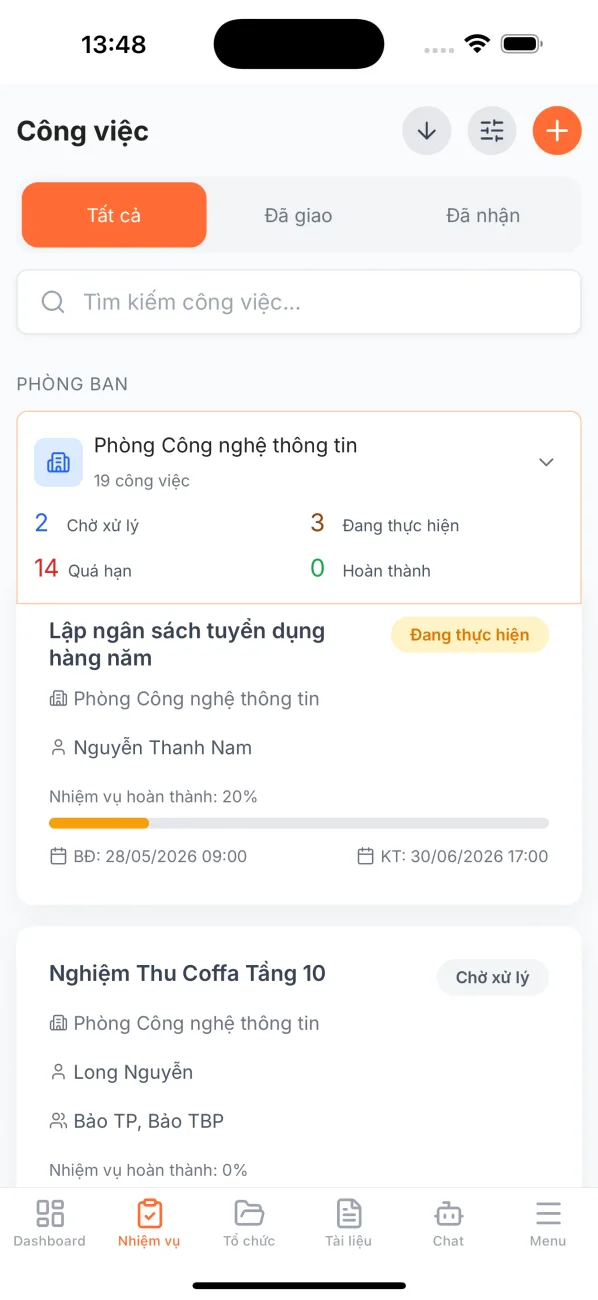
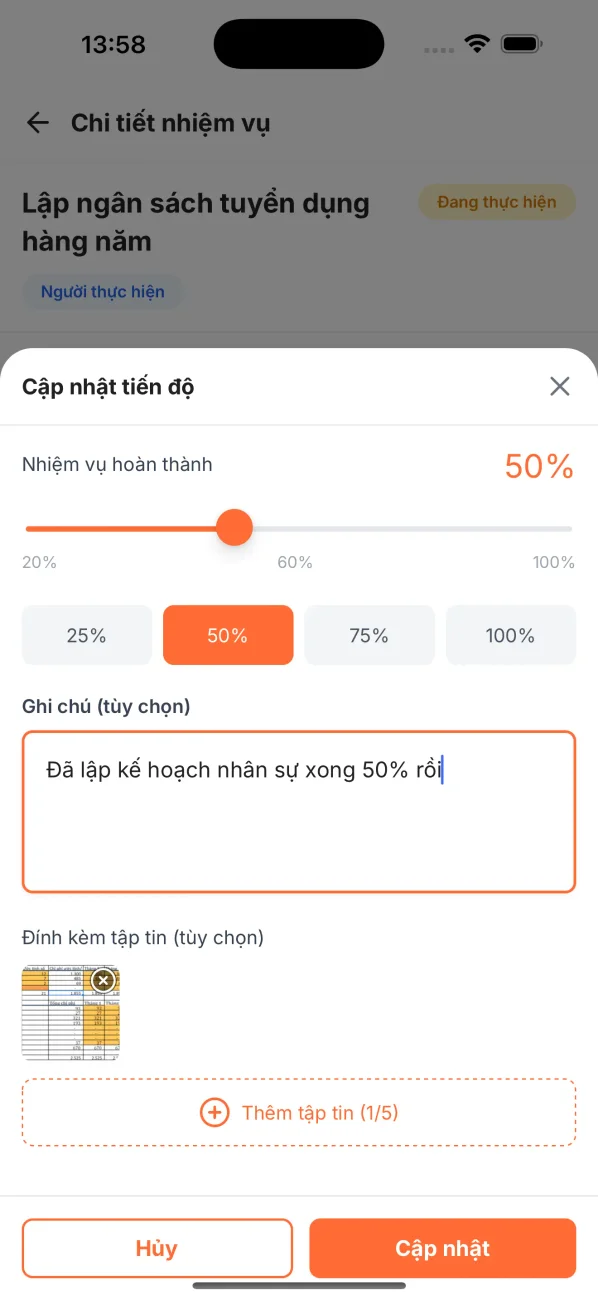
• Task Management: View assigned tasks, update progress, and attach photos and report files directly from your phone.
• Calendar & Events: Track meetings, events, and task deadlines through an intuitive calendar interface.
• Push Notifications: Get instant alerts for new tasks, comments, or deadline reminders.
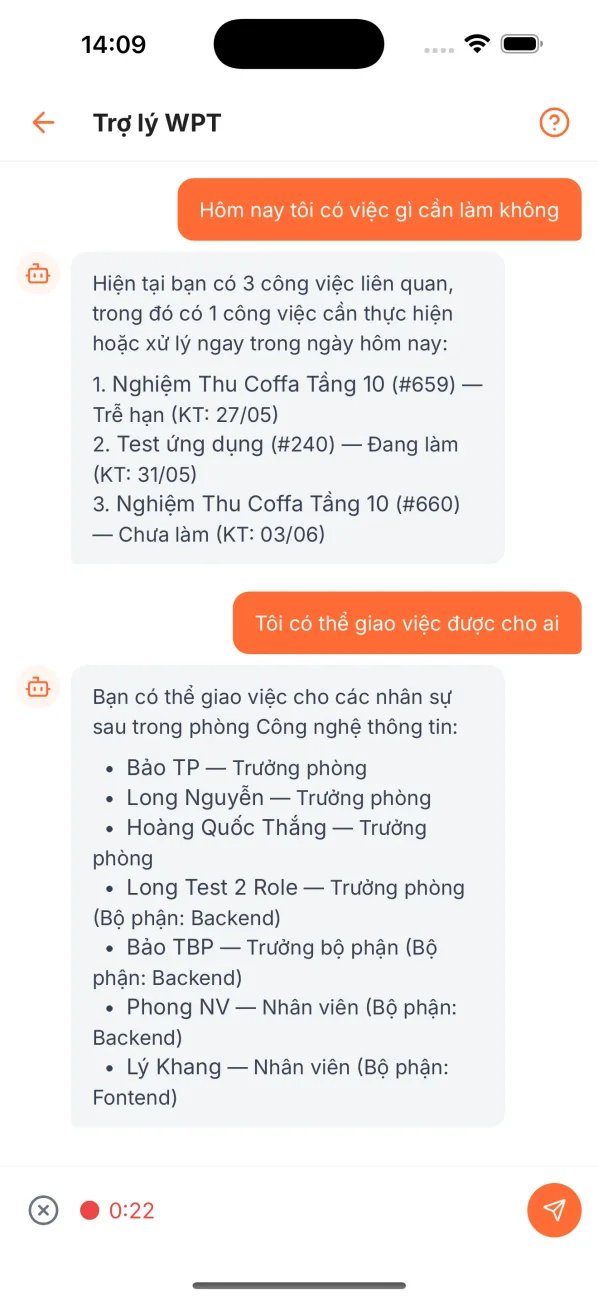
• AI Chat Assistant: Quickly ask questions about workflows, send voice messages, or attach documents.
• Fast Biometric Login (Face ID / Touch ID): Maximum security — biometric data is managed by iOS and never stored on our servers.
• Field Reports: Capture photos and submit on-the-spot reports with verified location data.
WHO IS THIS FOR
WPT is a companion app to the WPTA management platform designed for businesses. You need an employee account issued by your organization to use the app. Accounts cannot be self-registered publicly — they must be approved by an administrator.
PRIVACY
• GPS location is only collected when you actively tap the attendance button.
• Camera and Photo Library are accessed only when you choose to attach media.
• Microphone is recorded only while you hold the voice-message button.
• You can delete your account and personal data directly in the app (Profile → Settings → Delete Account).
SUPPORT
Contact your organization's administrator or email: info@wpta.vn
Privacy Policy: https://cms.wpta.vn/privacy
Terms of Service: https://cms.wpta.vn/terms
What’s new
Version 1.0.10 · Oct 9, 2026
TEAM TASK OVERVIEW
• Project directors, site managers, department heads and team leads get a new "Manage" tab under Tasks: see every task in the projects, departments or teams you lead, grouped by unit — tap to open the list.
• Tapping "View tasks" on a project or department you lead opens it directly in the Manage tab.
PEOPLE
• Department and project member lists are grouped by team and sorted by position within each team.
• Tapping a team jumps straight to it.
TASK ASSIGNMENT
• When you turn down an assignee's request to decline a task, you now enter a reason, and the assignee sees it.
• Task history now records declined assignments, rejected declines, cancellations, hand-overs and stopped recurrences.
• Supporters are recognised correctly when opening a task.
FIXES
• Projects without start/end dates show "Not set" instead of 01/01/1970.
• Projects show the correct type and icon.
App privacy
What Nguyen Long declares on the App Store about how this app handles data.
-
Data linked to you
May be collected and linked to your identity.
- Location
- Contact info
- User content
- Identifiers
Privacy practices may vary, for example with the features you use or your age.
Information
- Seller
- Nguyen Long
- Category
- Business
- Version
- 1.0.10
- Updated
- Oct 9, 2026
- Released
- Jun 12, 2026
- Size
- 40.3 MB
- Requires
- iOS 15.1 or later
- Age rating
- 4+
- Price
- Free
- Languages
- English
- Copyright
- © 2026 Long Nguyen
You might also like
-
 PMQLCVProductivity
-
 MDO – Nền tảng quản trị DNProductivity
-
 EcoSysBusiness
-
 XBOSS ERP 2.0Productivity
-
 Sổ ghi nợ - quản lý công nợFinance
-
 MISA TaskGo 2: QL Công việcBusiness
-
 Colloqui CRMYour self-hosted CRM, mobile
-
 BeqeekBusiness
-
 Velaro WorkspaceSupport Agent Inbox
-
 PhaseSnap: Site Photo ReportsJob site photos, GPS & time