
- Age rating4+
- CategoryUtilities
- DeveloperLeo Ohayon
- LanguagesEnglish
- Size4.4 MB
Links to the official App Store page
Download.org hosts no file of WrenchBook. The button opens its official App Store page, published by Leo Ohayon. Listing last checked on Nov 23, 2026.
Screenshots


About
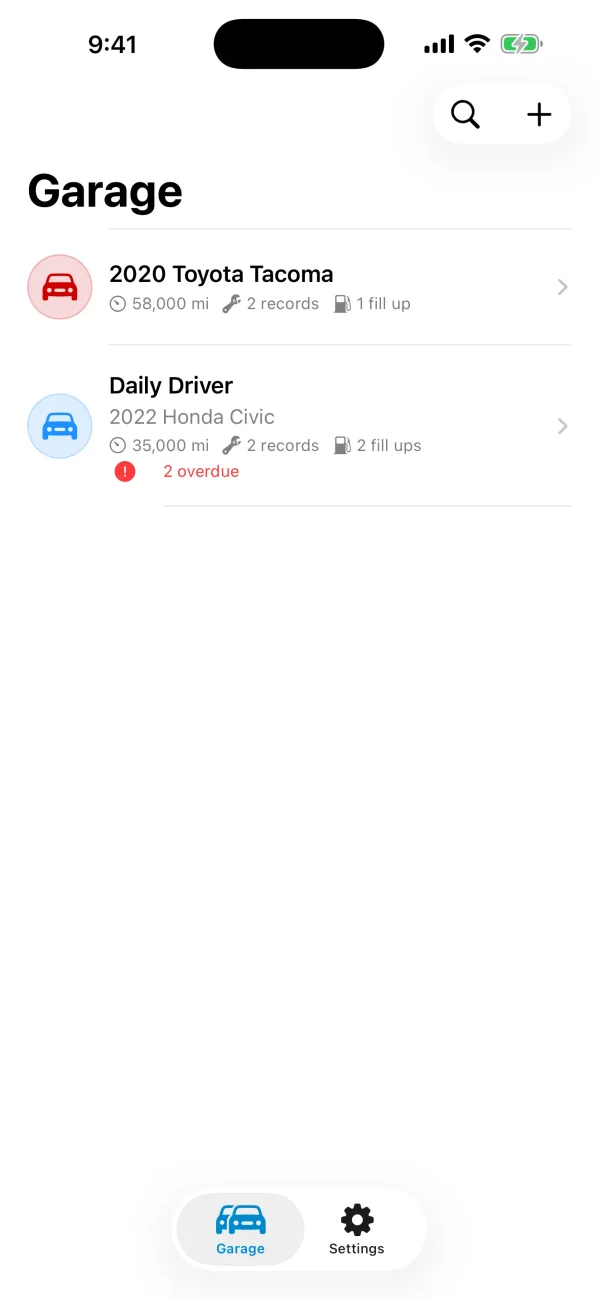
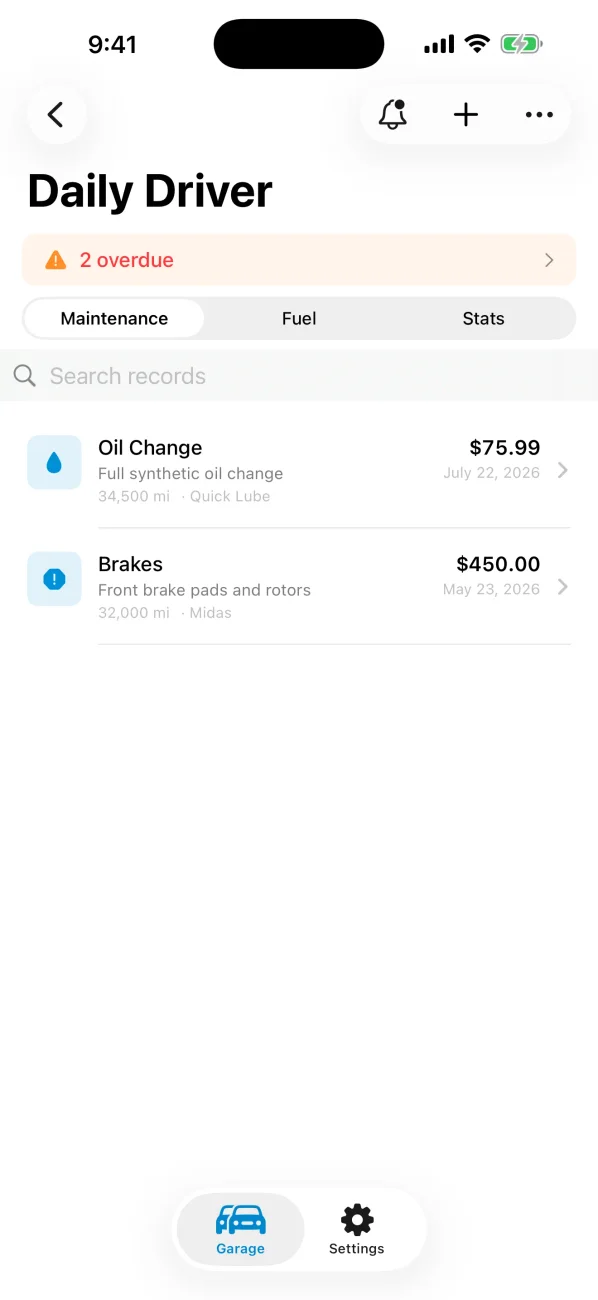
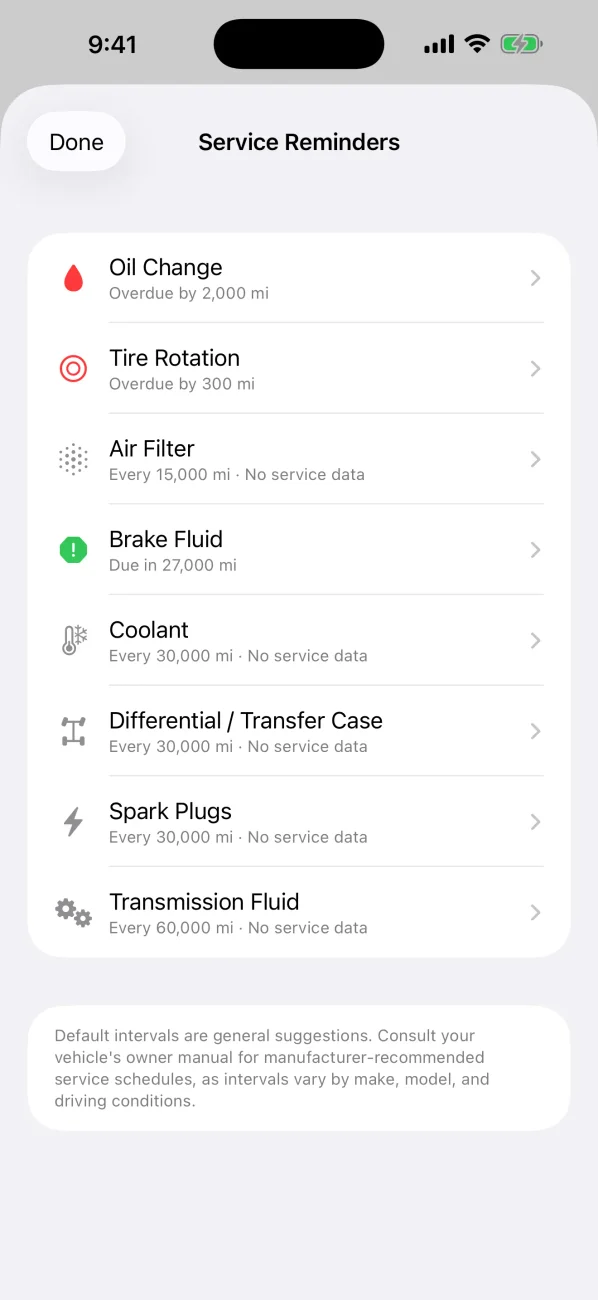
WrenchBook is a simple, privacy-first vehicle maintenance and fuel log app that helps you track service history, fuel usage, costs, mileage, and receipts in one place. Stay organized with reminders and insights, and optionally back up your data to Google Drive so your records are always accessible.
What’s new
Version 1.9.1 · Nov 20, 2026
Everything since 1.5.4. Now requires iOS 26.
New:
- Maintenance to-dos. Work you know the car needs but haven't done yet, kept out of the history so it never affects your mileage, reminders or costs. Logging the record when the work happens marks the to-do done and links the two.
- A Fleet statistics screen for the whole garage, opened from the Garage toolbar once you have two vehicles. Fleet totals, month and year trends, every vehicle ranked against the others on spend, economy and cost per mile, spend split fuel against service, and monthly spend stacked by vehicle.
- Fleet figures leave retired vehicles out by default. A line under the section picker says which cars a figure covers, on every tab, and a menu switch includes the retired ones. Your choice is remembered between visits.
- Statistics is its own screen rather than a sub-tab, and Fuel and Maintenance now share one search field that stays put when you switch between them.
- Five more maintenance categories, including Engine and Drivetrain.
- Each maintenance record says which service reminders it restarts, pre-ticked from the category, so one oil change no longer resets intervals it had nothing to do with.
- Google Drive backups finish after the screen locks instead of being cut short, and unchanged receipt photos are no longer re-uploaded every time.
App privacy
What Leo Ohayon declares on the App Store about how this app handles data.
-
Data not collected
The developer does not collect any data from this app.
Privacy practices may vary, for example with the features you use or your age.
Information
- Seller
- Leo Ohayon
- Category
- Utilities
- Version
- 1.9.1
- Updated
- Nov 20, 2026
- Released
- Feb 26, 2026
- Size
- 4.4 MB
- Requires
- iOS 26.0 or later
- Age rating
- 4+
- Price
- Free
- Languages
- English
- Copyright
- © 2026 Leo Ohayon
You might also like
-
 WrenchSpeakMechanic Level Answers Fast
-
 Vehicle Check Maintenance LogUtilities
-
 Countdown to AlarmCountdown to your wake up time
-
 Docaro - Car Service BookAI Maintenance Log & Reminders
-
 Xpert Car MaintenanceCar Maintenace Administration
-
 AutoCare ProCar Maintenance & Service
-
 Revvy - Car MaintenanceVehicle Service & Cost Tracker
-
 MyCarLog - Smart Car ManagerFuel, Trips, Maintenance & AI
-
 WrenchLog: Car Maintenance LogService, Fuel & Recall Alerts
-
 Healthy RidesCar Maintenance Tracker