- Age rating4+
- CategoryProductivity
- DeveloperSavi Solutions
- LanguagesEnglish
- Size3.1 MB
Links to the official App Store page
Download.org hosts no file of Wrist Recorder Notes. The button opens its official App Store page, published by Savi Solutions. Listing last checked on Nov 18, 2026.
Screenshots

About
Wrist Recorder puts a voice recorder on your wrist. Tap a complication on your watch face and start talking. Your note is saved on Apple Watch, sent to your iPhone, and transcribed automatically.
RECORD FROM YOUR WATCH FACE
• New Recording complication: one tap opens the recorder and starts recording.
• Add to Latest complication: keep talking into your most recent note.
• Record on Apple Watch even when your iPhone isn't nearby. Notes are sent over when it's back in range.
• Play a note back, add to it, or delete it right on your watch.
TRANSCRIBED ON YOUR IPHONE
• Every note is transcribed as soon as it reaches your iPhone, with no need to open it first.
• Add more to a note later and the whole note is transcribed again.
• Scrub to any moment in a note, or skip back and forward 15 seconds.
• Select and copy any part of a transcript, or share it.
• Share a note's audio as a single sound file, even if you added to it later.
ORGANIZED WITH CATEGORIES
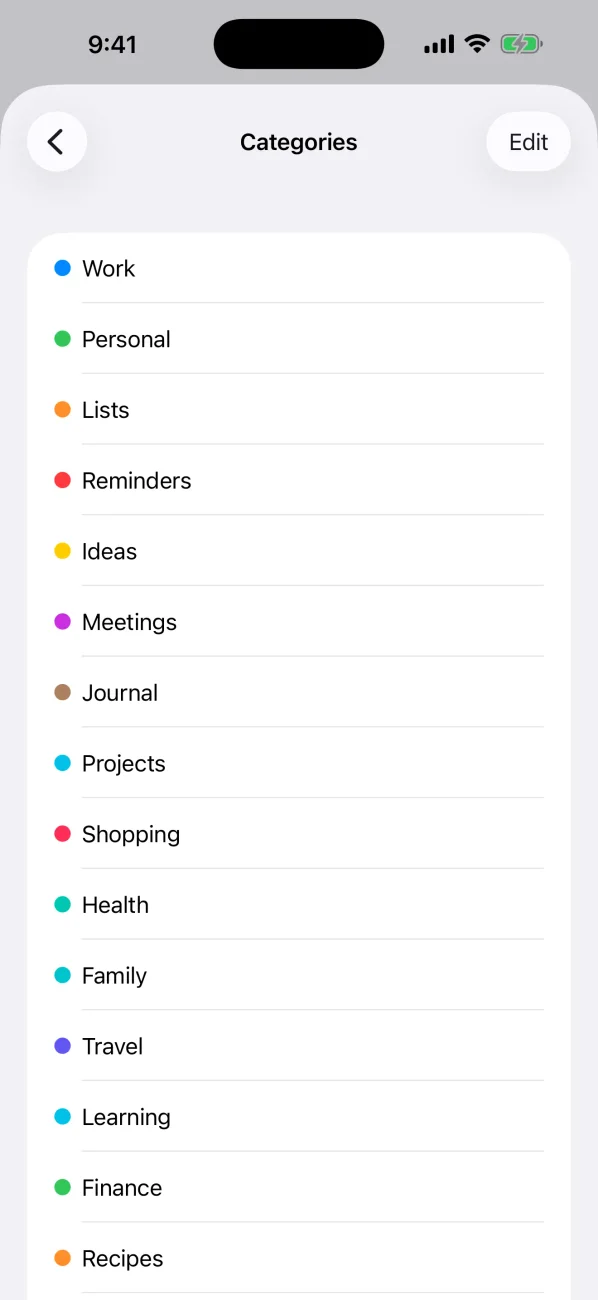
• Sixteen color-coded categories to start, from Work and Personal to Lists, Reminders, Ideas, and Meetings.
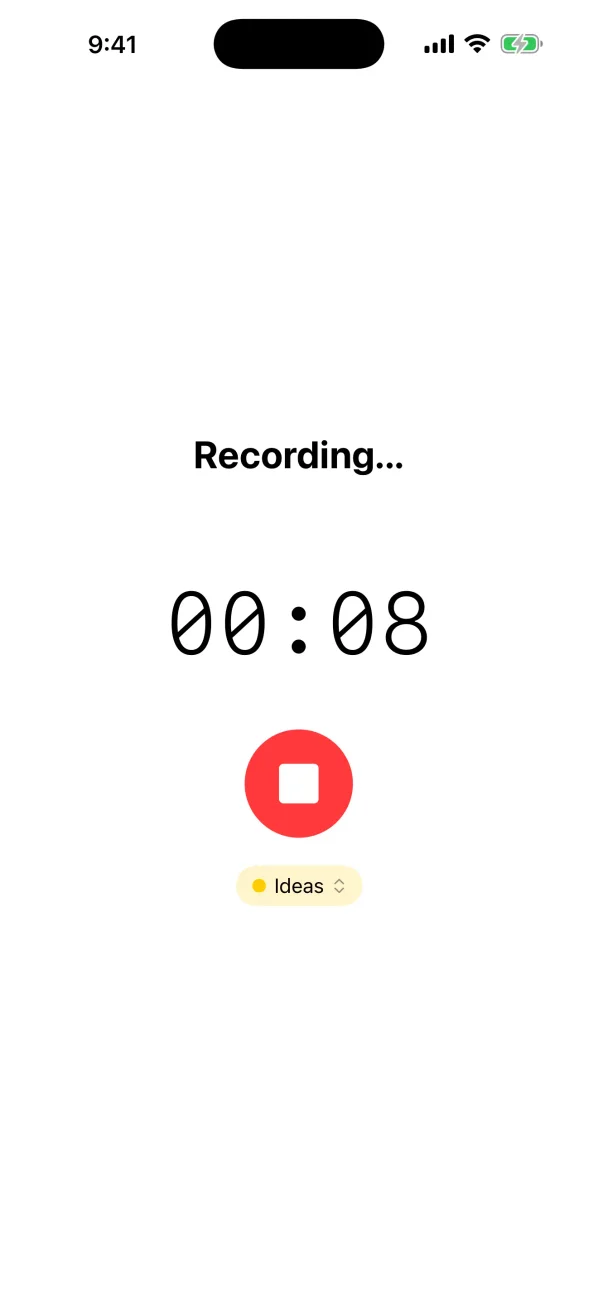
• Pick a category while you record, on iPhone or Apple Watch, or change it later.
• Hide the categories you don't want to see, like Work on the weekend.
• Add, rename, recolor, and reorder categories in Settings.
EASY TO FIND
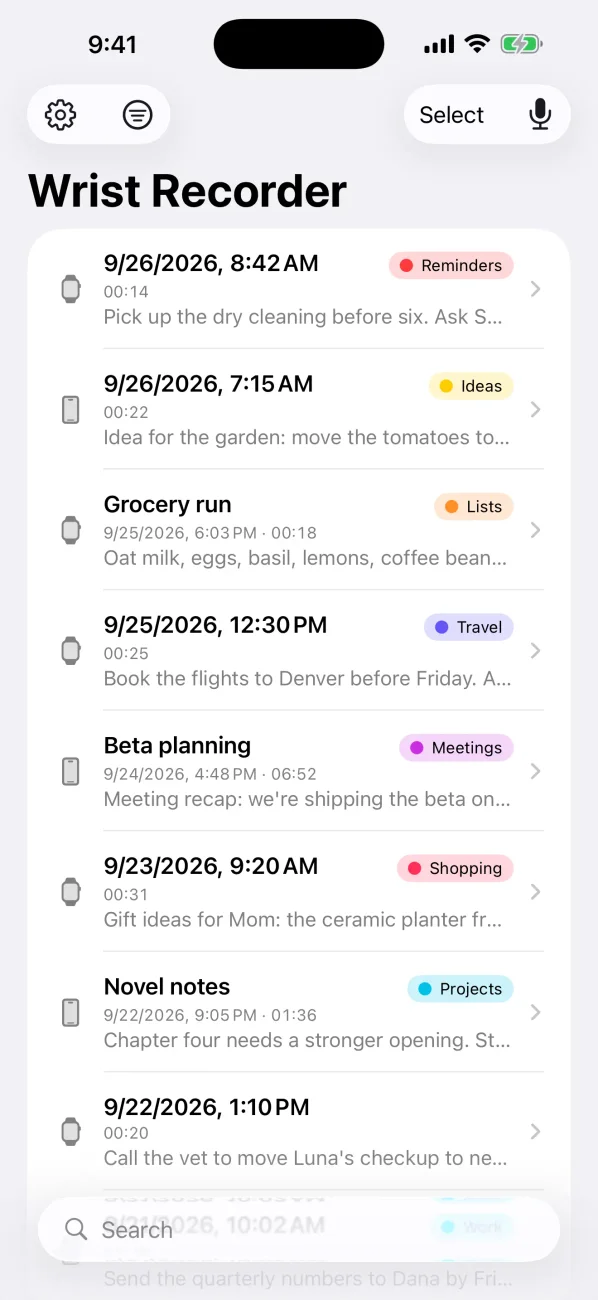
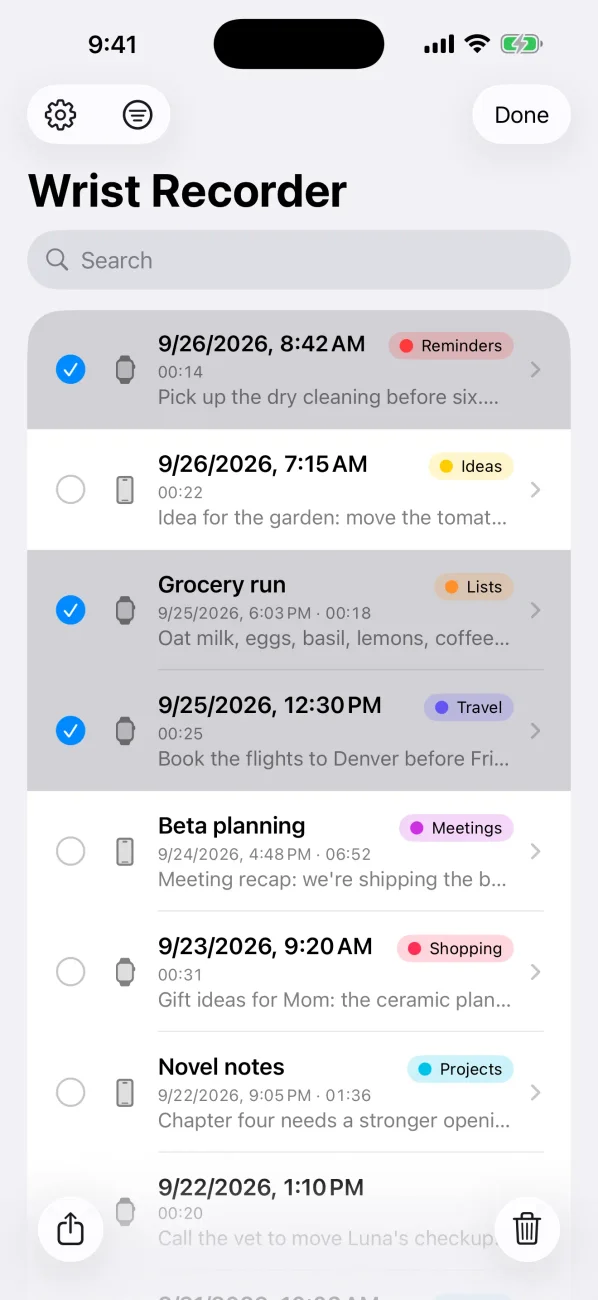
• Newest notes at the top, each with its category, length, and a one-line preview of what you said.
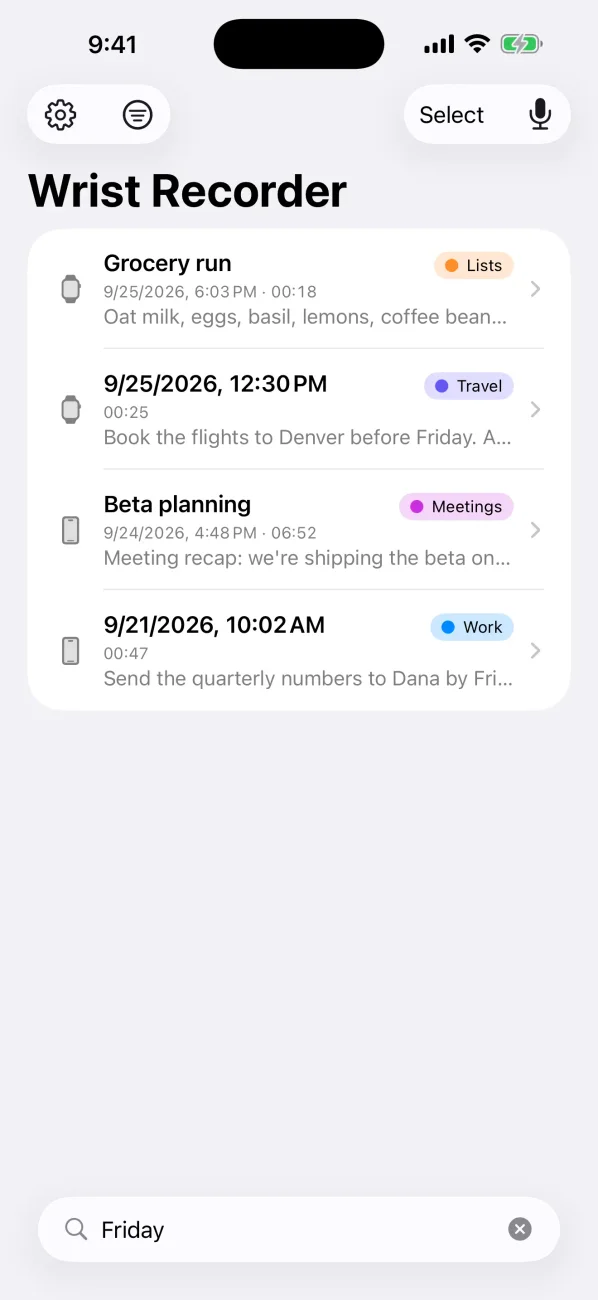
• Search names and transcripts, with every match highlighted when you open the note.
• Rename a note with a swipe, or by pressing and holding its title. The new name shows on your watch too.
• An icon shows whether each note was recorded on iPhone or Apple Watch.
• Select several notes to share their transcripts or audio, or delete them together.
SYNC YOUR WAY
• Sync deletions between iPhone and Apple Watch, or keep each device's notes separate.
• Copy notes recorded on iPhone to your watch to play them on the go.
PRIVATE BY DESIGN
• No account, no ads, no tracking.
• Recordings and transcripts stay on your iPhone and Apple Watch.
• Transcription uses Apple's speech recognition, on your iPhone when it's supported.
Requires iOS 17 or later. The Apple Watch app requires watchOS 10 or later.
What’s new
Version 1.1 · Oct 6, 2026
• Scrub to any moment in a note, or skip back and forward 15 seconds, on iPhone.
• Fixed an issue where adding to a note from Apple Watch could leave its earlier parts out of the transcript. Adding to an affected note again transcribes it in full.
App privacy
What Savi Solutions declares on the App Store about how this app handles data.
-
Data not collected
The developer does not collect any data from this app.
Privacy practices may vary, for example with the features you use or your age.
Information
- Seller
- Savi Solutions, LLC
- Category
- Productivity
- Version
- 1.1
- Updated
- Oct 6, 2026
- Released
- Oct 5, 2026
- Size
- 3.1 MB
- Requires
- iOS 17.0 or later
- Age rating
- 4+
- Price
- Free
- Languages
- English
- Copyright
- © 2026 Savi Solutions, LLC
You might also like
-
 Timestamp Camera: EverStampSealed photo and video proof
-
 MPG Expense Tracker - Fuel LogOCR Receipt & Mileage Log
-
 Musing NotesNotes you find by asking
-
 VoxWhisper: Voice NotesTranscribe, Summary & To-Dos
-
 My Car Logbook: Vehicle CareTrack fuel, repair & mileage
-
 CopyPad: Clipboard Manager AIAI Writer, Voice & Quick Notes
-
 EcosAgile ExpenseTravel Expense Management
-
 NumPad: Calculator KeyboardLive math while you type
-
 PresiTimer: Presentation TimerOn Stage: Always On & Silent
-
 Whiteboard Infinite PDF CanvasDrawing, Diagrams & Markup