Write Right for Exam
Enhance your writing skills
Designed for iPhone, iPad
In-app purchases
- Age rating4+
- CategoryEducation
- DeveloperSmallsoft Pty Ltd
- Size4.2 MB
Links to the official App Store page
Download.org hosts no file of Write Right for Exam. The button opens its official App Store page, published by Smallsoft Pty Ltd. Listing last checked on Nov 6, 2026.
Screenshots
About
Build confidence in your English writing, one practice piece at a time. WriteRight helps you check grammar, improve sentences and rewrite your work for your chosen exam and task.
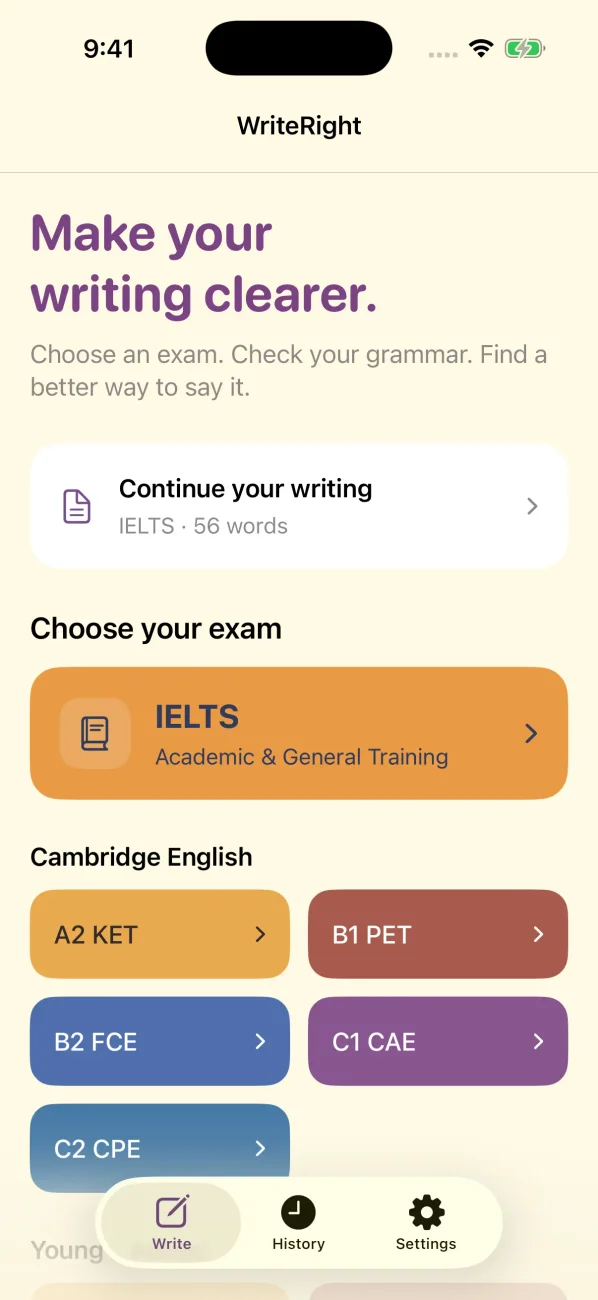
Choose IELTS Academic or General Training, or a Cambridge English exam such as A2 Key (KET), B1 Preliminary (PET), B2 First (FCE), C1 Advanced (CAE) or C2 Proficiency (CPE). Writing options also include young learner, BEC, TKT and CELTA categories.
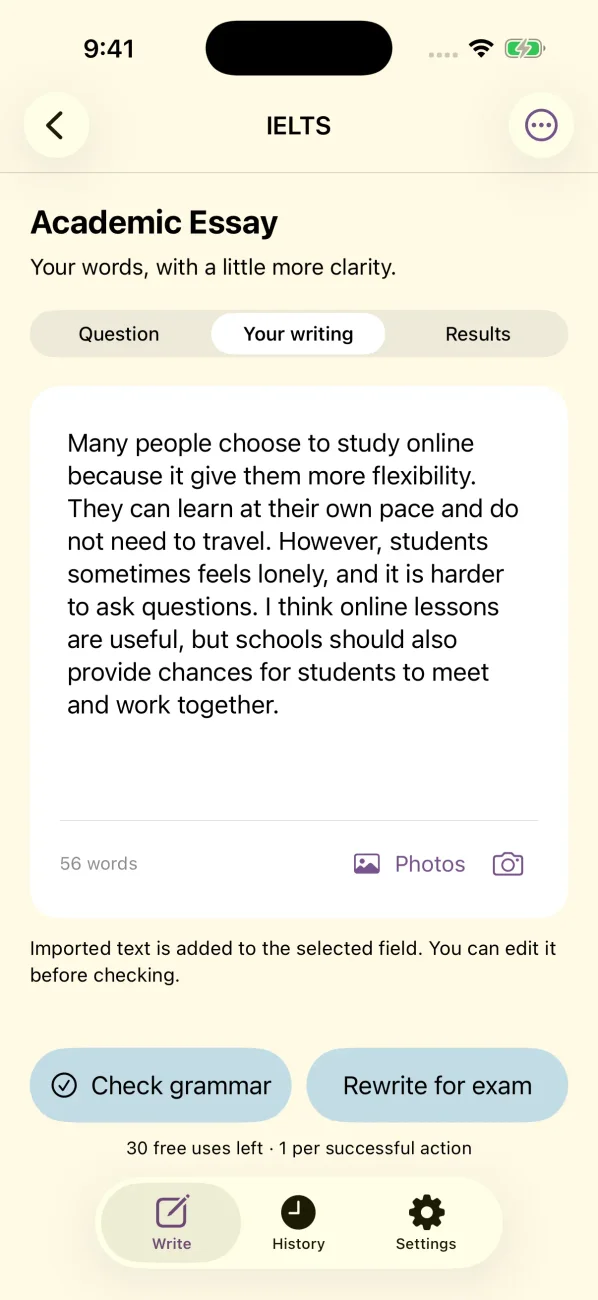
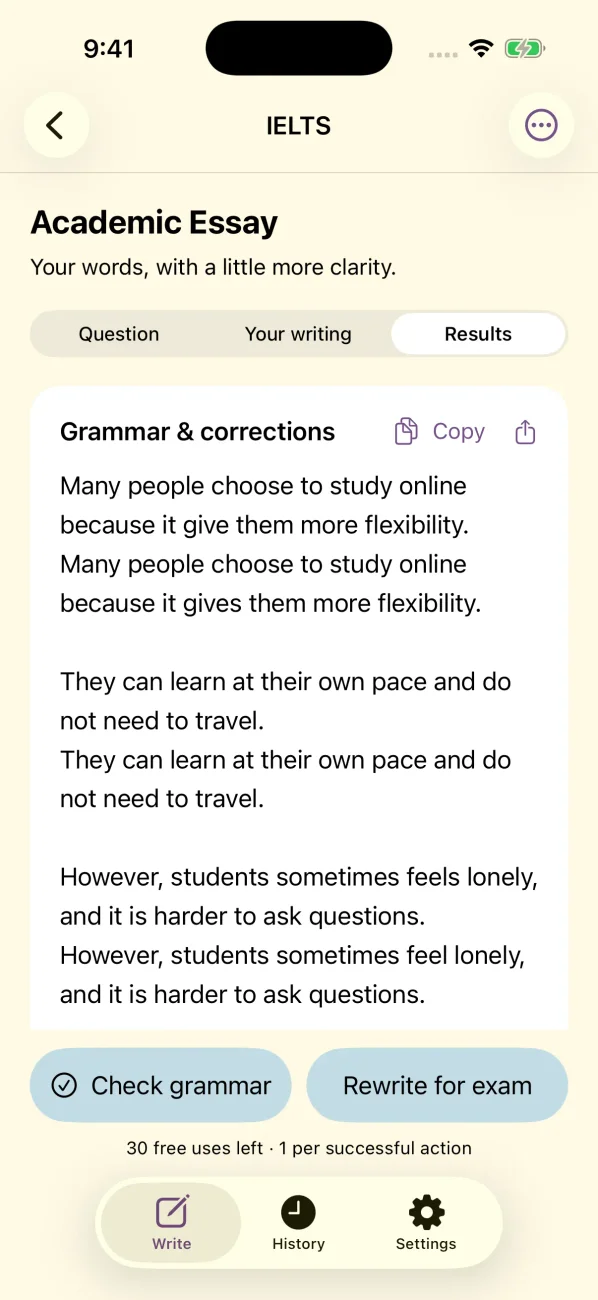
Start with your own words. Type or paste your writing, or recognise text from a photo. Add the question so your rewrite can take the task into account. Check grammar first, then request a rewrite for your selected exam and writing type.
Keep your practice together. Your current draft saves automatically. Save writing and feedback to your history, search earlier work, and copy or share the text you want to revisit. Generate learning notes from the writing in your history list to review useful corrections and vocabulary.
The redesigned app brings clearer navigation, a calmer version of WriteRight's familiar colours and an ad-free experience for everyone. Available on iPhone and iPad, with English and Simplified Chinese interfaces.
New users receive 30 free uses. Each successful grammar check, rewrite or learning-notes request uses one free use. Optional weekly, monthly and yearly subscriptions provide unlimited use of these features. Existing subscribers can continue with their current subscription or restore purchases using the same App Store account.
Payment is charged to your Apple Account when you confirm a purchase. Subscriptions renew automatically unless cancelled at least 24 hours before the end of the current period. Your account is charged for renewal within 24 hours before the period ends. Manage or cancel your subscription in your App Store account settings. Prices and billing periods are shown before purchase.
Privacy policy: https://smallsoft.com.au/privacy-policy-for-writeright/
Terms of use: https://smallsoft.com.au/terms-and-conditions-for-the-writeright/
What’s new
Version 2.0.0 · Nov 2, 2026
A fresh look for WriteRight, with the writing tools you already use.
• Redesigned screens and clearer navigation, with a more balanced version of our familiar colours.
• An ad-free experience for everyone.
• Separate question, writing and results views, plus automatic draft saving.
• Easier access to saved writing, search, copying and sharing.
• Your existing subscription continues to work. Restore purchases with the same App Store account.
App privacy
What Smallsoft Pty Ltd declares on the App Store about how this app handles data.
-
Data not collected
The developer does not collect any data from this app.
Privacy practices may vary, for example with the features you use or your age.
Information
- Seller
- Smallsoft Pty Ltd
- Category
- Education
- Version
- 2.0.0
- Updated
- Nov 2, 2026
- Released
- Sep 16, 2024
- Size
- 4.2 MB
- Requires
- iOS 16.0 or later
- Age rating
- 4+
- In-app purchases
- Yes
- Copyright
- © 2026 Smallsoft Pty Ltd
You might also like
-
 PET单词速记-MeowordsEducation
-
 题题测Education
-
 Lispa: Listen & Spell EnglishDictation, Spelling & Vocab
-
 VibeSpeak - Practical EnglishEnglish speaking practice
-
 Lingxi KETEducation
-
 English Diary - AI CoachYour AI English teacher
-
 GoSpeak - AI Language LearningSpanish, French, English
-
 GRE & SAT Exam Words - ParrotBoost vocabulary with tweets
-
 English B1 Preliminary (PET)Cambridge B1 Tests 2026
-
 Cambridge First B2 PracticeB2 Grammar and Vocabulary.