XC Team Timer
Time Every Runner At Once
Designed for iPhone, iPad
In-app purchases
- Age rating4+
- CategorySports
- DeveloperCade Cobb
- LanguagesEnglish
- Size41.1 MB
Links to the official App Store page
Download.org hosts no file of XC Team Timer. The button opens its official App Store page, published by Cade Cobb. Listing last checked on Nov 23, 2026.
Screenshots



About
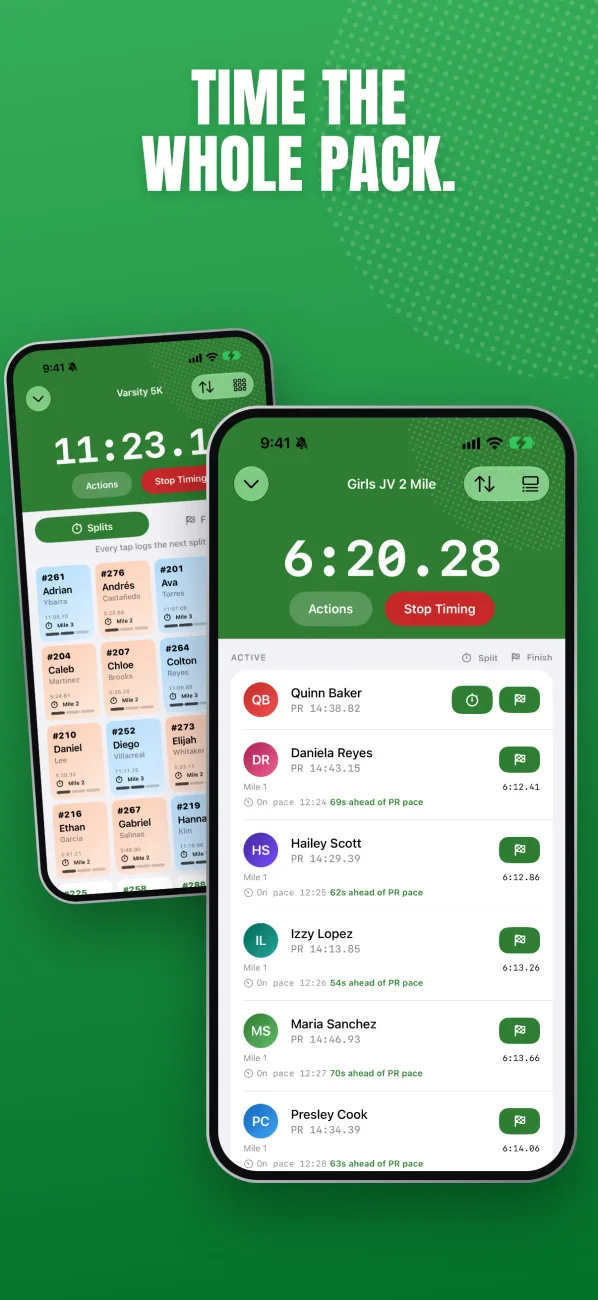
Stand at the mile marker and catch your whole team crossing seconds apart. XC Team Timer keeps every runner on their own clock, one tap per runner, so everybody gets their splits. Then plan the week's practices and time every rep in the same app.
[IMPORTANT: PAID SUBSCRIPTION REQUIRED]
XC Team Timer requires a paid subscription to access its features, timing tools, and coaching utilities. The one exception: helping a coach as a Timekeeper is free.
Coach Plans add unlimited athletes, Timekeeper Mode, and Practices. Parent Plans allow you to add up to 4 athletes.
TIME THE RACE
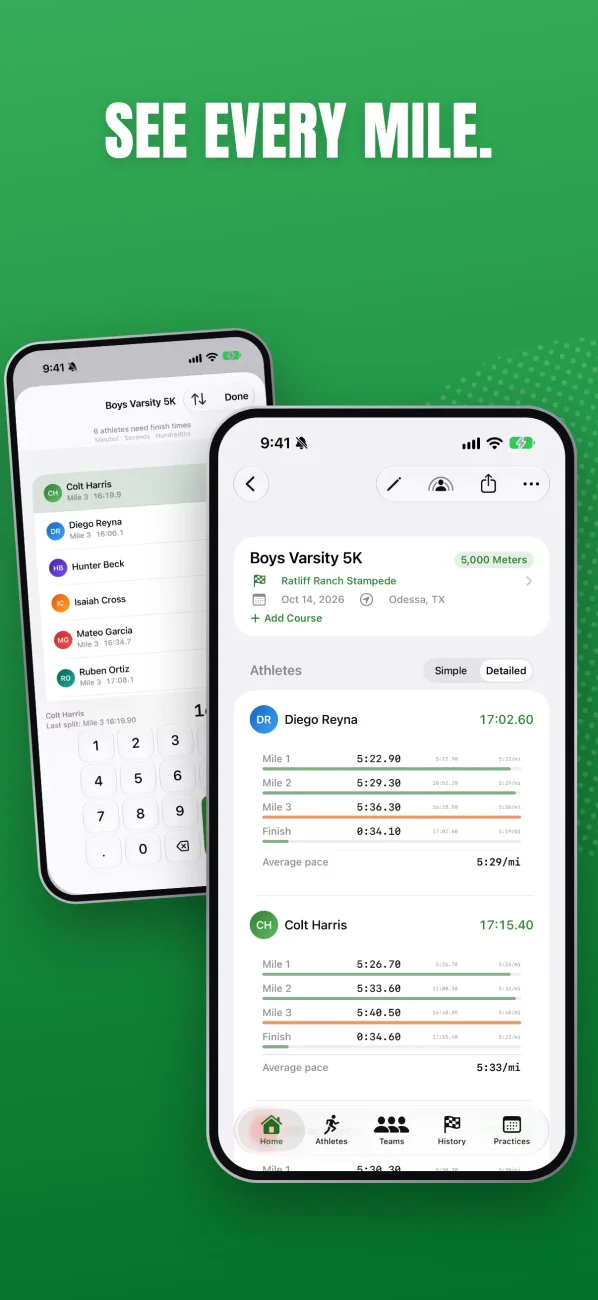
• Live race timer: tap each runner as they cross, and everyone gets their own splits
• Cumulative mile splits for 5K and 2-mile races: 5:57, 12:01, 18:42 tells the whole story
• Grid Timing puts every runner on one screen, one tile each
• The race clock stays on your Lock Screen with Live Activities
• A phone call won't lose your times: the timer survives interruptions
• Timed only the splits? Type the official finish times in afterward
PRACTICES (COACH PLAN)
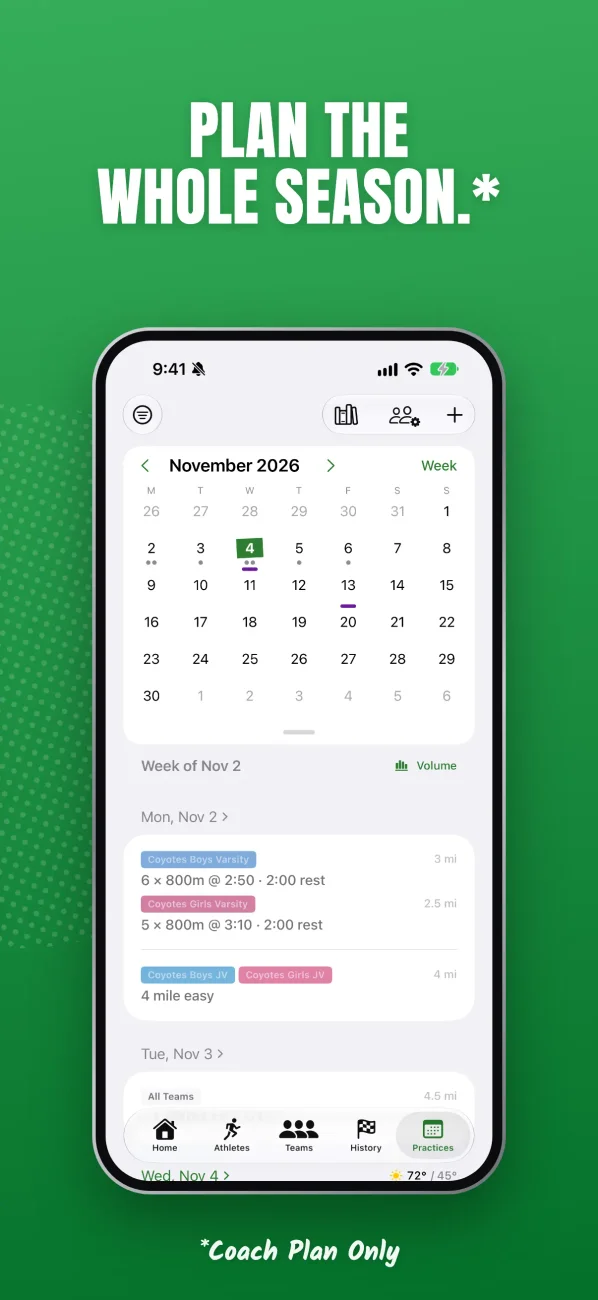
• Plan every team's practices on one calendar, with your meets marked beside them
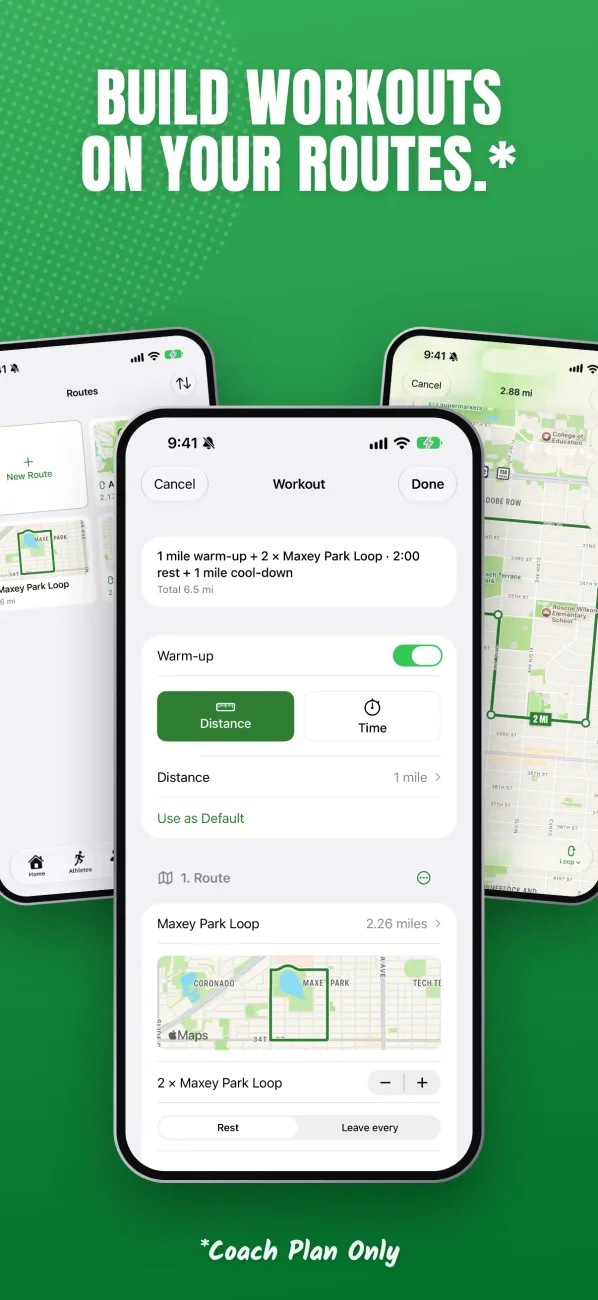
• Build a workout from reps, rest, sets, warm-up and cool-down, or type it the way you'd write it on the whiteboard
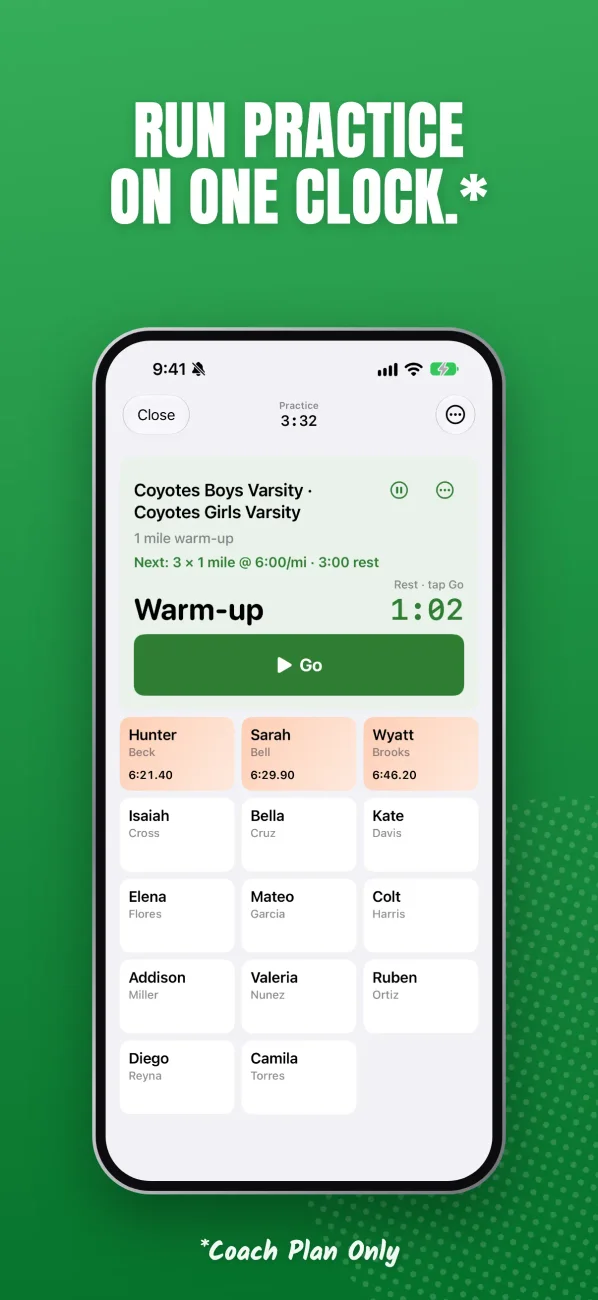
• Give each group its own workout in the same practice: varsity on mile repeats, JV on a tempo
• One practice clock runs every group's reps and rest, and every rep time lands on the athlete's page
• Draw your running routes on the map with mile markers, then run them as workouts or make one a race's course
TIMEKEEPER MODE (COACH PLAN REQUIRED TO START)
• Invite parents and assistants with a link in Messages, and put one at every mile marker
• Every split and finish lands on your phone automatically
• You decide what helpers can do: start, pause, stop, restart, or mark DNS/DNF/DQ
• Invite Spectators: parents follow the live board on their own phones
• Helping and watching are free, no subscription needed
SHARE RESULTS
• Print or share PDF results for a race, a meet, an athlete, or a team, in your school color
• Share cards in your school colors for the team group chat, or a whole meet's PRs in a few cards
• Send results files to parents and other coaches, and bring your athletes' times in from theirs
YOUR PROGRAM, ORGANIZED
• Every athlete with photo, contact info, birthday, and full race history
• Varsity and JV squads with team colors and logos
• Bring your whole roster in from a spreadsheet with guided CSV import; export any time
• Graduate seniors and roll to a new season without retyping anyone
RESULTS THAT COACH FOR YOU
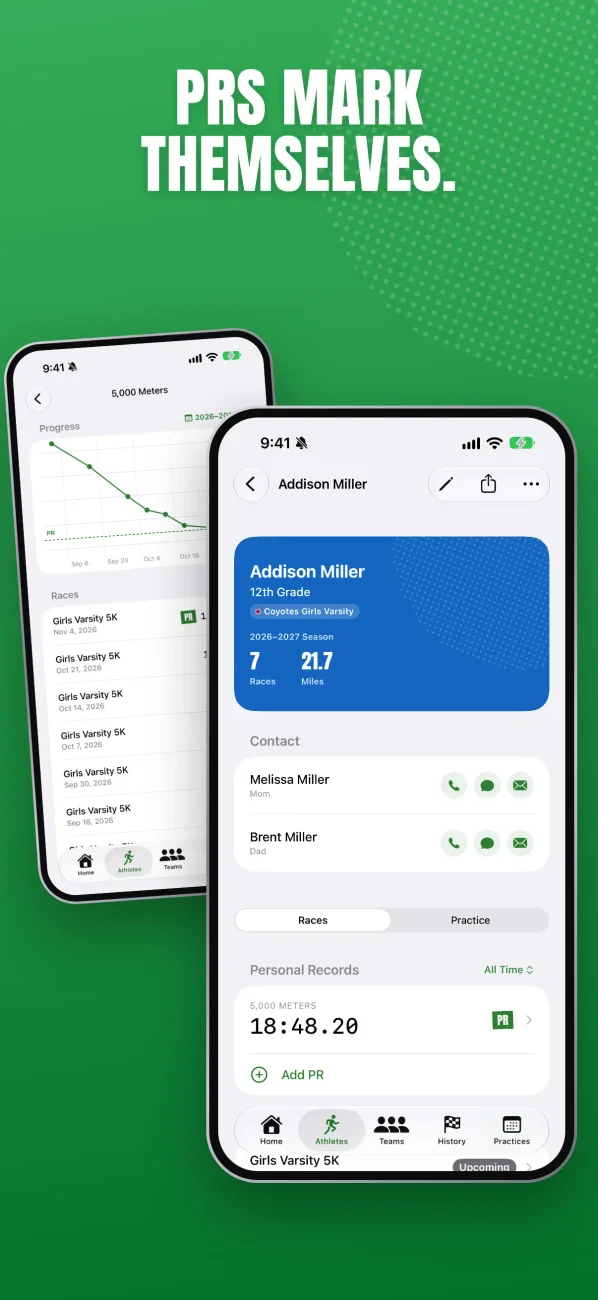
• PRs and season bests badge themselves the moment they happen
• Season Bests leaderboard: who's fastest in every event, whole program, one screen
• Team Depth Chart: your lineup card at a glance
• Progress charts that trend each runner toward their season goal
MEET DAY
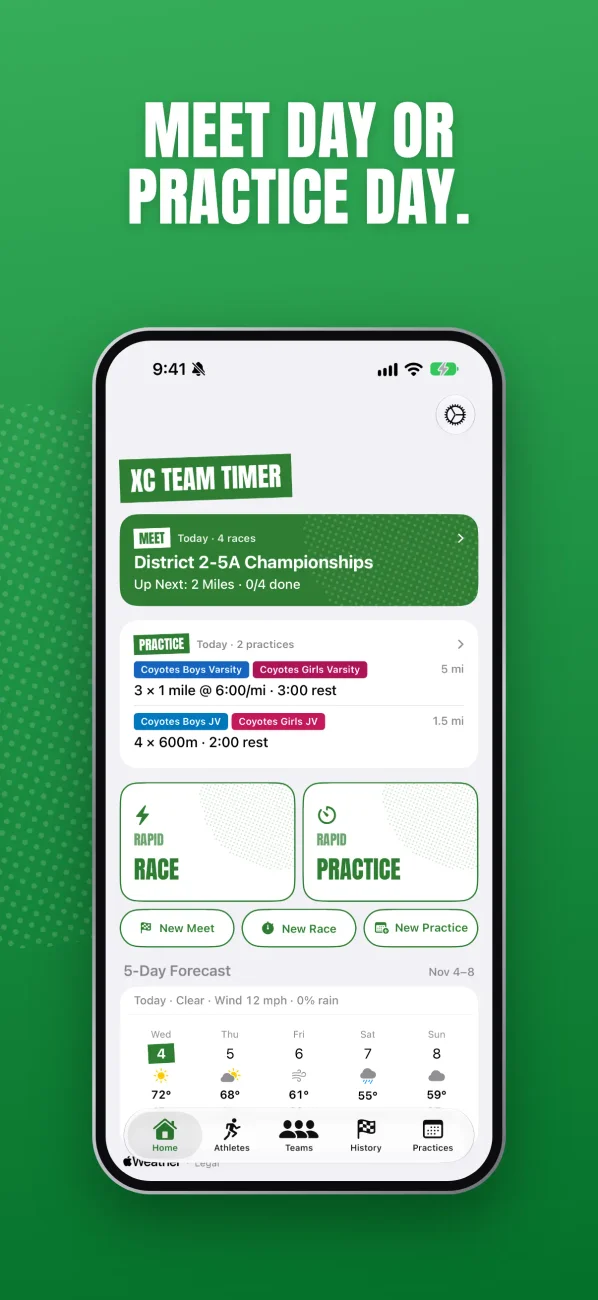
• Home shows today's meet and today's practices, with a 5-Day Forecast
• Build your standard meet once, reuse it all season from a template
• Every meet shows its venue on a map with race-day conditions, and its course once you add one
BUILT FOR THE FAR END OF THE COURSE
• Solo timing works offline with zero bars (Timekeeper Mode needs a connection)
• iCloud keeps your whole program on every device, automatically
Subscription terms:
Payment is charged to your Apple Account at confirmation of purchase. Your subscription renews automatically, monthly or yearly depending on the plan you chose, unless auto-renew is turned off at least 24 hours before the end of the current period. Your account is charged for renewal within 24 hours before the end of the current period. You can manage or cancel your subscription any time in your App Store account settings.
Privacy Policy: https://lemmaapps.com/privacy/
Terms of Use: https://lemmaapps.com/terms/
EULA: https://www.apple.com/legal/internet-services/itunes/dev/stdeula/
What’s new
Version 4.0.1 · Nov 15, 2026
Minor bug fixes and improvements
App privacy
What Cade Cobb declares on the App Store about how this app handles data.
-
Data not collected
The developer does not collect any data from this app.
Privacy practices may vary, for example with the features you use or your age.
Information
- Seller
- Cade Cobb
- Category
- Sports
- Version
- 4.0.1
- Updated
- Nov 15, 2026
- Released
- Oct 12, 2026
- Size
- 41.1 MB
- Requires
- iOS 26.0 or later
- Age rating
- 4+
- In-app purchases
- Yes
- Languages
- English
- Copyright
- © 2026 Lemma Apps LLC
You might also like
-
 Run Lap Tap: XC Race TimerCross Country & Track Timing
-
 XCMeetSports
-
 Swiftly Race TimerEasiest way to time a race!
-
 Clocked TimerPrecision Group Timing
-
 StopWatch for Cross CountryTiming App for XC & Road Races
-
 XC & Track TimerSports
-
 XC QuickScoreEasy, Quick XC scoring options
-
 SplitX TimingTiming for sports events
-
 RunRaceTraceTrack & XC Lap & Mile Splits
-
 Stopwatch for Track & FieldTime Splits, Relays & Athletes