
- Age rating4+
- CategoryProductivity
- DeveloperYong Zhang
- LanguagesEnglish
- Size28.5 MB
Links to the official App Store page
Download.org hosts no file of XdoList. The button opens its official App Store page, published by Yong Zhang. Listing last checked on Nov 20, 2026.
Screenshots

About
XdoList is The Workflow Freedom Task App. One model, multiple workflows, composable views.
WHY XDOLIST?
WORKFLOW FREEDOM
Your tasks, your structure. Start with the workflow that feels familiar: Things, Todoist, OmniFocus, TickTick, Reminders, or build your own Custom workflow.
ONE MODEL, MANY VIEWS
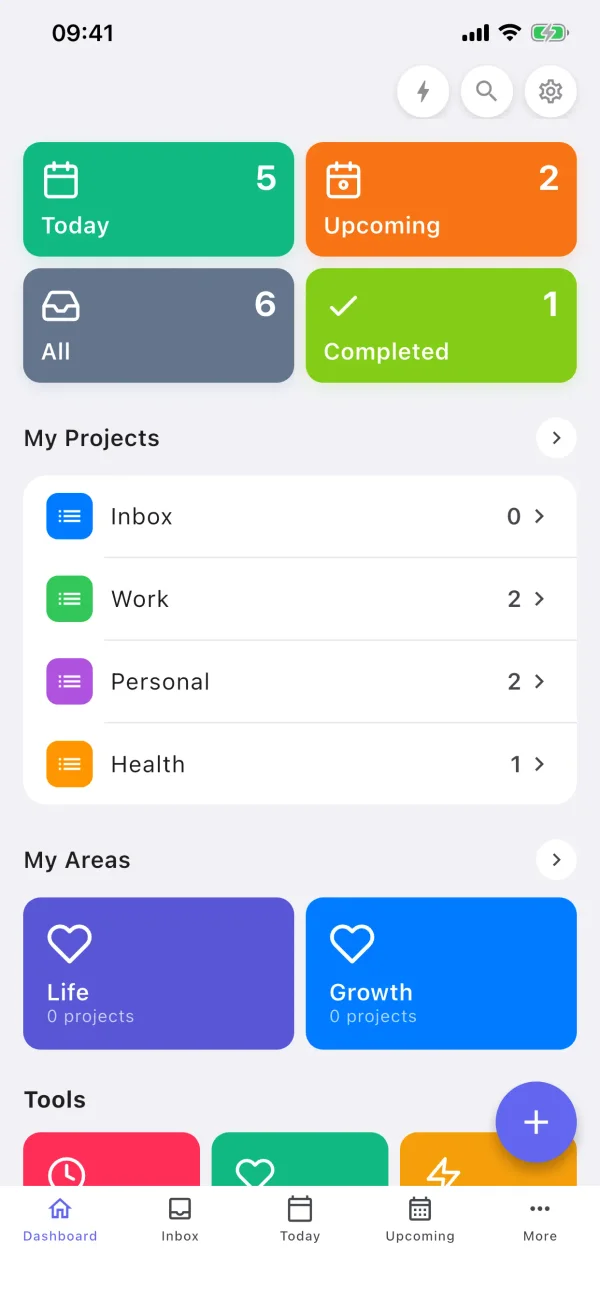
Tasks, Projects, Areas, and Tags share one powerful domain model. Mix and match Saved Views to see exactly what you need, when you need it.
SAVED VIEWS
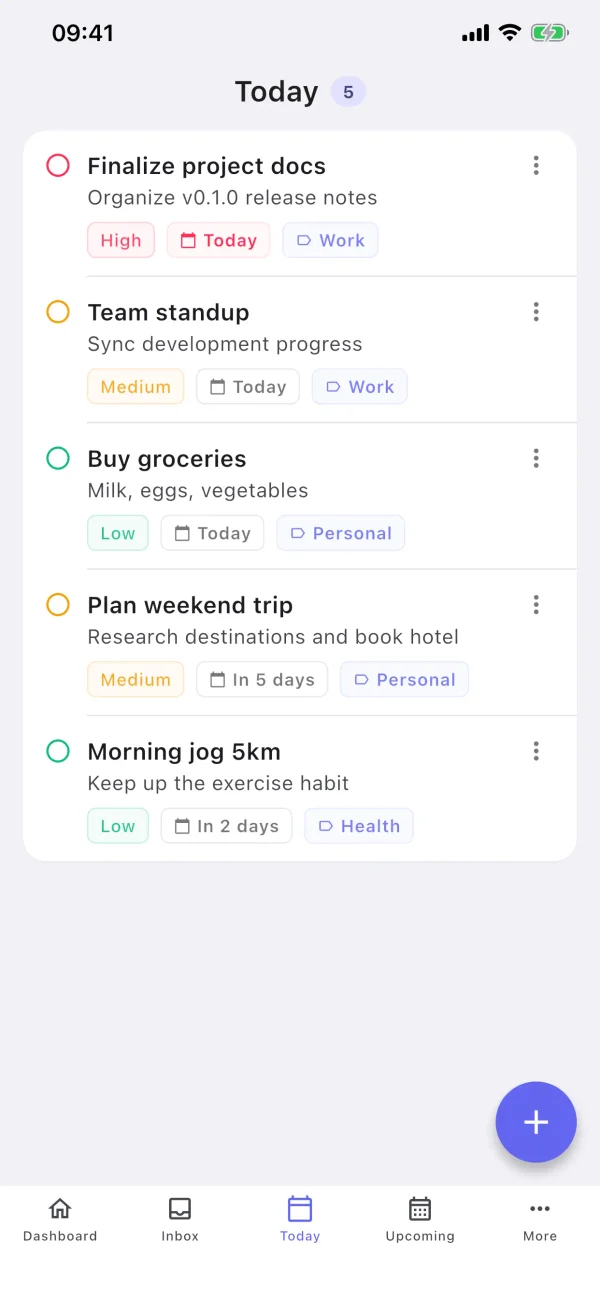
Create custom filters, groupings, and sorts. Save them once, switch instantly. From today to upcoming, from project hubs to tag clouds.
OFFICIAL PACKS
Choose from 6 official workflow styles at setup. Each style brings a proven task-management structure into XdoList, so you never start from scratch.
FAST AND RELIABLE SYNC
Your data stays in your control. Optional cloud sync is fast, reliable, and built for people who move between devices.
CLEAN DESIGN
Beautiful, distraction-free interface with smooth animations. Dark mode included for comfortable viewing.
FEATURES:
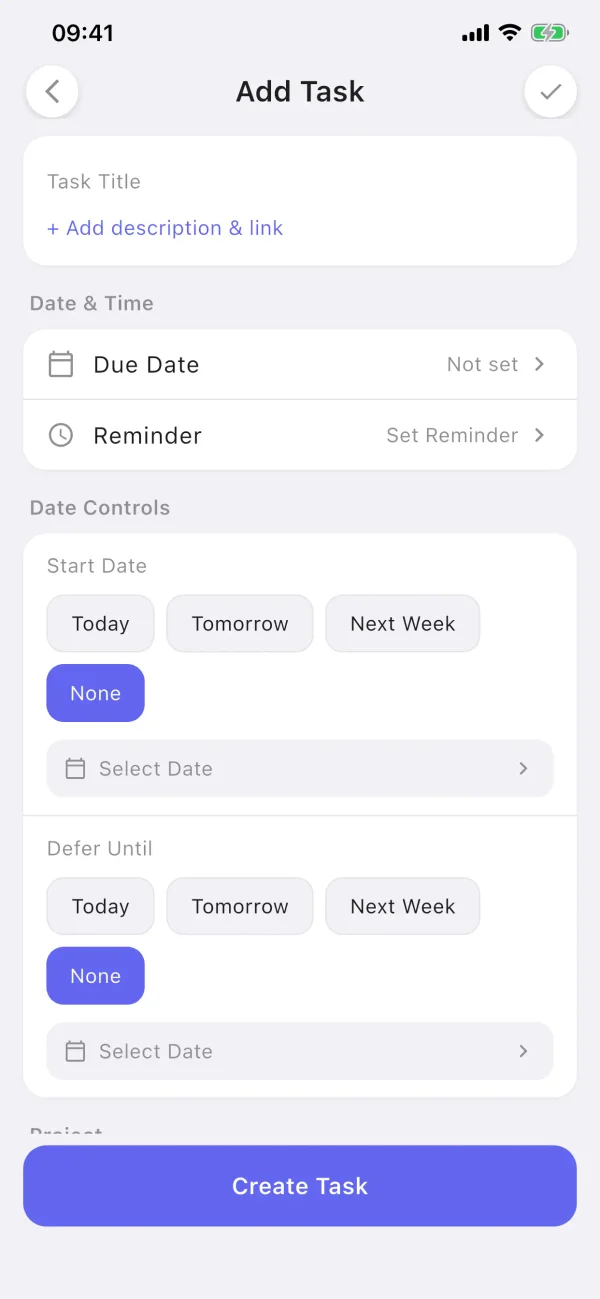
- Create tasks with titles, descriptions, due dates, and priorities
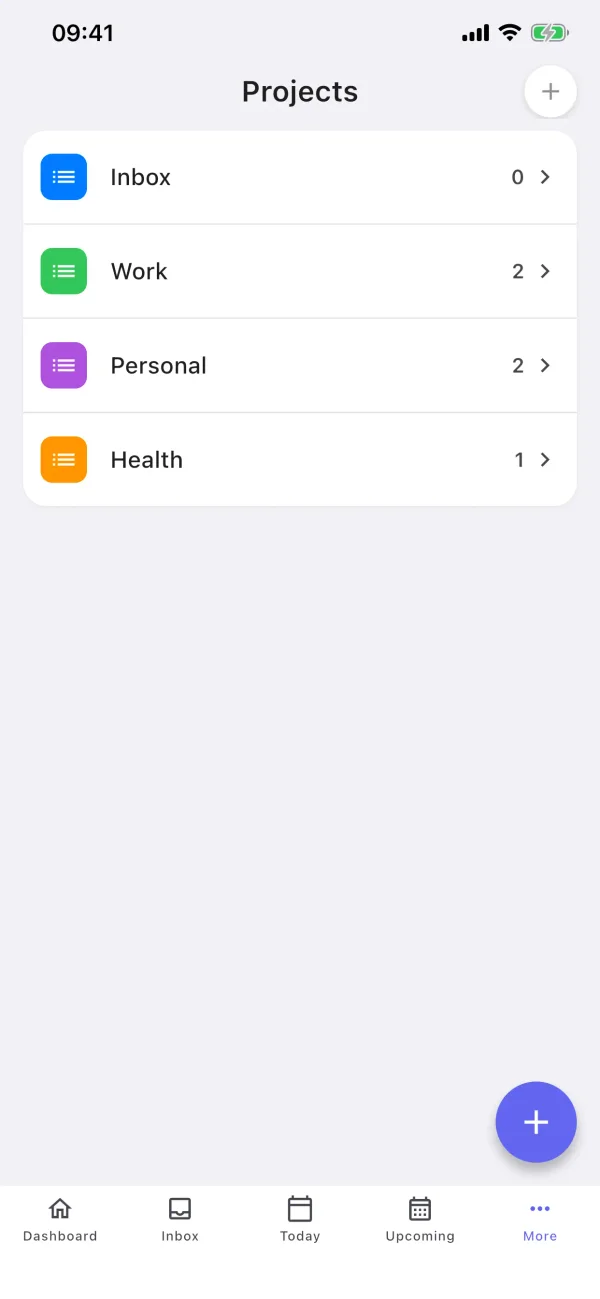
- Organize with Projects, Areas, and Tags
- Choose a built-in workflow style or design your own workflow
- Save custom views with filters, groupings, and sorts
- Search and filter tasks instantly
- Dark mode and light mode support
WHO IS IT FOR?
Students, professionals, parents, and anyone who wants a task app that adapts to their workflow. Perfect for daily todos, work tasks, project planning, and personal organization.
SUPPORT
Have feedback? We would love to hear from you!
Email: support@xdolist.com
Website: https://xdolist.com/
Download XdoList today and start working the way you want.
What’s new
Version 0.2.1 · Jul 28, 2026
XdoList 0.2.1 makes getting around the app feel truly native.
Navigation, Fixed Everywhere
- Swipe from the left edge to go back on list pages reached from the dashboard or the More drawer, now with a back button to match.
- List pages entered from the bottom tabs stay clean, with no misplaced back buttons.
- No more black flash when swiping back.
Sidebar, Organized
- The sidebar groups destinations by meaning: views, organization, and status, with clearer dividers.
- The trash can now lives in the sidebar and the More drawer, right next to Search and Settings.
- Choose bottom tabs or a sidebar for your custom workflow style.
Trash, On Your Terms
- Set how long deleted tasks stay in the trash: 7, 14, 30, or 90 days.
- Expired items are cleaned up automatically at launch, no need to open the trash.
Pack Styles Aligned
- Pro GTD now uses streamlined bottom navigation, while Elegant Flow gets a clean sidebar with a built-in Logbook.
Plus fixes for area task counts, duplicated tasks in areas, and quicker task capture from an area page.
App privacy
What Yong Zhang declares on the App Store about how this app handles data.
-
Data not linked to you
May be collected but is not linked to your identity.
- Identifiers
- Usage data
Privacy practices may vary, for example with the features you use or your age.
Information
- Seller
- Yong Zhang
- Category
- Productivity
- Version
- 0.2.1
- Updated
- Jul 28, 2026
- Released
- Jul 22, 2026
- Size
- 28.5 MB
- Requires
- iOS 15.0 or later
- Age rating
- 4+
- Price
- Free
- Languages
- English
- Copyright
- © 2026 XdoList
You might also like
-
 Life: Habit trackerLife Planner & streak tracker
-
 AnyHabit: App Blocker & FocusManage Screen Time with Habits
-
 GridMind – Content PlannerContent Workflow for Creators
-
 Tyze: Time Budget & FocusLive a productive life
-
 Habits & Daily Routines - MonoReminders & Progress Tracker
-
 Sprecho: Speech to TextVoice dictation, EU privacy
-
 The Drive AI - File ManagerSmart Organizer & Doc Scanner
-
 Task Manager: Daily To-DoReminder, Checklist & Planner
-
 Fynal AI : Objectives & TasksPlanning, Focus & Discipline
-
 #todo — Minimalistic To-Do AppTasks and Lists