
xFormula - Equation Editor
Visual Editing, LaTeX, Word
Designed for iPhone, iPad
Free · In-app purchases
- Age rating4+
- CategoryEducation
- Developer煦 张
- LanguagesEnglish+ 11 more
- Size63.0 MB
Links to the official App Store page
Download.org hosts no file of xFormula - Equation Editor. The button opens its official App Store page, published by 煦 张. Listing last checked on Nov 23, 2026.
Screenshots


About
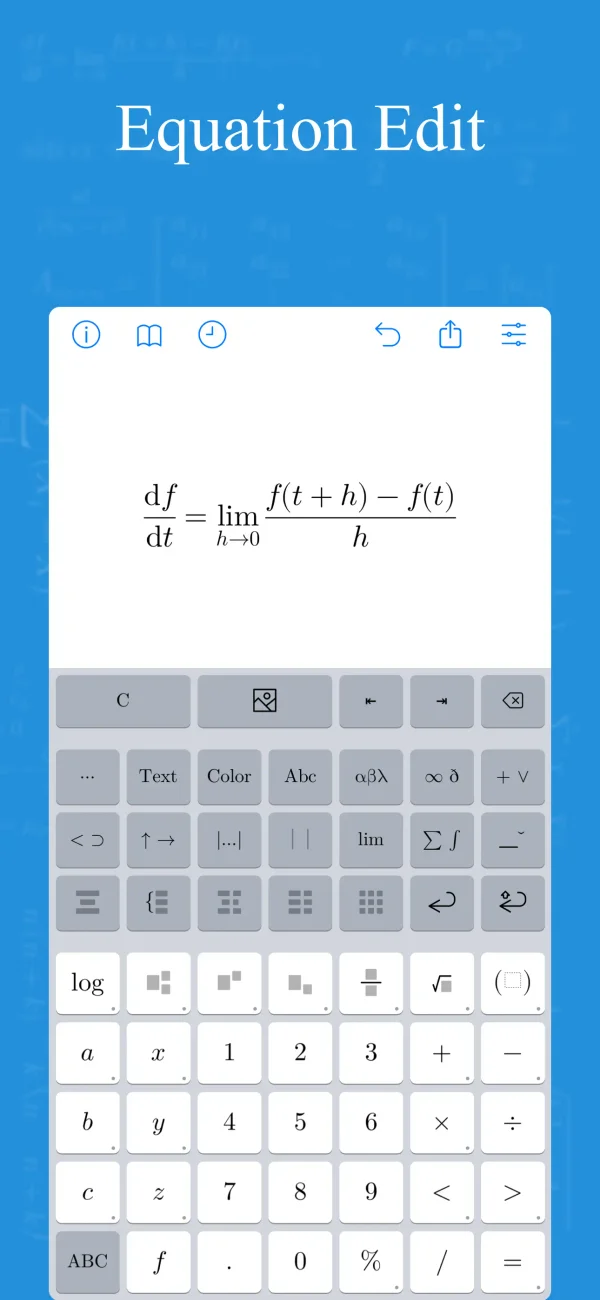
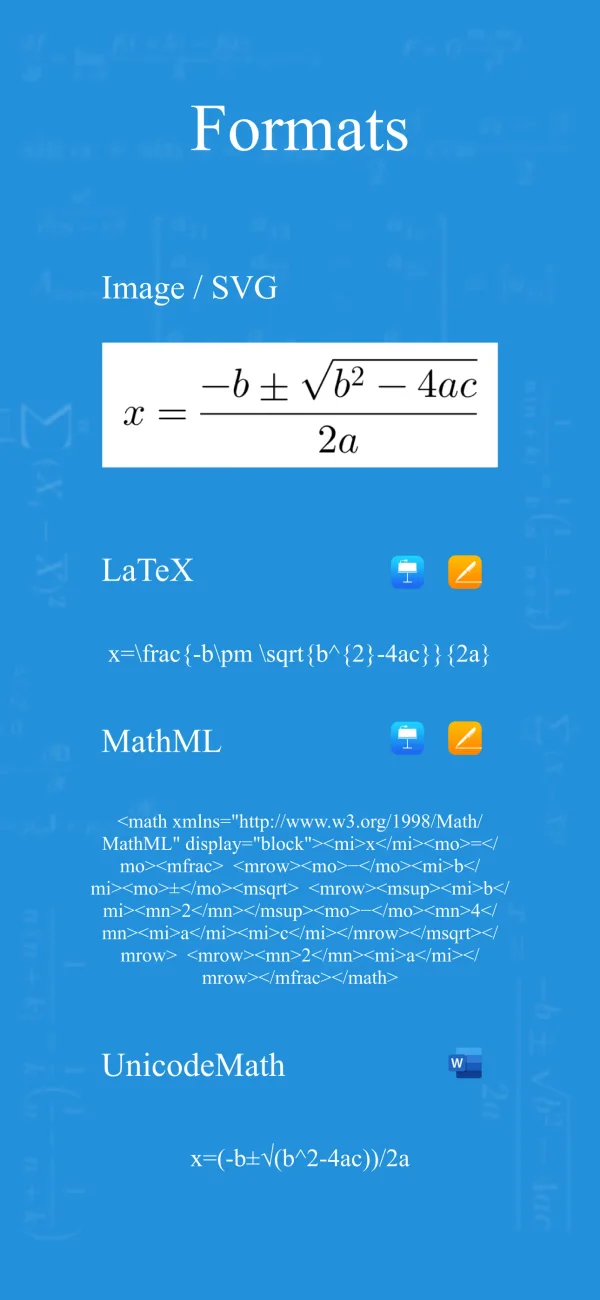
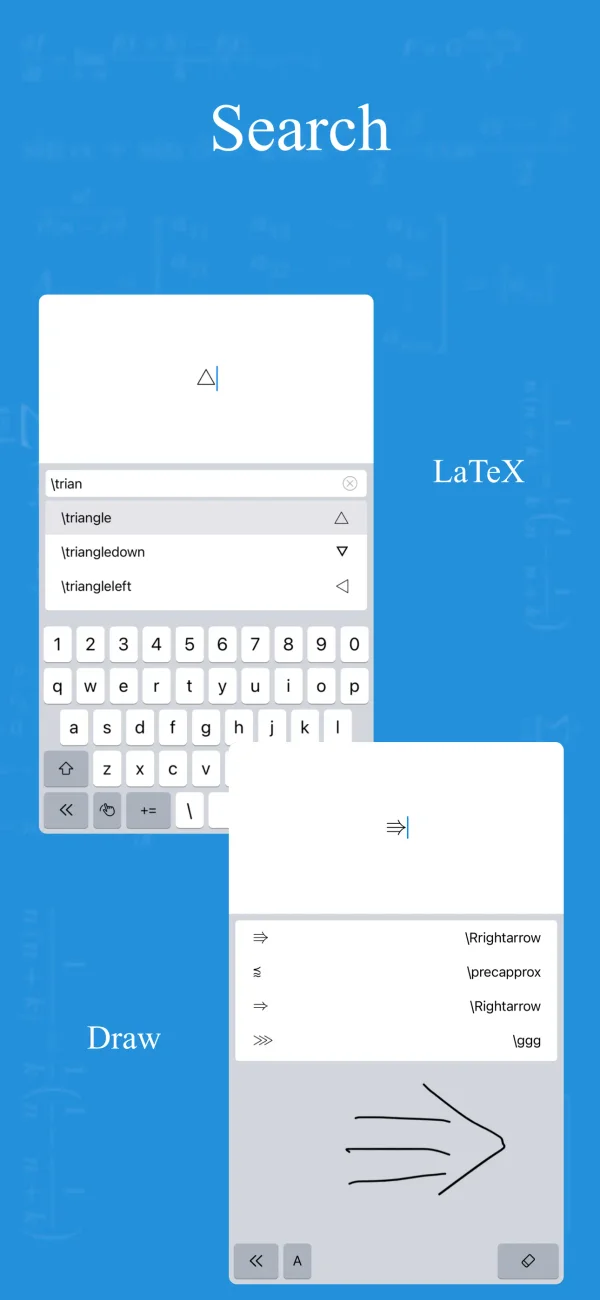
This is a math equation editor which could export the result as picture, LaTeX, MathML, UnicodeMath(Word).
Include variables, binary operators, arrows, relations, brackets, underline, overline, accents, fraction, radical, large operator...
Just download and have a try.
-----
Functions:
1. Mathematical formula editing.
2. Import & Export
- LaTeX (Pages, Keynote)
- MathML (Pages, Keynote)
- UnicodeMath (Word)
- Image
- SVG: If the .svg file is exported by xFormula, then it could be imported and edit again.
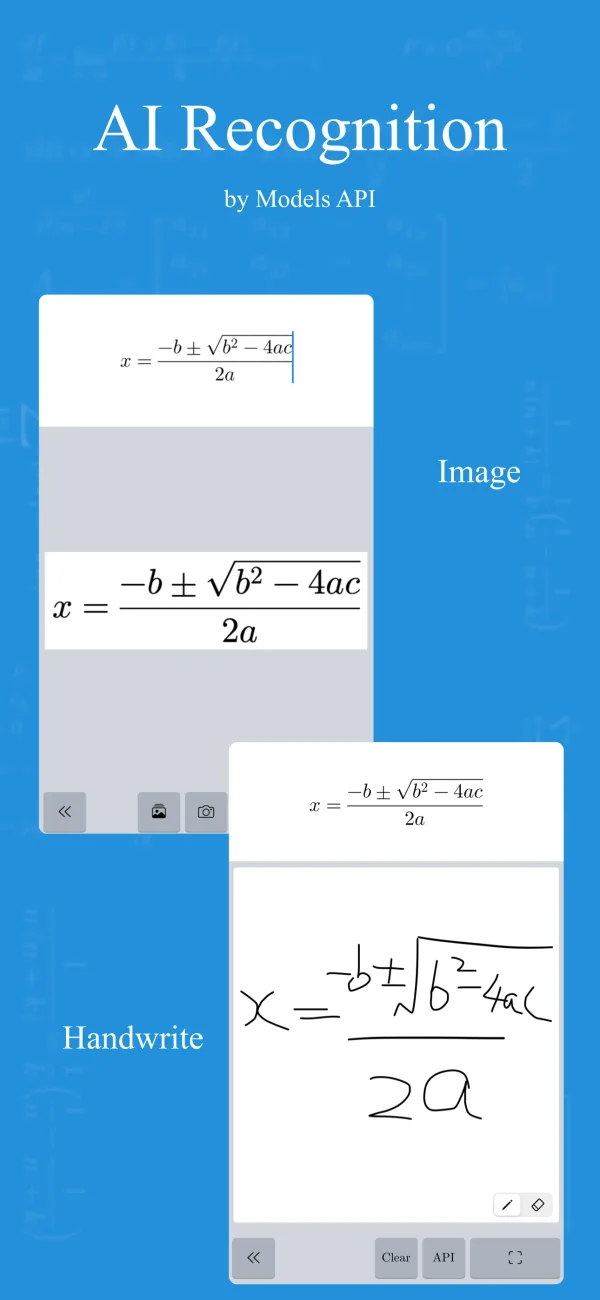
3. Image recognition
- Setup large model API to recognize the math formula in the image.
- The recognition of mathematical formulas in large models is getting better and better, but due to the large number of LaTeX commands for mathematical formulas, there may be some situations where the same symbol is different for different commands. xFormula cannot support all LaTeX commands yet, so there may be some exceptions. However, we will continue to optimize and be compatible with more commands in future versions
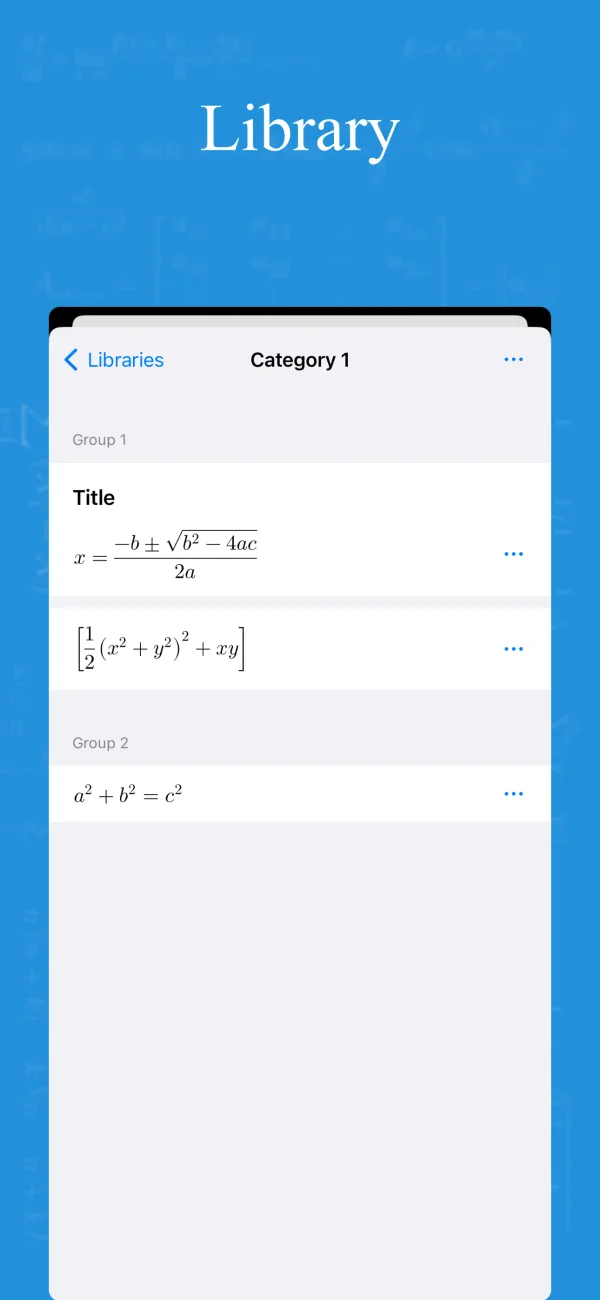
4. Mathematical formula library:
- You can create several formula libraries at the same time, and each formula library can be exported and imported separately;
- Under each formula library, there can be many categories, and under each category, there can be many groups. Under each group, formulas can be created and edited
- Example 1: High School Mathematics Formula Library > Classification 1: Set, Classification 2: Geometry, Classification 3: Algebra
- Example 2: Junior High School Mathematics Formula Library>Classification 1: Rational Numbers, Classification 2: Trigonometric Functions, Classification 3: Geometry
5. Mathematical style:
- Due to font limitations, the mathematical formulas currently provided may have some pixel spacing flaws, and each style may also have several mathematical characters that are not supported. Please use them as appropriate.
- We will continue to optimize mathematical styles, which is what we are concerned about.
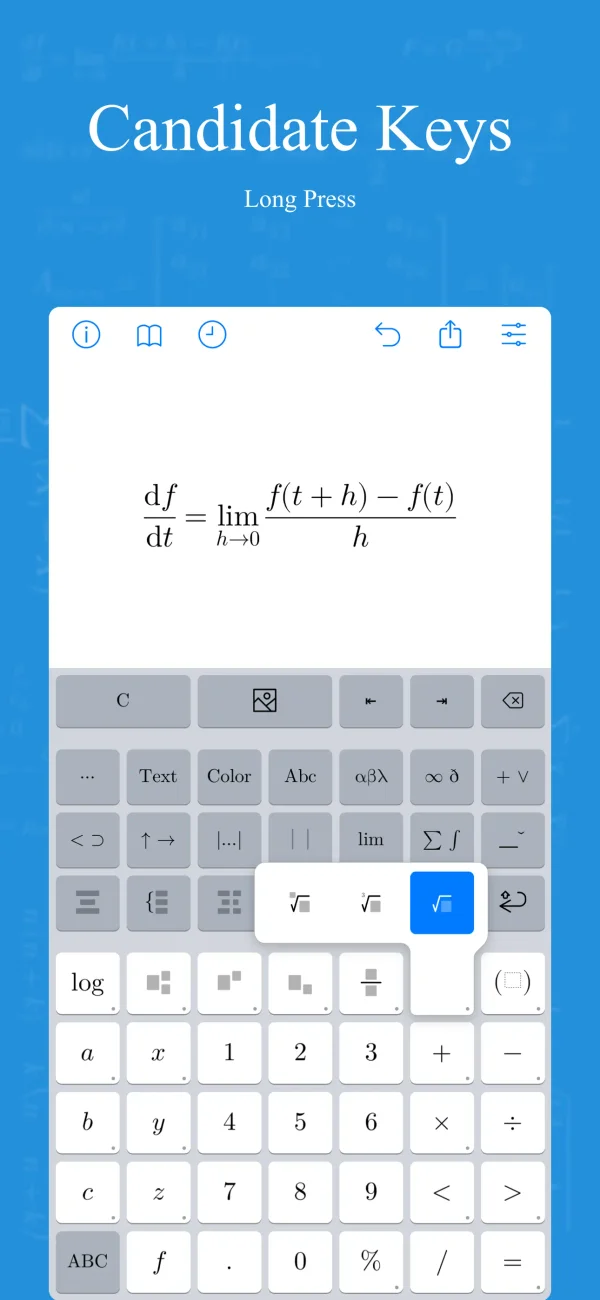
6. Custom keyboard:
-The frequency of mathematical symbols used varies at each stage, from elementary school, middle school, high school to university; The frequency of symbols used for sets, limits, matrices, functions, and each knowledge range is also different. So if you use it for a long time or frequently, it is strongly recommended to create a suitable input symbol keyboard for yourself, which is more efficient and saves more time than a universal keyboard.
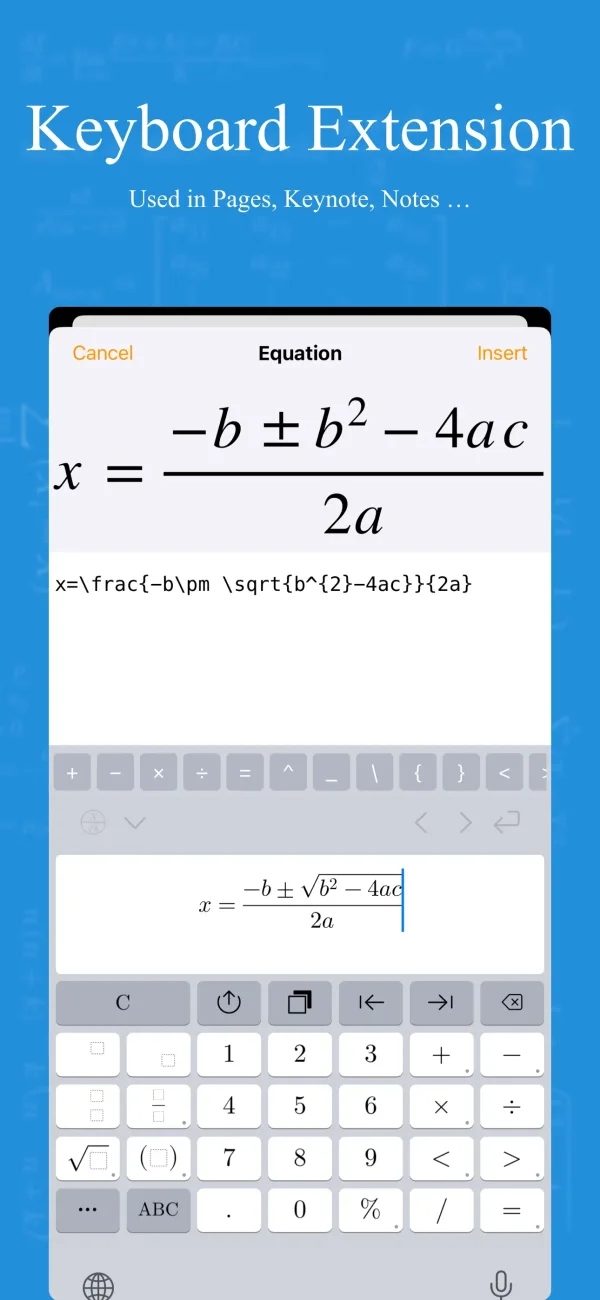
7. Keyboard Extension
- Could be directly used in the form of a keyboard in other text editing software
- Due to the system's restrictions on keyboard Extension, there may be some abnormal situations. After installing the keyboard, if it cannot appear in the keyboard list, please restart the device and try again
- Although currently compatible with iOS 15, it is recommended to use new devices as old devices may experience loading failures due to memory limitations and other issues
8. Help Document
-----
Purchase:
1. This is a paid software and is provided for free download in the hope that users will know what features this software has and whether it is useful before purchasing.
2. As the payment methods for iOS and macOS were not unified when this software was first released, xFormula (iOS) and xFormula (macOS) need to be paid separately.
The advantage of separate payment is pricing splitting, which means that if you only have a mobile device and don't have a Mac, you can save on the purchase cost of the Mac. If merged, the pricing will also be the sum of the current two pricing.
3. If you plan to use this software for a long time and consider upgrading more features in the future, it is recommended to purchase the Professional Edition.
Terms of Service : https://www.apple.com/legal/internet-services/itunes/dev/stdeula/
Privacy Policy: http://guizhenjiaoyu.com/xformula/en/privacy.html
What’s new
Version 5.0 · Nov 20, 2026
- Code architecture optimization
- Minimum system version: iOS 18.0
App privacy
What 煦 张 declares on the App Store about how this app handles data.
-
Data not collected
The developer does not collect any data from this app.
Privacy practices may vary, for example with the features you use or your age.
Information
- Seller
- 煦 张
- Category
- Education
- Version
- 5.0
- Updated
- Nov 20, 2026
- Released
- Oct 5, 2019
- Size
- 63.0 MB
- Requires
- iOS 18.0 or later
- Age rating
- 4+
- Price
- Free
- In-app purchases
- Yes
- Languages
- English, Czech, Dutch, French, German, Italian, Japanese, Portuguese, Simplified Chinese, Spanish, Traditional Chinese, Turkish
- Copyright
- © 2019 ~ 2026 Xu Zhang
You might also like
-
 Maths Formulas LiteMath formulas and calculators
-
 Math EditorNotes from Algebra to Calculus
-
 Mathfuns - Makes Math EasierNew universal super calculator
-
 PocketCAS: Graphing CalculatorGraphs, derivatives, 3D plots
-
 DeTeXtFind LaTeX command for symbols
-
 MyScript Math: Solve & PlotYour handwriting calculator
-
 Madona: Run MATLAB/Octave codeCompile MATLAB and Octave code
-
 Archimedes EditorMarkdown and LaTeX editor
-
 Quick GraphScientific Graphing Calculator