- Age rating17+
- CategoryUtilities
- DeveloperK2 Labs
- Size10.3 MB
Links to the official App Store page
Download.org hosts no file of xGridUp - Dashboard. The button opens its official App Store page, published by K2 Labs. Listing last checked on Nov 15, 2026.
Screenshots

About
Your screen. Your information. Always on.
xGridUp turns your iPad or iPhone into a dedicated ambient display - a beautiful, always-on dashboard showing exactly the information you care about.
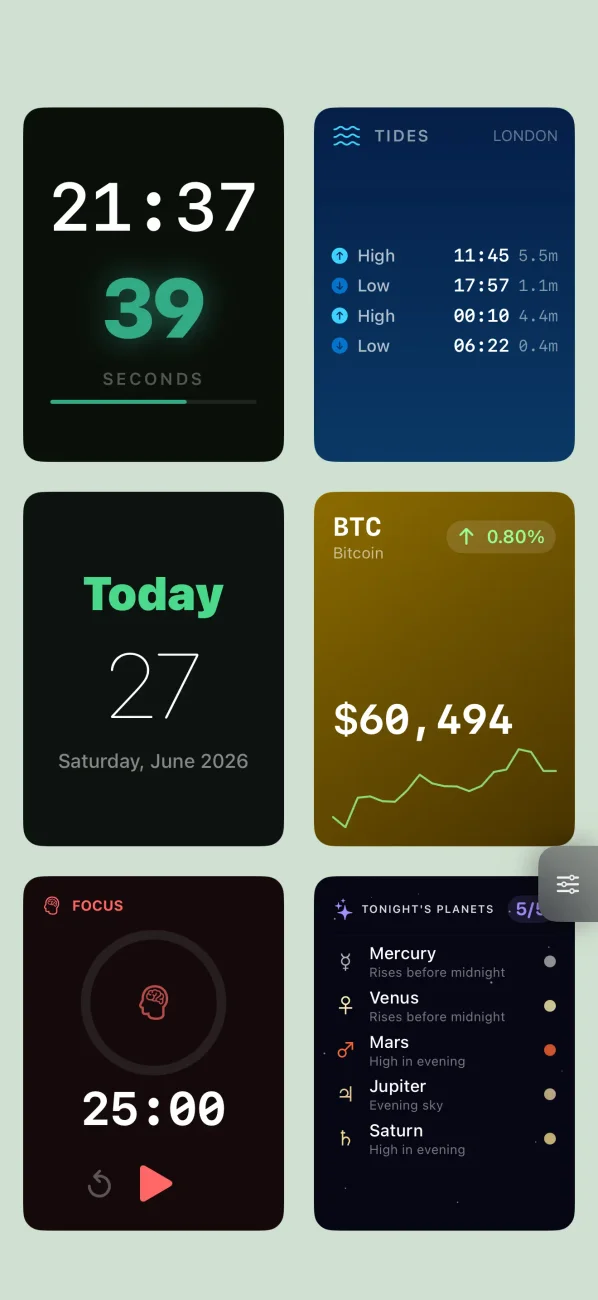
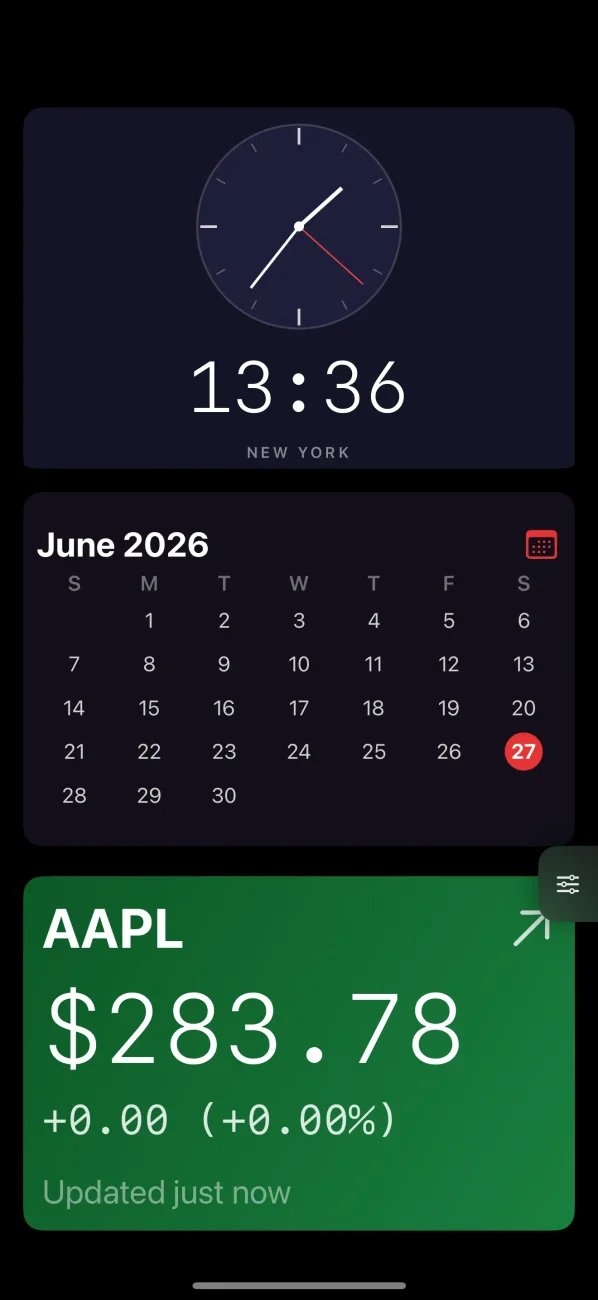
Build your screen from a grid of live widgets: the time, weather, stocks, calendar events, countdowns, moon phase, air quality, and dozens more. Arrange them exactly how you want using one of hundreds of unique grid layouts. Rotate your device and the grid rotates with it.
MAKE IT YOURS
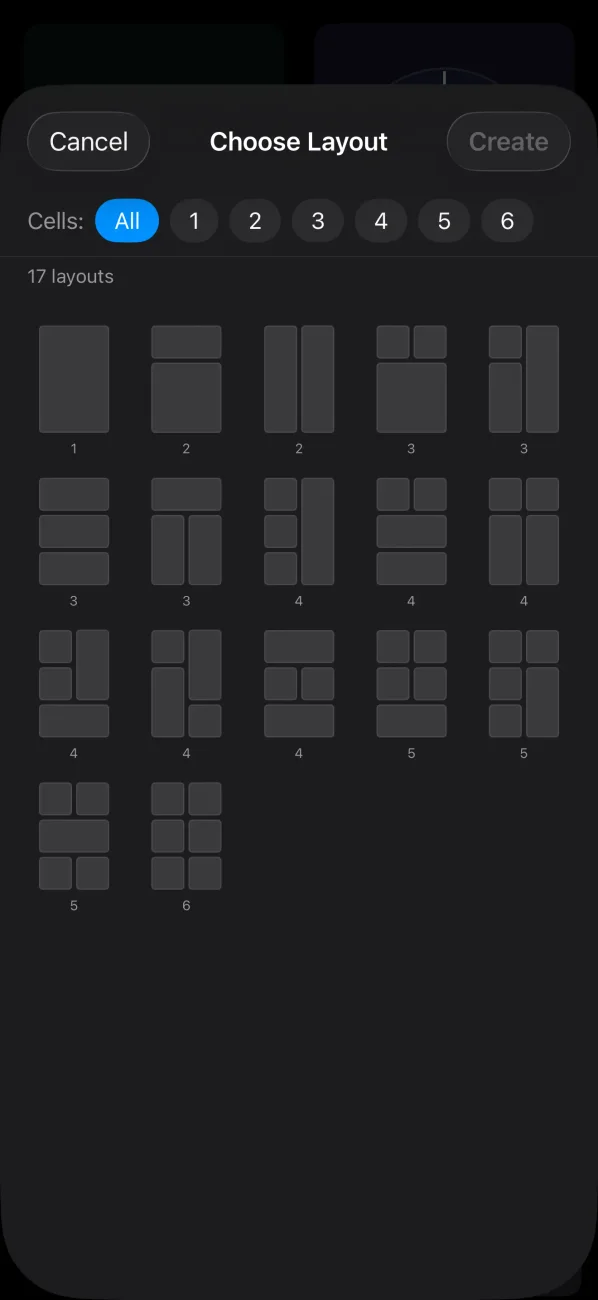
Choose from 892 unique grid layouts on iPad, or 17 carefully selected layouts on iPhone. Every cell holds a live widget. Leave cells empty for breathing room. Flip layouts horizontally or vertically for even more combinations.
LIVE WIDGETS
Time: digital, analog, flip, word clock, binary, minimal, large number, dual timezone, seconds, world clock
Date: calendar date, day name, month, week number, day of year, season, relative date
Progress: day, hour, minute, week, month, year, workday rings and bars
Weather: current conditions, 5-day forecast, sunrise/sunset, UV index, air quality, tide times
Finance: live stock prices, crypto with sparkline, currency exchange rates
Calendar: month view, today's agenda, next event countdown, reminders
Astronomy: moon phase, golden hour, solar noon, planet visibility
Media: YouTube, live streams, live news channels
Device: battery level, screen brightness, volume
Timers: countdown, stopwatch, Pomodoro, simple timer
Decor: solid colour blocks, gradients, labels
MULTIPLE SCREENS
Create as many screens as you like and cycle between them automatically - every 15 seconds, 30 seconds, a minute, or longer. Swipe to switch manually anytime.
BUILT FOR ALWAYS-ON
xGridUp keeps your screen awake so it works as a permanent ambient display. Set it on your desk, prop it on a stand, and let it run.
EACH SCREEN IS UNIQUE
Every screen has its own background colour and cell spacing. Dark, light, or a custom hex colour - each screen can have a completely different look.
What’s new
Version 1.0.2 · Jul 6, 2026
- bug fixes
- cleaner iphone grid
App privacy
What K2 Labs declares on the App Store about how this app handles data.
-
Data not collected
The developer does not collect any data from this app.
Privacy practices may vary, for example with the features you use or your age.
Information
- Seller
- K2 Labs FZE
- Category
- Utilities
- Version
- 1.0.2
- Updated
- Jul 6, 2026
- Released
- Jul 1, 2026
- Size
- 10.3 MB
- Requires
- iOS 18.6 or later
- Age rating
- 17+
- Price
- Free
- Copyright
- © 2026 K2Labs
You might also like
-
 TXBoardA calm dashboard for home
-
 Hearthboard: Home DashboardFamily Calendar & Wall Display
-
 AI Context TranslateVoice & Camera Translator
-
 4Pro Level ToolsBubble Circular Plumb Pillar
-
 WYN360SearchUtilities
-
 OrvistaWeather, rain radar & timers
-
 DashKit: Home DashboardYour home, at a glance
-
 StandBy Hub: Nightstand & HomeClocks, Countdown & Dashboard
-
 Dev Detect - CPU MasterMeasure real cpu frequency
-
 SnapSilo: Screenshot SaverScreenshot Manager & Organizer