Xiaoman Dictation
Photo the textbook, dictate
Designed for iPhone, iPad
In-app purchases
- Age rating4+
- CategoryEducation
- Developer中相 吴
- LanguagesEnglish+ 1 more
- Size4.1 MB
Links to the official App Store page
Download.org hosts no file of Xiaoman Dictation. The button opens its official App Store page, published by 中相 吴. Listing last checked on Nov 12, 2026.
Screenshots


About
Xiaoman ("not yet full", a little more every day) is a dictation helper for parents. Instead of leafing through the textbook and reading words out one by one, you take a photo.
PHOTOGRAPH THE TEXTBOOK Mark the words to dictate with a highlighter and photograph the whole page. Xiaoman finds the highlighted words on the device, fixes misread characters with a dictionary and the pinyin printed above them, and joins sentences that were split across lines. Every word comes with a crop of the original text, so anything misread is easy to fix. Chinese by character, English by word; sideways or upside-down photos are straightened automatically.
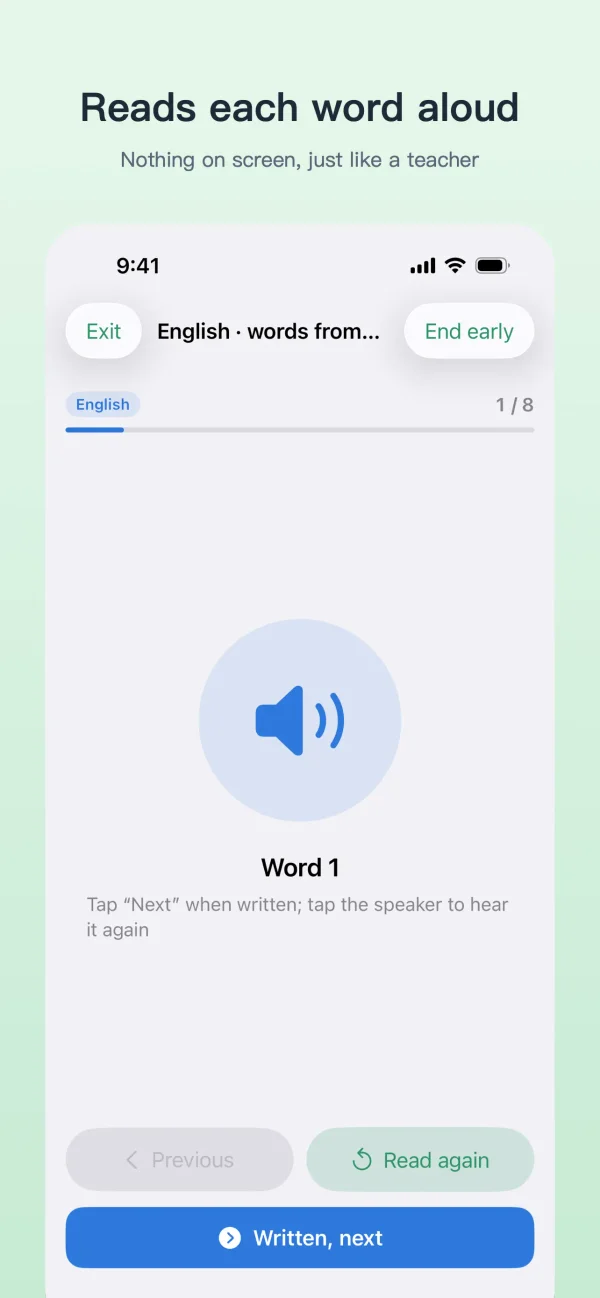
DICTATE Tap Start and Xiaoman reads each word aloud (one to three times, adjustable speed). The child writes, taps Next, or taps the speaker to hear it again. The word itself is never shown and there are no hints, just like a teacher reading out loud.
CHECK BY PHOTO When the child is done, photograph the notebook. Xiaoman crops each word's handwriting and places it next to the word: exact matches are marked correct, close-but-different ones show what was read together with the crop so the parent decides. Three checking standards (strict, balanced, lenient) suit different handwriting. The crops are saved with the dictation, so parents and teachers can look back any time.
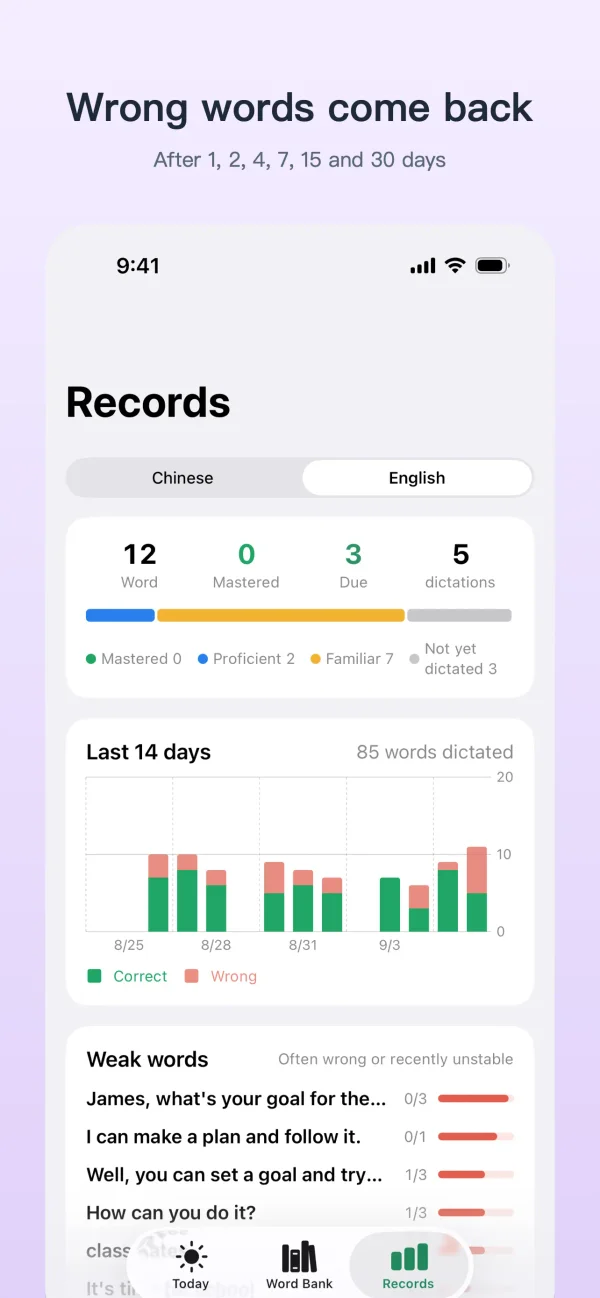
REVIEW WHAT WENT WRONG Each word tracks attempts and streaks across four levels. Words that were wrong come back after 1, 2, 4, 7, 15 and 30 days; weak words can be practiced in one tap. The Records tab shows mastery per subject, the last 14 days, and the details of every dictation.
A GROWING WORD BANK Photograph every day and record every lesson; Chinese and English build up separately, grouped by date, searchable, editable, with multi-select delete and duplicate merging.
LANGUAGE The interface follows the device language (English and Simplified Chinese). Families abroad can use it to dictate Chinese words too.
PRICING The free version holds up to 30 words with every feature available: photographing, dictation, photo checking and review. A single one-time purchase removes the limit. No subscription, no ads, Family Sharing supported.
PRIVACY All data stays on the device. No account, no sign-in, no personal information about your child. Photos are recognized on the device and never uploaded.
Terms of Use: https://ericwu.xyz/xiaoman-dictation/terms Privacy Policy: https://ericwu.xyz/xiaoman-dictation/privacy
App privacy
What 中相 吴 declares on the App Store about how this app handles data.
-
Data not collected
The developer does not collect any data from this app.
Privacy practices may vary, for example with the features you use or your age.
Information
- Seller
- 中相 吴
- Category
- Education
- Version
- 1.0
- Updated
- Sep 22, 2026
- Released
- Sep 22, 2026
- Size
- 4.1 MB
- Requires
- iOS 26.0 or later
- Age rating
- 4+
- In-app purchases
- Yes
- Languages
- English, Simplified Chinese
- Copyright
- © 2026 Eric Wu / EricStudio
You might also like
-
 Carry the StoryCantonese bedtime storybook
-
 妈妈放心 - 听写与记忆计划Education
-
 出题宝Education
-
 AI听写神器 - 语文听写、英语听写、单词听写AI助手Education
-
 识字卡 - 统编版生字学习Education
-
 Vocabulary Book-Words in TableEbbinghaus Memorize Words
-
 Spell, Write and Read10 Books –Trace, Spell, Read
-
 Turtle Teach (Student Edition)Education
-
 键盘打字王Education
-
 海尼曼分级阅读-海尼曼英语,有声英语绘本,叫叫绘本故事绘本盘Education