
- Age rating4+
- CategoryProductivity
- Developer海洋 崔
- LanguagesEnglish+ 2 more
- Size39.4 MB
Links to the official App Store page
Download.org hosts no file of XSIME. The button opens its official App Store page, published by 海洋 崔. Listing last checked on Nov 18, 2026.
Screenshots


About
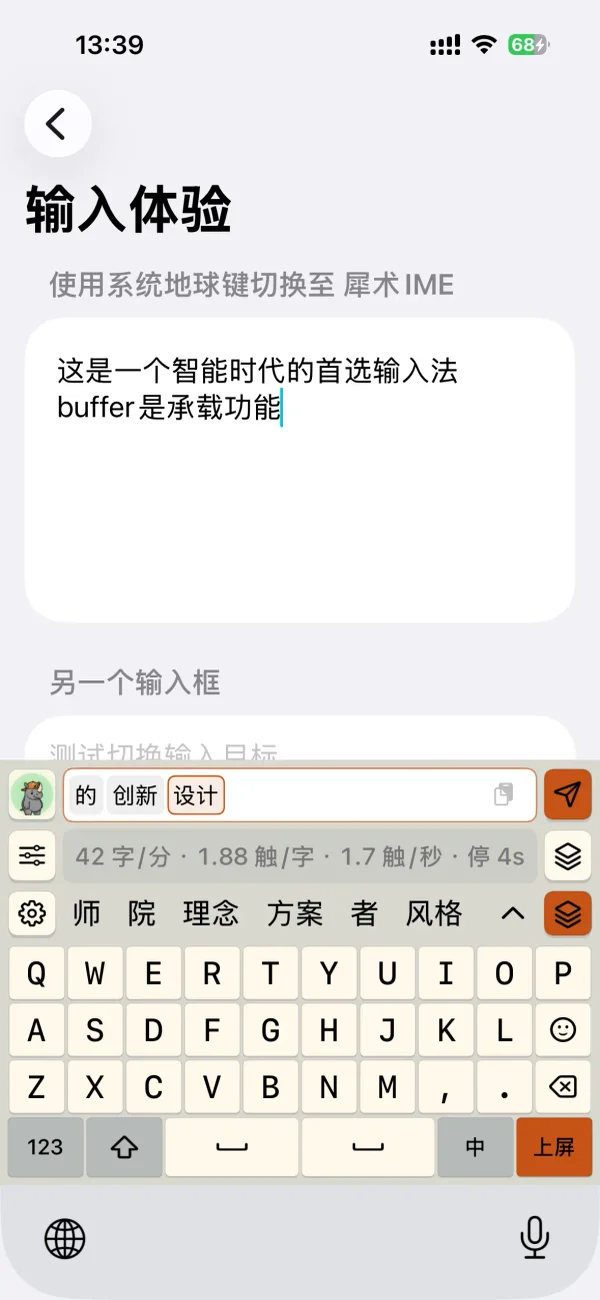
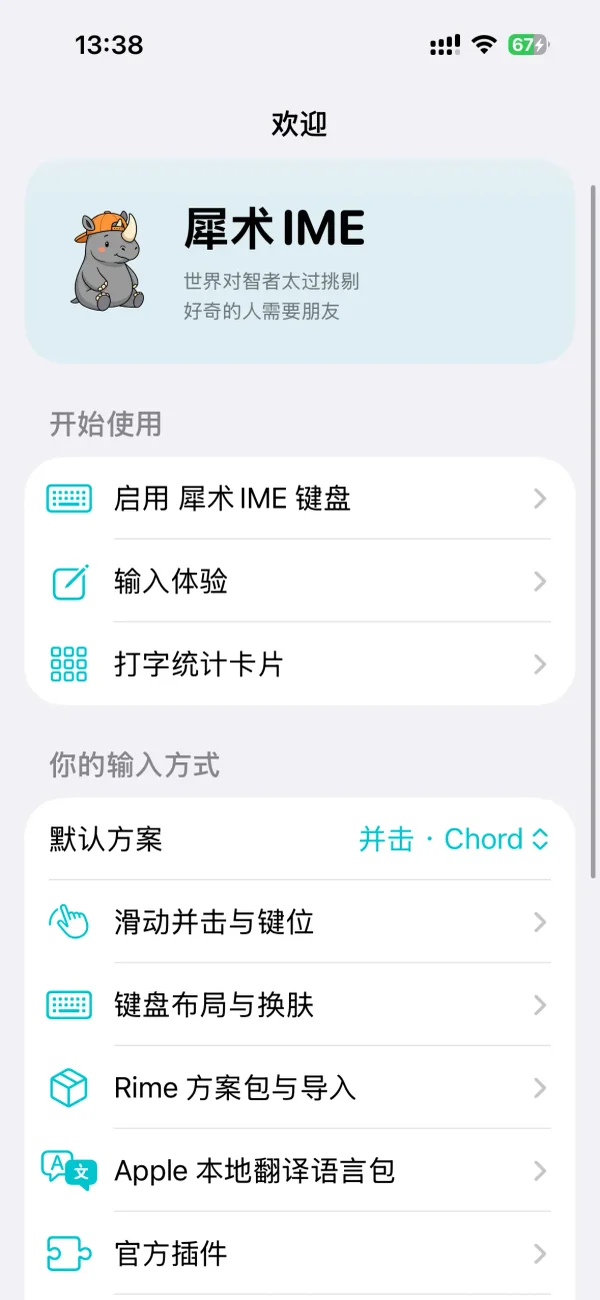
XSIME is a keyboard and text assistant for your iPhone, formerly RIMES / Lingxi IME. Type locally, organize your words in Buffer, and choose optional translation or AI assistance when you need it.
TYPE YOUR WAY
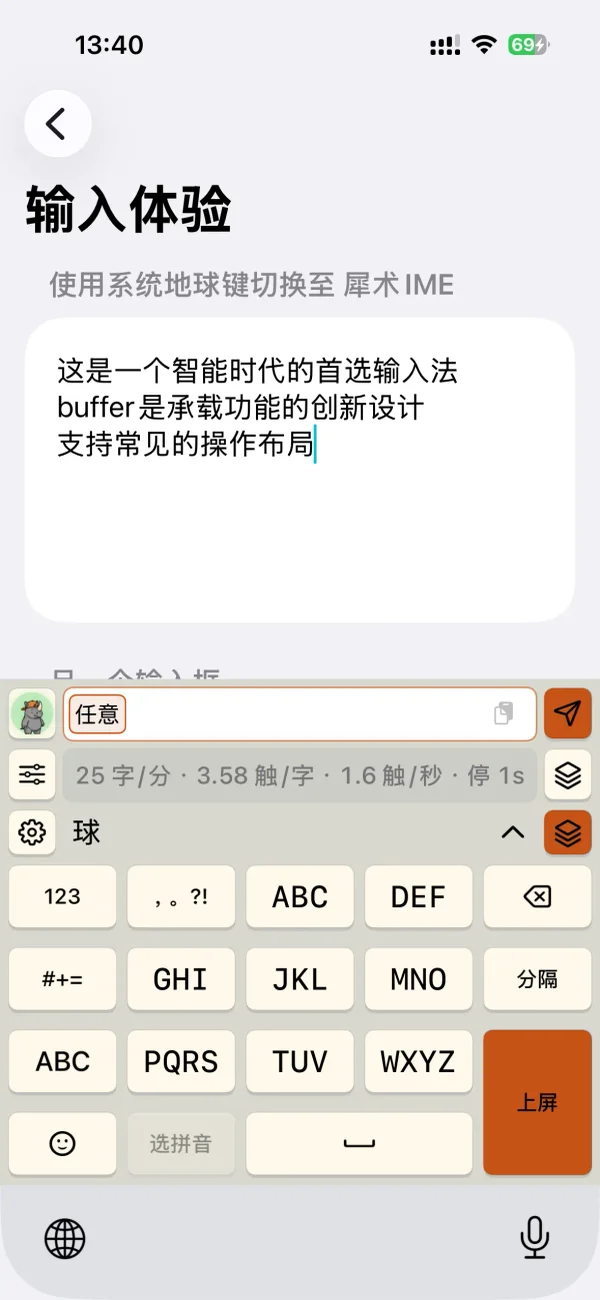
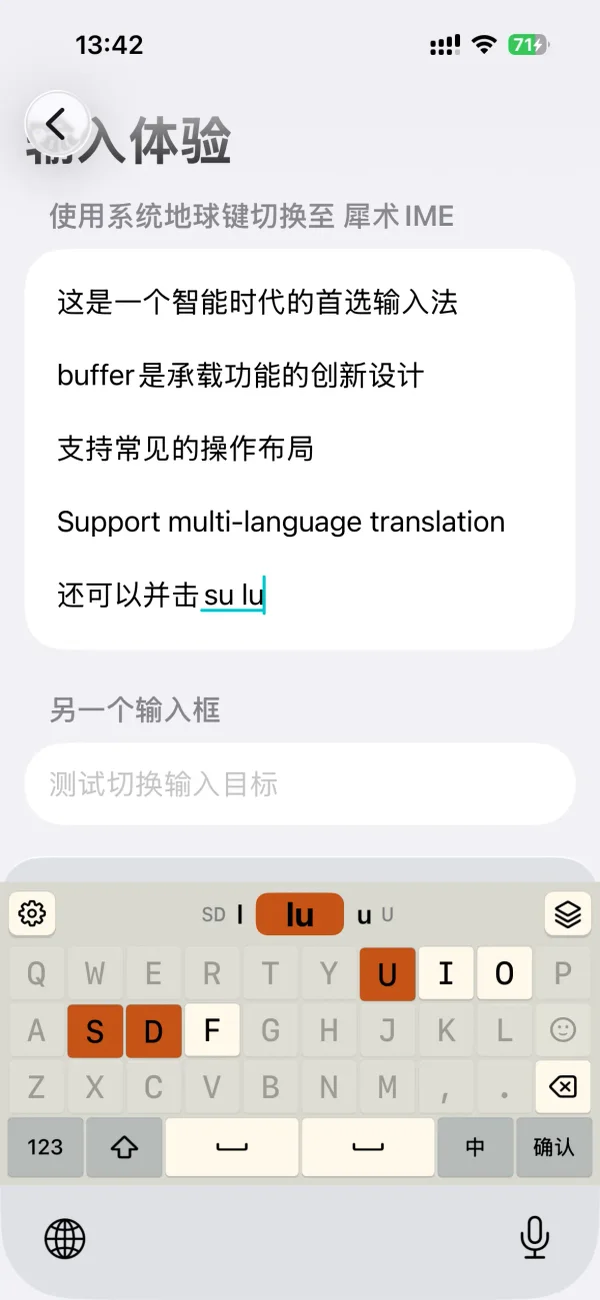
Use Pinyin, nine-key Pinyin, Ziranma double Pinyin, Wubi 86, XSIME Wubi, English or slide chords. Switch Simplified and Traditional Chinese, customize key layouts, and import compatible Rime scheme ZIPs or coded UTF-8 text dictionaries. XSIME Wubi combines Wubi and Pinyin; Wubi 86 offers z-prefixed Pinyin lookup. Both Wubi schemes can commit a unique four-key Wubi match automatically.
A BUFFER FOR YOUR WORDS
Compose and edit before inserting text into your app. Tap to insert one block, or hold for one second to insert all remaining blocks. Default Buffer also offers optional timed insertion, off by default; translation and AI results require explicit insertion. Inserting text never sends a message for you.
Explicitly import readable text from the current input field, or collect clipboard text with the system Paste control. Saved clipboard entries stay in a separate local history that you can delete or clear; opening the list does not read the system clipboard.
OPTIONAL APPLE TRANSLATION
On iOS 26 or later, Apple translation uses downloaded on-device language models. Prepare the required languages in the XSIME app, then choose a language pair in Buffer. Availability depends on supported languages and downloaded models. No external AI fallback is used when local translation is unavailable.
YOUR CHOICE OF EXTERNAL AI
For optional AI polishing, rewriting and other writing tools, configure your own HTTPS AI service that supports a general-purpose interface format, along with your model and API key. The recipient is shown before you grant permission. Only Buffer text you explicitly submit is sent to the configured, consented service. Your provider's data policy applies and its service may require a separate account or payment. XSIME does not include an AI subscription, provider credentials or a hosted AI service.
PERSONALIZE YOUR KEYBOARD
Manage built-in Buffer tools, keyboard appearance, custom chord mappings and status-light pets. View local typing statistics and create a statistics card. Local learned associations suggest what you may want to type next.
LOCAL EVERYDAY INPUT
Ordinary typing and Buffer editing work offline without Full Access, an app account or a subscription. XSIME has no ads or keyboard-text telemetry. API keys use this device's Keychain. External AI, collecting clipboard text from the keyboard and keyboard image export require Full Access; saving an image to Photos requests add-only photo access. Buffer drafts are cleared when the keyboard session ends; separately saved clipboard history, learned words and settings remain on the device.
Enable XSIME in Settings > General > Keyboard > Keyboards, then choose it with the globe key. Secure fields and apps that prohibit third-party keyboards use the system keyboard.
Requires an iPhone running iOS 17 or later. Apple local translation requires iOS 26 or later and supported language models. Haptics depend on device and system settings.
What’s new
Version 1.2.0 · Oct 27, 2026
Adds personal AI assistant presets and a configurable keyboard shortcut bar. Input schemes and official plugins now use clearer card views. The orthogonal keyboard layout works independently of the chord plugin; choose isaac2026 for Natural Code chord input.
Refines Space-key candidate selection and cursor gestures. Slide two fingers to open or close Buffer, and pinch on Space to bring the current field into Buffer. Hold Send for one second to insert all remaining content; Buffer closes after its last block is sent. Preserves imported schemes, learned words and existing settings.
App privacy
What 海洋 崔 declares on the App Store about how this app handles data.
-
Data linked to you
May be collected and linked to your identity.
- User content
- Identifiers
Privacy practices may vary, for example with the features you use or your age.
Information
- Seller
- 海洋 崔
- Category
- Productivity
- Version
- 1.2.0
- Updated
- Oct 27, 2026
- Released
- Oct 4, 2026
- Size
- 39.4 MB
- Requires
- iOS 17.0 or later
- Age rating
- 4+
- Price
- Free
- Languages
- English, Simplified Chinese, Traditional Chinese
- Copyright
- © 2026 Haiyang Cui
You might also like
-
 超越输入法Productivity
-
 DualKeyIMProductivity
-
 Feiyu Pinyin IME: PrivateFully offline, no tracking
-
 Succeed AI: Private WriterRewrite, summarize, translate
-
 GitMe FastLightning-fast GitHub client f
-
 Copy VaultLightweight Clipboard History
-
 OSGKeyboard - Agentic KeyboardAgent of Speech to writing
-
 What Now - Live CalendarLive Activity For Calendar
-
 Yapper: Voice to Text KeyboardPrivate Offline AI Dictation
-
 Voicetation: Voice DictationSpeech to Text, AI Keyboard