
- Age rating4+
- CategoryUtilities
- DeveloperDalian Xinyuzhi Software Development Co., Ltd.
- LanguagesEnglish+ 24 more
- Size103.3 MB
Links to the official App Store page
Download.org hosts no file of XYZQRBox. The button opens its official App Store page, published by Dalian Xinyuzhi Software Development Co., Ltd. Listing last checked on Nov 12, 2026.
Screenshots





About
Put your QR codes where your hands are.
XYZQRBox puts scanning, creating and managing codes in one app — camera, photo recognition, custom design, barcodes, location, encrypted and animated codes, plus Home Screen widgets — so the code you need is one tap away.
■ SIX CORE FEATURES
1. Camera scanning
Point and scan: several codes in one frame are read at once. QR Code, retail barcodes (EAN, UPC, Code 128), Data Matrix, PDF417 and Aztec are all supported. A torch helps in dim light, and every scan goes to history.
2. Photo recognition
No camera, no camera permission: pick one image and every QR code inside it is listed at once. Copy each result, open its link, view details, or save all of them to history in one tap.
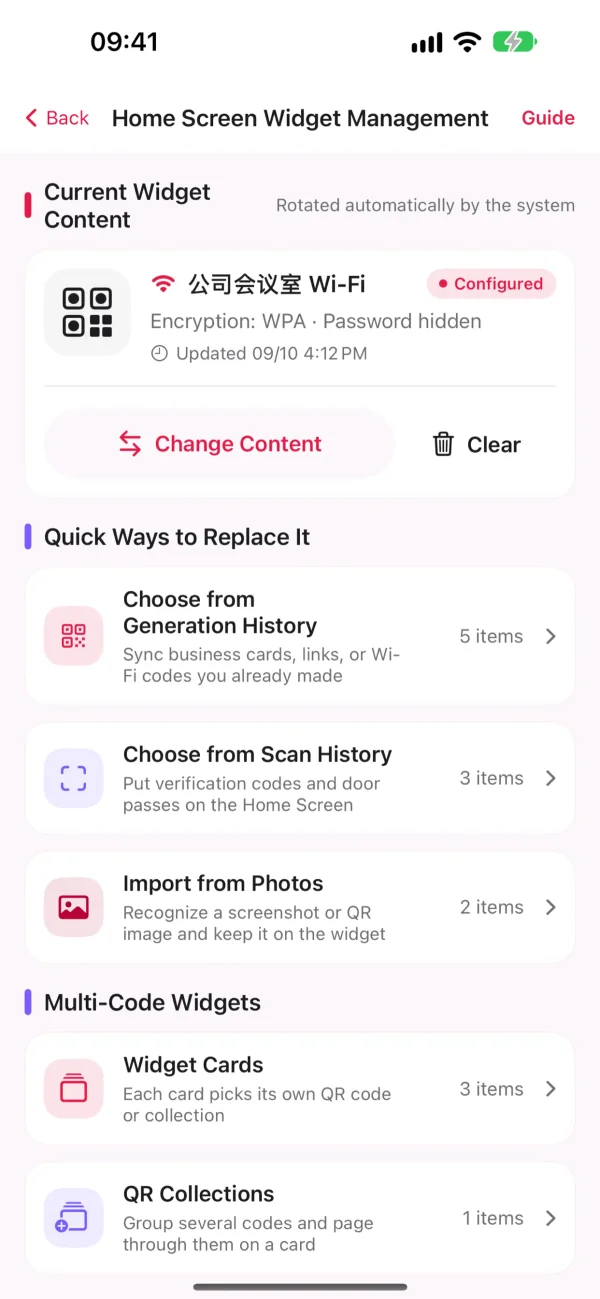
3. Home and Lock Screen widgets
Pin your everyday codes — a social vCard, a door code, Wi-Fi, a parcel pickup code — on the Home Screen and show them with one tap. Four sizes, including the iOS 27 portrait extra-large, and a Lock Screen widget that taps through.
4. QR code creator
Ten templates: text, URL, Wi-Fi, vCard, phone, SMS, email, calendar event, location and encrypted QR. Style dot shape, colours and the centre element (logo, your own image or GIF, or none), with 30% error correction and a quiet zone. Every code is checked for scannability before export.
5. Barcode creator
Type digits and CODE 128 renders live, with the digits under the bars shown or hidden. Paste from the clipboard, try a random sample, and follow the built-in encoding notes.
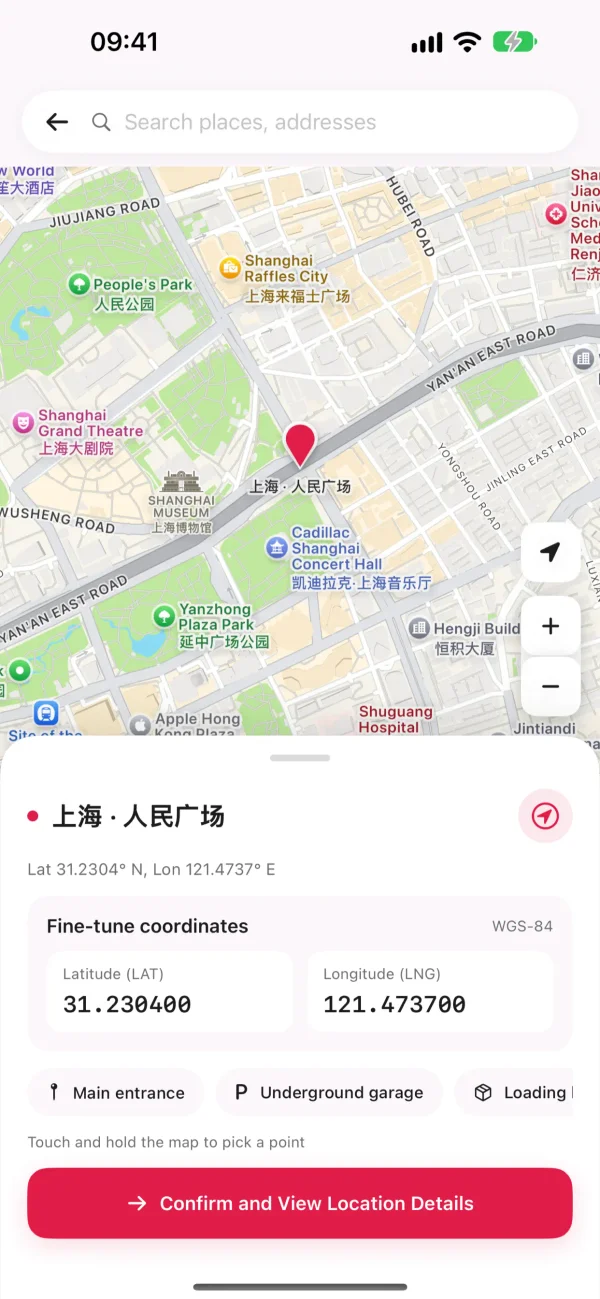
6. Location codes
Long-press the map to drop a pin, drag to fine-tune, or use your current location. Adjust latitude and longitude (WGS-84), pick a quick name, then share the code so a friend can navigate straight there.
■ ALSO INCLUDED
· Encrypted QR: AES-256-GCM on your device — the code holds only the ciphertext, the password stays in the local keychain, and decrypting in the app is free. Decrypted text leaves the clipboard after two minutes.
· Animated QR: module animation templates (breathing dots, little car) with adjustable speed and amplitude, exportable as a GIF.
· History: eight badges (URL, Wi-Fi, vCard, encrypted, location, animated, barcode, text), grouped and searchable, with multi-select. Deleting a record never touches the image in your library.
· Sharing: share sheet, copy image, copy digits, save to Photos, or pin the new code as a widget. Standard resolution is always free; HD sharing, HD copying and multi-code cards unlock with a short ad.
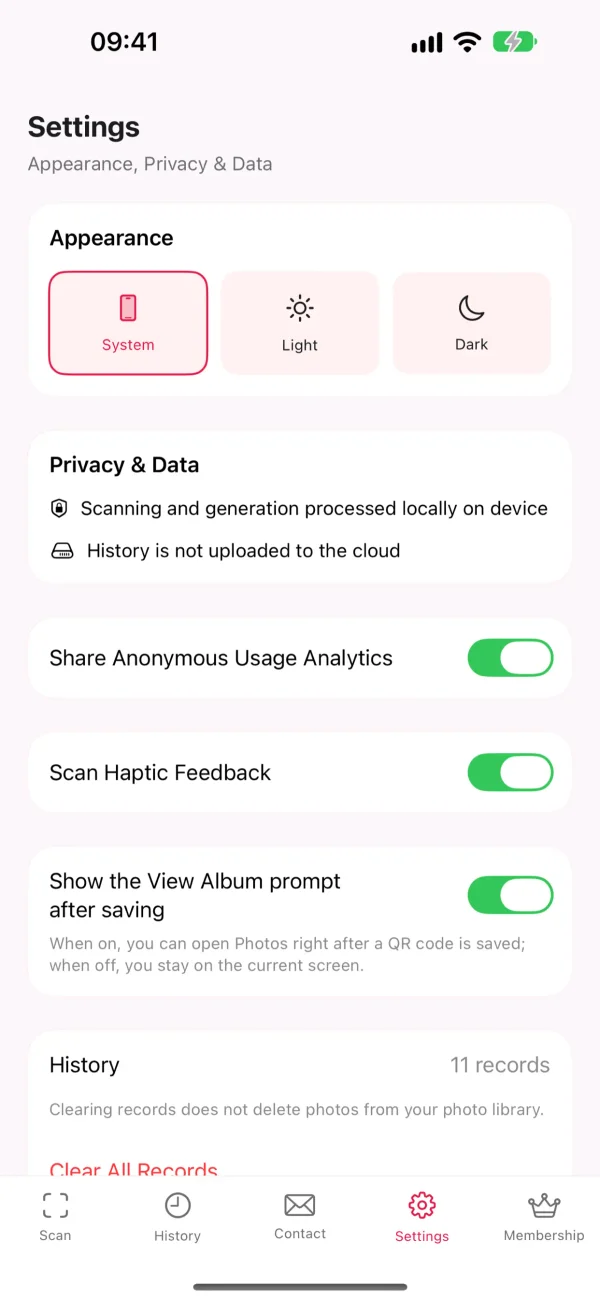
· iPhone and iPad: five bottom tabs on iPhone; on iPad one workbench covers scanning, creating and managing. Light, dark or system appearance, in 25 languages.
■ PRIVACY AND DATA
· Scanning, recognition, generation and history all happen on your device; history is never uploaded.
· Photo recognition and manual creation need no camera permission.
· Encrypted QR passwords live only in the local keychain; neither the code nor history contains the password.
· The free version includes ads (managed in Settings); banners and interstitials are hidden during a membership.
■ XYZQRBox PRO MEMBERSHIP
- Plans: 1 month, 1 year, or a one-time purchase (lifetime). Prices are shown in the app and on the App Store.
- Benefits: HD sharing and copying, HD module-animation export, encrypted QR (AES-256-GCM), logo removal, custom centre images, multi-code widget cards, no ads.
- Payment is charged to your iTunes account after you confirm the purchase.
- Auto-renewal can be turned off in iTunes / Apple ID settings at least 24 hours before the period ends; your account is charged within 24 hours of the period ending, and the subscription continues.
- Privacy policy: http://www.vtlmaker.xyz/xyzqr-privacy-policy/
- Terms of service: http://www.vtlmaker.xyz/terms-of-service-for-xyzqrbox/
■ CONTACT US
WeChat: XYZTECH | Email: xyztechfeedback@gmail.com
When reporting a problem, describe the steps, what you expected and what happened. Please don't send screenshots with passwords or sensitive code contents.
What’s new
Version 2.0.2 · Oct 25, 2026
Updated for iPhone Duo, built with Xcode 27.1.
App privacy
What Dalian Xinyuzhi Software Development Co., Ltd. declares on the App Store about how this app handles data.
-
Data used to track you
May be used to track you across apps and websites owned by other companies.
- Usage data
-
Data not linked to you
May be collected but is not linked to your identity.
- Location
- Usage data
- Diagnostics
Privacy practices may vary, for example with the features you use or your age.
Information
- Seller
- Dalian Xinyuzhi Software Development Co., Ltd.
- Category
- Utilities
- Version
- 2.0.2
- Updated
- Oct 25, 2026
- Released
- Jan 3, 2023
- Size
- 103.3 MB
- Requires
- iOS 17.0 or later
- Age rating
- 4+
- Price
- Free
- In-app purchases
- Yes
- Languages
- English, Arabic, Danish, Dutch, Finnish, French, German, Hindi, Indonesian, Italian, Japanese, Korean + 13 more
- Copyright
- © XYZTech
You might also like
-
 第一码-二维码生成器Utilities
-
 码夹-二维码管理停车支付提前帮手Utilities
-
 KeyAuth OTPPrivate 2FA Authenticator
-
 BoardFeet: Lumber MathBoard feet & lumber cost
-
 isuniYe ProisuniYe Fit hearing device app
-
 CipherRecorderUtilities
-
 Boomerang One-Hand KeyboardUtilities
-
 Capture Codes ScannerCollecting serialized data
-
 潤家家具組裝(師傅端)Utilities
-
 QR Box · Smart Code ManagerOrganize & Access Codes Fast