
YAMM: Notes & Idea Board
Idea Assemble · Voice & Photo
Designed for iPhone
In-app purchases
- Age rating4+
- CategoryProductivity
- DeveloperJiHyeong Lee
- LanguagesEnglish+ 1 more
- Size52.4 MB
Links to the official App Store page
Download.org hosts no file of YAMM: Notes & Idea Board. The button opens its official App Store page, published by JiHyeong Lee. Listing last checked on Nov 12, 2026.
Screenshots

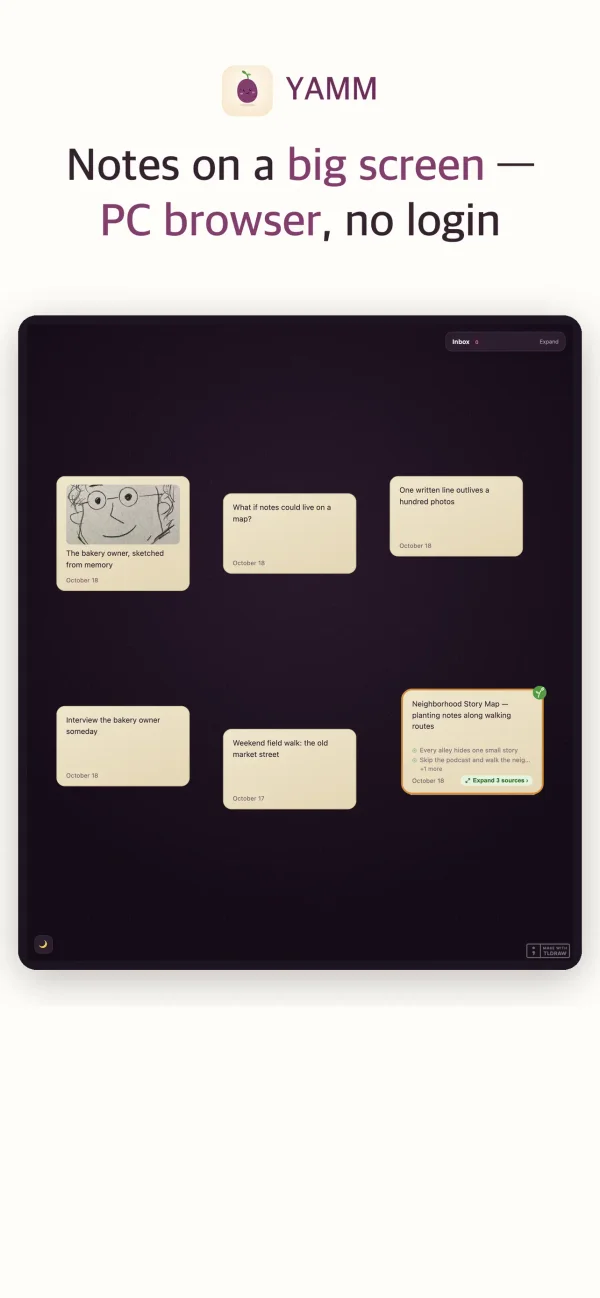

About
YAMM is an offline idea-note app for iPhone: capture notes by text, voice or photo, then spread them out as cards in a PC browser on the same Wi-Fi to group and combine them. No account, no cloud — every note stays on your phone.
Voice, photos, text — gather all your ideas. Idea Assemble.
Small notes become big ideas. Most note apps stop at writing things down. YAMM begins after you've written them.
■ Who it's for
• You jot ideas in a notes app and never look at them again
• You want to lay out your thoughts before planning, writing or studying
• You like brainstorming with sticky notes or a whiteboard, but on a big screen
• You'd rather not put your notes in an account or the cloud
■ New in 3.0 — voice notes and photo notes
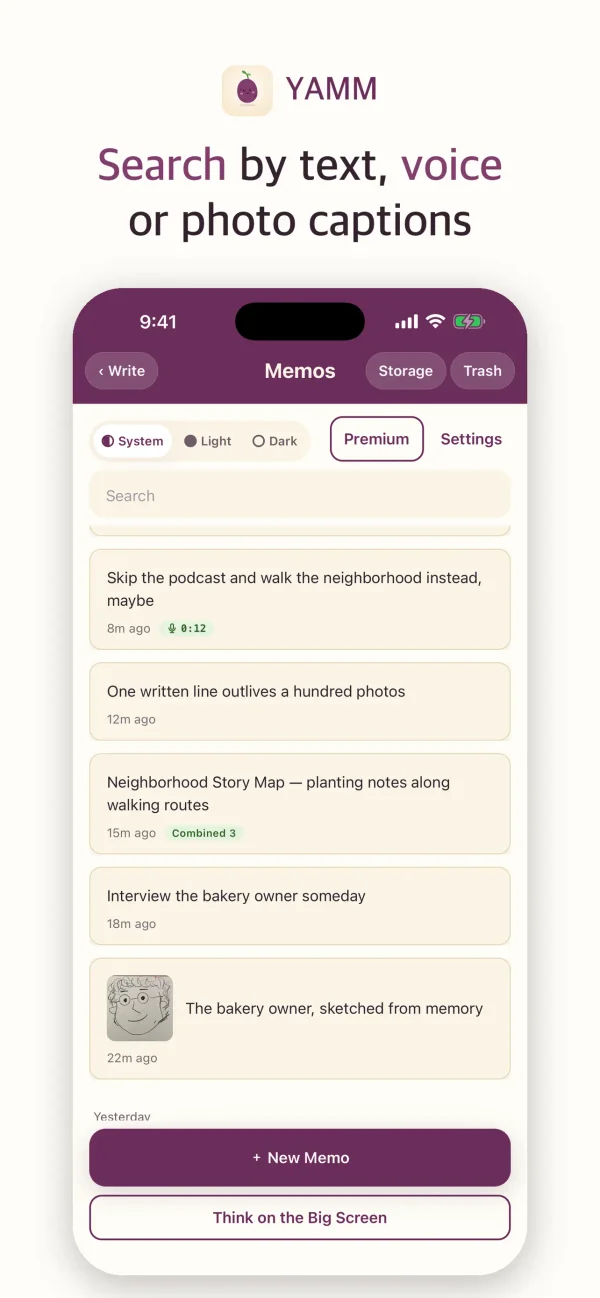
• Voice notes with dictation: tap the mic and talk — a text draft appears as you speak, and the recording (up to 2 minutes) stays with the note.
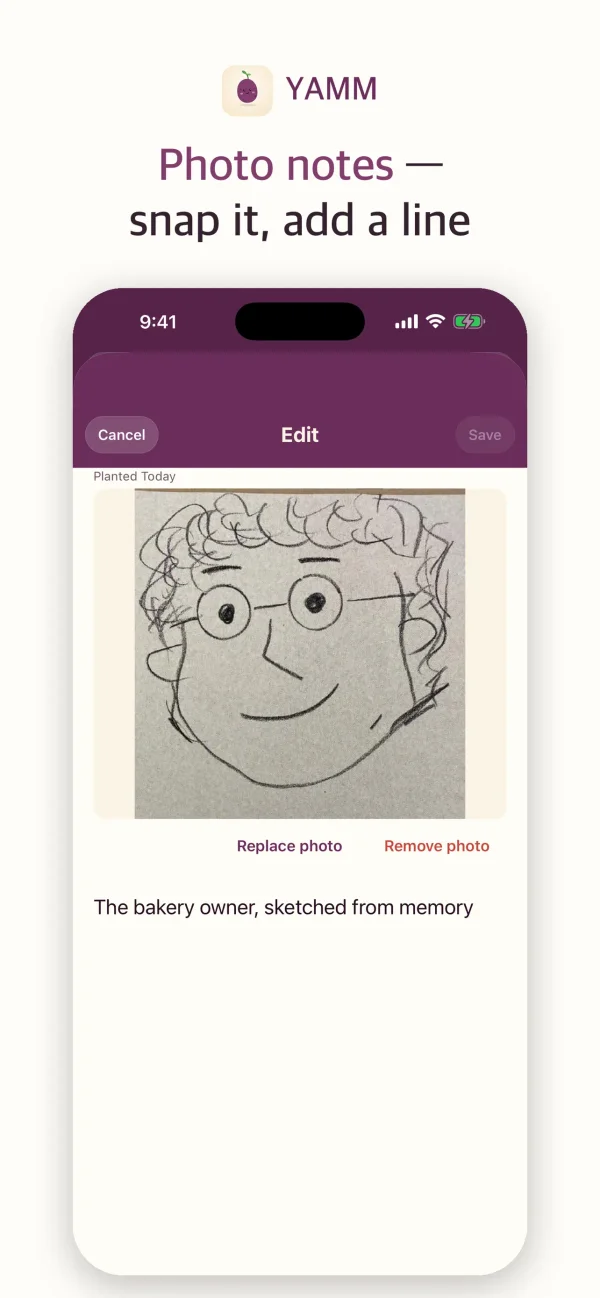
• Photo notes: take a photo or pick one from your library, add a line, done. Photos are kept inside the app; your library is never touched.
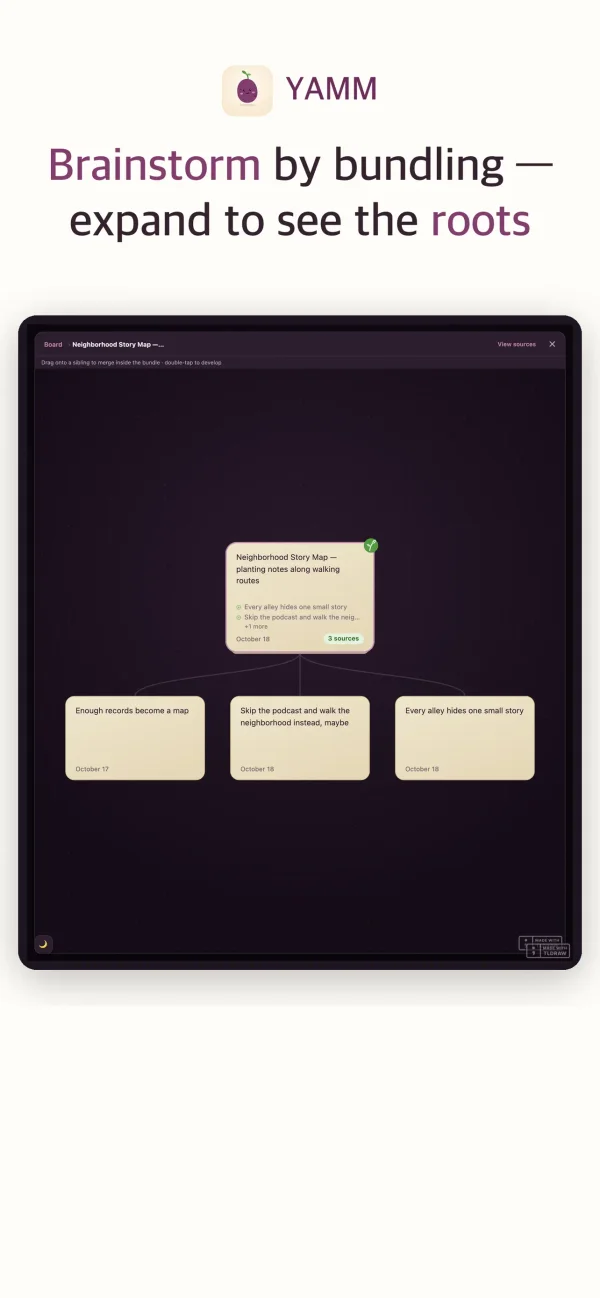
• Expand a bundle: on the board, open a combined note and its source notes branch out like a tree, so you can trace where an idea came from.
• Backup as zip: export your text, photos and recordings as a single zip, and restore them anytime.
■ Quick capture — the moment it comes
YAMM opens straight to the input screen, and the keyboard stays up after you save so you can keep going. On iOS 17 or later, a Shortcut lets you jot a note without unlocking and the Lock Screen widget opens straight to the input screen; on iOS 18 or later, so does the Control Center button. Everything you collect is one search away.
■ A big-screen idea board in any PC browser
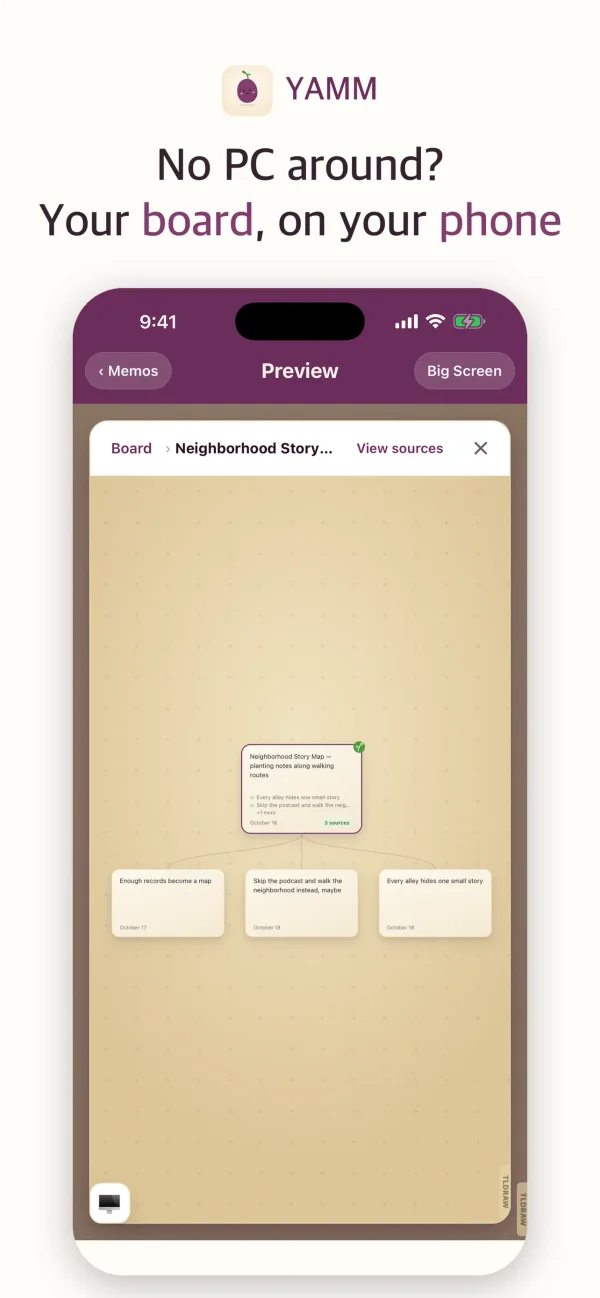
Open the address in a web browser on a PC, Mac or tablet on the same Wi-Fi, enter the 4-digit code, and your board unfolds. Your phone itself is the server, so there's nothing to install on the computer and no sign-in. No Wi-Fi? Connect with a USB cable and Personal Hotspot. No computer? Spread the board right on your phone.
■ Group, combine and organize your thinking
Drag one card onto another to bundle them. Mine the bundle for a fresh idea as a new note — the originals stay as they are, and you can split them apart anytime without losing a thing. Make colored group boxes to gather related notes.
■ Private by design — stays on your phone
No account, no cloud, no ads, no tracking. Your notes, recordings and photos are stored only on this device. Transcription runs on your iPhone's built-in speech recognition, so your voice never leaves it. The microphone and camera are requested only when you tap those buttons.
■ Start free
Use up to 20 notes for free. A one-time purchase removes the limit and unlocks restoring from Trash and taking notes out of Storage. No subscription.
■ FAQ
Q. Do I need to sign up or log in?
A. No. There's no account — open the app and start writing.
Q. Does it work offline?
A. Note-taking works without internet. Spreading the board (on a PC or on your phone) doesn't need internet either — just Wi-Fi or Personal Hotspot turned on.
Q. Do I need to install anything on my computer?
A. No. Just open the address in a web browser such as Chrome, Edge or Safari.
Q. Where are my notes stored?
A. Only on this iPhone. You can make your own backup file with Export Data.
Q. Which languages does voice dictation support?
A. English and Korean — it follows your iPhone's language when that's English or Korean. With any other language, or if your iPhone can't recognize speech on-device, only the recording is saved.
What you write outlasts what you remember — and combining makes it grow.
What’s new
Version 3.0.0 · Oct 27, 2026
The app is now called ‘YAMM: Notes & Idea Board’. Your features and notes stay the same.
YAMM 3.0 — voice notes and photo notes are here.
• Voice notes with dictation — tap the mic and talk, and a text draft appears as you speak. The recording (up to 2 minutes) stays with the note, and transcription happens on your iPhone only
• Photo notes — take a photo or pick one from your library, add a line, done. They show up as photo cards on the PC board, where you can view them full size. Photos are kept inside the app; your library is never touched
• Expand a bundle on the board — on the PC board, open a combined note and its source notes branch out like a tree, so you can trace where an idea came from
• Backup as zip — Export Data now packs your text, photos and recordings into a single zip. Older backup files still restore fine
• Plus a round of small polish
Good to know: backups made with 3.0 can't be opened by older versions of the app. Moving to another device? Update YAMM there to 3.0 first.
What you write outlasts what you remember — and combining makes it grow.
App privacy
What JiHyeong Lee declares on the App Store about how this app handles data.
-
Data not collected
The developer does not collect any data from this app.
Privacy practices may vary, for example with the features you use or your age.
Information
- Seller
- JiHyeong Lee
- Category
- Productivity
- Version
- 3.0.0
- Updated
- Oct 27, 2026
- Released
- Jul 19, 2026
- Size
- 52.4 MB
- Requires
- iOS 16.4 or later
- Age rating
- 4+
- In-app purchases
- Yes
- Languages
- English, Korean
- Copyright
- © 2026 Studio Peace
You might also like
-
 ChinottoA private record of thoughts
-
 Dexter: Voice Notes on WatchRecorder, transcripts & to-dos
-
 LinklletProductivity
-
 Nota: AI Notes & KnowledgeVoice, text, images to ideas
-
 Today: To-Do List & PlannerTasks, Reminders & Routines
-
 HabitLog: Track Habits & TimerA Better Day with Habit Tools
-
 TypePress: Typewriter WritingA typewriter for your words
-
 DayCanvas – Daily PlannerDay Planner & Time Tracker
-
 MandaPlan - MandalartBreak Big Goals into Action