
YanMore Grind
Bayesian Grind Dial-In
Designed for iPhone, iPad, Mac
Free · In-app purchases
- Age rating4+
- CategoryFood & Drink
- Developer晨延 廖
- LanguagesEnglish+ 11 more
- Size80.2 MB
Links to the official App Store page
Download.org hosts no file of YanMore Grind. The button opens its official App Store page, published by 晨延 廖. Listing last checked on Nov 12, 2026.
Screenshots

About
YanMore Grind helps you understand what to adjust for your next cup, and keep the story of every brew in one place.
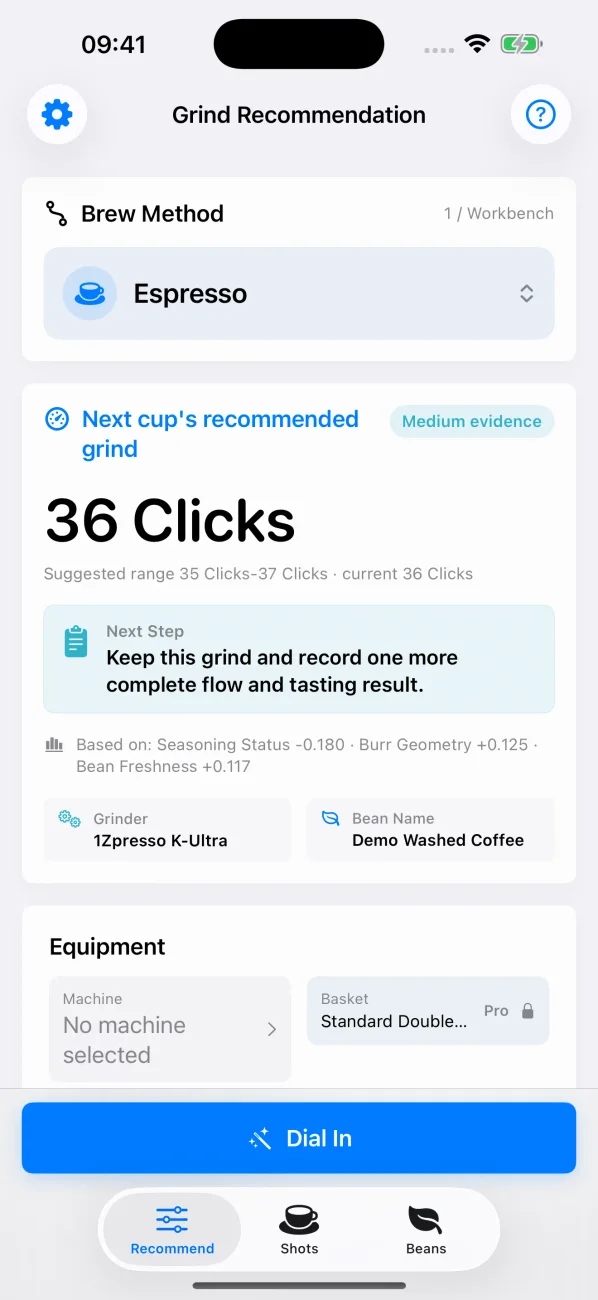
New beans, a different basket or a new pour-over recipe: where should your grinder start? YanMore Grind brings together your coffee, grinder, equipment, brew method, target recipe and eligible measured history to suggest an actionable grind adjustment. Review the suggested setting, direction, size and supporting evidence, then use your next brew to continue building your own history.
RECOMMENDATIONS FOR REAL GRINDERS
YanMore Grind retains the adjustment semantics of stepped, stepless and dual-mode grinders and combines eligible brew observations with Bayesian learning and recipe context. It distinguishes measured references, interpolation between comparable measurements and trial starting points, so you can see what a suggestion is based on. When data are sparse, conflicting or not comparable, more observations may be needed. You control manual adjustments.
FROM RECIPE TO CUP
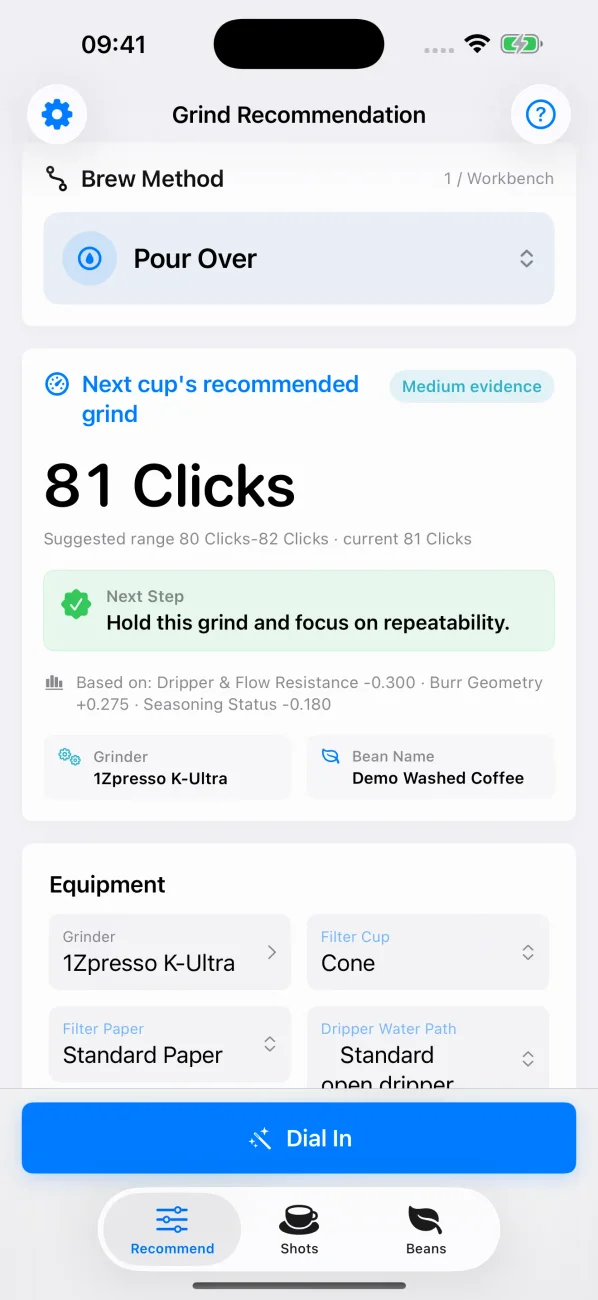
Version 3.0 brings recipes, equipment, grind adjustment and timers into one workbench. Start with an espresso, pour-over or AeroPress recipe, adjust quantities and targets, and scale the water and stages of supported recipes. Keep your own edits and follow a pour-over plan with stage timing and notes for the same cup.
Brew with publicly shared champion recipes, including Tetsu Kasuya’s 4:6 and Martin Wölfl’s OREA, with sources. Supported recipes automatically scale water and stages to your dose, then guide the same brew with stage timers. The dripper guide distinguishes different shapes, while the espresso-style guide shows reference ratios and targets for your current dose. Basic recipes, conversions and timers are free; selected professional recipes and advanced features require Pro.
YOUR BEANS AND BREW HISTORY
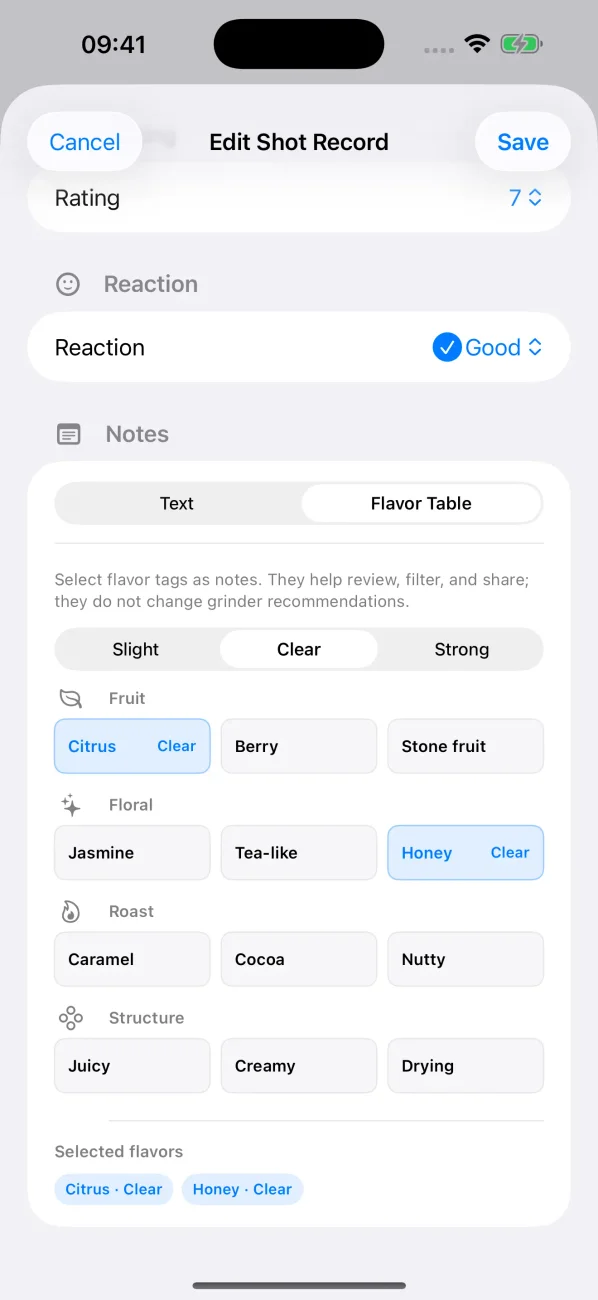
Keep beans and equipment together with brew parameters, ratings, notes and flavor tags. Review and compare cups, and repeat recipes as new drafts. Imported recipes are not measured brews.
For an unfamiliar or incomplete bag, start with a temporary bean entry, record the brew, then add details and confirm a link to an existing bean later. Finished beans retain their history; record storage and explore origins on your bean map.
FROM ESPRESSO TO YOUR FAVORITE DRINK
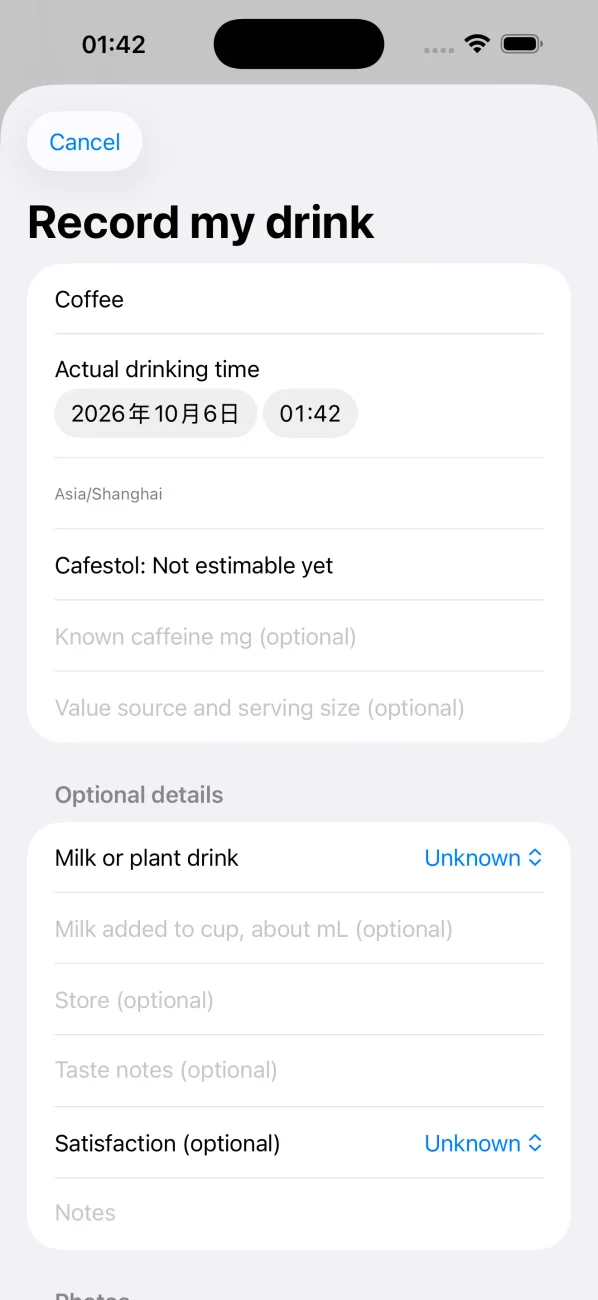
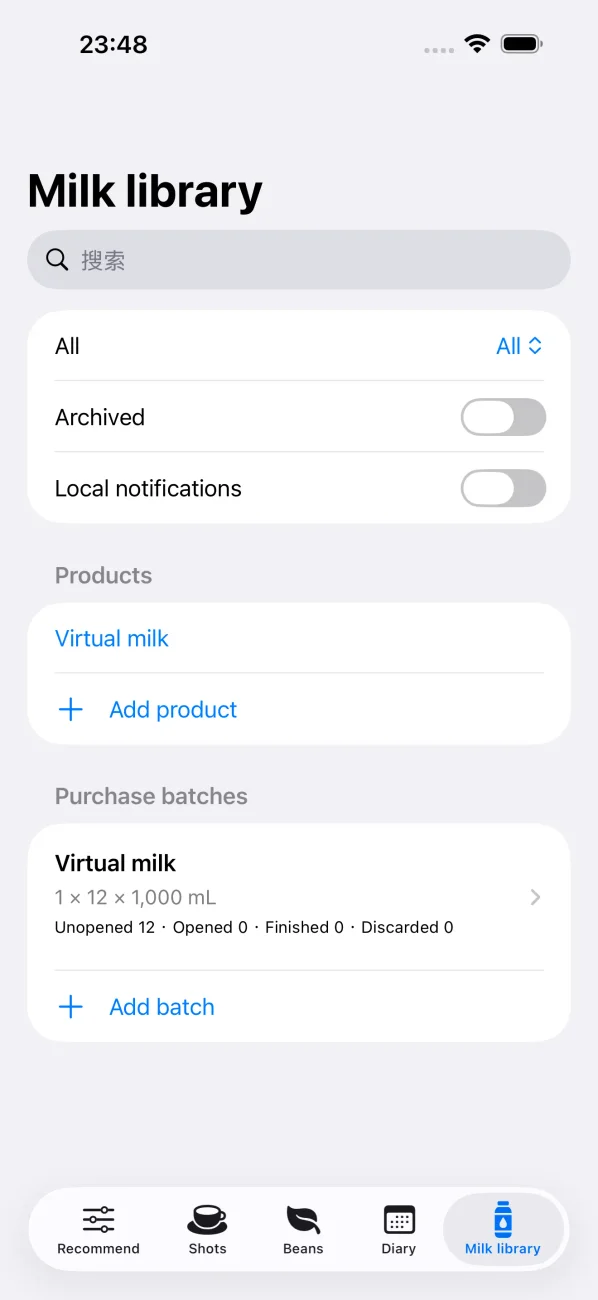
Continue from a saved espresso into a drink without recording the same extraction twice. Explore drink recipes and illustrations, record actual ingredients and photos, and optionally manage milk products, packages, opening, usage and reminders.
COFFEE CALENDAR AND COMPOSITION
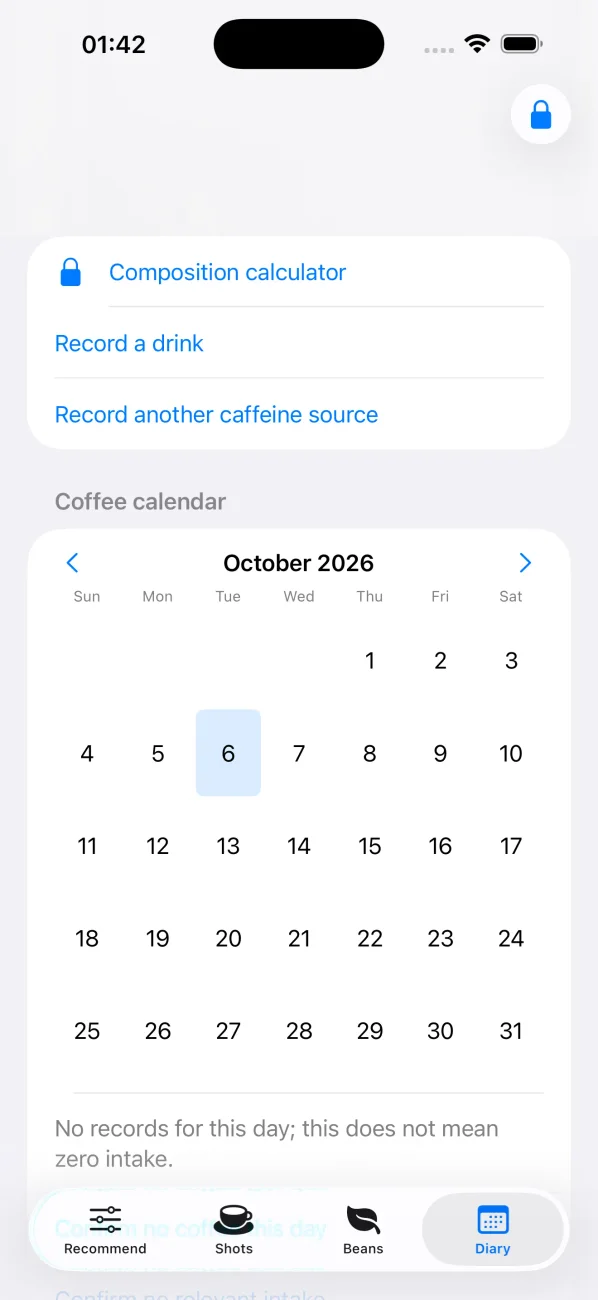
For supported recipes, review approximate caffeine and cafestol values with their assumptions and ranges; drink comparisons help put caffeine amounts in context. These are estimates, not measurements or medical advice, and actual values can differ.
YOUR DATA, YOUR CHOICE
Share records or reference recipes and export your data. Core recording and recommendations work locally without an app account. Optional iCloud sync requires an available iCloud account and storage.
FREE AND PRO
Free includes one grinder, two bean profiles, the latest 20 visible records, espresso and pour-over, basic recipes and timers, basic text sharing and personal-data export. Pro adds more grinders, additional supported methods, advanced parameters and recipes, full history, advanced sharing, and complete backup import and restoration. Some comparisons, equipment management and professional features require Pro. Existing records remain stored and exportable when Pro ends; the same available inputs use the same core recommendation logic.
Apple handles purchases and subscriptions; current prices appear in the app. Recommendations are starting points to validate in your next brew, not guaranteed results. Beans, equipment, technique and data quality affect the outcome; no fixed accuracy or number of cups is promised.
Terms of Use (Apple Standard EULA): https://www.apple.com/legal/internet-services/itunes/dev/stdeula/
What’s new
Version 3.0.0 · Nov 4, 2026
Version 3.0 is a major update for dialing in, brewing and recording your coffee.
GRIND RECOMMENDATIONS
Recommendations consider your coffee, grinder, brew method, target recipe and eligible measured history. Measured references, interpolation and trial starting points are distinguished, with adjustment direction and supporting evidence.
A CONNECTED BREWING WORKBENCH
Move from recipe and equipment selection to adjusting targets, grind suggestions and timers. Supported recipes scale quantities and stages; pour-over plans connect to stage timing and notes for the same cup.
RECIPES AND GUIDES
Brew with publicly shared champion recipes, including Tetsu Kasuya’s 4:6 and Martin Wölfl’s OREA. Supported recipes automatically scale water and stages to your dose, then guide the same brew with stage timers. Explore AeroPress competition recipes and sources too. New dripper and espresso-style guides explain equipment and reference ratios. Basic recipes and timers are free; selected professional features require Pro.
BEANS AND EQUIPMENT
Record an unfamiliar bag as a temporary bean and link it later. Keep bean histories, portions and storage, explore origins on your map, and manage equipment and preparation tools.
FROM ESPRESSO TO DRINKS
Continue from a saved espresso into a drink without recording the extraction twice. Explore more illustrated drink recipes, record actual ingredients and photos, and optionally manage milk inventory and reminders.
COFFEE CALENDAR AND COMPOSITION
Review consumption in the coffee calendar and explore approximate caffeine and cafestol information for supported recipes, with assumptions and ranges. Caffeine comparisons provide additional context. Estimates are not measurements or medical advice.
MORE WAYS TO USE YOUR RECORDS
Keep photos, flavor notes and brew history, explore aromas with the flavor wheel, compare cups and repeat a recipe as a new draft. Core functions work locally without an app account; optional iCloud sync requires an available account and storage. Some advanced features require Pro.
Suggestions are starting points to validate with your next brew. Sparse or conflicting data can require more measurements; results are not guaranteed.
APPLE WATCH
View the paired iPhone’s current brew, timer and stages on your wrist, and start, pause, resume or stop the timer.
App privacy
What 晨延 廖 declares on the App Store about how this app handles data.
-
Data not collected
The developer does not collect any data from this app.
Privacy practices may vary, for example with the features you use or your age.
Information
- Seller
- 晨延 廖
- Category
- Food & Drink
- Version
- 3.0.0
- Updated
- Nov 4, 2026
- Released
- Sep 14, 2026
- Size
- 80.2 MB
- Requires
- iOS 17.0 or later
- Age rating
- 4+
- Price
- Free
- In-app purchases
- Yes
- Languages
- English, French, German, Italian, Japanese, Korean, Portuguese, Russian, Simplified Chinese, Spanish, Thai, Traditional Chinese
- Copyright
- © 2026 Chenyan Liao
You might also like
-
 BeanDanceDial in every bag of beans
-
 BeanFolio - Coffee JournalTrack beans, brews & roasts
-
 CoffeeHead - AI Coffee JournalAI Coffee Tasting & Bean Log
-
 Molmol CafeFood & Drink
-
 Pour Over Coffee Timer & DripV60 Kalita Chemex Brew Guide
-
 CoffeeStoryFood & Drink
-
 Beanlog: Coffee Bean TrackerTasting Journal & Inventory
-
 BrewLens: Coffee Brewing LabProfessional Pour-over Timer
-
 Midou CoffeeTrackerBean Log & Flavor Journal
-
 Coffee JournalFood & Drink