
YoPhoto
Organize photos efficiently
Designed for iPhone, iPad
Free · In-app purchases
- Age rating4+
- CategoryUtilities
- Developer伟坤 方
- LanguagesEnglish+ 7 more
- Size17.0 MB
Links to the official App Store page
Download.org hosts no file of YoPhoto. The button opens its official App Store page, published by 伟坤 方. Listing last checked on Nov 15, 2026.
Screenshots



About
Organizing photos isn't a chore, but a way to relive memories while neatly arranging photos and albums.
YoPhoto delivers an exceptional photo browsing experience that lets you efficiently organize photos while enjoying them.
It also provides powerful album editing/management features and efficient photo searching/selection capabilities.
【Key Features】
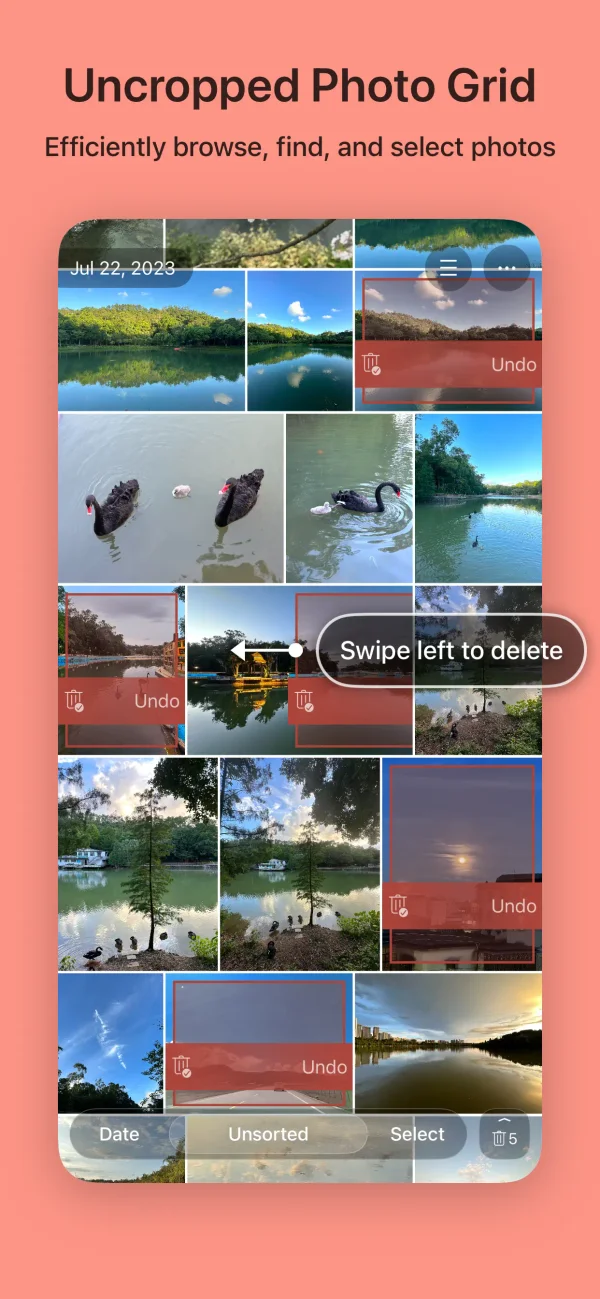
- Swipe left on photo grid to quickly delete
- Exclusive batch move photos between albums
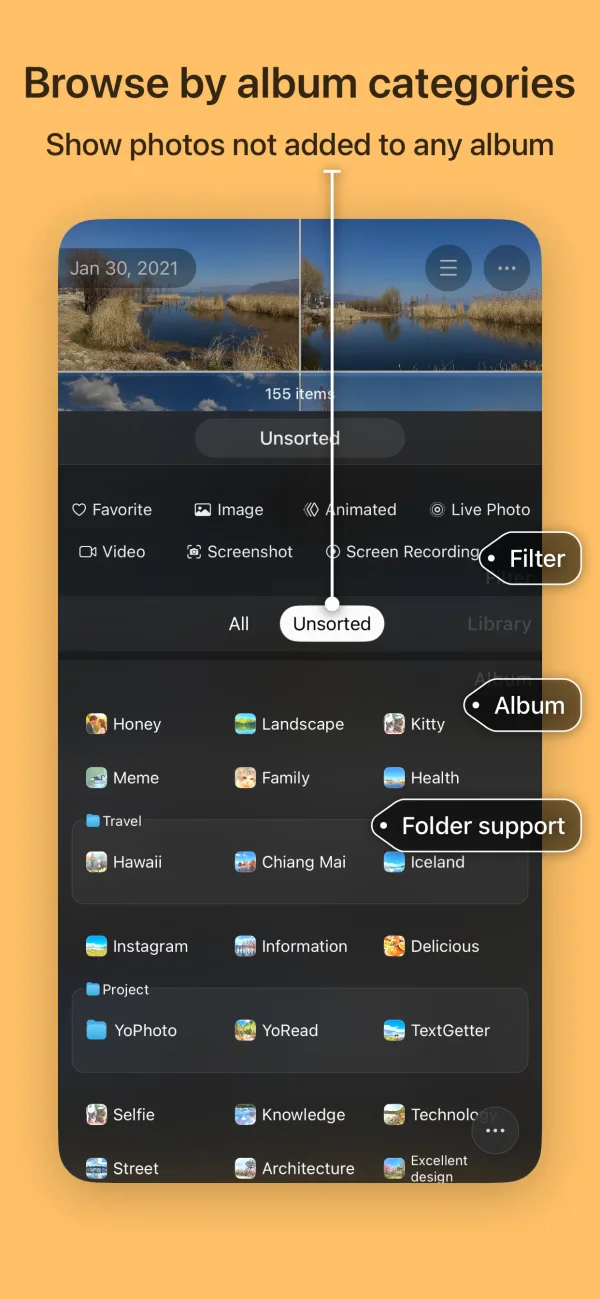
- View unorganized photos (excluding those already in albums)
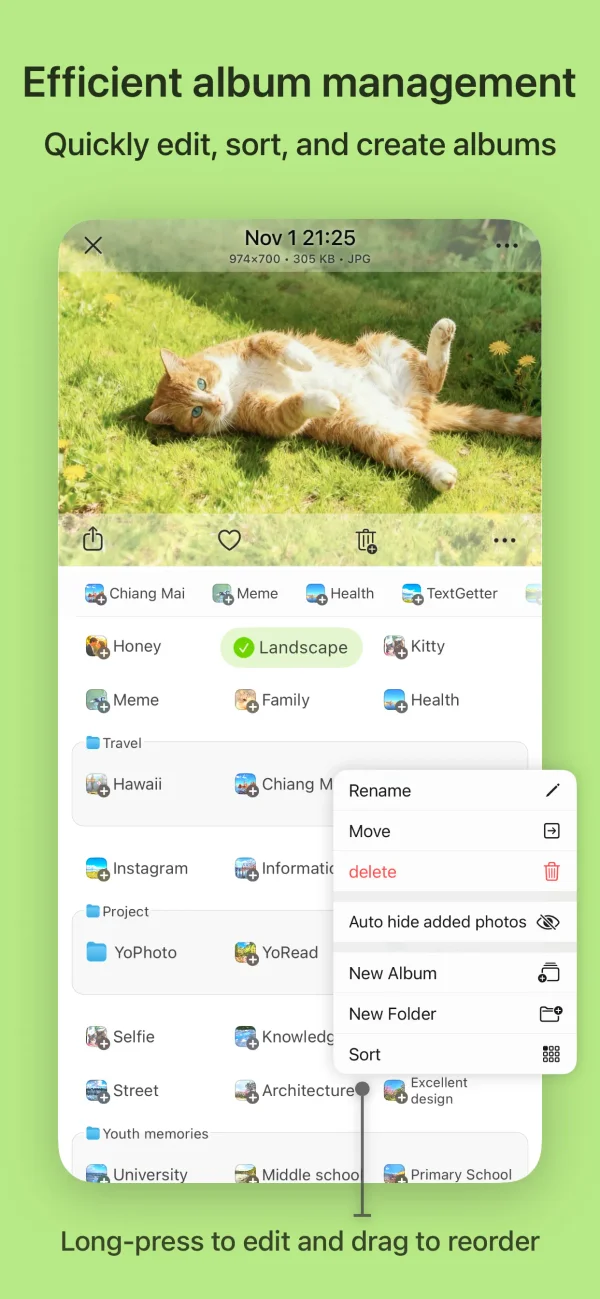
- Innovative album panel design for quick categorization
- Create/rename/move/delete/sort albums, with folder management
- Easily browse and switch between libraries/albums with type filters
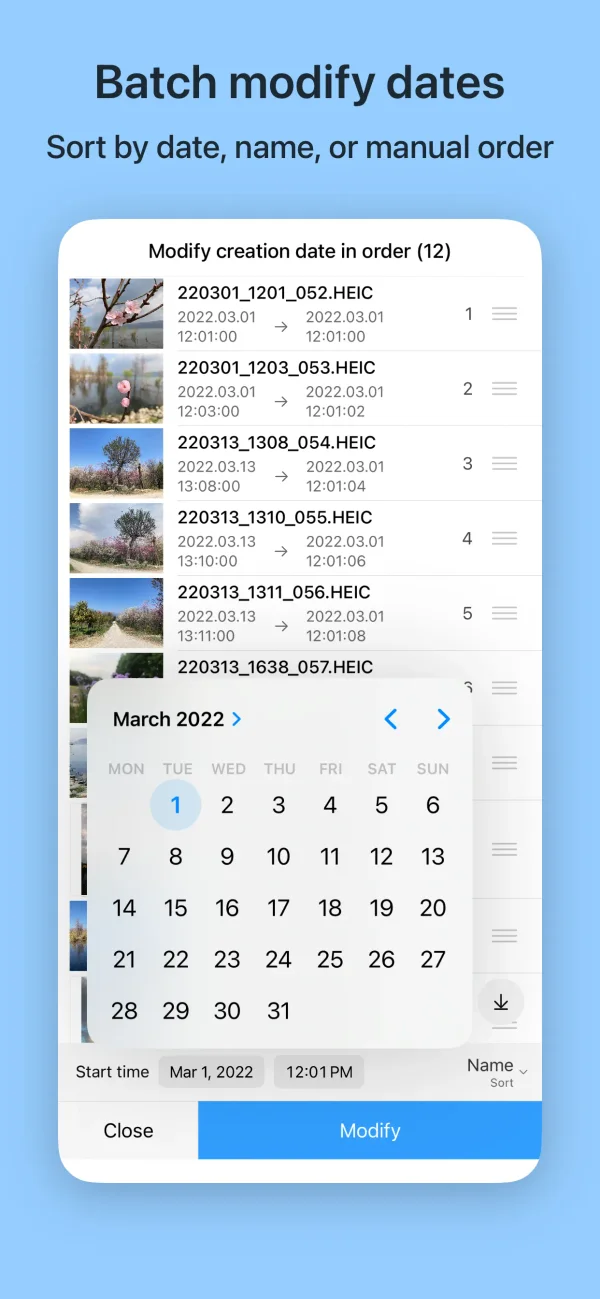
- Batch modify photo dates
- iPad-optimized interface for better viewing
- Convert videos to Live Photos
- Set albums to auto-hide added photos
【More Features】
◆ Multi-photo Editing
- Batch delete/favorite/share/hide photos
- Batch add/move/remove from albums
- Multiple selection methods: by date range (year/month/day), swipe selection, range selection
- Batch modify photo dates
◆ Better Browsing
- Photo grid shows uncropped originals (square option available)
- Pinch to resize photo grid
- Filter by type: favorites, images, GIFs, Live, videos, screenshots, screen recordings
- Quick date navigation (year/month/day)
- Toggle hidden photos visibility (hidden photos remain manageable in albums)
- GIF playback support
- Video playback support
- Live Photo playback support
- Photo sharing support
◆ Secure & Reliable
- All changes sync safely and instantly with Photos app
- YoPhoto fully complies with official protocols and keeps all data on-device (no servers), ensuring no photo leaks
【YoPhoto Pro】
Upgrade to YoPhoto Pro for full features:
- Unlimited photo organization
- Move multiple photos to albums
- Convert videos to Live Photos
- Batch modify photo dates
- Set albums to auto-hide added photos
About Subscriptions:
- Price: Current subscription price displayed at purchase
- Payment: Charged to iTunes account upon confirmation
- Renewal: Auto-renews monthly/yearly 24hrs before current period ends at same price
- Cancel: Manually turn off auto-renewal in Apple ID > Subscriptions at least 24hrs before period ends
- Refunds: No refunds after purchase - handled through Apple's policies
- Terms: https://github.com/yoodu/service/wiki/Terms-of-Use
- Privacy: https://github.com/yoodu/service/wiki/Privacy-Policy
Efficient photo & album organization
What’s new
Version 2.9.2 · Oct 22, 2026
Fix the bug where the album panel fails to open after selecting multiple photos
App privacy
What 伟坤 方 declares on the App Store about how this app handles data.
-
Data not collected
The developer does not collect any data from this app.
Privacy practices may vary, for example with the features you use or your age.
Information
- Seller
- 伟坤 方
- Category
- Utilities
- Version
- 2.9.2
- Updated
- Oct 22, 2026
- Released
- Jan 2, 2023
- Size
- 17.0 MB
- Requires
- iOS 17.0 or later
- Age rating
- 4+
- Price
- Free
- In-app purchases
- Yes
- Languages
- English, French, German, Japanese, Russian, Simplified Chinese, Spanish, Traditional Chinese
- Copyright
- © 2022 WeiKun Fang.
You might also like
-
 SlidePhoto - photo managerad-free!photo cleaner
-
 Albumly - Sort & Clean PhotosPhoto Sorter, Library Cleanup
-
 Photo Album ManagerOne-Click Screenshot Cleaner
-
 空白相册-照片管家Utilities
-
 EASY - AI Photo OrganizerSmart Albums, 100% On-Device
-
 File Viewer for AllWaterfall image&video browser
-
 RenameKit - File & PhotoRename Photos and Files Faster
-
 GoodPhotos - Photo CleanerFind Duplicates, Free Up Space
-
 PicPicks - AI Photo OrganizerPick, Clean & Manage Photos
-
 PicSeek: AI Photo SearchFind Photos & Clean Duplicates