
- Age rating4+
- CategoryUtilities
- LanguagesKorean+ 2 more
- Size2.5 MB
Links to the official App Store page
Download.org hosts no file of Z-mOTP. The button opens its official App Store page, published by . Listing last checked on Nov 10, 2026.
Screenshots
About
The developer has not provided this text in your language.
Z-OTP 란 ?
- 사용자 인증수단으로서 아이디, 비밀번호 인증 외 보안 강화를 위해 모바일 단말기로 생성된 일회성 비밀번호로 이중 인증 서비스로 사용합니다.
* 기능
- 인터넷 연결 없이도 OTP 생성이 가능합니다
- 기관 별 OTP 등록이 가능합니다.
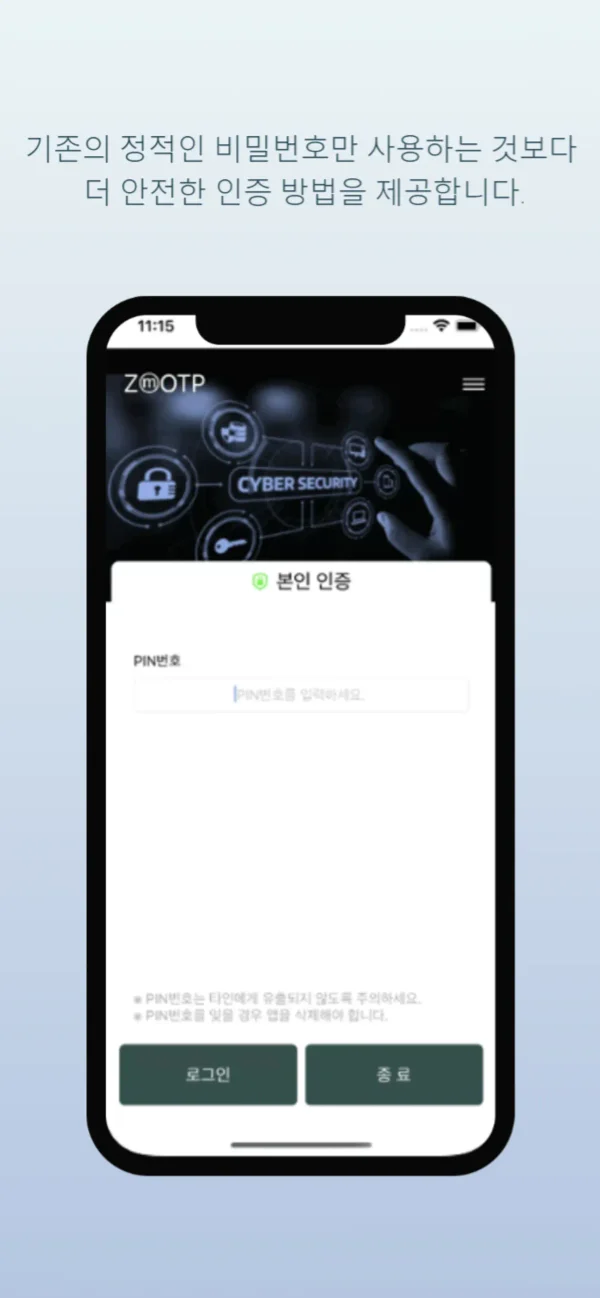
- 본인인증을 위한 PIN 번호 기능이 있습니다.
웹서비스, 애플리케이션 등 다양한 인증 서비스에 사용이 가능합니다.
* 이용안내
1. PIN 번호 등록
- 앱 사용시 사용할 PIN 번호를 등록 합니다.
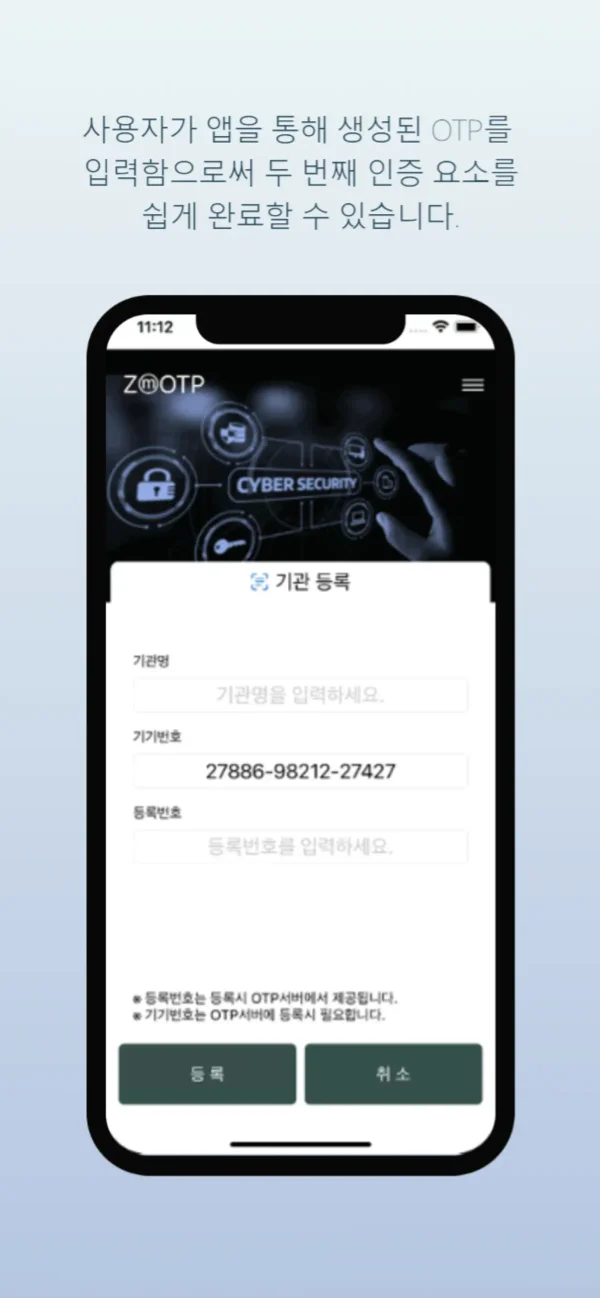
2. 기관 등록
- PC에서 사용자 등록을 통해 나온 등록 번호를 Z-mOTP 기관등록화면에 등록번호에 넣어주시고 등록 버튼을 클릭하여줍니다.
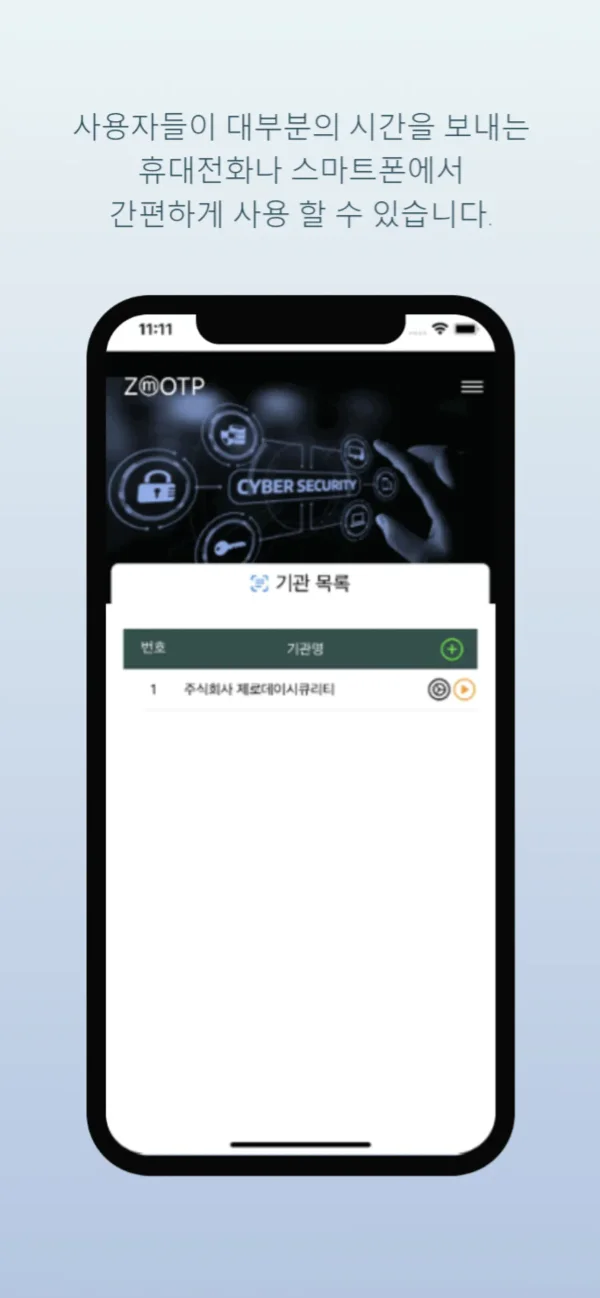
3. 기관 목록
- 기관 목록에 등록된 기관을 선택하면 생성된 OTP를 확인하실 수 있습니다.
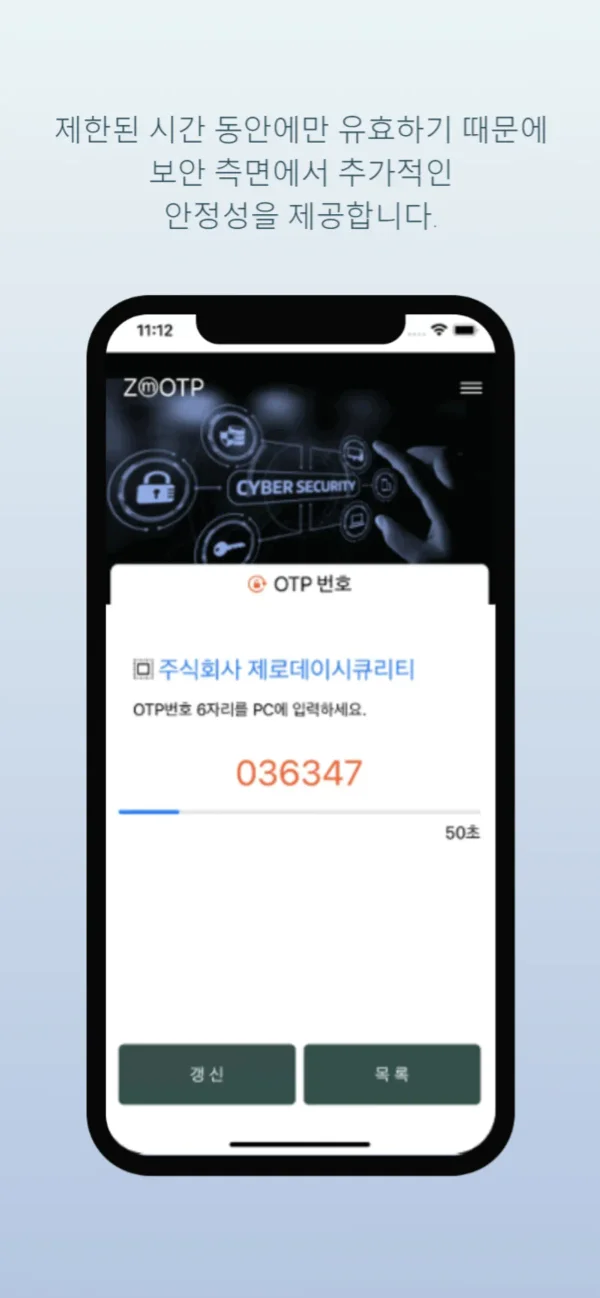
4. OTP 인증
- 사용하시는 기관에서 OTP번호를 요구 하는 창에서 어플리케이션에 생성된 OTP를 입력하시면 인증에 성공합니다.
* 유의사항
- Z-mOTP는 Z-mOTP를 구매하여 사용하고 있는 기관에게 제공하고 있습니다.
What’s new
Version 1.0.014 · Jul 30, 2026
백그라운드 후 앱화면 로딩시 OTP 초기 생성
App privacy
What declares on the App Store about how this app handles data.
-
Data not linked to you
May be collected but is not linked to your identity.
- Contact info
Privacy practices may vary, for example with the features you use or your age.
Information
- Seller
- Zeroday Security
- Category
- Utilities
- Version
- 1.0.014
- Updated
- Jul 30, 2026
- Released
- Jan 9, 2024
- Size
- 2.5 MB
- Requires
- iOS 13.3 or later
- Age rating
- 4+
- Languages
- Korean, Vietnamese, English
- Copyright
- © 2023 ZerodaySecurity inc