- Age rating4+
- CategoryUtilities
- DeveloperWilliam Lee
- LanguagesEnglish
- Size15.3 MB
Links to the official App Store page
Download.org hosts no file of Zap Panels. The button opens its official App Store page, published by William Lee. Listing last checked on Nov 12, 2026.
Screenshots

About
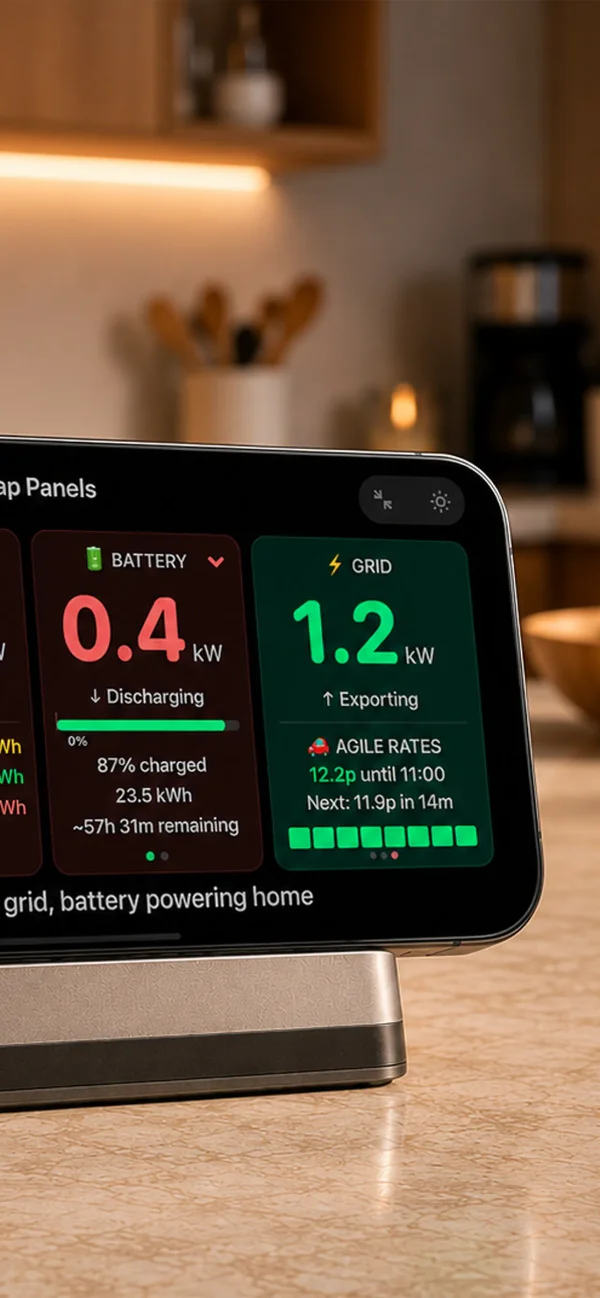
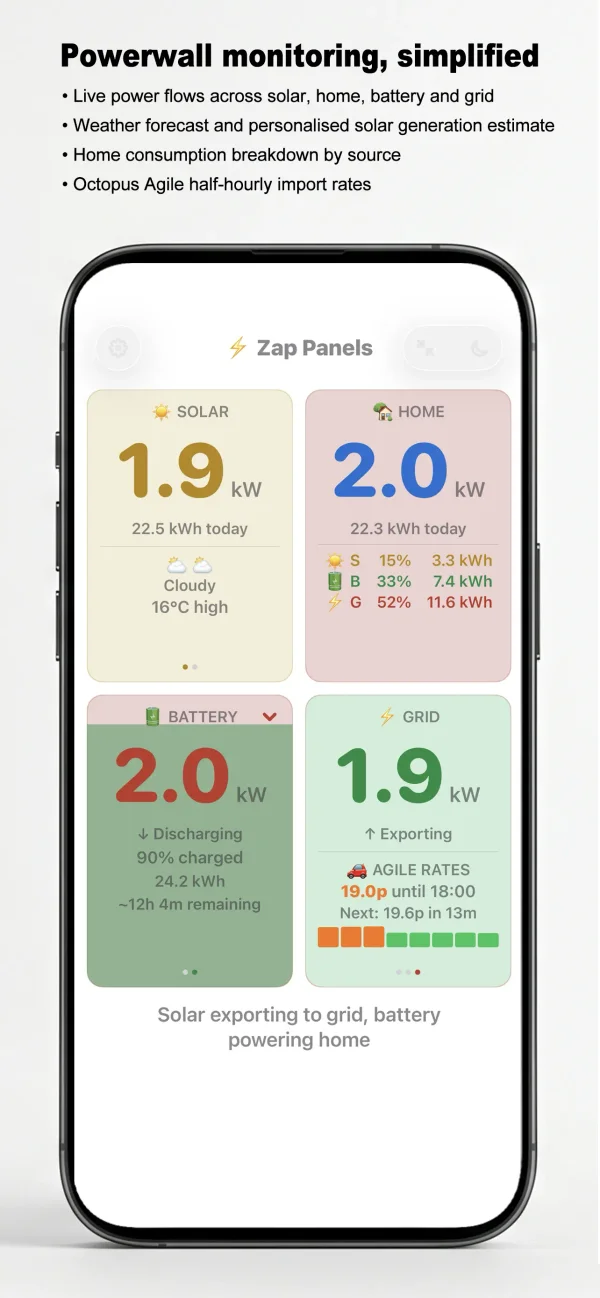
Zap Panels gives your Tesla Powerwall a simple, stylish, dedicated in-home display. A real-time dashboard showing exactly what your home energy system is doing right now. Ideal for wall or desk mounted displays.
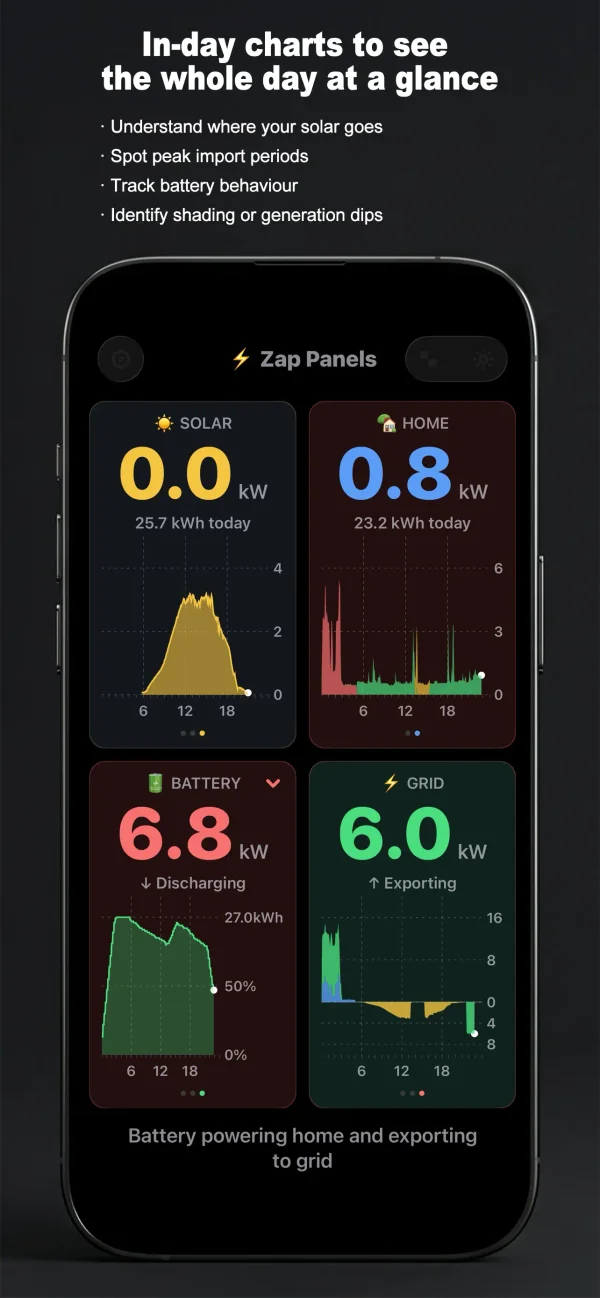
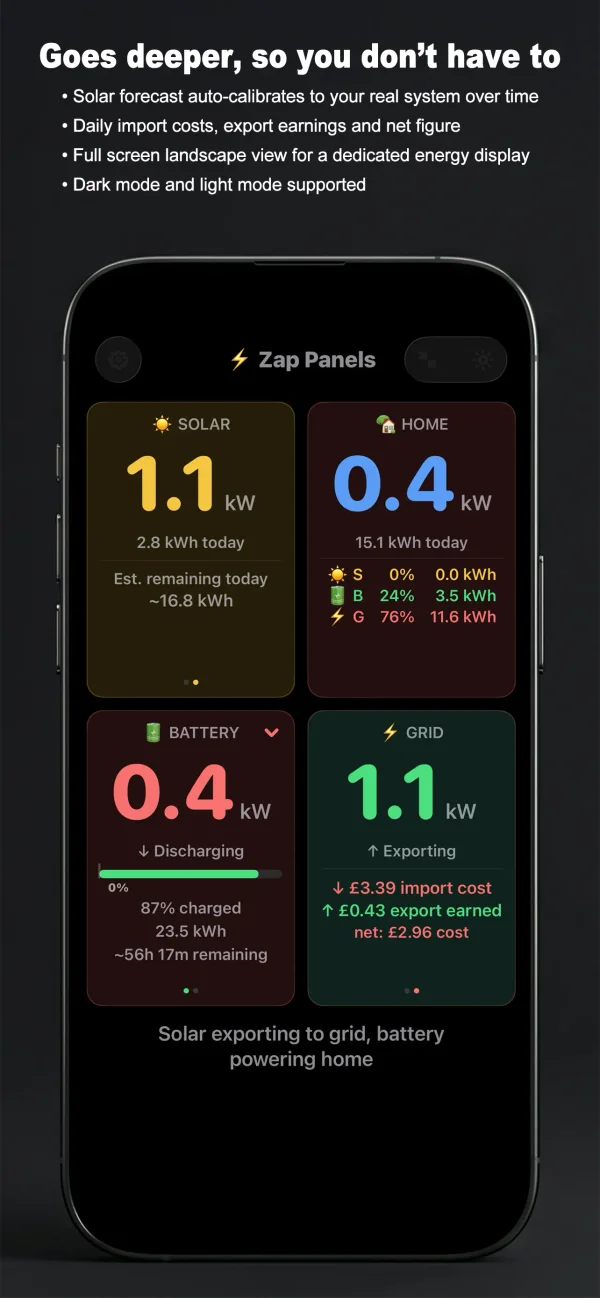
Monitor live power readings across solar generation, home consumption, battery charge and grid import/export. The home consumption breakdown shows exactly where your energy is coming from at any moment. Daily kWh totals, tariff cost tracking and a personalised solar generation forecast give you the full picture of your energy use.
Octopus Agile customers can view live half-hourly import rates directly on the dashboard, updated automatically throughout the day.
Intelligent Octopus Go users can view current tariff status, peak/off-peak and upcoming dispatch slots.
Features
• Live solar, home, battery and grid power readings
• Home consumption breakdown by source: solar, battery and grid
• Octopus Agile half-hourly import rates
• Intelligent Octopus Go slots and rates
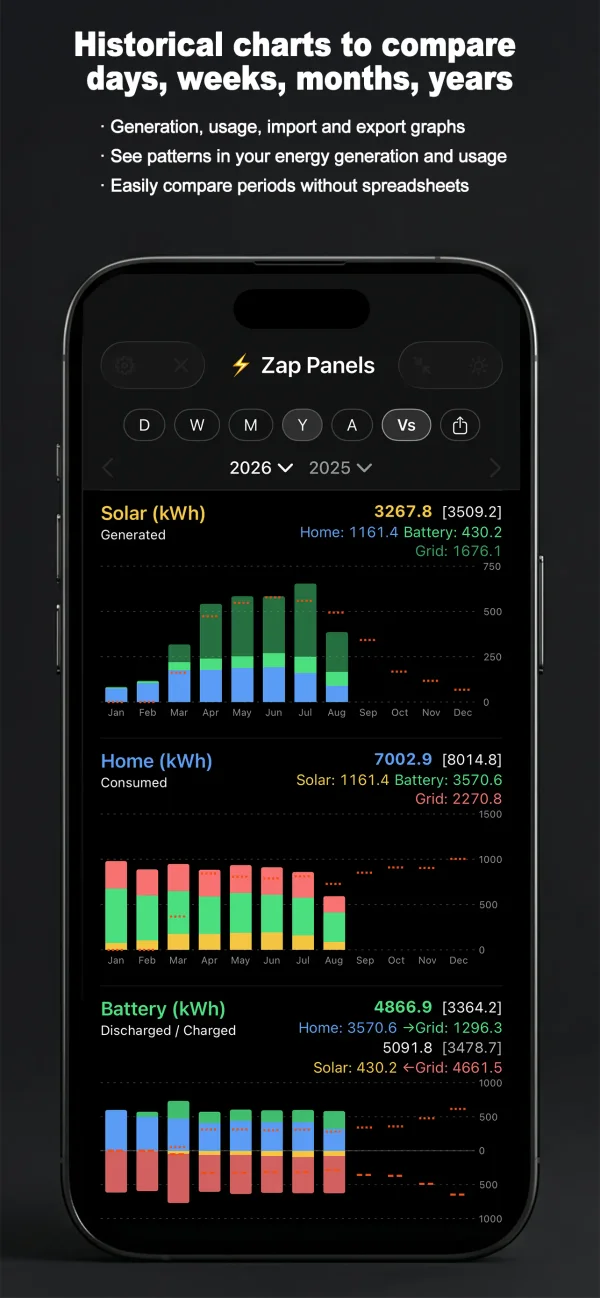
• Daily kWh totals for all energy flows
• Tariff cost tracking: import costs, export earnings and net daily spend
• Solar generation forecast, auto-calibrated to your real system over time
• Weather forecast
• Full screen and landscape view for a dedicated energy display
• Dark mode and light mode
• Panel drag-to-reorder
• Configurable poll speed, font size and display settings
• Keep screen on mode for always-on display
• Screen dimming scheduler
• In-day charts
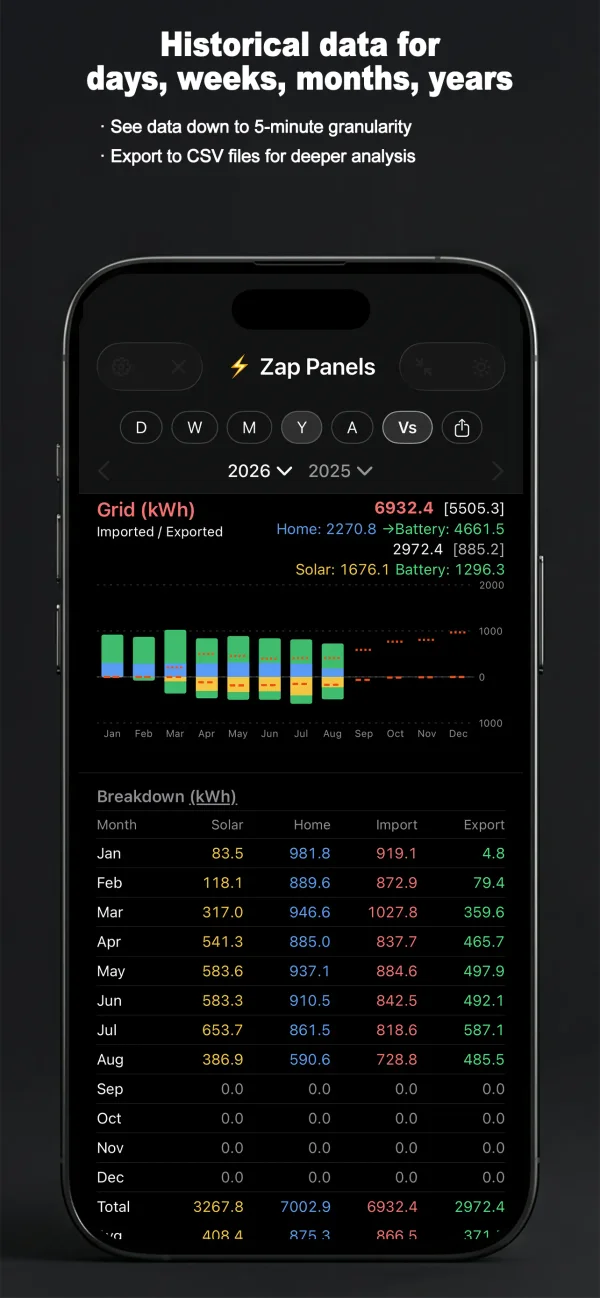
• Historical charts with comparison tool
• Data export
• 14-day free trial, no subscription, one-time purchase to unlock premium features
Not affiliated with or endorsed by Tesla, Inc. or Octopus Energy Ltd. Requires a Tesla Energy account.
What’s new
Version 1.21.0 · Sep 14, 2026
• New energy flow cards added to solar, battery and grid panels.
• Individual carousel cards from the panels can be enabled/disabled through new display settings sub-menus.
• Current period chart views performance improvement with the introduction of a 15-minute cache which can be overridden with a manual refresh.
App privacy
What William Lee declares on the App Store about how this app handles data.
-
Data not linked to you
May be collected but is not linked to your identity.
- Diagnostics
Privacy practices may vary, for example with the features you use or your age.
Information
- Seller
- William Lee
- Category
- Utilities
- Version
- 1.21.0
- Updated
- Sep 14, 2026
- Released
- May 5, 2026
- Size
- 15.3 MB
- Requires
- iOS 17.0 or later
- Age rating
- 4+
- In-app purchases
- Yes
- Languages
- English
- Copyright
- © 2026 William Lee