ZapBlur: Pixelate & Censor
Auto-hide faces, cover by hand
Designed for iPhone, iPad, iPod touch
Free
- Age rating4+
- CategoryPhoto & Video
- Developerhyunggue jeon
- LanguagesEnglish+ 26 more
- Size30.7 MB
Links to the official App Store page
Download.org hosts no file of ZapBlur: Pixelate & Censor. The button opens its official App Store page, published by hyunggue jeon. Listing last checked on Nov 17, 2026.
Screenshots
About
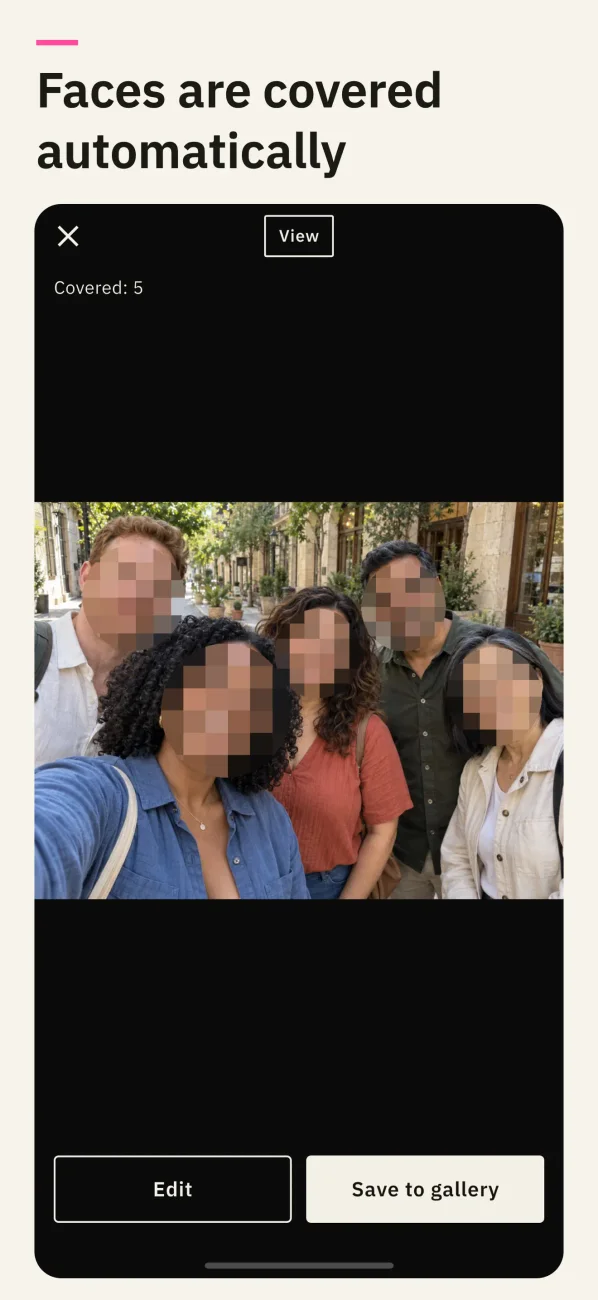
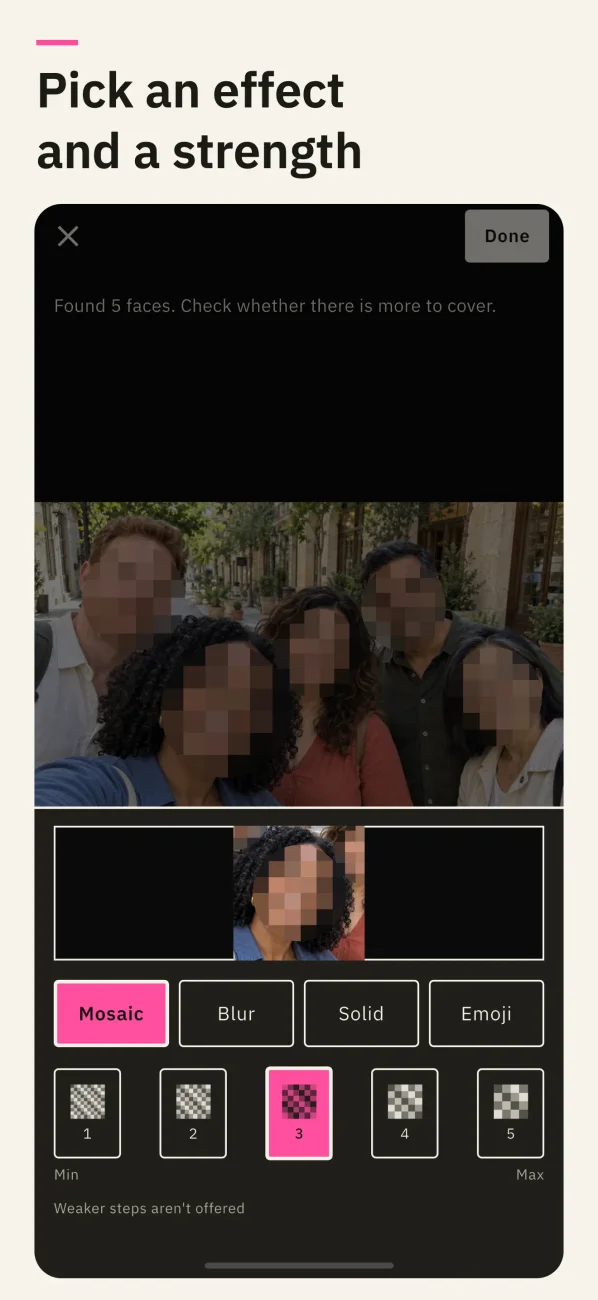
ZapBlur covers what you do not want to show in a photo before you post it. It finds faces automatically, such as bystanders in a street, cafe or trip photo, and starts them out covered. You can cover anything else by hand. Photos are processed on your device.
Use it when
- A photo from the street, a cafe or a trip has strangers' faces in it
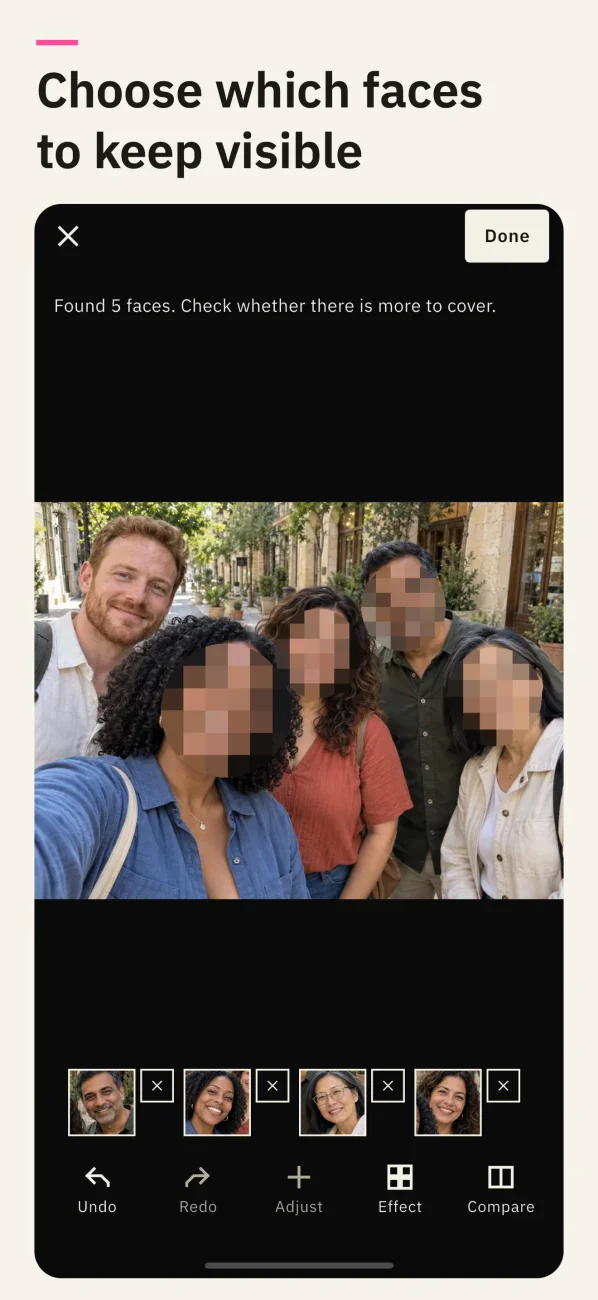
- You want to keep only your friends visible in a photo and cover everyone else
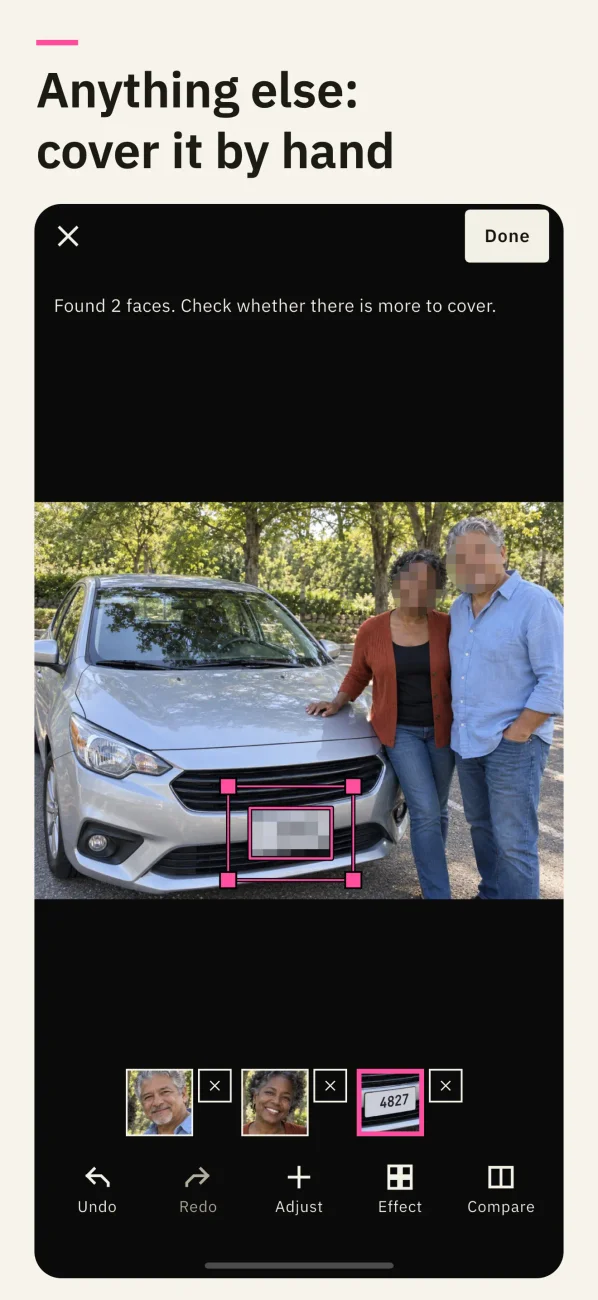
- A photo has something other than a face that you want to cover by hand
- You want to keep only your own child in a daycare or school group photo and cover the other faces
How it works
1. Pick one photo. ZapBlur does not ask for access to your whole photo library.
2. Detected faces are covered by default. Tap a missed face to cover it. Tap anything else to cover it by hand.
3. Select a cover, drag it to move it, or drag a corner to resize it. To leave a face visible, tap the X on its thumbnail to remove its cover. Non-face areas can be covered by hand in the same way.
4. Choose pixelate, blur or solid fill, then one of five strengths. Very weak steps are not offered.
5. Save. Your original stays untouched and the result is saved as a new photo. Location and other shooting info are removed when you save, and you can share the saved photo right away.
Only faces are found automatically. Cover everything else by hand. Automatic detection can miss faces, so check the result once more before you save.
Your privacy
- Your photos and face data never leave your device. Areas you cover by hand stay on your device too.
- Not used: ads, accounts, watermarks.
Details: https://grayforge.app/zapblur/privacy_policy.html
FAQ
Q. Can covered areas be restored?
A. Depending on how an area is covered, it may still be recognizable, and weaker strengths are more likely to be. That is why ZapBlur does not offer very weak steps. Solid fill is the surest option.
Q. Can it cover things other than faces?
A. Yes, by hand. Tap the spot you want to cover and an oval or rectangle is placed there. Drag it to move it, or drag a corner to resize it. Only faces are found automatically. After covering, zoom in and check that nothing is still readable or recognizable.
What’s new
Version 1.1.0 · Nov 12, 2026
Now available in 27 languages. A photo opens as a result first, with the faces already covered. Tap Edit to change what is covered. The editing screen shows the photo larger and keeps it still.
App privacy
What hyunggue jeon declares on the App Store about how this app handles data.
-
Data not linked to you
May be collected but is not linked to your identity.
- Identifiers
- Usage data
- Diagnostics
Privacy practices may vary, for example with the features you use or your age.
Information
- Seller
- hyunggue jeon
- Category
- Photo & Video
- Version
- 1.1.0
- Updated
- Nov 12, 2026
- Released
- Oct 31, 2026
- Size
- 30.7 MB
- Requires
- iOS 15.5 or later
- Age rating
- 4+
- Price
- Free
- Languages
- English, Arabic, Czech, Danish, Dutch, Finnish, French, German, Greek, Hindi, Indonesian, Italian + 15 more
- Copyright
- © 2026 GrayForge
You might also like
-
 MosaCamEasy Photo & Video Mosaic
-
 Blur Kids - Face BlurPhotos & videos, 100% private
-
 Mosa: Blur, Pixelate & RedactChoose exactly what to hide
-
 Pixelate: Blur Face & MosaicCensor Photos, ID & Documents
-
 Blur Faces: Censor · BlurshotPixelate, Redact & Hide Info
-
 Face Blur Video – RedactCensor & pixelate photo, plate
-
 LookLab: AI Headshot Face SwapPhoto & Video
-
 Body Editor: Shape It Your WayBody & Face Retouching
-
 Birthday Party InvitationDigital cards Maker & Wishes
-
 Censor: Face Blur & PixelateRedact, Mosaic & Hide Plate