
- Age rating4+
- CategoryDeveloper Tools
- Developer邦川 吴
- LanguagesSimplified Chinese
- Size3.0 MB
Links to the official App Store page
Download.org hosts no file of zcode助理. The button opens its official App Store page, published by 邦川 吴. Listing last checked on Nov 17, 2026.
Screenshots
About
The developer has not provided this text in your language.
ZCode 的远程控制助手——作者把官方的“手机网页远程”功能做成了原生 App,并且加进去一些助理功能,让你在手机上随时查看、接管电脑上正在进行的编程任务。
【它能做什么】
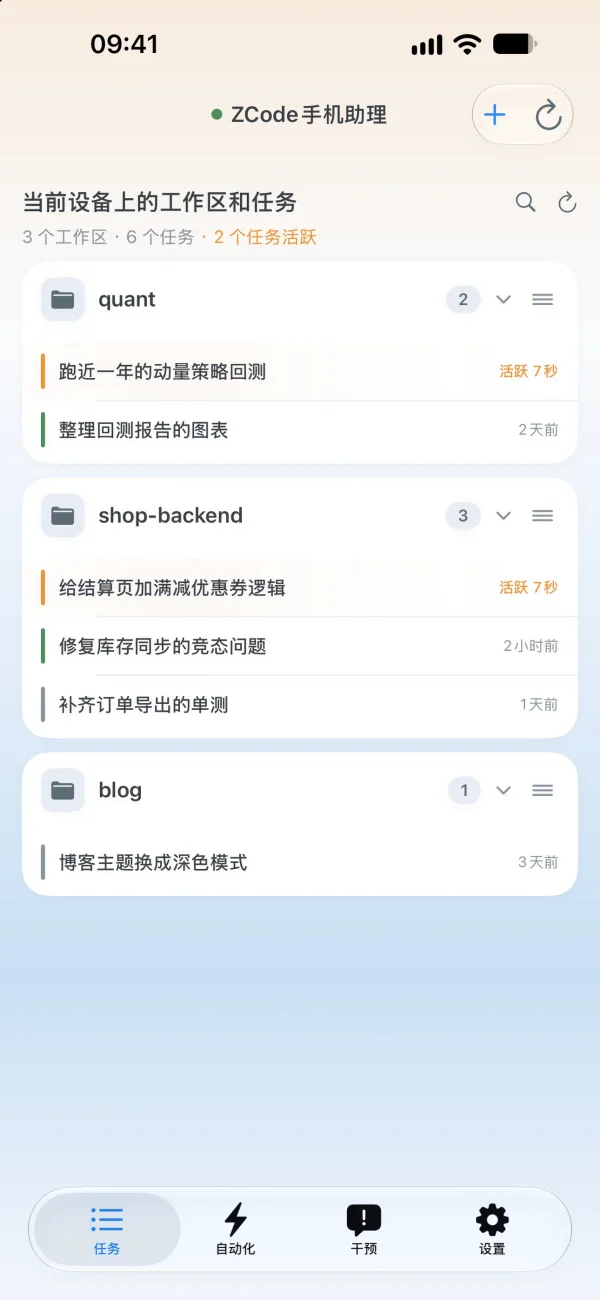
· 任务总览:多个工作区的任务卡片式管理,运行中/空闲/完成一目了然,支持置顶、拖动排序与归档
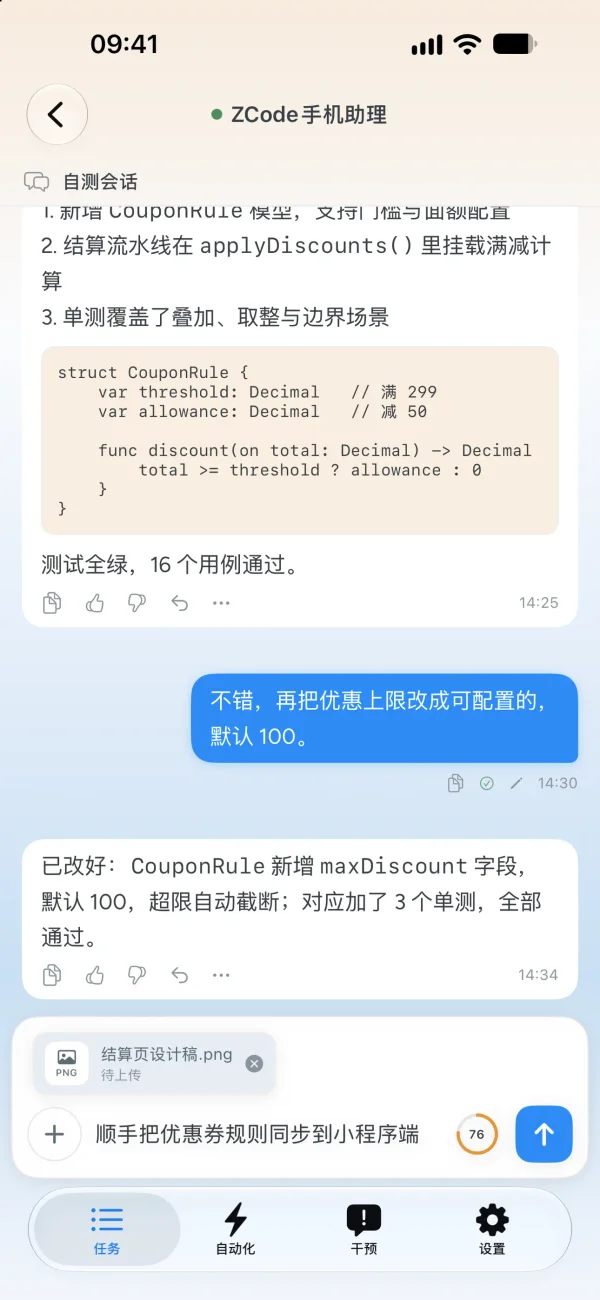
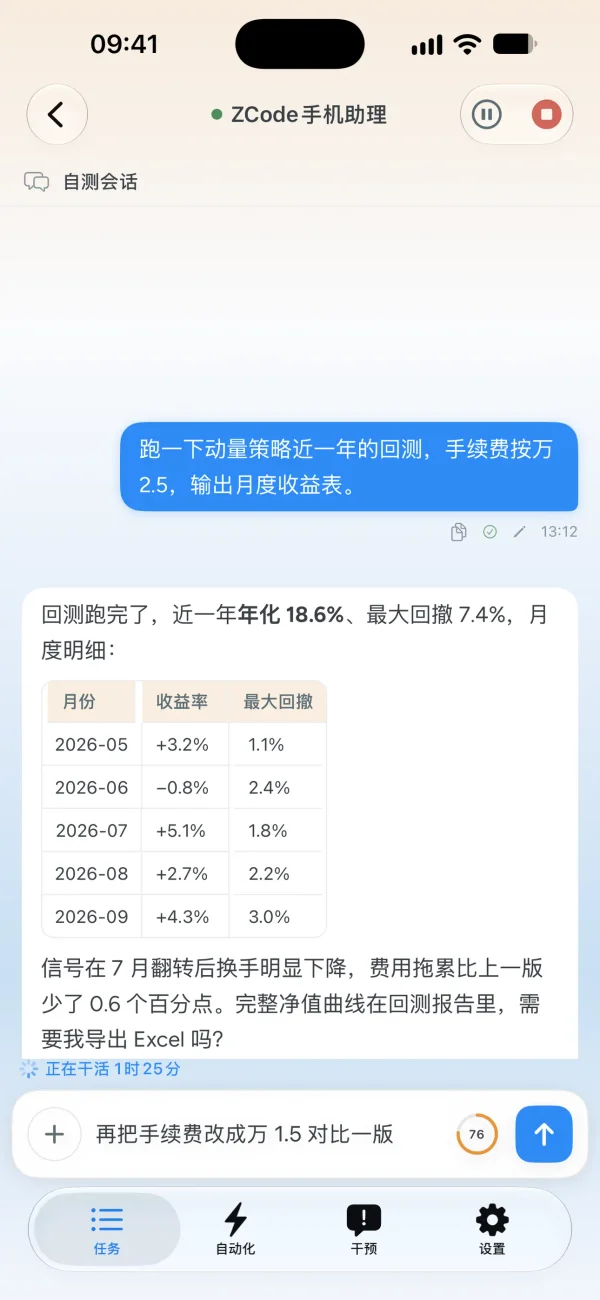
· 对话式控制:纯净模式只显示你的指令与最终回复,完整执行过程随时可查
· 实时收发:继续对话、发送照片与文件附件,可切换 Agent/构建/编辑/计划四种执行模式
· 语音输入:按住输入栏说话,松手自动转成文字发送(需 iOS 26 及以上;端上识别,不上传音频)
· 上下文容量:输入栏圆环实时显示上下文窗口占用比例,一键压缩,长会话不断档
· 完成通知:任务跑完苹果推送提醒,点击横幅直达对应会话
· 草稿与队列:输入内容按任务缓存不丢失,消息可加入队列依次发送
【使用前提】
电脑端需安装并登录 ZCode,开启“远程控制”功能后,用本 App 扫码配对即可连接。无需注册账号,不收集任何个人数据(隐私政策见支持页)。
What’s new
Version 1.1 · Nov 2, 2026
· 新增语音输入:按住输入栏说话,松手即转文字上屏(需 iOS 26 及以上)
· 任务列表全新卡片视觉:分组更清爽,背景渐变两档可切换
· 修复深会话页粘贴长文本崩溃、逐字输入卡死
· 修复对话页闪烁、滚动后回不到底部
· 手机端改任务名,电脑端秒级同步
· 卡片间距、置顶样式等细节打磨
App privacy
What 邦川 吴 declares on the App Store about how this app handles data.
-
Data not collected
The developer does not collect any data from this app.
Privacy practices may vary, for example with the features you use or your age.
Information
- Seller
- 邦川 吴
- Category
- Developer Tools
- Version
- 1.1
- Updated
- Nov 2, 2026
- Released
- Nov 1, 2026
- Size
- 3.0 MB
- Requires
- iOS 18.0 or later
- Age rating
- 4+
- Price
- Free
- Languages
- Simplified Chinese
- Copyright
- © 2026 吴邦川
You might also like
-
 zcode connectYour desktop tasks, on the go
-
 Zcode MobileYour ZCode workspace on iPhone
-
 Niro: Coding AgentsDeveloper Tools
-
 MoonCode - KimiCode远程控制Developer Tools
-
 SkillForge - Agent SkillsPrompt Library for AI Agents
-
 CodetetherRemote for AI coding agents
-
 DSH Mobile-DeepSeek HarnessDeveloper Tools
-
 pocketctlAI 终端协作客户端
-
 Schema Studio: Database DesignER Diagrams, SQL & Table Tools
-
 OctrixRemote AI Coding Companion