
Zeedit - Video Editor
Auto captions, exact export
Designed for iPhone, iPad, iPod touch
In-app purchases
- Age rating4+
- CategoryPhoto & Video
- DeveloperPhattharaphon Khachenratanakul
- LanguagesEnglish+ 1 more
- Size64.6 MB
Links to the official App Store page
Download.org hosts no file of Zeedit - Video Editor. The button opens its official App Store page, published by Phattharaphon Khachenratanakul. Listing last checked on Nov 12, 2026.
Screenshots
About
Zeedit is a video editor built around one promise: what you see in the preview is what lands in the file.
■ PREVIEW = EXPORT
Every rule in this app serves that one. Subtitles, fonts, layer order, motion, audio — whatever is on the preview screen comes out identical in the exported file. No "it looked right in the app."
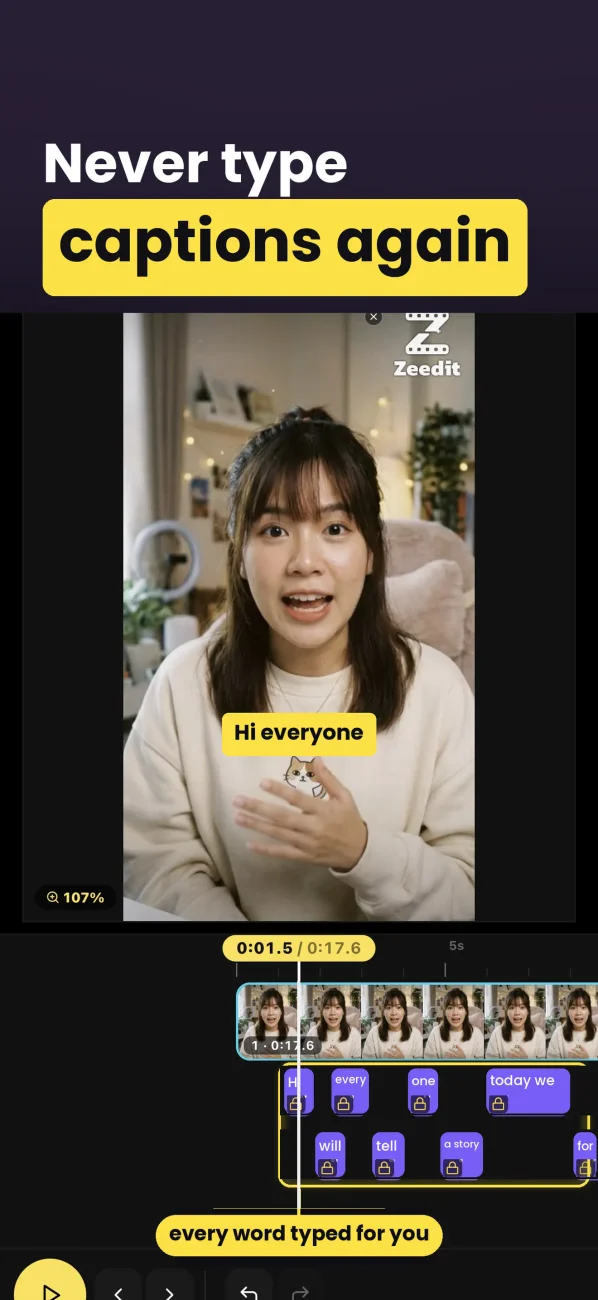
■ AUTOMATIC SUBTITLES
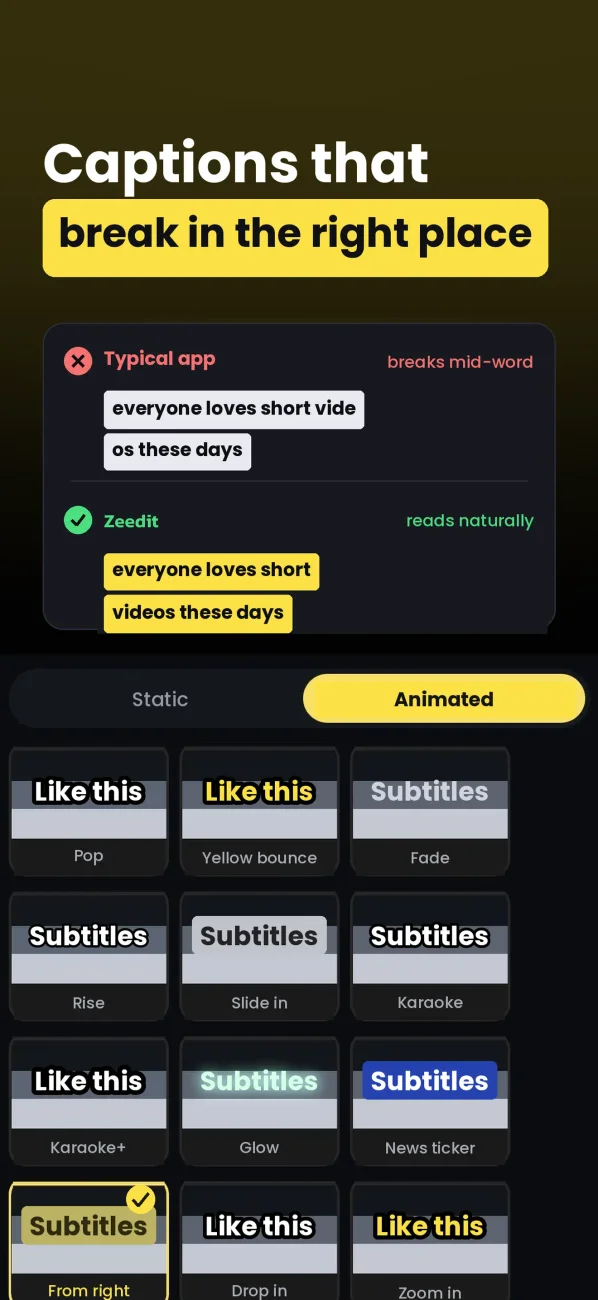
Speech becomes text, split into lines that follow the natural breath of the sentence, placed on the timeline word by word. Edit any line afterward. Choose from 10 fonts with shadow, outline and box background.
Works with English and Thai, including Thai word segmentation — no spaces between words, and the line breaks still land in the right place.
■ AI HIGHLIGHTS (PRO · TRY 3 TIMES FREE)
Drop in a long clip — Thai or English speech — and let AI find the best moments and mark them on the timeline. One tap turns a marked moment into its own short project, or turns every moment into shorts at once, and you keep editing and trimming as usual.
■ A TIMELINE YOU ACTUALLY CONTROL
· Cut, split, delete and reorder clips
· Insert a clip at the nearest seam — subtitles, layers, voiceover and music all shift with it, nothing loses sync
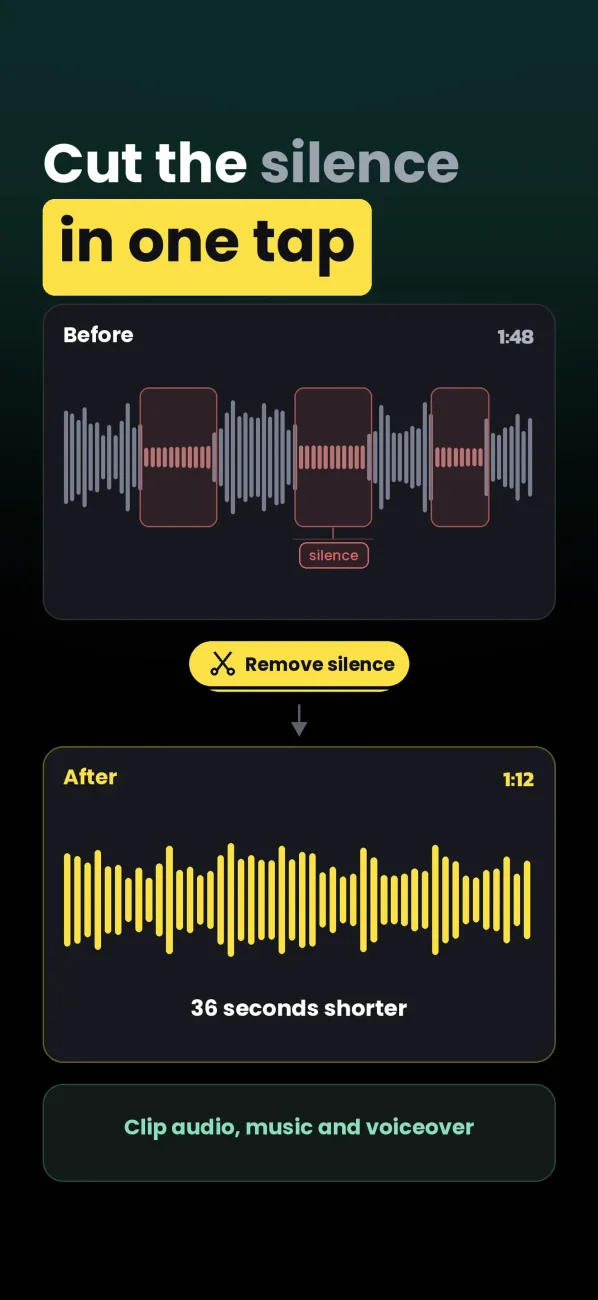
· Remove silent stretches automatically
· Lock the selected block so it stays put while you move around it
· Haptic feedback at clip edges, so you can find a cut point by feel
■ IMAGE AND VIDEO LAYERS
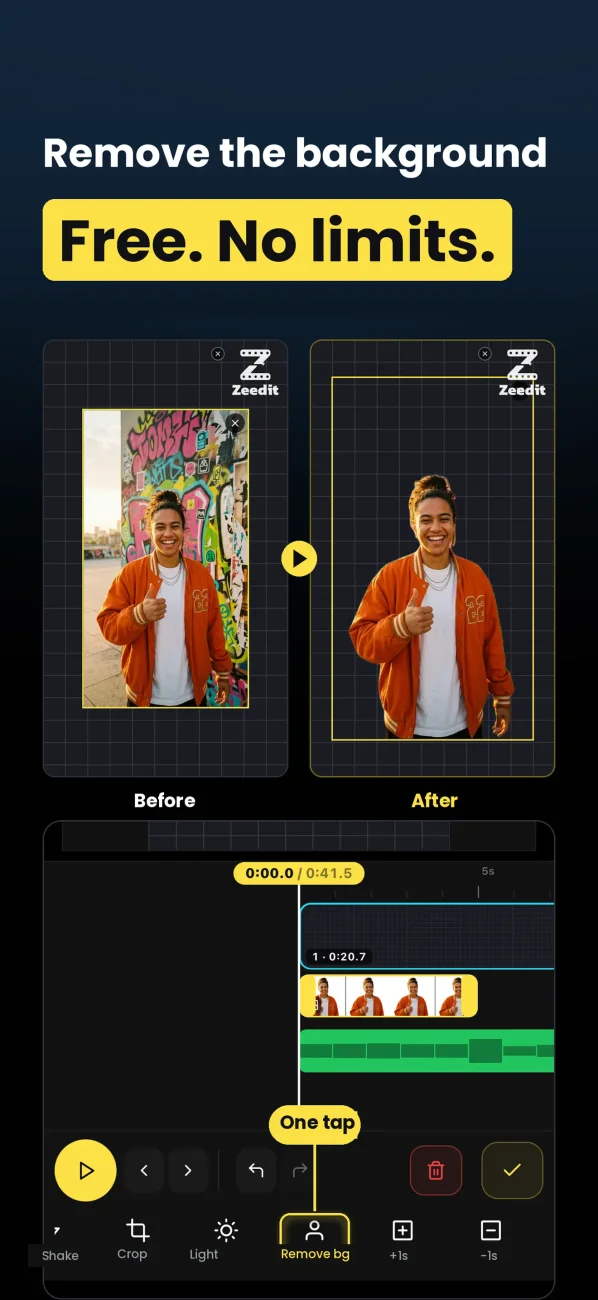
Stack photos, GIFs or video over your clip. Scale, rotate and move them freely. Attach a layer to its parent clip so they move together, or detach it and place it anywhere. Grab a still frame from a video and use it as a layer.
■ AUDIO
· Record voiceover in the app, with input level visible before and during the take
· Real waveforms on every audio track, so you can see where it is loud and where it is quiet
· Add background music and set the level per clip
■ TRANSITIONS
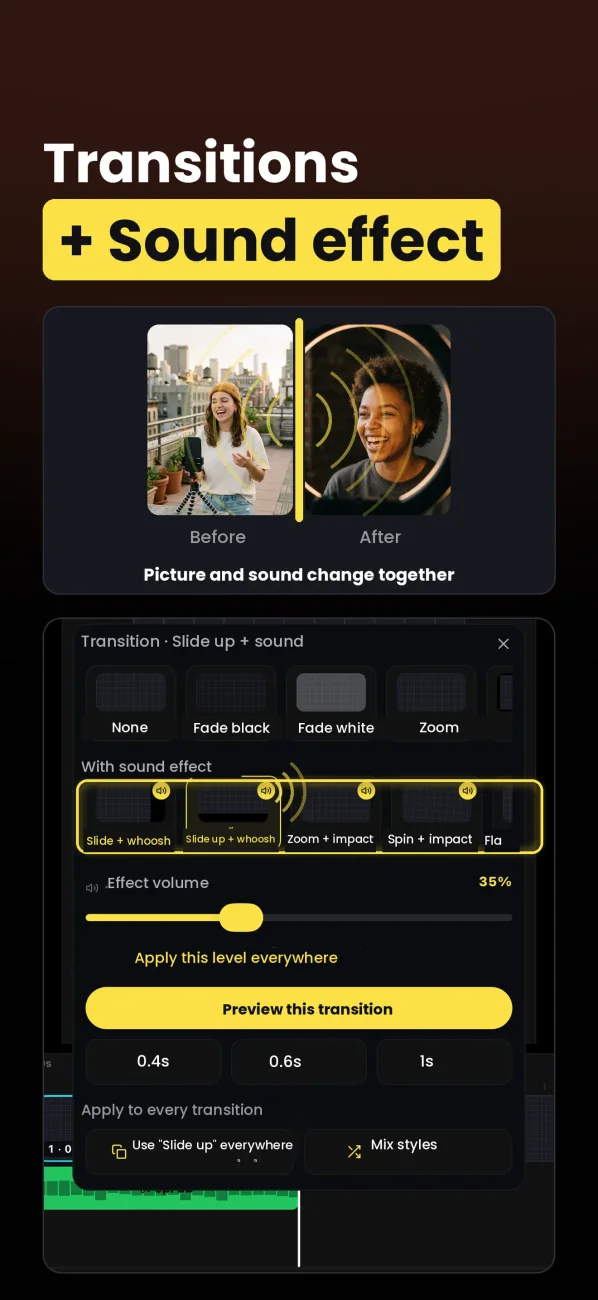
Fade to black, fade to white, zoom in, zoom out, slide, spin, flash. Set the length of each one individually.
■ EVERY ASPECT RATIO
9:16 vertical for short-form · 16:9 widescreen · 1:1 square · 4:5 vertical for feed posts
■ YOUR WORK STAYS PUT
Drafts save themselves. If the system clears a source file from its cache, the app finds it again in your photo library on its own. Your edit is still there, whole.
■ EDITING HAPPENS ON YOUR DEVICE
All video processing runs on your phone. Video files are never uploaded to a server, and nothing leaves your phone unless you use an AI feature: automatic subtitles send the audio out for transcription, and AI Highlights transcribes on your device and sends only the resulting text so the AI can choose the moments (if your device has no on-device speech model for that language, the app asks before sending audio).
No sign-up. No account. Open it and start cutting.
Terms of Use (EULA): https://www.apple.com/legal/internet-services/itunes/dev/stdeula/
What’s new
Version 1.0.18 · Nov 3, 2026
• Subtitles now stay in front of or behind layers exactly as placed, and exports match the preview
• Phone frames no longer disappear mid-clip or freeze after splitting a clip
• Videos and phone frames are no longer stretched out of proportion
• Fixed a brief flicker when switching between clips
• General performance and stability improvements
App privacy
What Phattharaphon Khachenratanakul declares on the App Store about how this app handles data.
-
Data not linked to you
May be collected but is not linked to your identity.
- User content
- Identifiers
- Usage data
Privacy practices may vary, for example with the features you use or your age.
Information
- Seller
- Phattharaphon Khachenratanakul
- Category
- Photo & Video
- Version
- 1.0.18
- Updated
- Nov 3, 2026
- Released
- Aug 30, 2026
- Size
- 64.6 MB
- Requires
- iOS 15.1 or later
- Age rating
- 4+
- In-app purchases
- Yes
- Languages
- English, Thai
- Copyright
- © 2026 Zeedit
You might also like
-
 Subtitle your Reel in secondsPhoto & Video
-
 EasyCut : Auto SubtitleAI captions, every language
-
 Audio Cleaner AI: DenoiseNoise Reducer: Video & Voice
-
 SubEasyAI Captions & Subtitles
-
 DualCam – Front & BackBoth cameras in one video
-
 LuvVoice: AI Text to SpeechAI Voice Generator
-
 zEditaccessible media editor
-
 Genmo - AI Video Generator +AI Video Maker & Creator
-
 Save FrameMake Live Photos from videos
-
 Arcane WallpaperPhoto & Video