
- Age rating4+
- CategoryFinance
- DeveloperZenythPay, Inc
- LanguagesEnglish
- Size78.4 MB
Links to the official App Store page
Download.org hosts no file of ZenythPay. The button opens its official App Store page, published by ZenythPay, Inc. Listing last checked on Nov 21, 2026.
Screenshots





About
Run your business's payments from your iPhone.
ZenythPay is a complete payment terminal in your pocket. Take cards in person with Tap to Pay on iPhone, send invoices and payment links, manage your customers, and see exactly where your revenue stands — all in one app.
TAP TO PAY ON IPHONE
Accept contactless cards, Apple Pay, and other digital wallets directly on your iPhone. No card reader, no dongle, no extra hardware. Debit PIN entry happens on the iPhone and is secured by Apple.
Requires iPhone XS or later.
EVERY WAY TO GET PAID
• Tap to Pay on iPhone for in-person cards
• Virtual terminal for keyed-in payments
• ACH bank transfers
• Invoices with due dates, delivered by email
• Payment links your customer can pay from any browser
• Saved payment methods for repeat customers
KNOW YOUR NUMBERS
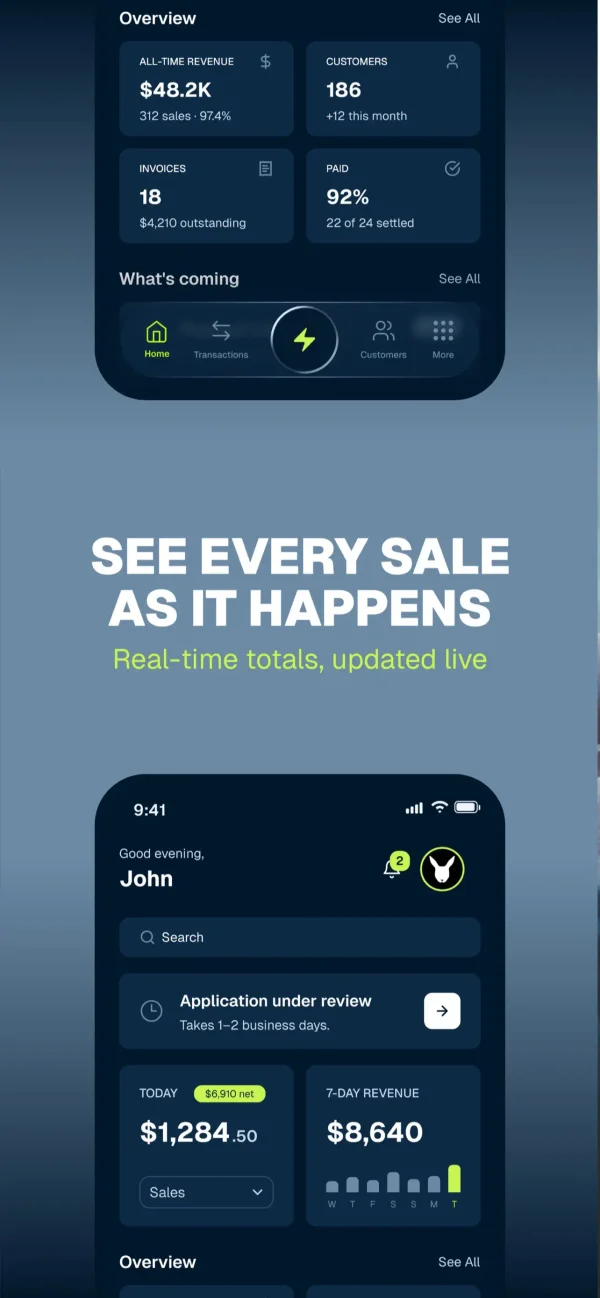
Today's sales, seven-day revenue, all-time totals, customer count, invoices outstanding, and paid rate — on your home screen the moment you open the app. Switch the headline metric between sales, authorization rate, refunds, and voids.
TRANSACTIONS YOU CAN ACT ON
Search and filter your full history. Open any charge to see its decline reason, audit trail, and linked invoice or payment link. Issue full or partial refunds. Void a charge before it settles.
CUSTOMERS
Build your customer list inside the app, save cards and bank accounts securely, and charge a repeat customer in a couple of taps.
PAYOUTS
Request a payout to your business bank account and follow every request through to settlement.
YOUR TEAM
Invite staff as Admin, Manager, or View-only. Managers process payments and manage customers. View-only users see reports and nothing else. Owners keep control of billing and account settings.
TERMINALS AND POS
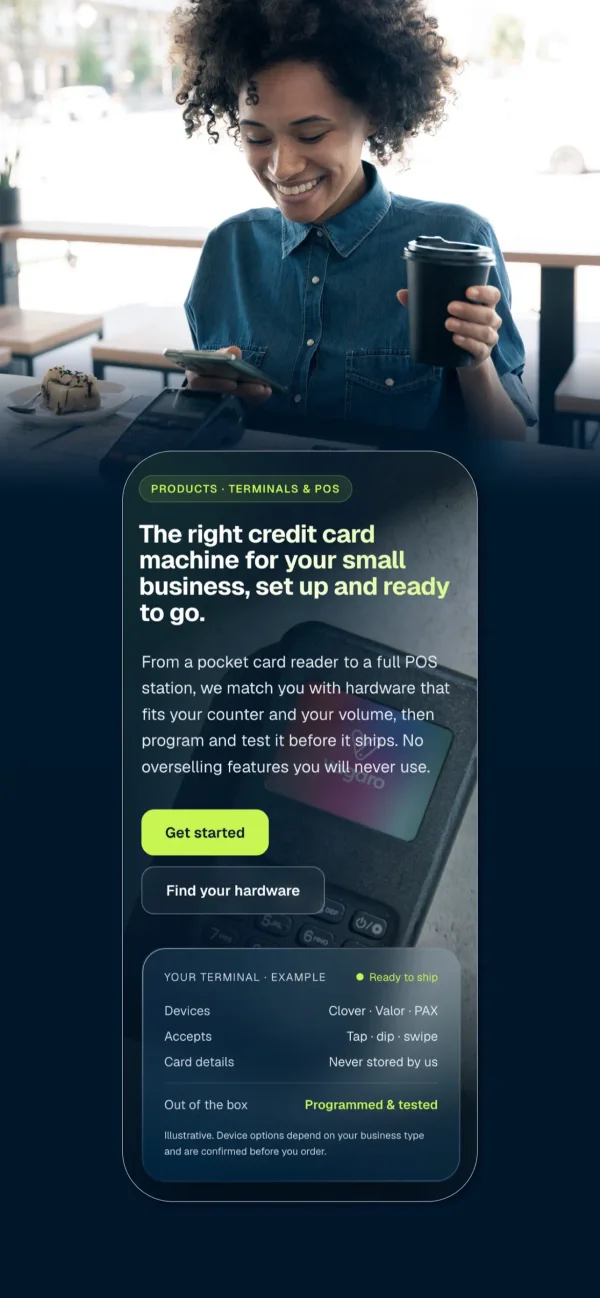
Need a countertop terminal as well? Ask us from inside the app and we match you with hardware that fits your counter and your volume, then program and test it before it ships.
MADE YOURS
Add your logo, brand color, and receipt footer, so the receipts, invoices, and payment pages your customers see look like your business.
SECURITY
• Face ID and Touch ID sign-in
• Passkey sign-in
• Two-factor authentication with one-time backup codes
• An owner-only audit log covering every payment operation, down to the gateway response
TALK TO A HUMAN
Our support team answers in English, Armenian, and Russian.
Call +1 (424) 550-0101 or email support@zenythpay.com.
GETTING STARTED
Create an account and explore in test mode right away. When you're ready to accept live payments, complete the application in the app — a real person reviews it.
What’s new
Version 1.0.33 · Nov 20, 2026
Tap to Pay: Businesses setting up Tap to Pay for the first time are now shown Apple's Tap to Pay terms during setup, so their first payment goes through. If the terms haven't been accepted yet, the app tells you how to accept them.
App privacy
What ZenythPay, Inc declares on the App Store about how this app handles data.
-
Data linked to you
May be collected and linked to your identity.
- Contact info
- Identifiers
- Usage data
- Diagnostics
Privacy practices may vary, for example with the features you use or your age.
Information
- Seller
- ZenythPay, Inc
- Category
- Finance
- Version
- 1.0.33
- Updated
- Nov 20, 2026
- Released
- Aug 28, 2026
- Size
- 78.4 MB
- Requires
- iOS 18.5 or later
- Age rating
- 4+
- Price
- Free
- Languages
- English
- Copyright
- © Zenythpay Inc