
Zero Debt: Payoff Planner
Loan, card & IOU tracker
Designed for iPhone
In-app purchases
- Age rating4+
- CategoryFinance
- DeveloperSardor Akbarov
- LanguagesGerman+ 14 more
- Size17.4 MB
Links to the official App Store page
Download.org hosts no file of Zero Debt: Payoff Planner. The button opens its official App Store page, published by Sardor Akbarov. Listing last checked on Nov 25, 2026.
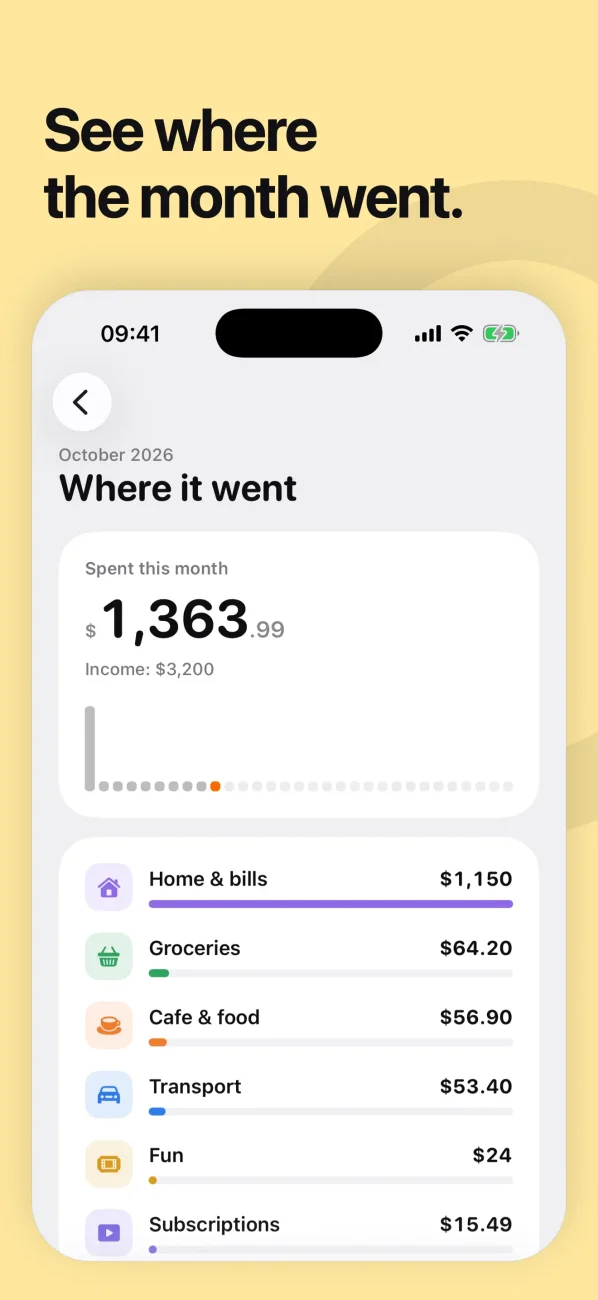
Screenshots
About
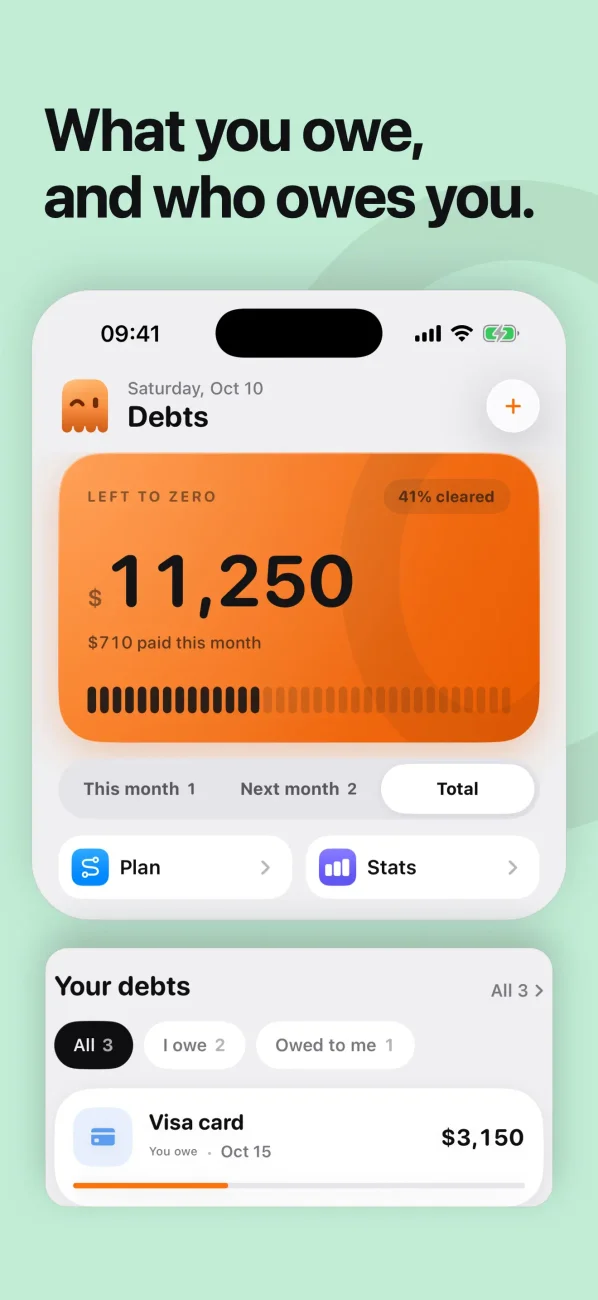
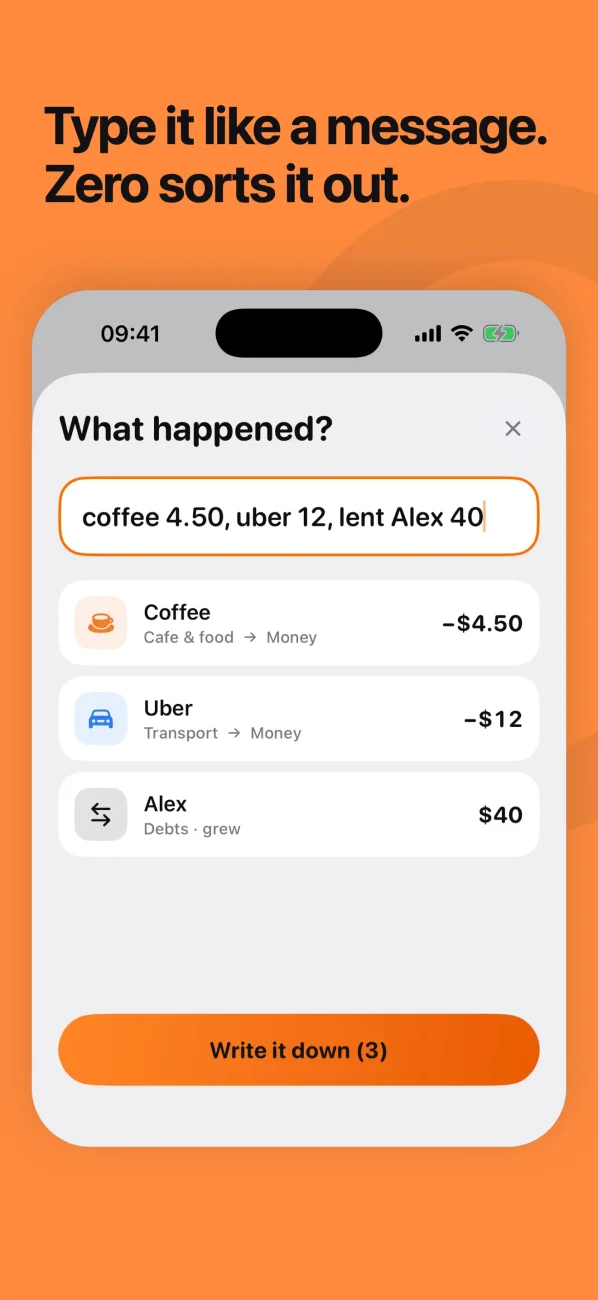
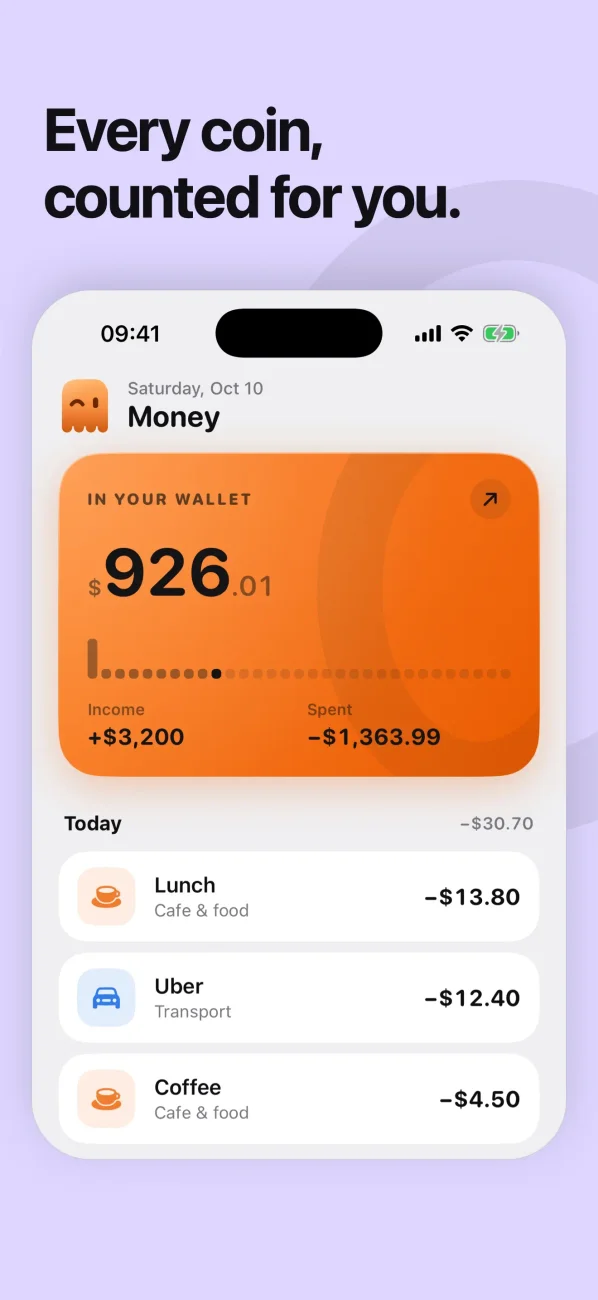
Zero keeps your money and your debts. Write what you spent in one line — “coffee 4.50” — and Zero files it and counts your wallet. Type what you owe or are owed, and it plans the way to zero.
WHAT IT HOLDS
- Both directions of the ledger: money you owe, and money you have lent out
- Categories, from credit cards and car finance to money owed to family — an overdraft or a sofa on hire purchase goes in just the same
- 64 currencies, each written the way that currency is written
- An optional interest rate, minimum payment and due date on every debt
- Every payment recorded with its date, kept as history you can scroll back through
A PLAN THAT EXPLAINS ITSELF
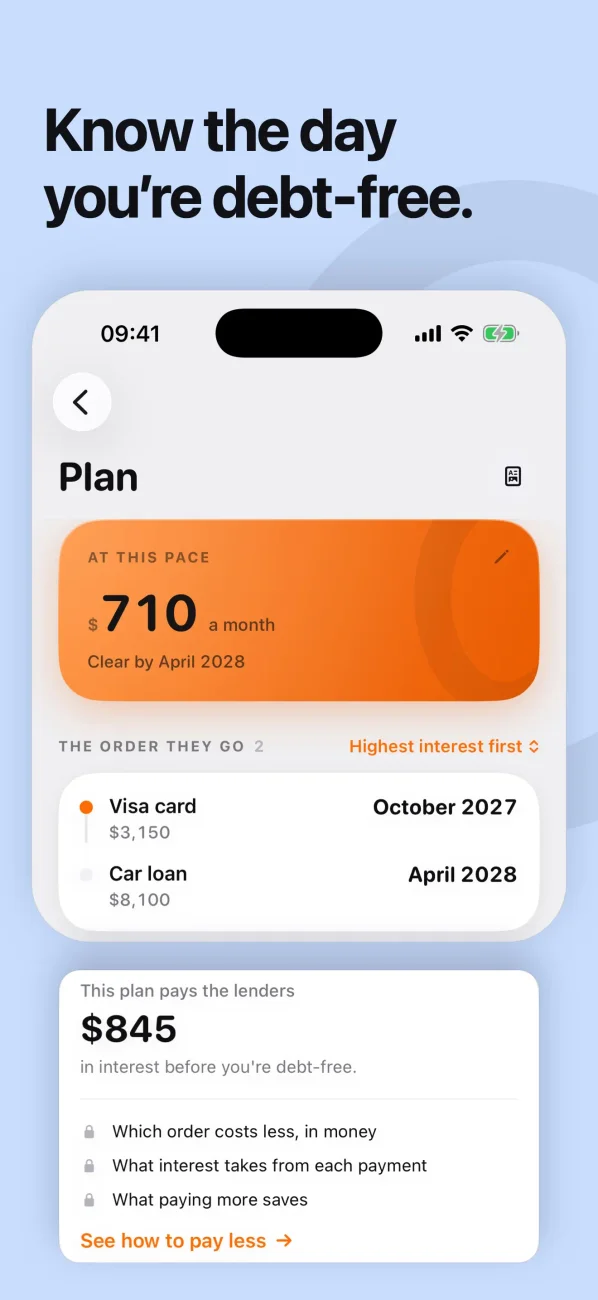
Zero doesn't just rank your debts — it tells you why. Pay by interest cost (avalanche) or smallest balance first (snowball), or drag the list into the order you want and mark what you must pay first. The plan names the one debt to tackle now and the reason it's that one, then shows what this month costs and the month you finish.
WHAT IT SHOWS
- The month you become debt-free, and how many months away it is
- Balance over time, drawn as steps, because money moved on the days it moved
- How much of everything you've ever owed is now paid off
- Overdue debts, and reminders three days before and on the day
QUICK TO KEEP UP WITH
- Swipe a debt to record a payment, edit it, or set its priority
- Ask Siri: "Add a debt in Zero", "What do I owe in Zero", "Record a payment in Zero"
- Home Screen and Lock Screen widgets with your total and your next due date
INTEREST SAVER (PRO)
See what interest takes out of each payment, which order costs you least, and what paying a little more each month would save — worked out from your own rates.
IT NEVER INVENTS A NUMBER
This is the part most money apps will not do:
- If your payments cannot reach zero, Zero shows no debt-free date at all, rather than one that flatters the plan.
- The balance chart steps instead of curving, because a smooth line would draw money moving on days when nothing moved.
- The chart scale stays pinned to your original total, so a small payment cannot be zoomed into looking like a large one.
YOUR LEDGER STAYS ON YOUR PHONE
Your debts, payments, notes and dates are stored on this device. With Pro, iCloud sync keeps a copy in your own iCloud, for your other devices and a new phone — Apple stores it; Zero never sees it. Export the whole ledger to CSV whenever you want your own copy, free, on any tier.
Sign in with Apple is optional. It creates a free Zero account that carries your profile to a new phone. Every other part of Zero works without an account, and you can delete the account from inside the app at any time.
No ads. No third-party trackers. No advertising identifier. No bank connection of any kind. To learn what works, Zero records which screens and buttons are used under a random number your phone makes for itself — never anything you wrote — and Settings › Share usage data turns it off.
FREE, AND PRO
Free holds up to 2 debts, with unlimited payments, the full payoff plan and your debt-free date, the charts, due-date reminders, a ready-made reminder for people who owe you and the CSV export. Zero Pro removes the debt limit and adds the interest saver, iCloud sync, a Face ID lock, PDF reports, five colour themes and six app icons. Monthly and yearly subscriptions are available, along with a one-time lifetime purchase.
Zero does not lend money, refinance or remortgage anything, broker loans, give financial advice, or connect to a financial institution. It is a notebook that can add up.
Terms of Use: https://soso.uz/terms
Privacy Policy: https://soso.uz/privacy
What’s new
Version 1.6.12 · Nov 24, 2026
• Fixes and improvements.
App privacy
What Sardor Akbarov declares on the App Store about how this app handles data.
-
Data linked to you
May be collected and linked to your identity.
- Purchases
- Financial info
- Contact info
- User content
- Identifiers
- Usage data
-
Data not linked to you
May be collected but is not linked to your identity.
- Purchases
Privacy practices may vary, for example with the features you use or your age.
Information
- Seller
- Sardor Akbarov
- Category
- Finance
- Version
- 1.6.12
- Updated
- Nov 24, 2026
- Released
- Sep 22, 2026
- Size
- 17.4 MB
- Requires
- iOS 17.0 or later
- Age rating
- 4+
- In-app purchases
- Yes
- Languages
- German, Arabic, English, French, Italian, Japanese, Korean, Dutch, Portuguese, Russian, Spanish, Traditional Chinese + 3 more
- Copyright
- © 2026 Akbarov Sardor
You might also like
-
 上岸记账-账单管理与分期还款提醒Finance
-
 DebtShoreA calm way to track debts
-
 LoanTracker - Debt ManagerTrack loans, calc payments
-
 Sail - Debt Payoff PlannerTrack Loans & Installments
-
 RepayMemoDebt Tracker & Loan Reminders
-
 Spendry: Budget & Debt PayoffExpense & Subscription Tracker
-
 债务清零 - 个人债务管理助手Finance
-
 Billfold: Net Worth TrackerAll your assets & debts
-
 DebtAway: Payoff TrackerDebt Manager: Pay Off Faster
-
 Payoff Path – Debt TrackerLoans, cards & payoff dates