
- Age rating4+
- CategoryDeveloper Tools
- DeveloperRonny Makhoul
- LanguagesEnglish+ 5 more
- Size8.5 MB
Links to the official App Store page
Download.org hosts no file of Zeti Editor. The button opens its official App Store page, published by Ronny Makhoul. Listing last checked on Nov 15, 2026.
Screenshots


About
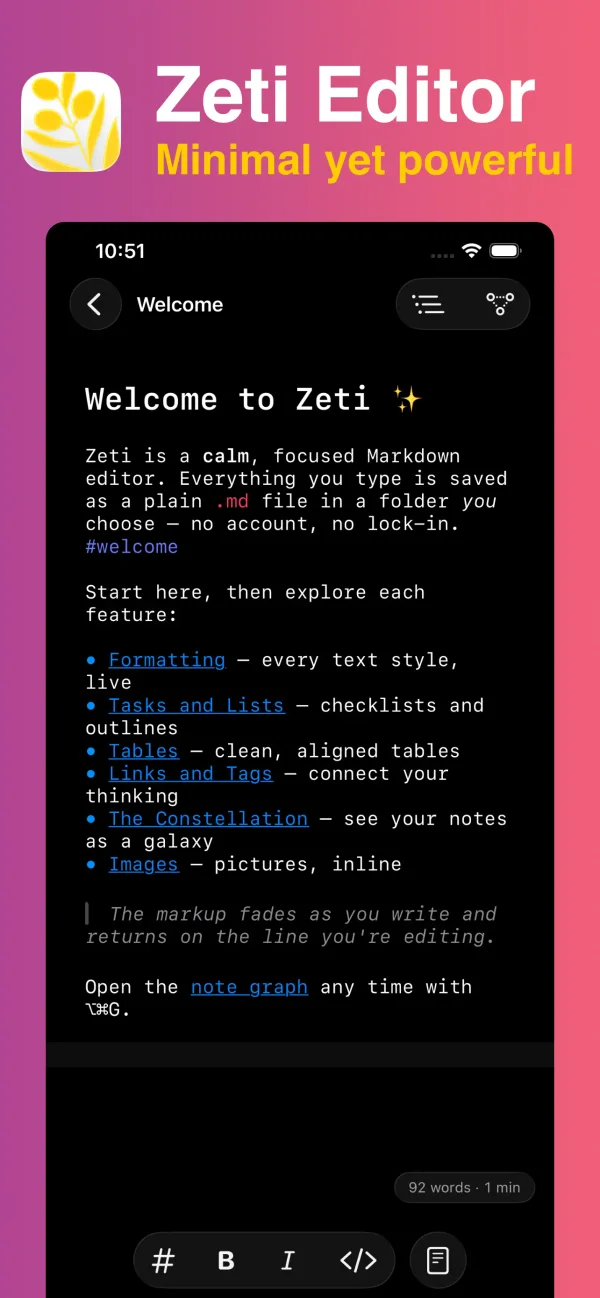
Zeti Editor is a Markdown editor that gets out of your way – a calm, focused canvas for writing, thinking, and note-taking
Your notes are plain .md files in a folder you choose. No proprietary format, no account, no lock-in. Keep that folder locally or in iCloud Drive, Google Drive, or a git repo – how you sync is up to you, and your writing stays readable anywhere, on any device, for good
WHAT YOU GET
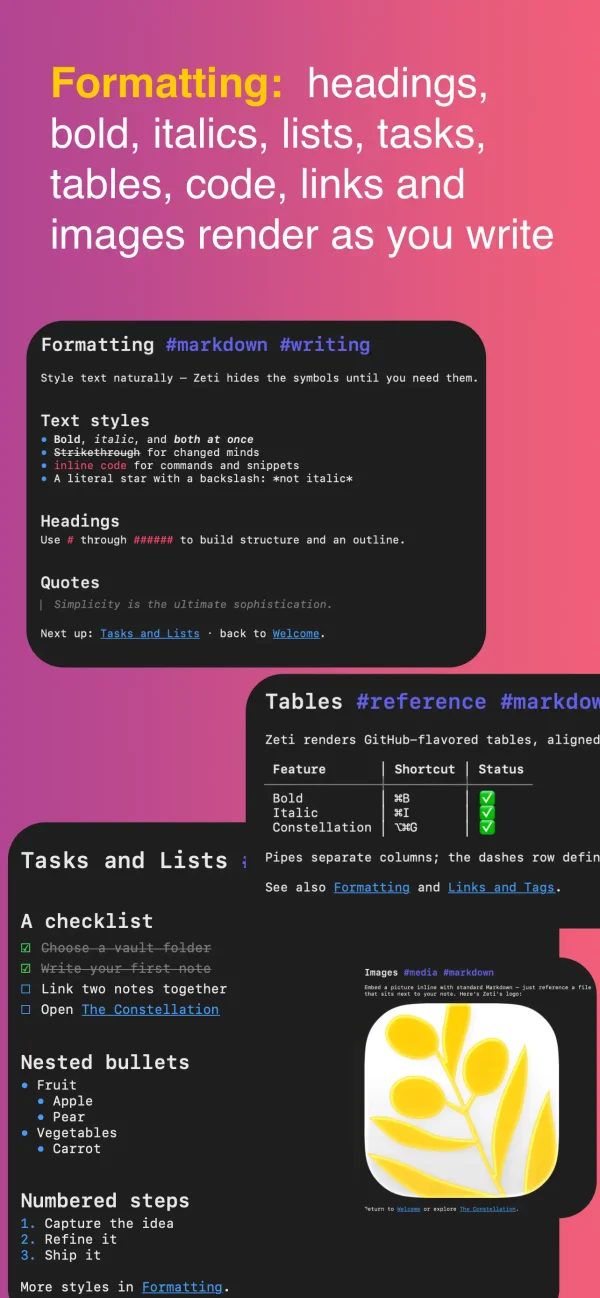
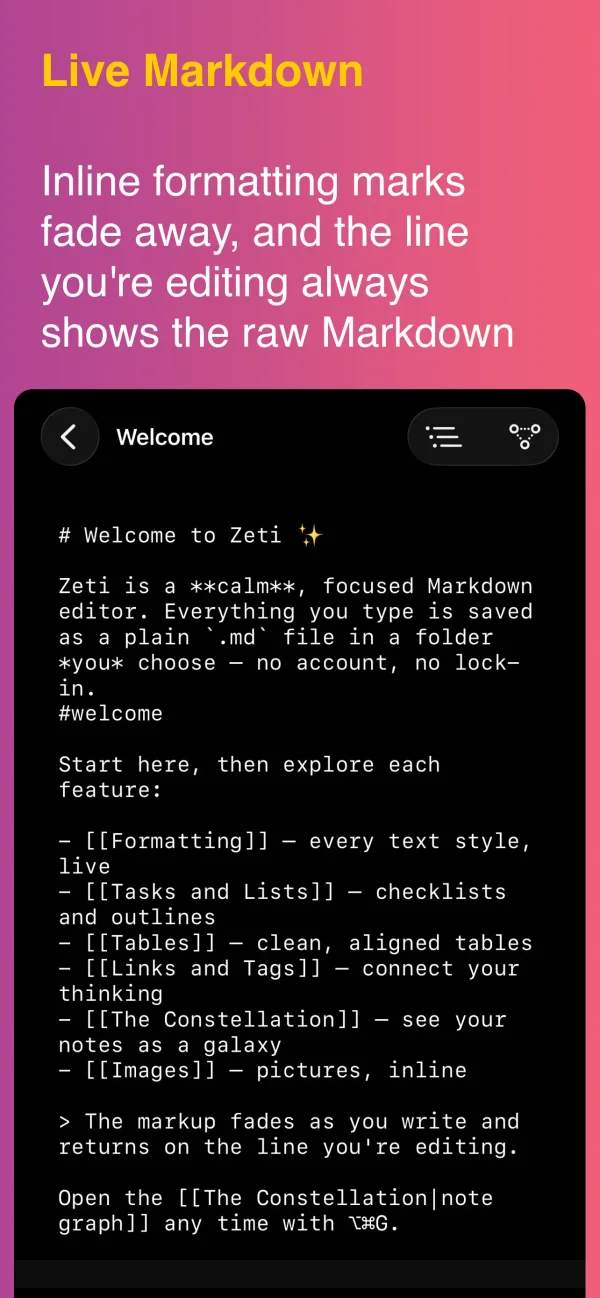
- Live Markdown: headings, bold, italics, lists, tasks, quotes, code, tables, links, and images render as you write. Inline formatting marks fade from view so your words stay front and center, and the line you're editing always shows the raw Markdown
- Source mode: switch to plain raw Markdown any time with a single shortcut
- Tasks you can tick: tap a checkbox to mark a to-do done, right inside your note
- Actions & command palette: transform your text in a keystroke – open a command palette to run built-in text actions, write your own in JavaScript, or use on-device AI actions on supported hardware. Everything runs locally, with no network. For more information, visit: https://ronz.dev/zeti/docs/
- Shortcuts, Siri & Spotlight: create, open, append to, and search your notes from the Shortcuts app, Siri, and Spotlight
- Export & share: turn any note into a PDF, or share your Markdown files anywhere – all through the native share sheet
- Beyond Markdown: open and edit plain text, HTML, and CSS files too, with syntax highlighting
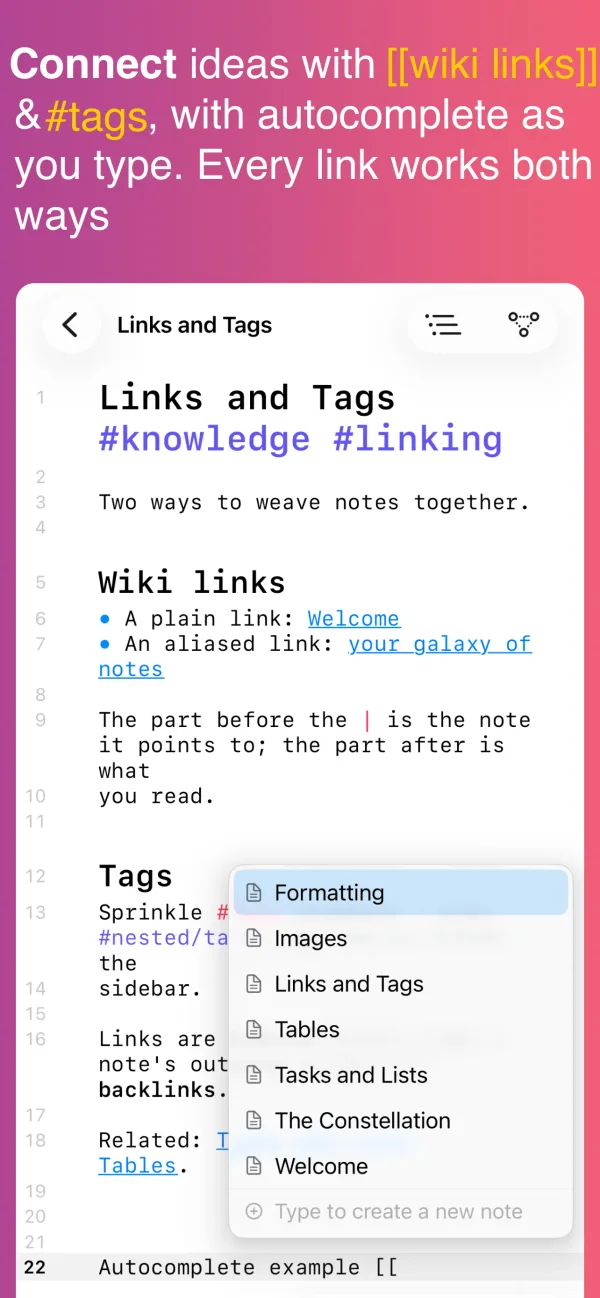
- Linked notes: connect ideas with [[wiki links]] and #tags, with autocomplete as you type. Every link works both ways – open any note to see the notes that link back to it
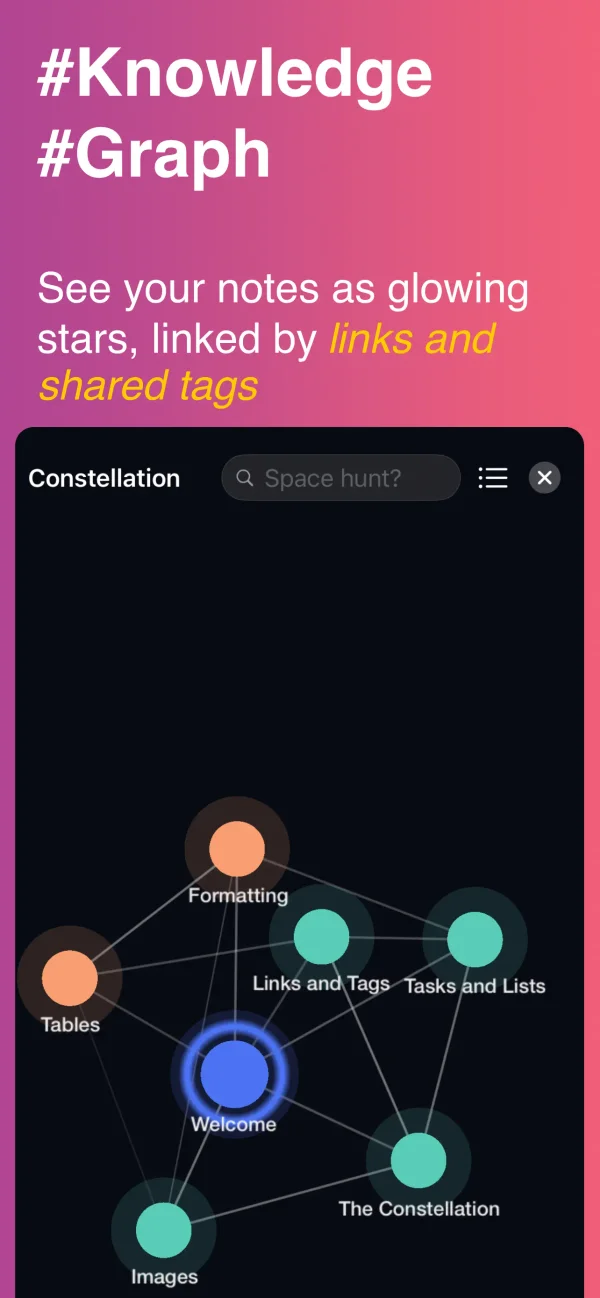
- Constellation: see your notes as a connected map, built from your links and shared tags. Tap a note to open it, search to highlight, and pinch to zoom
- On-device intelligence: notes are summarized and tagged automatically using Apple Intelligence – privately, on your device, on supported hardware
- Multiple windows on Mac, iPad, and Vision Pro: open several at once, each on its own folder, and work across projects side by side
- Sync-safe: when iCloud Drive, git, or another app changes or deletes an open note, Zeti notices – it never overwrites your edits
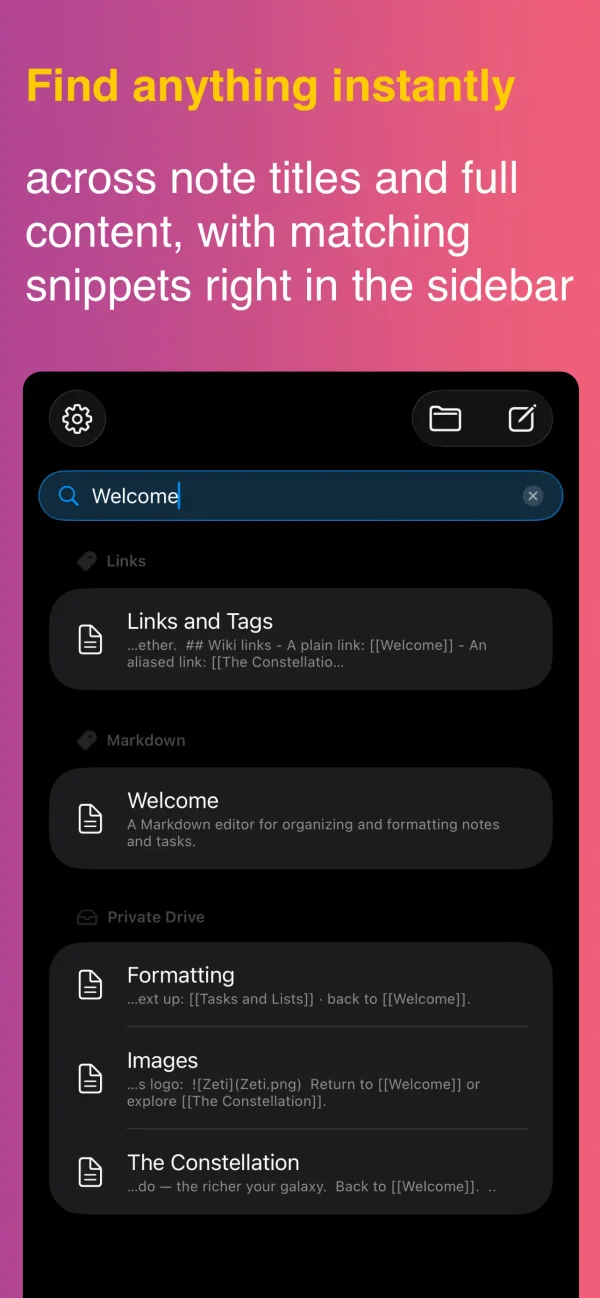
- Fast search across note titles and full content – accents and case don't matter
- Document outline to jump between headings in long files
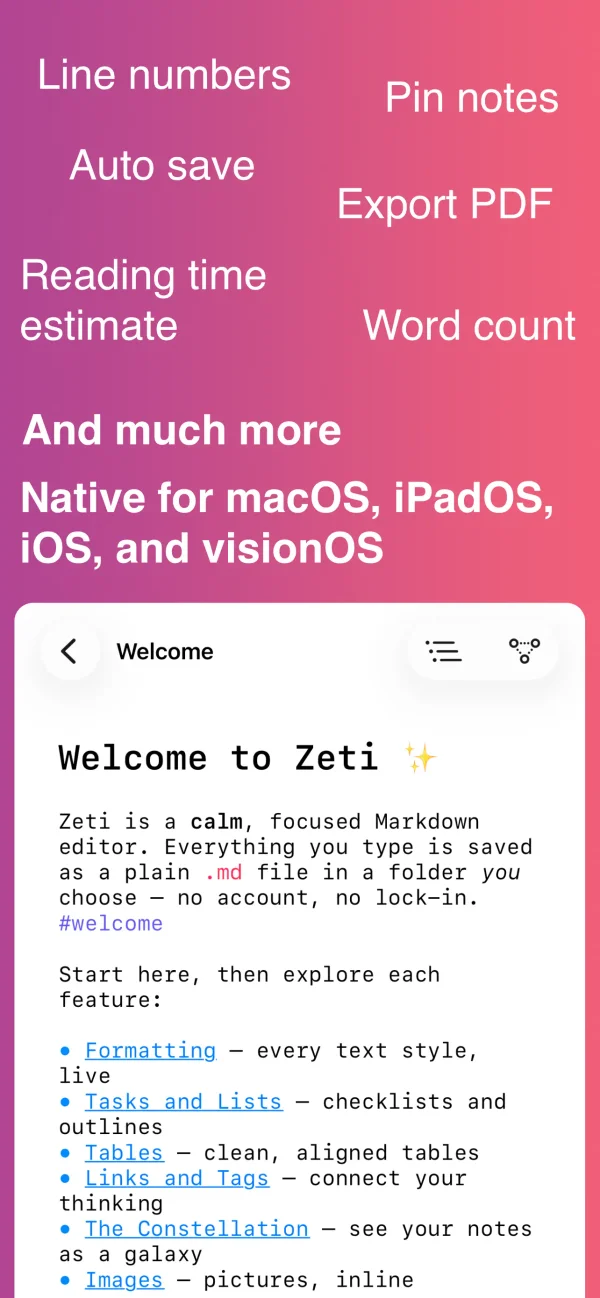
- Pin important notes to the top, select several to pin or delete them at once, and see details like created and modified dates at a glance
- Live word count and reading-time estimate
- Light and dark themes, adjustable text size, optional line numbers, and a quietly beautiful design built with Apple's latest materials
- Accessible: VoiceOver reads your notes cleanly, without Markdown symbols, and text follows your Dynamic Type size on iPhone, iPad, and Vision Pro
- Speaks your language: English, German, Spanish, French, Italian, and Simplified Chinese – and you can pick Zeti's language separately from your device's
- A short set of example notes to get you started – keep them, or remove them and reload them from Settings any time
PRIVATE BY DESIGN
Everything stays on your device. Zeti has no network access at all – no accounts, no servers, no tracking, no ads. Even your custom actions and on-device AI run entirely on your device. Your words never leave your device, and your .md files stay exactly where you put them
BUILT FOR APPLE PLATFORMS
Designed natively for Mac, iPad, iPhone, and Vision Pro with keyboard shortcuts, a sidebar that keeps your folder one tap away, and multiple windows on Mac, iPad, and Vision Pro
Minimal yet powerful!
What’s new
Version 0.6 · Oct 19, 2026
- Now in Simplified Chinese, alongside English, German, Spanish, French, and Italian – and you can pick Zeti's language separately from your device's
- Better with VoiceOver: notes read cleanly without Markdown symbols, a Headings rotor jumps through long notes, and saves and actions are announced
- Faster typing in long notes – only the lines you change are restyled
- Safer with your files: Zeti now notices when another app changes or deletes an open note, and never overwrites your edits
- Search finds words regardless of accents and case, and results show your text as it reads – no Markdown symbols
- [iPhone, iPad, Vision Pro] Text size follows your Dynamic Type setting, with clearer contrast throughout
- [iPhone, iPad, Vision Pro] Smoother editing: link suggestions stay clear of what you're typing, the outline gets a Done button, and checkboxes sit neatly beside their tasks
- [iPad] With a keyboard, move through link suggestions with the arrow keys, Return, and Esc
- [Mac] New shortcuts: ⇧⌘U ticks a task and ⌘Return opens the link under the cursor. Get Info is now ⌥⌘I and sidebar search ⌥⌘F, so ⌘I (italic) and ⌘F (find) work as expected
As always, everything stays on your device – no accounts, no servers, no network access
App privacy
What Ronny Makhoul declares on the App Store about how this app handles data.
-
Data not collected
The developer does not collect any data from this app.
Privacy practices may vary, for example with the features you use or your age.
Information
- Seller
- Ronny Makhoul
- Category
- Developer Tools
- Version
- 0.6
- Updated
- Oct 19, 2026
- Released
- Jul 7, 2026
- Size
- 8.5 MB
- Requires
- iOS 26.0 or later
- Age rating
- 4+
- Price
- Free
- Languages
- English, French, German, Italian, Simplified Chinese, Spanish
- Copyright
- © 2026 Ronny Makhoul
You might also like
-
 PrismKitOffline developer toolbox
-
 Neuro — Local Fine-TuneDeveloper Tools
-
 NativeX — On-Device AI LabLLM Ops for Apple Intelligence
-
 My Styles: Custom Website LookDark mode, userstyles & CSS
-
 Mulberry Ai StudioBest Sandbox Workspace mobile
-
 Octodoge GitHub CompanionBrowse repos, commits & feed
-
 Copy Link to PasteboardURL with Markdown on Clipboard
-
 dHP: Make Apps with AI & HTMLView, run & edit HTML with AI
-
 Text Editor · Edit Text FileTxt, RTF, HTML Document Editor
-
 Outpost: SSH ClientGlyph-perfect SSH terminal