
ZippySync - Cloud Photos
Backup in full. Free space.
Designed for iPhone, iPad, iPod touch
Free
- Age rating4+
- CategoryUtilities
- Developer凯 付
- LanguagesEnglish+ 2 more
- Size98.3 MB
Links to the official App Store page
Download.org hosts no file of ZippySync - Cloud Photos. The button opens its official App Store page, published by 凯 付. Listing last checked on Nov 24, 2026.
Screenshots


About
Effortless Backup. Privacy First. Your Personal & Secure Cloud Album!
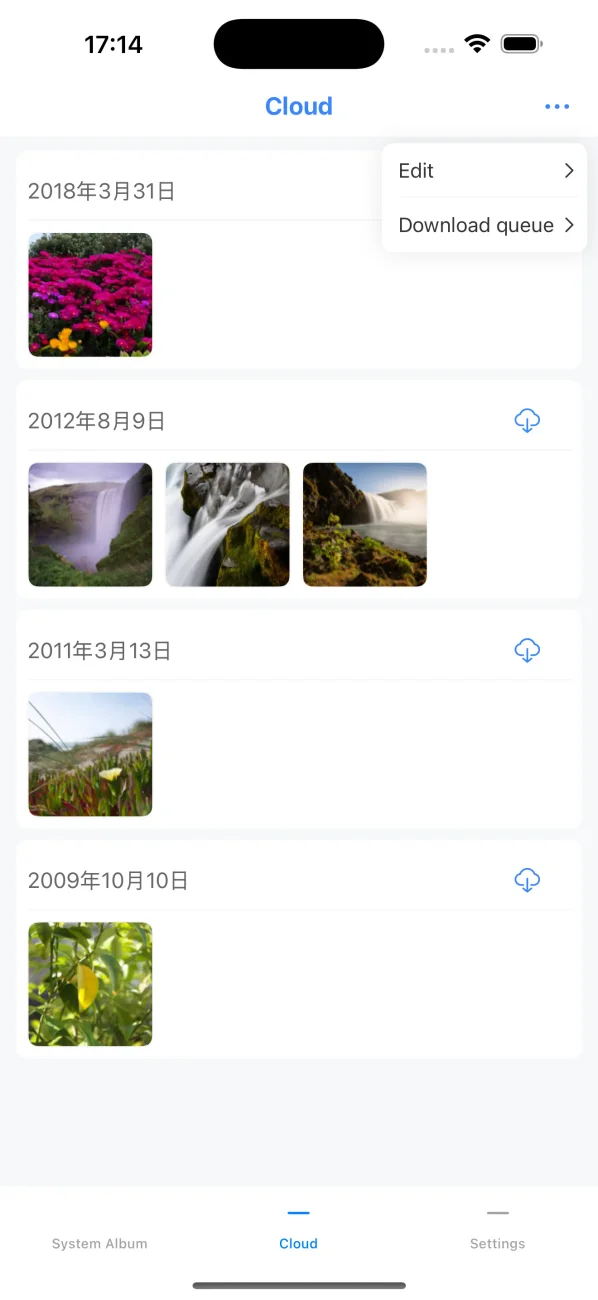
SuixinChuan helps you easily build a private cloud photo album at home. With just a router, computer (supporting SMB protocol), and a hard drive or USB stick, you can back up photos, live photos, and videos. Original quality is preserved, freeing up phone storage — safe, simple, and convenient.
【Key Features】
1. Secure Private Cloud Storage
Back up photos and videos using your home devices. Original files are preserved with full EXIF metadata — no compression, no loss.
2. Flexible Sync Options
Choose from full sync, incremental sync, or selective sync to suit various scenarios.
3. Efficient Management Tools
Browse, upload, download, delete, and share — all in one place for maximum convenience.
【Use Cases】
• Free Up Mobile Storage:
Offload your photos and videos to a hard drive or USB stick and keep your phone light and fast.
• Protect Your Privacy:
All data stays local on your own devices — no third-party cloud involved. Say goodbye to privacy concerns.
• Share Family Moments:
Back up precious memories like your baby’s first steps or family gatherings, and share them easily with loved ones.
【Three-Level Backup Principle】
We follow the “Local Backup + Private Cloud + Public Cloud” model to ensure your data is triple protected and reliably stored.
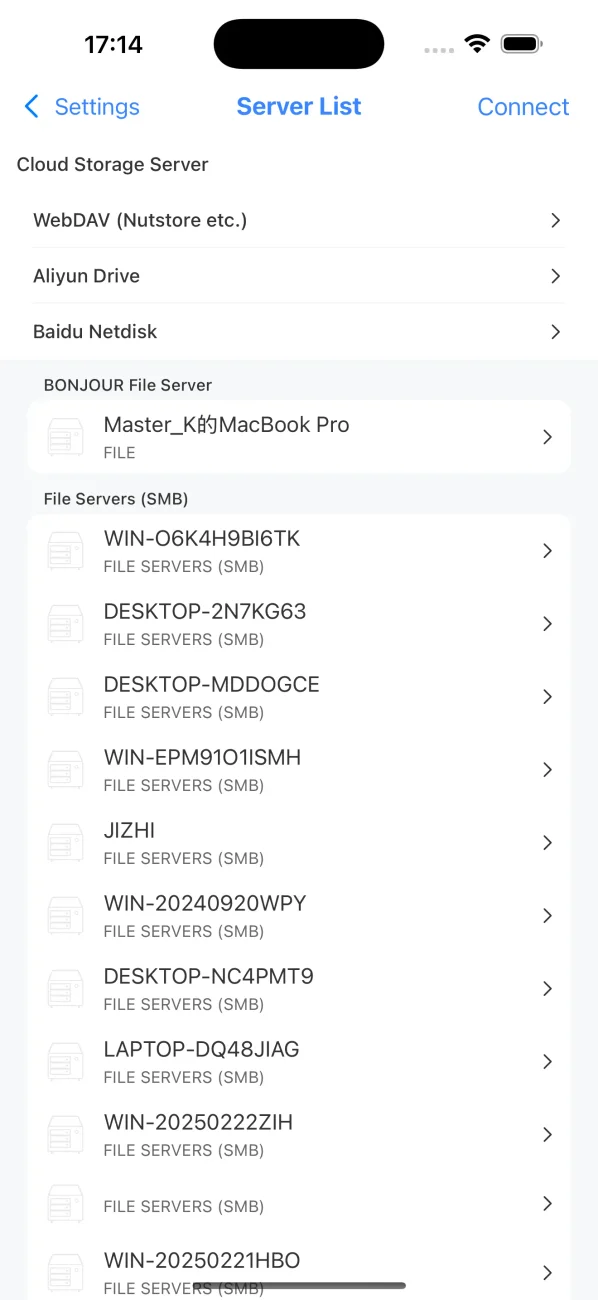
【Supported Protocols】
• SMB Protocol:
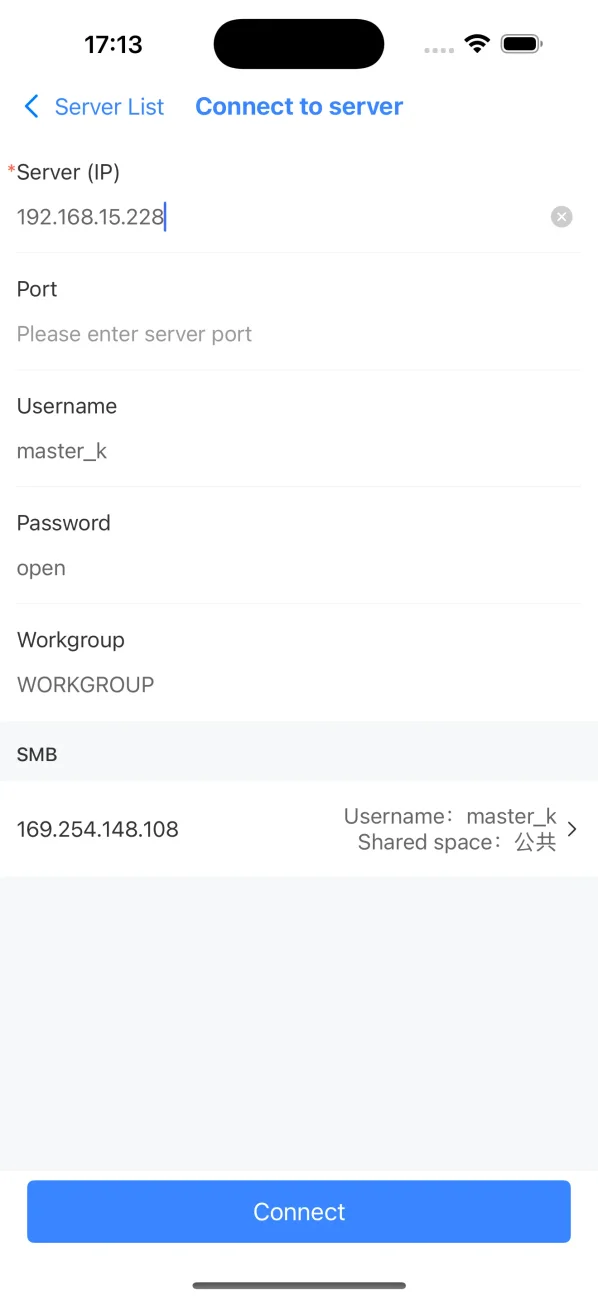
Seamlessly connect to compatible routers, computers, and storage devices.
• WebDAV Protocol:
Enables remote access and sync.
• Aliyun Drive, Baidu Cloud:
Combine local and cloud storage for added security and flexibility.
【How to Enable SMB Protocol】
On Routers:
1. Log in to the router’s admin page (usually 192.168.1.1 or 192.168.0.1).
2. Find the file sharing/SMB settings and enable SMB.
3. Set up shared folders with a username and password, then save and apply.
On Windows:
1. Go to “Control Panel” > “Programs and Features”.
2. Click “Turn Windows features on or off” and check “SMB 1.0/CIFS File Sharing Support”.
3. Restart your computer to apply changes.
On macOS:
1. Open “System Preferences” > “Sharing”.
2. Enable “File Sharing” and under “Options”, check “Share files and folders using SMB”.
3. Select folders and set user permissions as needed.
Once set up, the SuixinChuan app can access your local storage via SMB for secure and seamless backup.
Download SuixinChuan Now and Start Your Private Cloud Journey!
What’s new
Version 1.4.4 · Apr 30, 2025
Internationalization with added English
App privacy
What 凯 付 declares on the App Store about how this app handles data.
-
Data not collected
The developer does not collect any data from this app.
Privacy practices may vary, for example with the features you use or your age.
Information
- Seller
- 凯 付
- Category
- Utilities
- Version
- 1.4.4
- Updated
- Apr 30, 2025
- Released
- Apr 6, 2024
- Size
- 98.3 MB
- Requires
- iOS 13.0 or later
- Age rating
- 4+
- Price
- Free
- Languages
- English, Simplified Chinese, Traditional Chinese
- Copyright
- Copyright © 2024年 FuKai. All rights reserved.
You might also like
-
 Clean DialBatch Format Contact Numbers
-
 TalkNow - AI TranslatorText, Photo & Voice Translator
-
 NoPop: Ad Block BrowserPop-up Blocker & Reader Mode
-
 Device Info XDevice Specs & System Info
-
 geniverse.ai: #1 generator kituniversal content generator
-
 Blur Info: Redact Photos & PDFHide ID & censor screenshots
-
 ChatMCPEmpower AI with local tools
-
 SpotsSaverSave & Organize Your Places
-
 MagicKit Pro: AI Smart ToolboxYour All-in-One AI Utility Kit
-
 HidzoVPN: Fast & Safe VPNFast, Secure & Private VPN