
Zonium – Timezone Converter
World Clock & Weather Info
Designed for iPhone
Free · In-app purchases
- Age rating4+
- CategoryTravel
- DeveloperInVooDoo LLC
- LanguagesEnglish
- Size37.3 MB
Links to the official App Store page
Download.org hosts no file of Zonium – Timezone Converter. The button opens its official App Store page, published by InVooDoo LLC. Listing last checked on Nov 15, 2026.
Screenshots



About
Zonium is your ultimate companion for navigating timezones and weather conditions seamlessly. Whether you’re scheduling meetings with colleagues across the world or planning a trip, Zonium has you covered!
Key Features:
• Timezone Conversion & Weather Insights
Zonium's time zone converter provides conversions for present, past, and future dates for your chosen locations. Effortlessly convert timezones and check the weather, ensuring you stay informed about the current conditions wherever you are or where you plan to be.
• Timezones Overlap View
Visualize how different timezones intersect. This unique feature allows you to see overlapping timezones at a glance, making it easier to coordinate across regions.
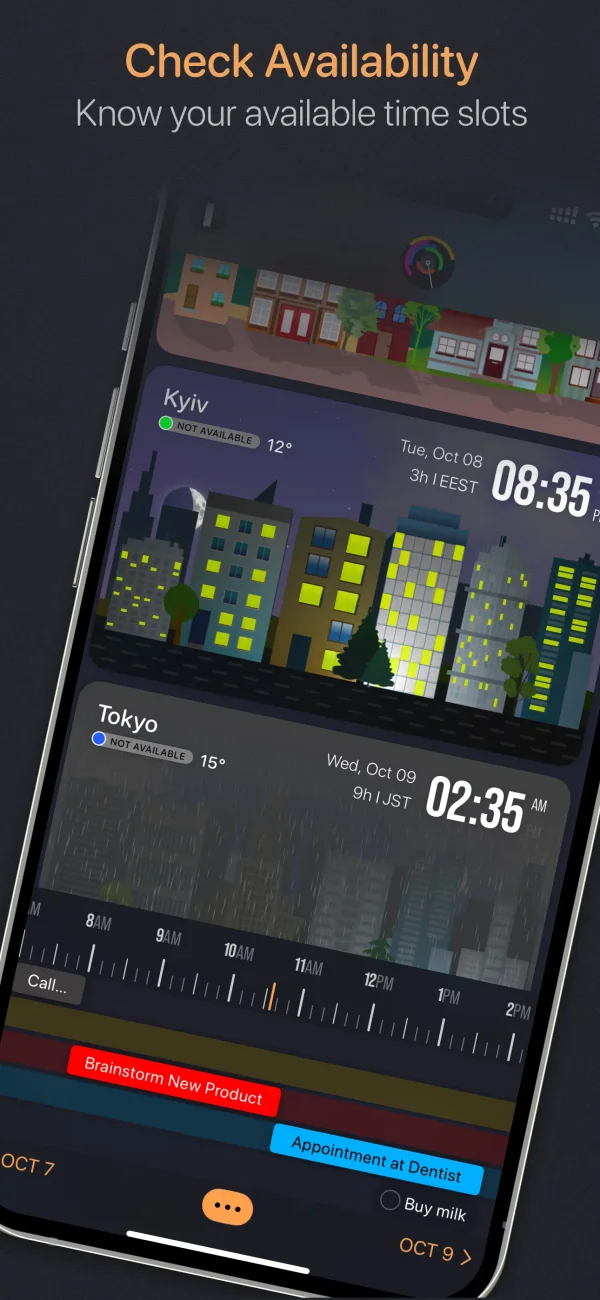
• Availability Checker
Know your available time slots instantly. Zonium helps you manage your schedule by highlighting when you’re free, ensuring you never miss an opportunity to connect.
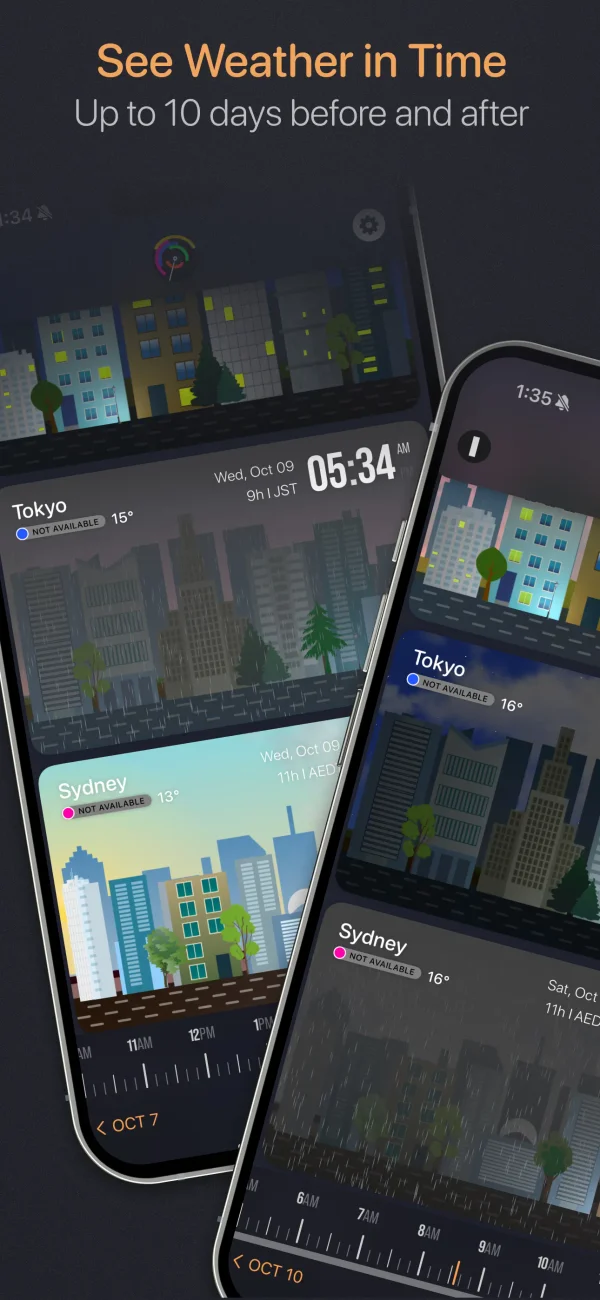
• Weather Forecast in Time
Access weather forecasts up to 10 days before and after your selected date. The "Show Weather for Timezones" feature visualizes wonderful weather conditions, including sunshine, rain, clouds, and storms, along with the Moon cycles. This allows for a quick grasp of the weather at a certain location, making it a great conversation starter for any meeting scheduled in your calendar!
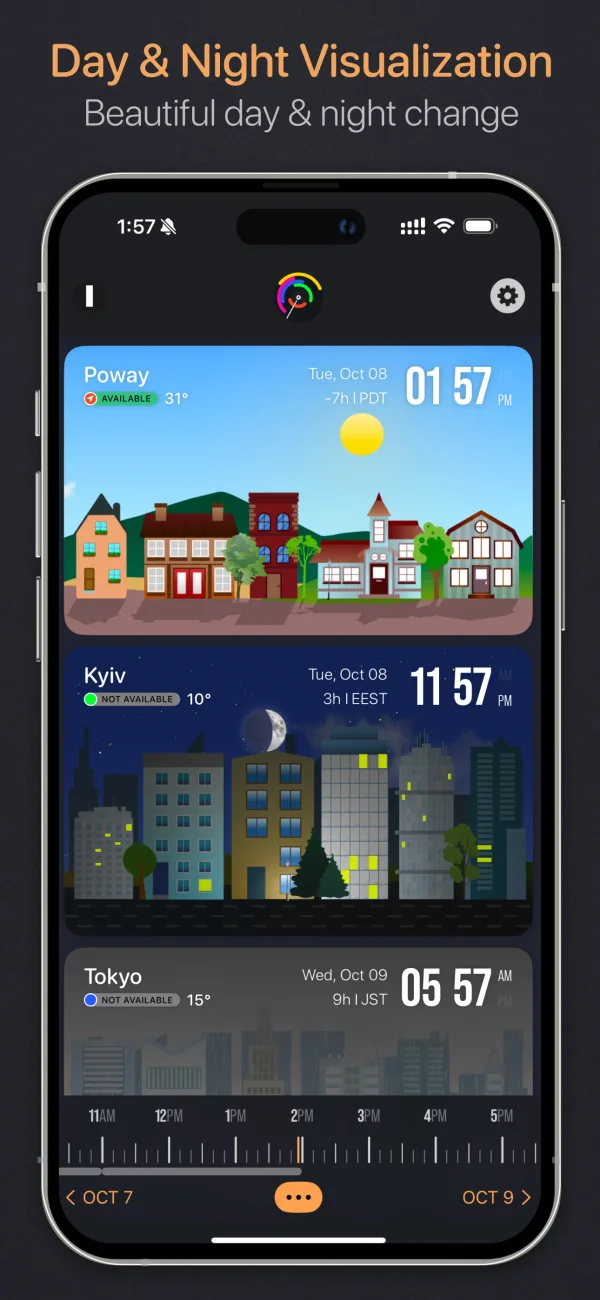
• Day & Night Visualization
Enjoy beautifully visualized cities and towns that add a perfect sense of presence at the location, whether it’s day or night, during sunset or sunrise hours. Watch cute shadows from buildings and trees change according to the sun’s movements, providing a stunning visual representation of day and night changes around the globe.
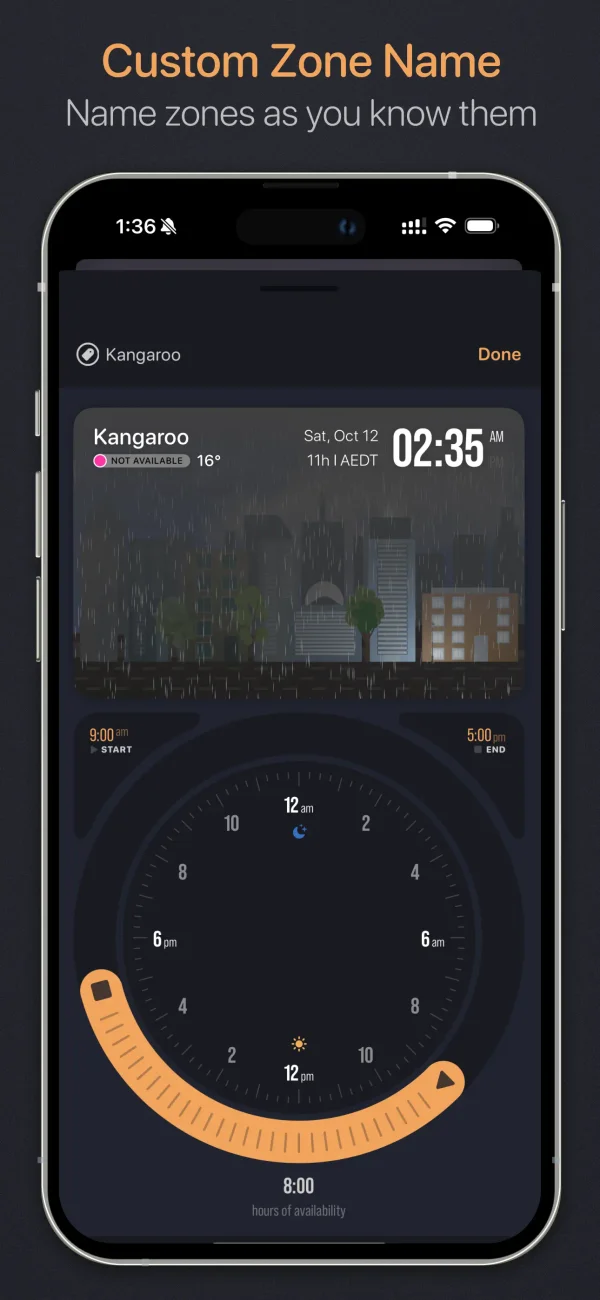
Custom Zone Naming
Personalize your experience by naming timezones as you know them. This feature makes it easier to remember and manage your frequently used zones.
• Manage Timezones
Easily manage your timezones by adding and removing locations. Zonium supports events from up to 5 calendars, allowing you to set custom dates and see events from your calendars, all in one place.
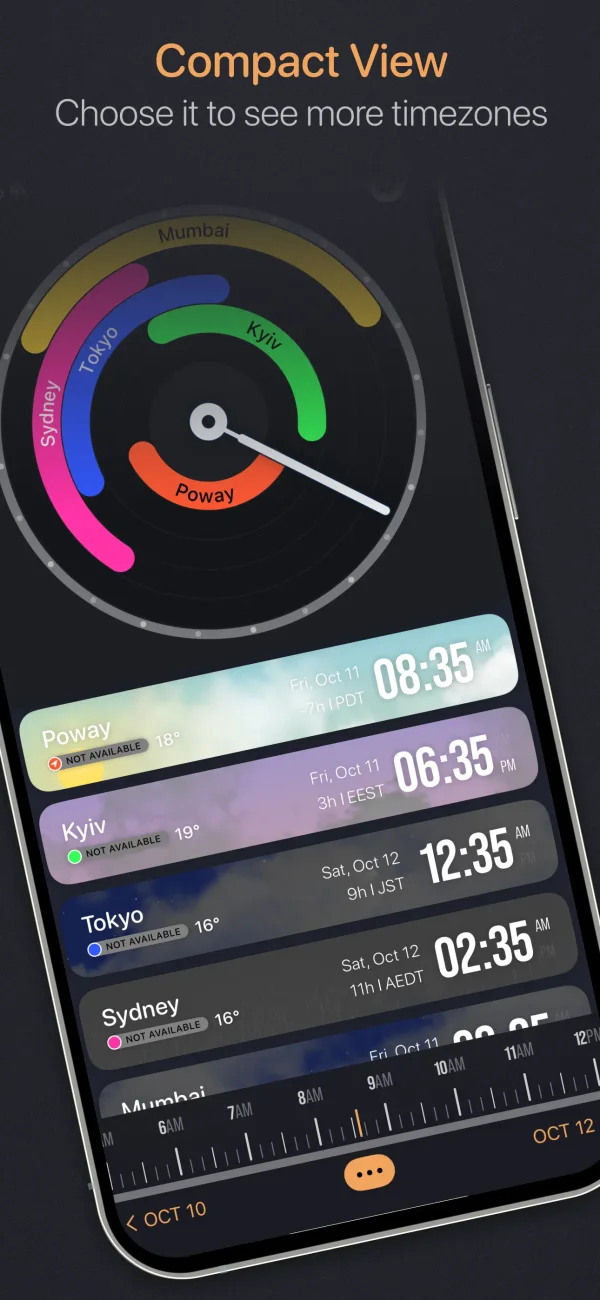
• Compact View
Choose the compact view option to see more timezones at once. Perfect for busy professionals who need quick access to multiple regions.
• Unique Location Visuals
Create locations on the go! Feel free to play with adding and removing locations, checking how different representations look each time. Choose whichever visualization pleases you the most, reflecting the location best, and leave it as is. Zonium is unique for every user – enjoy it!
• Vivid Circular Progressive Disclosure
Zonium features a circular progressive disclosure of the chosen timezones in vivid colors, mapping the time from different timezones in an engaging way.
• Custom or Current Date Selection
Easily set a custom date or reset to the current date with just a tap. Flexibility is key when planning across timezones!
• 24-Hour and AM/PM Formats
View timezones in a format that suits your preference – whether you prefer the 24-hour clock or AM/PM notation, Zonium accommodates your style.
Download Zonium today and simplify your global interactions!
Stay informed, stay organized, and connect with ease, no matter where you are in the world.
–––––––––––––––––––––––––––
Subscription automatically renews unless auto-renew is turned off at least 24-hours before the end of the current period. Account will be charged for renewal within 24-hours prior to the end of the current period.
Subscriptions may be managed by the user and auto-renewal may be turned off by going to the user’s Account Settings after purchase. Any unused portion of a free trial period will be forfeited when the user purchases a subscription.
Any unused portion of a free trial period, if offered, will be forfeited when the user purchases a subscription to that publication, where applicable
Privacy Policy
http://www.invoodoo.com/privacy-policy
Terms of Use
http://www.invoodoo.com/terms-of-use
What’s new
Version 1.0.7 · Dec 19, 2025
• optimization and UI improvements
App privacy
What InVooDoo LLC declares on the App Store about how this app handles data.
-
Data not linked to you
May be collected but is not linked to your identity.
- Purchases
- Usage data
- Diagnostics
Privacy practices may vary, for example with the features you use or your age.
Information
- Seller
- InVooDoo LLC
- Category
- Travel
- Version
- 1.0.7
- Updated
- Dec 19, 2025
- Released
- Oct 9, 2024
- Size
- 37.3 MB
- Requires
- iOS 18.0 or later
- Age rating
- 4+
- Price
- Free
- In-app purchases
- Yes
- Languages
- English
- Copyright
- © 2006-2026 InVooDoo
You might also like
-
 GlobeTempus Convert Time ZoneWorld Time Clock
-
 Elsewhere: World ClockTime zones with live weather
-
 TimeZones: World Clock WidgetsWorld, Military, UTC Converter
-
 TimeZones NavigatorTravel
-
 GlobeCurrency Exchange RatesCurrency conversion calculator
-
 Hour - World Clock by seenseTrusted World Clock since 2018
-
 TravelBuddTravel
-
 Time WalkerUltimate Tool for Time Walker
-
 CinemalyAnimated travel maps & photos.
-
 Concacaf RideConcacaf Transport