
- Age rating4+
- CategoryBusiness
- DeveloperZoom Communications, Inc.
- LanguagesEnglish+ 16 more
- Size365.3 MB
Links to the official App Store page
Download.org hosts no file of Zoom Rooms. The button opens its official App Store page, published by Zoom Communications, Inc. Listing last checked on Nov 12, 2026.
Screenshots


About
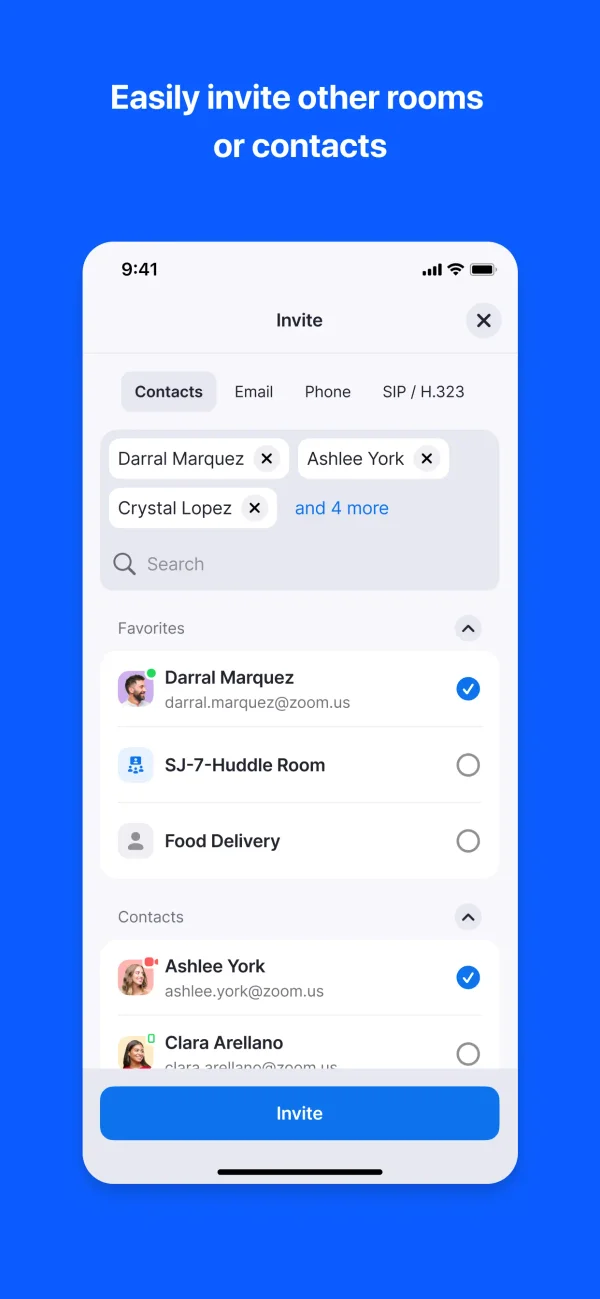
Zoom Rooms video conferencing systems use appliance or custom hardware deployments to bring high-quality video, audio, and sharing to any type of workspace, making it extremely flexible. Easily connect to participants on mobile devices, desktops, and in other rooms across a variety of locations.
The Zoom Rooms app on iPad has five modes to choose from: Zoom Rooms Controller, Zoom Rooms for Touch, scheduling display, workspace desk, and reservation only room.
Zoom Rooms Controller
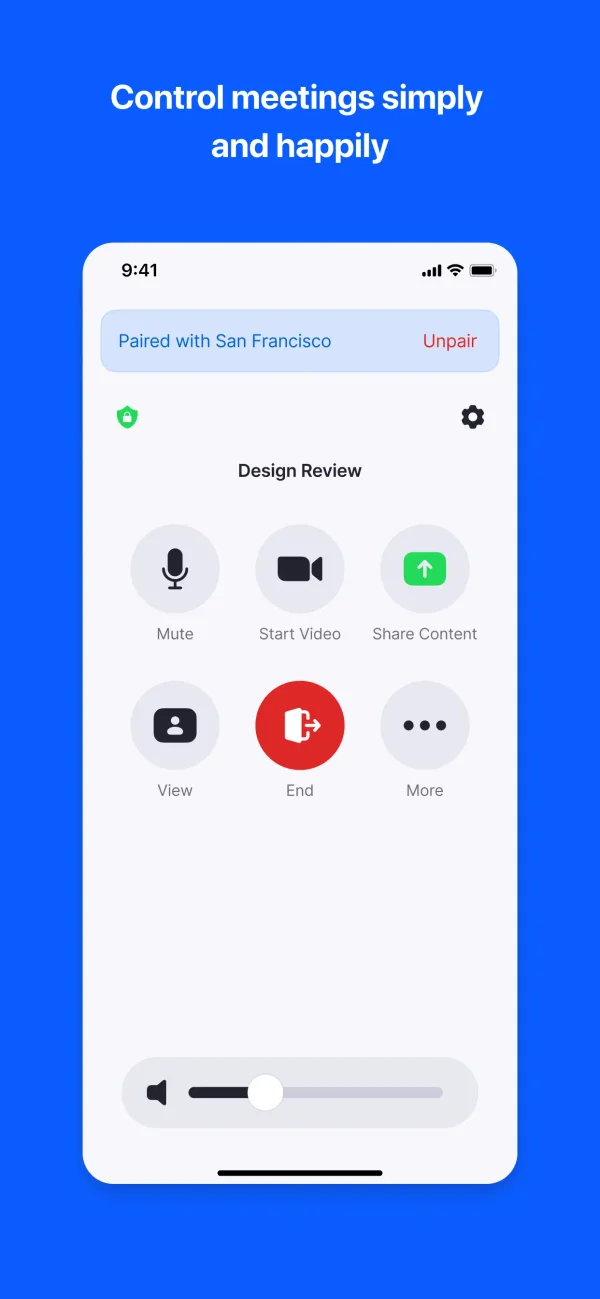
Connect your iPad to a Mac, PC, or Zoom Rooms Appliance as the dedicated Zoom Rooms Controller for that room. The iPhone app allows you to pair with a Zoom Room, giving you similar control functionality from your personal mobile device.
Zoom Rooms for Touch
Use the iPad as a Zoom Rooms (for shared spaces), Zoom Rooms kiosk, personal Zoom Rooms or Zoom Rooms digital signage only device. Zoom Rooms (for shared spaces) and personal Zoom Rooms allow you to start or join Zoom meetings, start a Zoom Whiteboard session, and access other Zoom Rooms features. Zoom Rooms kiosk can be configured to provide virtual receptionist and Workspace Reservation functionality. Zoom Rooms digital signage only can be configured to show digital signage content. Consult Zoom support documentation for more details.
Zoom Rooms Scheduling Display
Connect your iPad to a Mac, PC, or Zoom Rooms Appliance as the dedicated scheduling display for that room. A scheduling display is usually placed outside the room to show current availability, display upcoming meetings, and allow users to reserve the room on an ad-hoc basis.
Workspace Desk
Use the iPad to display the status of a workspace desk and allow users to make ad-hoc reservations or check in for their existing scheduled reservation with a QR code.
Reservation Only Room
Use the iPad to display the status of a workspace reservation only room and allow users to make ad-hoc reservations or check in for their existing scheduled reservation with a QR code.
Simply install the Zoom Rooms app and follow the on-screen instructions to select a mode and activate.
KEY FEATURES:
● One touch to join or start a meeting
● Intuitive room controls to easily manage audio, video, participants, and more
● Supports native room control integration to control lighting, projectors, and more
Follow us on social @zoom!
Have a question? Contact us at http://support.zoom.us.
What’s new
Version 7.2.5 · Nov 9, 2026
General features (Zoom Rooms for Controller):
• Support Digital Signage Plus
In-meeting features (Zoom Rooms for Controller):
• Support Audio Transcript in Archiving Consent Notification
General features (Zoom Rooms):
• Support Digital Signage Plus
• Kiosk: Support ZCC Video Clinical Note Consent Dialog
In-meeting features (Zoom Rooms):
• Support Audio Transcript in Archiving Consent Notification
Resolved Issues:
• Minor bug fixes
• Security enhancements
App privacy
What Zoom Communications, Inc. declares on the App Store about how this app handles data.
-
Data linked to you
May be collected and linked to your identity.
- Contact info
- User content
- Identifiers
- Usage data
- Diagnostics
Privacy practices may vary, for example with the features you use or your age.
Information
- Seller
- Zoom Communications, Inc.
- Category
- Business
- Version
- 7.2.5
- Updated
- Nov 9, 2026
- Released
- Jan 10, 2022
- Size
- 365.3 MB
- Requires
- iOS 15.0 or later
- Age rating
- 4+
- Price
- Free
- Languages
- English, Dutch, French, German, Indonesian, Italian, Japanese, Korean, Polish, Portuguese, Russian, Simplified Chinese + 5 more
- Copyright
- © Zoom Video Communications, Inc.
You might also like
-
 Participant 3rd Party Zoom AppMeetings made simple
-
 AI Note Taker - flickVoice note ai,lecture recorder
-
 Printer app ®Scan, Edit & Print Photo, PDF
-
 Smart Printer App & ScanPrint, Scan, Fax & Edit Docs
-
 SideShift - Earn MoneyFind jobs and get paid!
-
 Skype for BusinessFormerly Lync 2013
-
 monday.com - AI Work PlatformPlan & Organize Teamwork
-
 Tunnel (new) - Workspace ONEOmnissa Workspace ONE
-
 Presentation ®PPT PPTX Slides Maker & Viewer