
ZRelay Camera Transfer
Auto Transfer for Nikon Z
Designed for iPhone, iPad
Free · In-app purchases
- Age rating4+
- CategoryPhoto & Video
- Developer凯威 彭
- LanguagesEnglish+ 3 more
- Size11.4 MB
Links to the official App Store page
Download.org hosts no file of ZRelay Camera Transfer. The button opens its official App Store page, published by 凯威 彭. Listing last checked on Nov 26, 2026.
Screenshots


About
Built for Nikon Z series cameras — making photo transfer effortless and camera creativity freer.
Whether you shoot with newer Nikon Z cameras like the Z50II, Z5II, Zf, Z8, or Z6III, or classic bodies such as the Z30, Z6II, Z5, or Zfc, ZRelay makes your workflow faster and more flexible.
More than a wireless transfer tool, ZRelay brings auto-transfer after shooting, camera gallery browsing, original RAW (NEF) downloads, and compatible NP3 Imaging Cloud style import for supported older Nikon Z models.
From shutter release to exploring out-of-camera color profiles, unlock more possibilities from your Nikon Z.
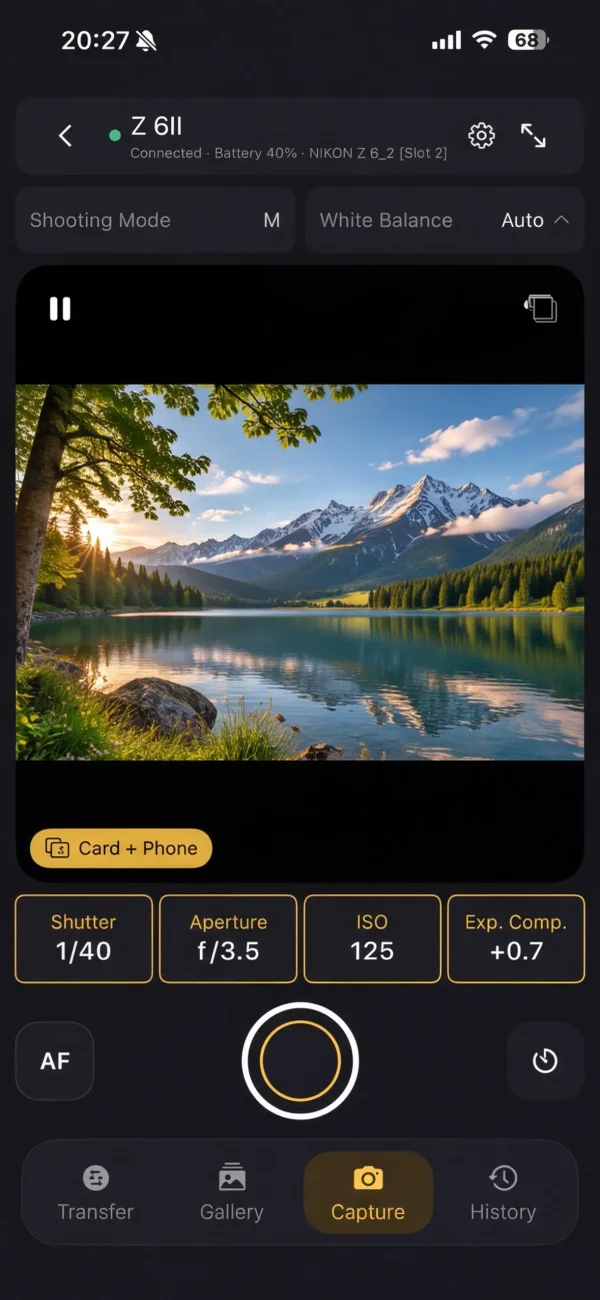
[Auto-Transfer as You Shoot, Instant Access on iPhone]
Press the shutter and photos transfer automatically to your iPhone over Wi-Fi.
For travel, street photography, portraits, and everyday moments, your best shots reach your phone faster.
No need to dig through camera menus to pick photos one by one — spend less time waiting between shooting and sharing.
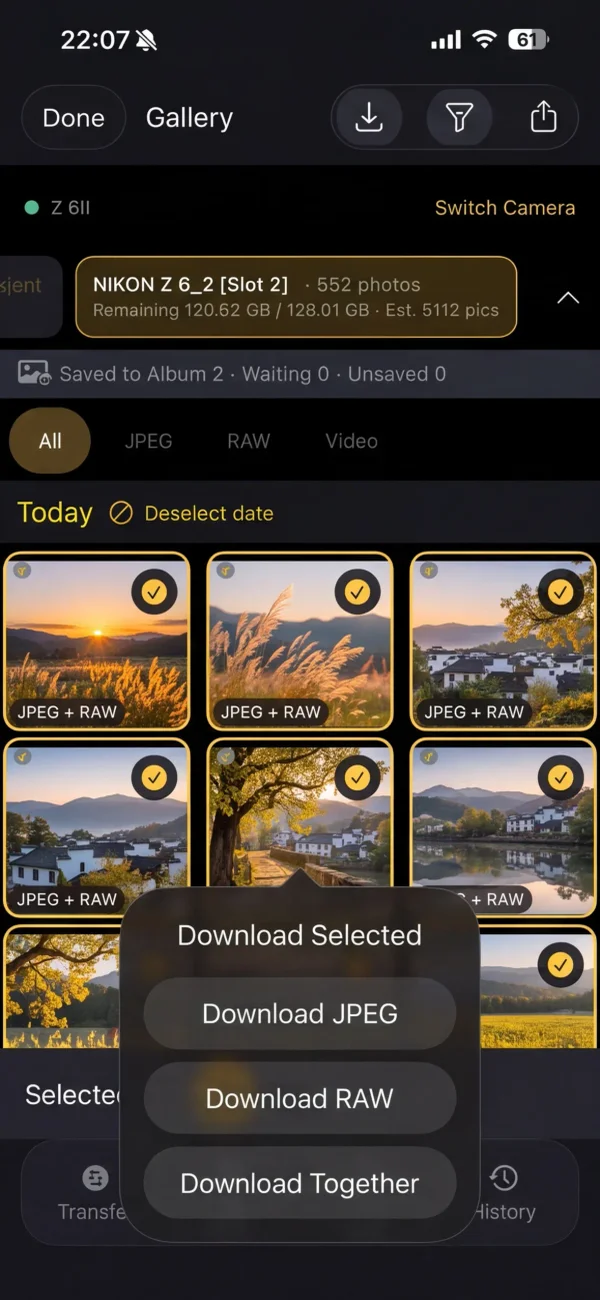
[Browse Your Camera Gallery Directly on iPhone]
No need to download everything on your memory card first.
With ZRelay, browse photos directly on your camera from your iPhone, inspect previews, and quickly find the frames you want.
Supports multi-select and batch download to organize highlights from every shoot with ease.
[JPG & Original RAW (NEF) Files on Demand]
Supports both JPG images and original Nikon NEF (RAW) files.
Download JPG for quick sharing, or save original RAW files when you want full editing headroom.
Stop settling for low-resolution previews — keep your important shots in full original quality.
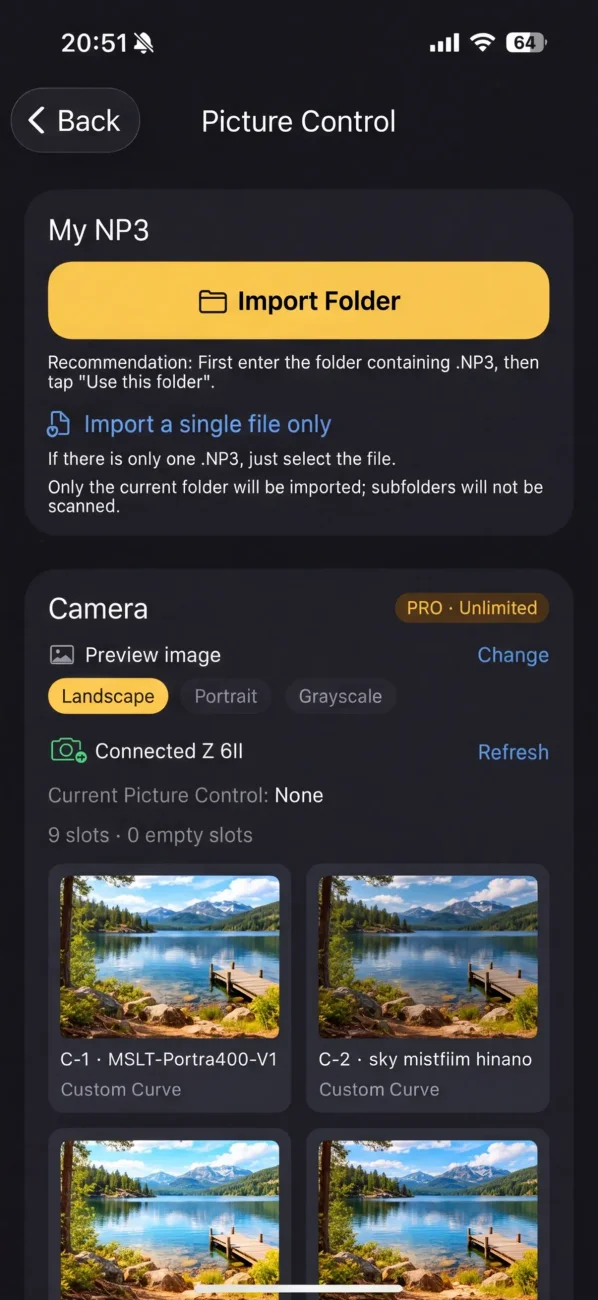
[Bring Imaging Cloud Looks to Classic Nikon Z Bodies]
Give classic bodies fresh creative color options.
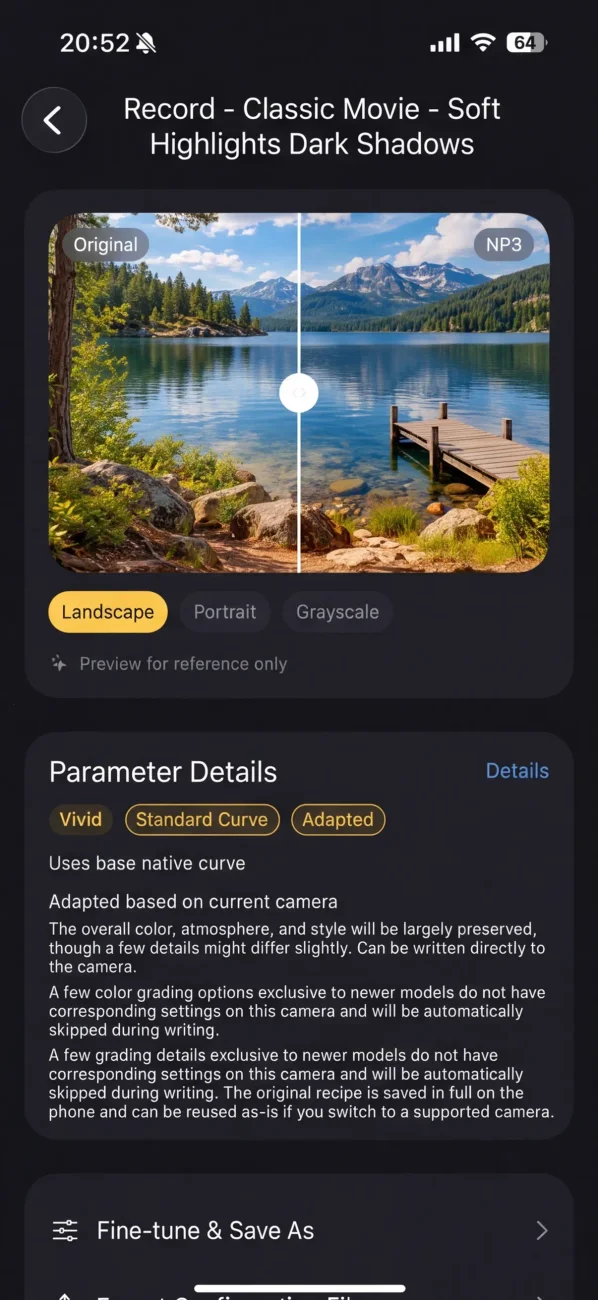
ZRelay converts compatible next-generation Nikon NP3 color recipes so they can be imported as Custom Picture Controls on cameras such as the Z6, Z7, Z5, Z50, Z6II, Z7II, Zfc, and Z30.
You don't need to upgrade your camera body just to experiment with new color looks.
From crisp natural tones to rich film-inspired profiles, explore more straight-out-of-camera styles.
Because older and newer cameras use different color processing engines, some parameters are adapted during conversion and final output may differ from newer models.
[High-Speed 5GHz Direct Wi-Fi Transfer]
Transfers photos directly over camera Wi-Fi without routing through the cloud.
Use 5GHz Wi-Fi on compatible cameras and networks to speed up large file transfers.
Both everyday JPGs and large RAW files move conveniently to your iPhone.
Actual speed depends on camera model and wireless environment.
[Wide Nikon Z Camera Compatibility]
Supported models include:
Z30, Z50II, Z5II, Z5IIC, Zf, Z8, Z6III, Z6II, Z7II, Z5, Zfc, Z6, Z7, Z50, Z9, ZR, and more.
Connection modes and supported features vary by model — please check the in-app compatibility notes.
[One-Time Purchase, Long-Term Use]
Try it for free first, confirm compatibility with your camera and workflow, and unlock full features when ready.
One-time purchase with no ongoing subscription.
ZRelay is dedicated to delivering a simple, fast, continuously improving workflow for Nikon Z photographers.
—
ZRelay is independently developed by GeekmanLAB and is not an official Nikon app or service. Nikon and related trademarks belong to their respective owners.
What’s new
Version 1.2.4 · Nov 25, 2026
• Added Pocket Power-Saving dim screen and background resume for batch transfers, making long downloads worry-free.
• Fixed camera pairing reconnect, multi-camera switching, and potential freezes when reading or writing Picture Controls on weak connections.
• Refined bottom bar swipe feel, full-screen remote capture, and overall stability and power efficiency.
App privacy
What 凯威 彭 declares on the App Store about how this app handles data.
-
Data linked to you
May be collected and linked to your identity.
- Purchases
- Identifiers
- Usage data
Privacy practices may vary, for example with the features you use or your age.
Information
- Seller
- 凯威 彭
- Category
- Photo & Video
- Version
- 1.2.4
- Updated
- Nov 25, 2026
- Released
- Nov 7, 2026
- Size
- 11.4 MB
- Requires
- iOS 17.0 or later
- Age rating
- 4+
- Price
- Free
- In-app purchases
- Yes
- Languages
- English, Japanese, Simplified Chinese, Traditional Chinese
- Copyright
- © 2026 GeekManLAB
You might also like
-
 影犀Photo & Video
-
 Imaging Console LiteNikon Essential
-
 Zenso: Camera RemoteLiveView, GPS & Photo Transfer
-
 Imaging ConsoleControl & Transfer & Monitor
-
 SpektraLabFilm darkroom for RAW photos
-
 PlanIt Earth: VR Photo PlannerMilky Way Sunset Ephemeris Pro
-
 PrismatikPhotography Review Assistant
-
 NX MobileAirPhoto & Video
-
 LutFtp(multilingual version)FTP|PTP|USB|MSC|UVC|LUT|RAW
-
 RoboTou StackerOn-device image stacking