
Zyve: Plan, Sync, Live
Your Day, Intelligently Done
Designed for iPhone
Free · In-app purchases
- Age rating4+
- CategoryProductivity
- DeveloperZovia Studio LLC
- LanguagesEnglish
- Size62.5 MB
Links to the official App Store page
Download.org hosts no file of Zyve: Plan, Sync, Live. The button opens its official App Store page, published by Zovia Studio LLC. Listing last checked on Nov 18, 2026.
Screenshots



About
Life is unpredictable. Zyve makes sure your day isn't.
Six intelligent engines work quietly in the background, so you're always prepared, never surprised, and never late.
QUIET INTELLIGENCE, ALWAYS ON
While you focus on living, Zyve handles the rest:
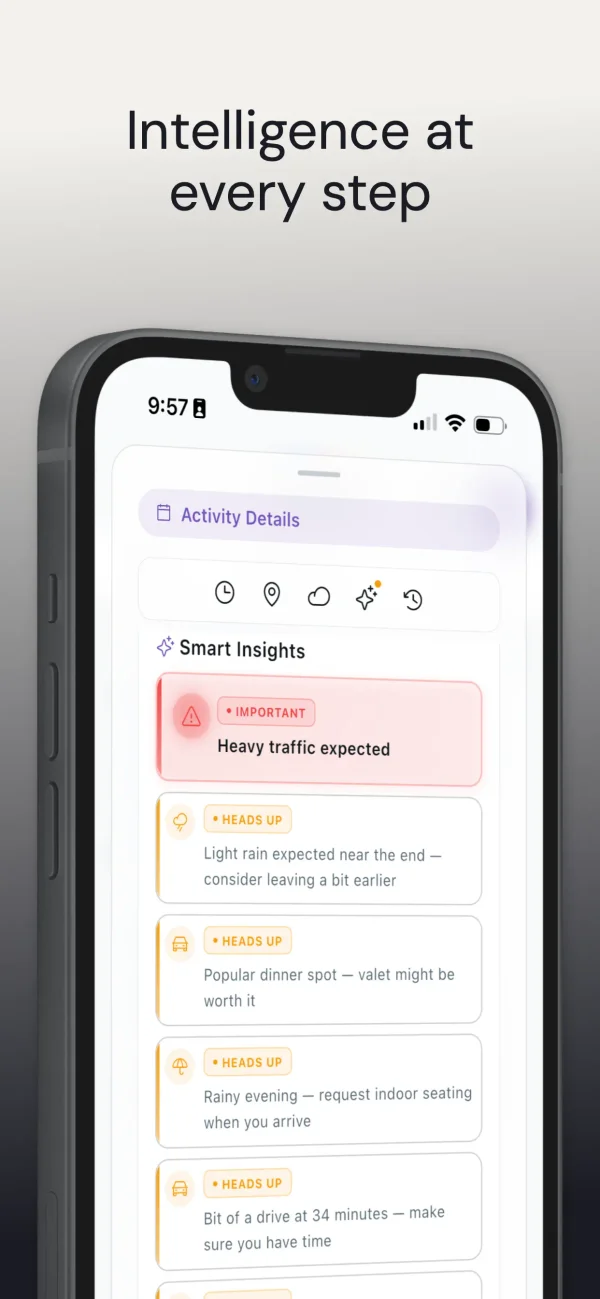
- Weather Engine: Rain during your outdoor plans? You'll know hours ahead.
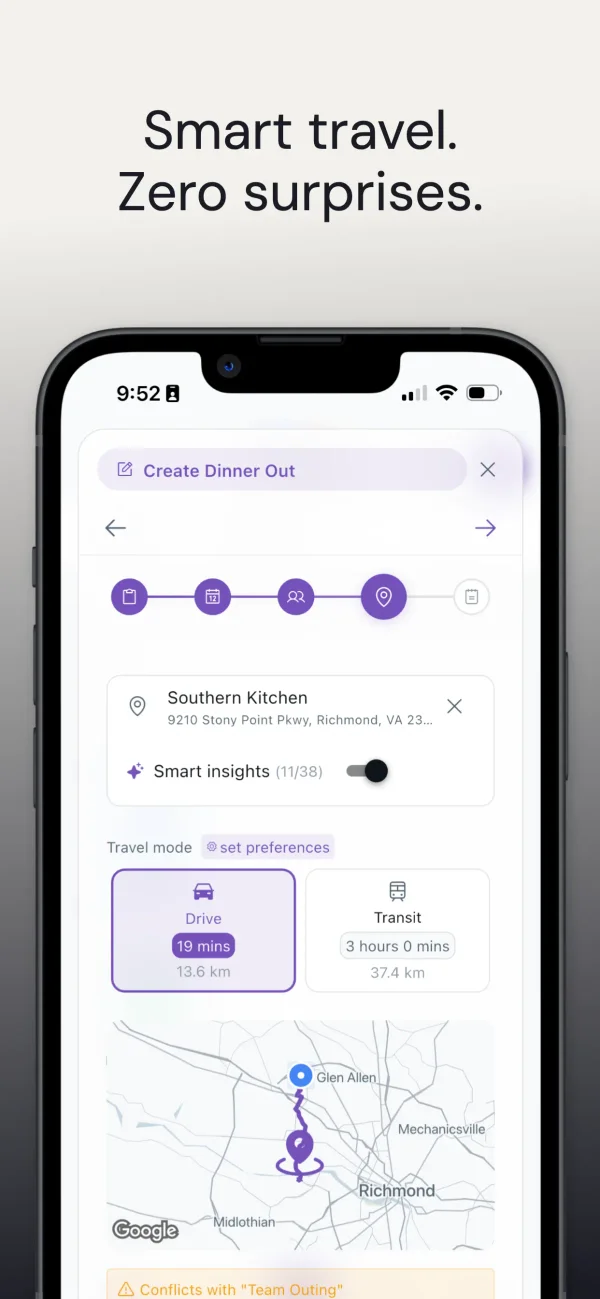
- Traffic Engine: Real-time departure alerts based on where you are right now.
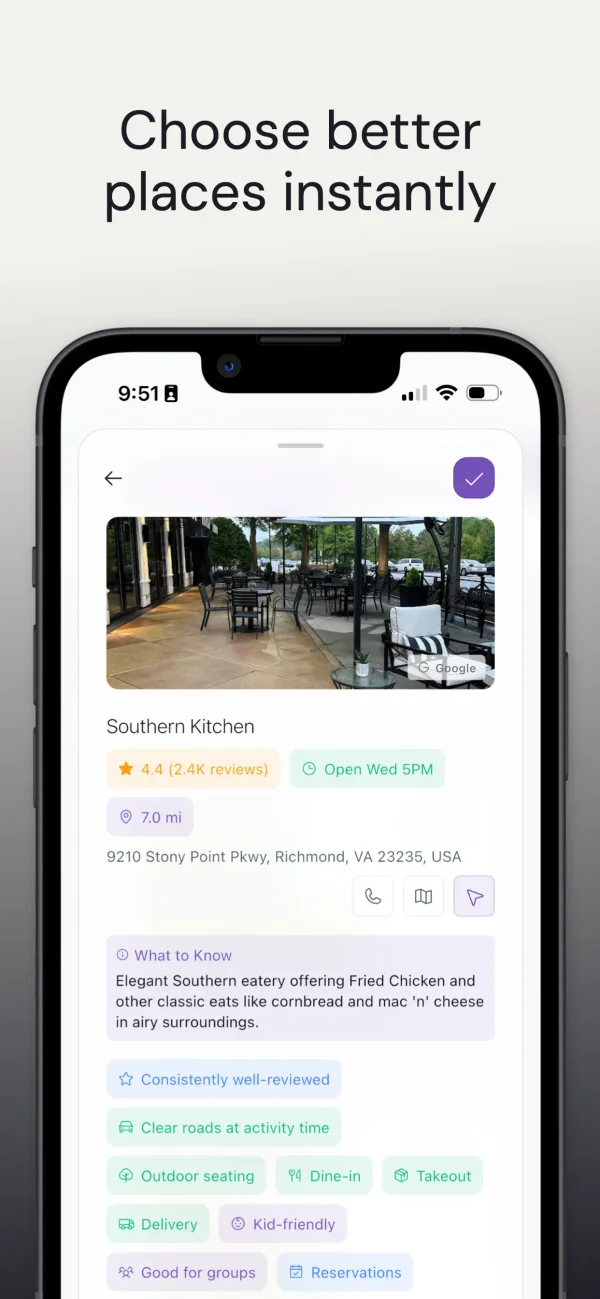
- Venue Engine: Hours, parking, accessibility, and busyness before you leave.
- Conflict Engine: Double-bookings and scheduling gaps caught before they happen.
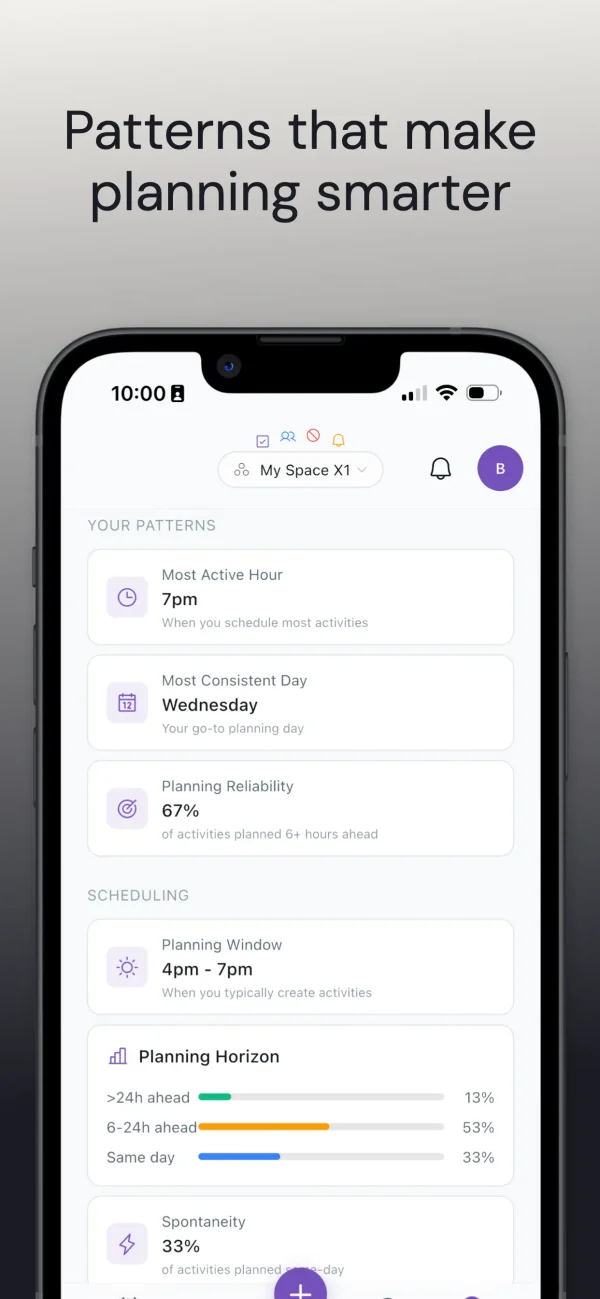
- Insight Engine: Patterns and trends that help you manage time better.
- Delight Engine: The perfect spot for any mood, anywhere in the world.
EXPLORE LIKE A LOCAL, ANYWHERE
New city? New neighborhood? First date? Family outing?
Tell Zyve your vibe (chill coffee, casual dinner, hidden gem, scenic views, live music) and discover places that actually match. 18 mood-based vibes. Curated recommendations.
Save favorites and build your own map of the world.
ACTIVITY INTELLIGENCE
Every activity gets context. Before you head out, see:
- Will weather affect your plans?
- How long to get there with current traffic?
- Is the place open? How busy is it?
- Parking situation and accessibility
- Any scheduling conflicts?
SMART REMINDERS
Not just "leave in 10 minutes." Zyve calculates exactly when to leave based on real-time traffic from your current location. Three-stage alerts:
- Early heads-up (60 minutes out)
- Preparation reminder (10 minutes)
- Leave now (calculated to the minute)
Traffic changes? Your departure time adjusts automatically.
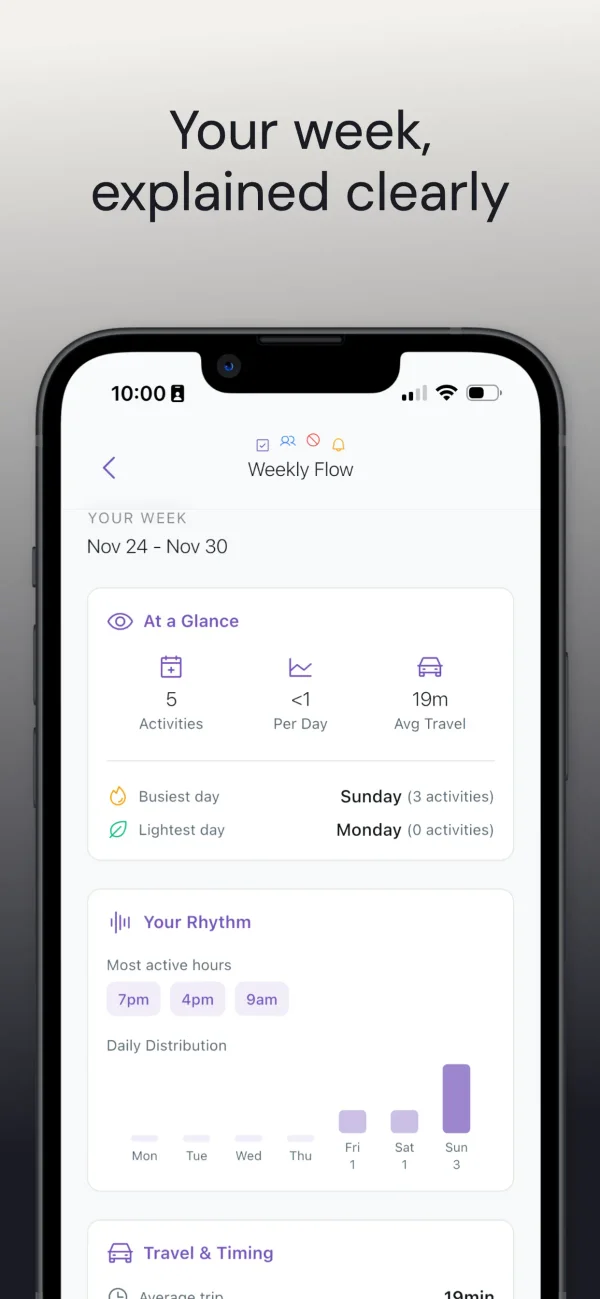
INSIGHTS & WEEKLY FLOW
Zyve learns your patterns and helps you improve:
- When are you most productive?
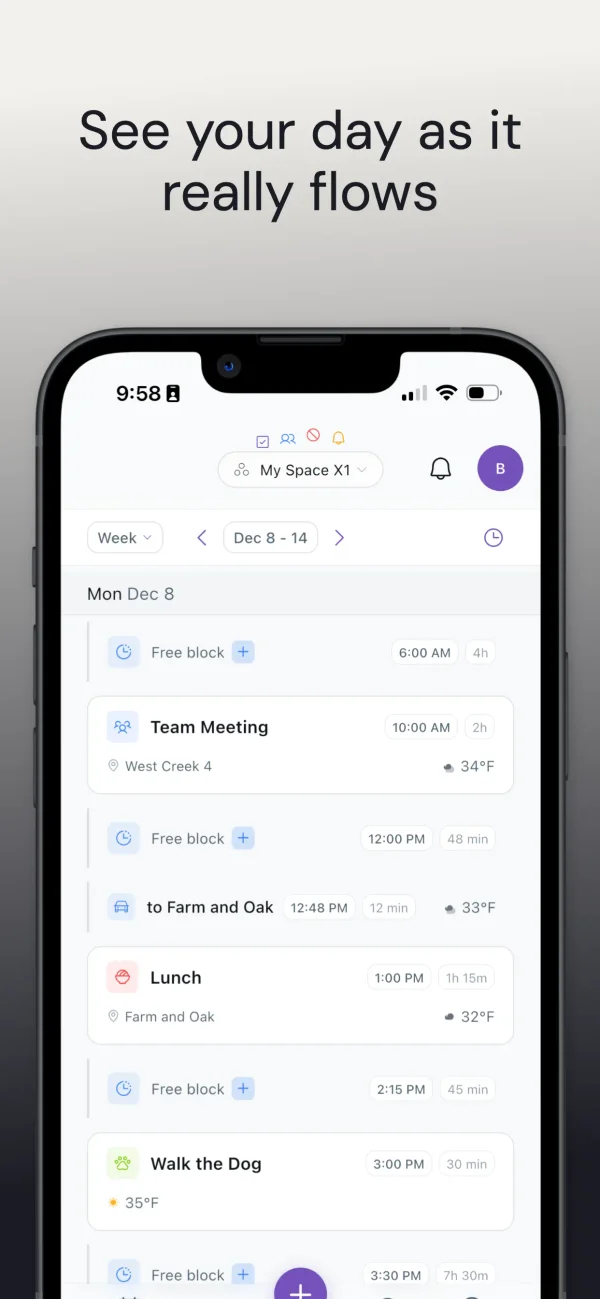
- Which days get overbooked?
- How much time goes to travel?
- What's your scheduling rhythm?
Weekly Flow gives you a narrative summary of your week, with suggestions for the next one. Spot what's working. Adjust what isn't.
COORDINATE WITH ANYONE
Roommates. Partners. Family. Friends. Teams. Anyone who shares time or space.
- Create shared spaces (up to 100 members)
- See everyone's availability at a glance
- Assign activities with clear ownership
- Recommend tasks that others accept or decline
- Get notified when things change
No more "I thought you were handling it." Everyone stays in sync.
MORNING BRIEFING
Your day in 30 seconds. Every morning at 7am:
- Your Day: What you're responsible for
- Needs Attention: Recommendations awaiting response
- Space Overview: What everyone else is doing
- Conflicts: Issues to resolve before they become problems
Coffee in hand, you're ready.
FIVE WAYS TO ORGANIZE
Tasks, Meetings, Busy Blocks, Reminders, and Events. 100+ smart templates with intelligent defaults. Create in seconds.
WORKS OFFLINE
No signal? No problem. Create activities, check your schedule, and browse insights offline. Everything syncs when you're back online.
PRIVACY FIRST
- Keep activities private or share selectively
- Control what others see when you're busy
- Your data stays yours, export anytime
- No ads. Ever.
SUBSCRIPTIONS
Zyve is free to use. Zyve Premium and Zyve Gold are optional auto-renewable subscriptions that raise your monthly Smart Reminder and Explore limits and unlock deeper planning features.
- Zyve Premium: $14.99 per year
- Zyve Gold: $29.99 per year
Payment is charged to your Apple Account at confirmation of purchase. Subscriptions renew automatically unless auto-renew is turned off at least 24 hours before the end of the current period. Your account is charged for renewal within 24 hours prior to the end of the current period at the price shown above. You can manage your subscription and turn off auto-renew in your Apple Account settings after purchase.
Terms of Use (EULA): https://zovia.studio/terms
Privacy Policy: https://zovia.studio/privacy/zyve/
Zyve: On time. In sync. No surprises.
What’s new
Version 1.5.5 · Oct 24, 2026
Easier to read, and less in your way.
- Text and icons on colored buttons, badges and banners now use whichever of dark or white reads best, in light and dark mode.
- Permission prompts always show their "Not now" and "Continue" buttons, with no scrolling needed on smaller iPhones.
- The upgrade screen after your trial ends has "Don't show this again", and otherwise waits a week before it shows again.
- The "rate this app" prompt waits until you close what you are looking at, and asks only once.
- Activity details and travel times now stay with the people in your space.
App privacy
What Zovia Studio LLC declares on the App Store about how this app handles data.
-
Data used to track you
May be used to track you across apps and websites owned by other companies.
- Purchases
- Identifiers
- Usage data
-
Data linked to you
May be collected and linked to your identity.
- Purchases
- Location
- Contact info
- Identifiers
- Usage data
-
Data not linked to you
May be collected but is not linked to your identity.
- Diagnostics
Privacy practices may vary, for example with the features you use or your age.
Information
- Seller
- Zovia Studio LLC
- Category
- Productivity
- Version
- 1.5.5
- Updated
- Oct 24, 2026
- Released
- Dec 18, 2025
- Size
- 62.5 MB
- Requires
- iOS 17.0 or later
- Age rating
- 4+
- Price
- Free
- In-app purchases
- Yes
- Languages
- English
- Copyright
- © 2025 Zovia Studio. All rights reserved.
You might also like
-
 Signal Recorder SR-7Voice to markdown, on-device
-
 depart.never be late again
-
 Worxly: Work Hours TrackerTrack time, projects & pay
-
 HighlighterAI.comHighlight anything. In color.
-
 Nodebook: PDF Notes & Mind MapEPUB reader, study flashcards
-
 Tikk Time TrackingProductivity
-
 PromptWallet AI Prompt ManagerOffline Organizer & Library
-
 PromptKit: AI Prompt ManagerLibrary, Keyboard & Templates
-
 Tomatoro: Focus TimerPomodoro & Deep Work Timer
-
 Threely: 3 Tasks, ADHD PlannerFocus Mode, Brain Dump & Calm