[69D] InfoWatch
69 Design- 3 歳以上対象年齢
- カスタマイズカテゴリ
- 2025/7/8更新日
- ¥200価格
com.sixty9design.infowatchのGoogle Play公式ページにリンクしています。最終確認:2026/11/15。
このアプリについて
Googleによる英語 (アメリカ合衆国)からの自動翻訳です。
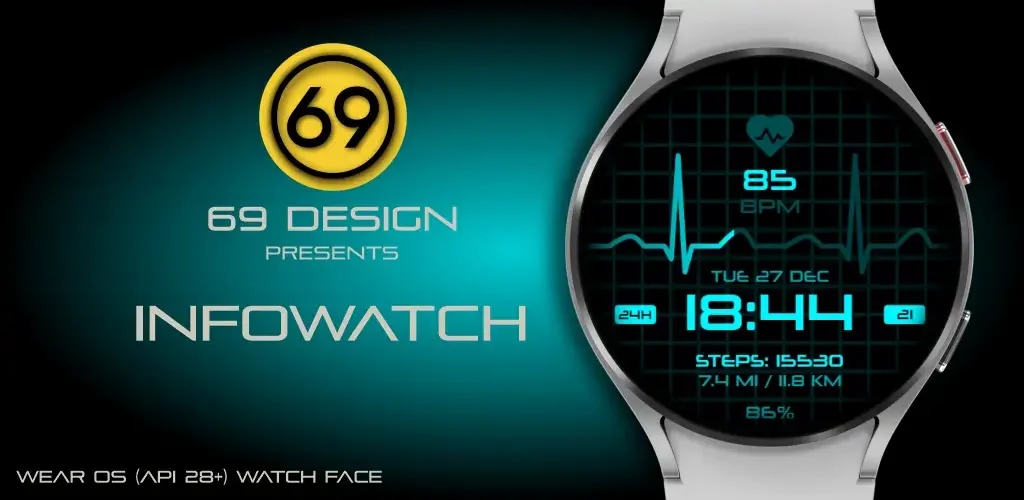
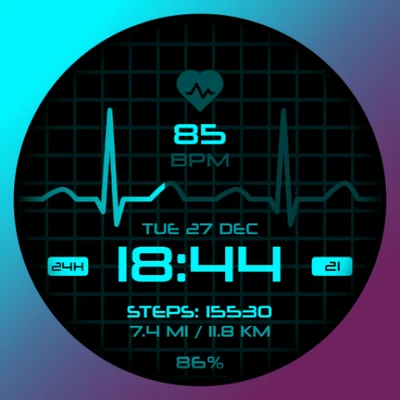
WearOS ウォッチのアニメーション デジタル ウォッチフェイス。
-重要 - - - - - - - - - - - - - -
ウォッチ フェイスのインストールで問題が発生した場合は、以下のリンクをコピーして Web ブラウザに貼り付けてください。ウォッチ フェイスをインストールするデバイスを選択できます。
リンク:
https://play.google.com/store/apps/details?id=com.sixty9design.info見る
--------------------------------------
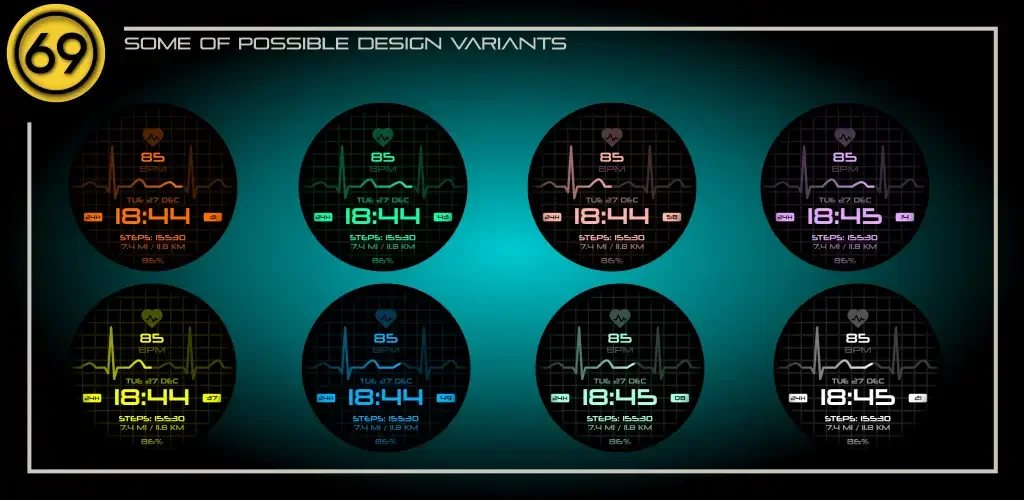
カラーバリエーション豊富なアニメーションウォッチフェイスをお楽しみください。
特徴:
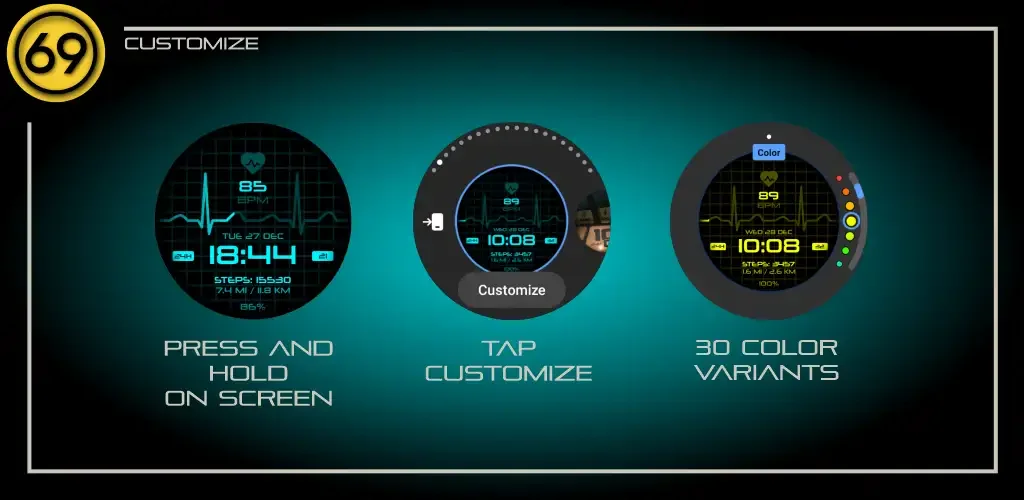
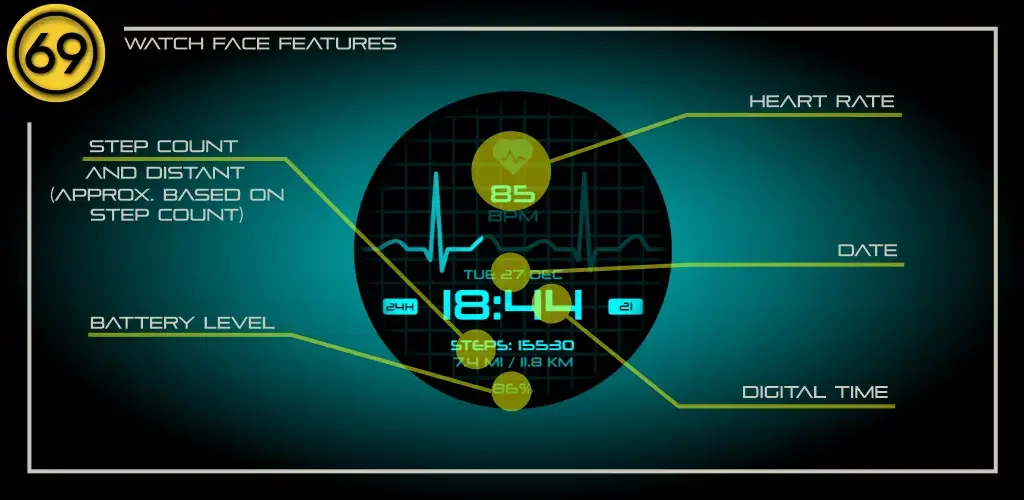
- 30色のバリエーション
- 12/24 時間形式;
- 歩数
- 日にち
- バッテリー残量
ノート:
このアプリは、Wear OS デバイス用に作成されています。
「INSTALL」ドロップダウンメニューから「時計デバイスにダウンロード」を選択してください。
このウォッチフェイスはほとんどの Wear OS デバイスと互換性がありますが、最新の Wear OS ソフトウェア バージョンを搭載した新しいデバイスで最適かつスムーズに動作することに注意してください。
ウォッチフェイスの設定方法を説明する上記の添付の手順 (グラフィック イメージ) に注意してください。
ありがとうございました。
69 デザイン
原文を表示
-IMPORTANT---------------------------
In case of problems with the installation of the watch face on your watch, please copy the link below and paste it into your web browser, there you will be able to choose the device on which watch face should be installed.
Link:
https://play.google.com/store/apps/details?id=com.sixty9design.infowatch
-------------------------------------
Please enjoy this animated watch face with many color variants.
Features:
- 30 color variants
- 12/24 time format;
- Step count
- Date
- Battery level
NOTE:
This app is made for Wear OS devices.
Please select "download on your watch device" from the "INSTALL" drop-down menu.
This watch face is compatible with most Wear OS devices, but keep in mind that it will run best and smoothest on newer devices with latest Wear OS software versions.
Please note the attached instructions above (graphic images) which explain how to configure the watch face.
Thank you.
69 Design
データ セーフティ
このアプリが収集・共有するデータについて、69 DesignがGoogle Playで申告している内容です。
- 第三者と共有されるデータはありません詳しくは、デベロッパーが共有を申告する方法についての説明をご覧ください
- データは収集されません詳しくは、デベロッパーが収集を申告する方法についての説明をご覧ください
新機能
2025/7/8
Customizable digital watch face for Wear OS watches.
開発元の連絡先
- メール69designpl@gmail.com
- プライバシーポリシーsites.google.com
- 住所2 Ul. Mireckiego 41-300 Dąbrowa Górnicza Poland
情報
- 提供元
- 69 Design
- カテゴリ
- カスタマイズ
- 更新日
- 2025/7/8
- リリース
- 2022/12/22
- 対象年齢
- 3 歳以上
- 価格
- ¥200
- パッケージ名
- com.sixty9design.infowatch
![[69D] InfoWatchのスクリーンショット 1](https://imgresize.dlostc.com/8tEygsvWS0cFVPUoXVKFhxFlcFrsWZdEQ7T1cQQPny0/rs:fit:1040:780/czM6Ly9pbWFnZXMvcGxheWltZy82NC9kOS82NGQ5MzkwNGZhNmJjNzU1ZmJlYWZiYTNhOTRhYTc5OWYwZDQ4MTRjMDI1YTJlZWI3NDlmODI4MTc3Y2YwNWQ4LndlYnA.webp)
![[69D] InfoWatchのスクリーンショット 2](https://imgresize.dlostc.com/MPQ7JkeCylZcHuqFHTAEnHecJmkwDomFevYKl1jIN9o/rs:fit:1040:780/czM6Ly9pbWFnZXMvcGxheWltZy81NC8yYS81NDJhNTAzZjVhNTlhOGY3NDM5MjNlYmM0YzhlODNhMWM2YjU0YTRiMDAxZGFmY2JlODI2ZDMyOTk5Nzc1NGEzLndlYnA.webp)
![[69D] InfoWatchのスクリーンショット 3](https://imgresize.dlostc.com/3sIUNNMzgsi6tFloHZCinz8IkXLRKCrRZj9ZPi2WL-k/rs:fit:1040:780/czM6Ly9pbWFnZXMvcGxheWltZy83Mi81MS83MjUxNWI2MGNkMjBjZjg1NzE1NjM2NTE2NGMwMTZhNWNmMzRjOTVlMjQ3ODM0MDBiODYwMDA0YTU3YzA4MWExLndlYnA.webp)
![[69D] InfoWatchのスクリーンショット 4](https://imgresize.dlostc.com/g4i-PHgPGoORiQJOi3XVT8pT7YqMC1fTRAf4P8m_KcA/rs:fit:1040:780/czM6Ly9pbWFnZXMvcGxheWltZy8yZC9mNi8yZGY2MmM2MzYwZTc2MzE4ZDkyNGQxZjk2YjY4ODZjMzc5YTdlMjJkNzE4OTZlM2Q3ODE2NTUyMWMzNTE1NmY1LndlYnA.webp)
![[69D] InfoWatchのスクリーンショット 5](https://imgresize.dlostc.com/-kZRbnMZMO-l-9IJDgjHNaY0KY7QhDyW1MosXVssA-k/rs:fit:1040:780/czM6Ly9pbWFnZXMvcGxheWltZy8zNC84My8zNDgzOTY1ZjZmMmFiNGQ2NWI0Mzg2YjQwYmIwMjBiOTVkN2YyM2ZlMWJmN2RlY2M3NjBhMmNlNGI0OTEwMWNjLndlYnA.webp)