All Call Recorder
Starbox広告を含む
- 3 歳以上対象年齢
- ツールカテゴリ
- 2025/10/8更新日
- 無料価格
com.starbox.callrecorderのGoogle Play公式ページにリンクしています。最終確認:2026/11/27。

スクリーンショット
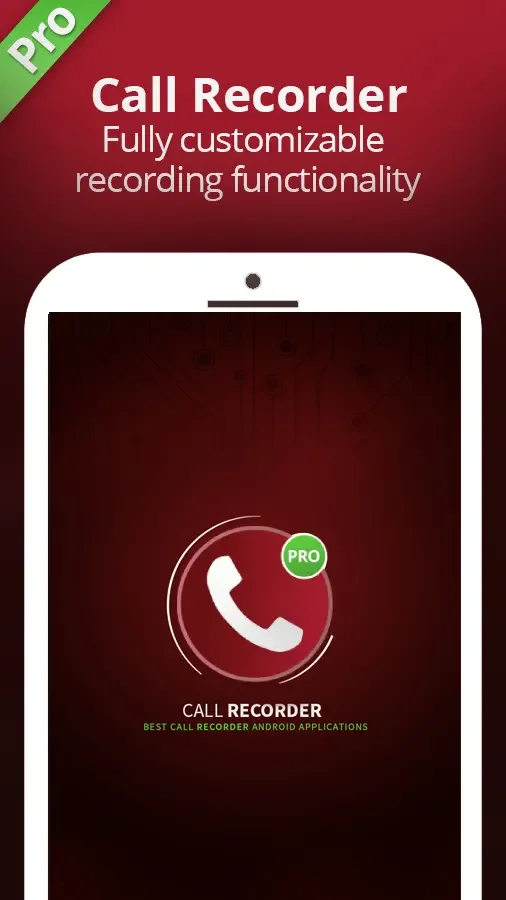

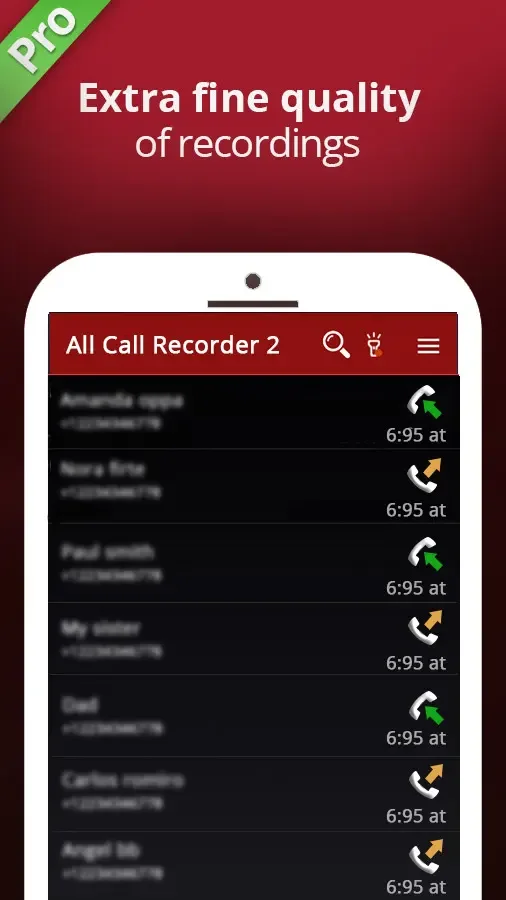
このアプリについて
Googleによる英語 (アメリカ合衆国)からの自動翻訳です。
Call Recorder Automatic は、優れたコール レコーダー Android アプリケーションの 1 つです。
Call Recorder Automatic 2は、最高のCallRecorderAndroidアプリケーションの1つです。
コールレコーダー、自動コールレコーダー、電話レコーダーは必需品です! Call Recorderをすばやく開いて、1人またはグループの人との会話を録音できることは非常に価値があります。会話が面白くなり始めたら、それを録音するだけです。
コールレコーダー自動を使用する場合は、自動通話録音と任意の通話の保存ができます。
ホワイトリストに記録する通話と無視する通話を設定できます。
Recorderに電話して、録音を聞いたり、メモを追加したり、共有したりできます。クラウドにも同期します。
「コールレコーダー」を使って会話の内容を二度と忘れないでください。会話を片付けることができることは非常に貴重な資産です。
Call Recorderを使用すると、会話のライブラリを作成できます
リストとカレンダーの形式で保存されます。
Call Recorderは使いやすく、巧妙で直感的なユーザーインターフェイスの背後に隠されています。
コールレコーダーは、用途が広く、非常に使いやすい頑丈なユーティリティとして構築されました。録音を開始する方法をいじったり質問したりする必要はありません。
Call Recorderは、双方の会話のすべての詳細を効果的に記録し、「録音されたオーディオ」ファイルを.caf形式で目的の場所に保持します。
重要な記録ファイルを.caf形式のファイルをサポートするデバイスに転送し、どこにでも持ち運びます。
ミニビューを使用すると、開いている画面で不動産を使用せずに、ライブレコーディングを制御および監視できます。
以下のコールレコーダーの自動機能:
-CallRecorder重要な録音のみを保存します
-非常に高品質の録音
-完全にカスタマイズ可能な通話録音機能
-シェイクおよび通話記録機能
コールレコーダーの仕組み:
-Call Recorder Androidアプリを開きます。これはバックグラウンドで実行され、簡単にアクセスできるようにして生産性を向上させます。
-電話をかけるか受信すると、電話がつながると録音が開始されます
-アプリを選択して、以前に録音された通話のリストにアクセスして再生します。
注:(手順+トラブルシューティングのヒント)
1.一部のデバイスは互換性がないか、通話の録音を許可していないことに注意してください。
2.デバイスに複数の通話録音アプリケーションがないことを確認してください。複数のアプリケーションがない場合、問題が発生する可能性があります。
3.コールレコーダーが通話を録音しない場合は、デバイスを再起動して再試行してください。再度録音されない場合は、デバイスが通話録音をサポートしていない可能性があります。
4.一部のデバイスは相手の低い声を録音します。この問題では、アプリケーションに移動してからさらに設定を行うことにより、通話録音の開始時に自動スピーカーを有効にしてください。
5. wechat、LINE:Free Calls&Messages、ボイスレコーダー、その他のコールレコーダーなど、他のアプリを使用して何かを録音している場合、このアプリは機能しない可能性があります。
6.一部のデバイスでMP3録音が正しく機能しない場合は、WAV、3GPP、MP4、またはAMRオーディオエンコーディング形式を選択できます。
7.エラー「msg_create_file_error」が表示された場合は、テストしてください。デバイスにSDカードまたはメモリカードが搭載されていますか?そうでない場合は、より多くの設定と記録パスに移動して、記録先パスを他のパスに変更し、正しく変更してください。
8.「申し訳ありませんが録音開始に失敗しました」というメッセージが表示された場合は、オーディオソースやサンプルレートの変更など、他の録音オプションを試してください。
Call Recorder Automaticは使いやすく、巧妙で直感的なユーザーインターフェイスの背後に隠されています。
原文を表示
Call Recorder Automatic 2 is one of the best call recorder android applications ..
Call Recorder, automatic call recorder, and phone call recorder a must-have utility! Being swiftly able to open Call Recorder and record your conversation with one person or a group of people is very valuable. If a conversation starts to get interesting simply record it.
For using Call recorder Automatic, You can auto call recording and save any phone call you want.
You can set which calls are recorded to white list and which are ignored.
Call Recorder you can Listen to the recording, add notes and share it. Synchronized to the cloud as well.
By using "Call Recorder" Never forget the details of a conversation again. Being able to file conversations away is a very valuable asset.
Call Recorder allows you to create a library of conversations
that are stored in a list and calendar format.
Call Recorder is simple to use and is hidden behind a clever intuitive user interface.
We built call Recorder to be a rugged utility the is versatile and dead simple to use. No fumbling or questioning how to start recording.
Call Recorder effectively records every detail of the conversation of both the sides and keeps your "recorded audio " files in your desired location in .caf format.
Transfer important recorded files to any of your device which supports .caf format files and carry it with you wherever you go.
The Mini view allows you to control and monitor your live recordings without taking up real-estate on your open screen.
Call Recorder Automatic Features Below:
- Call Recorder Save only the recordings that are important
- Extra fine quality of recordings
- Fully customizable Call recording functionality
- Shake and call record functionality
How Call Recorder works :
- Open the Call Recorder Android app it will now run in the background to increase productivity by enabling easy access.
- Make or receive a call and it will begin recording once the call connects
- Select the app to access the list of previously recorded calls and play them.
Notes: (Instructions + Troubleshooting tips)
1. Please note that some devices are not compatible or not allow to record calls.
2. Please confirm that your device should not have more than one call recording application, otherwise it can create issues.
3. If call recorder does not record calls, please restart your device to try again. If it does not record again then your device might not support call recording.
4. Some devices record low voice of other party, in this problem, please enable automatic speaker, on start of call recording by going application and then more settings.
5. This app might not be working when you are using other apps to record something, such as wechat, LINE: Free Calls & Messages, voice recorder or other call recorder.
6. You can select WAV, 3GPP, MP4 or AMR audio encoding format, if MP3 recording not working properly on some devices.
7. If you get error "msg_create_file_error", then please test, Have your device been with sdcard or memory card? If not, please change recordings destination path to any other path by going into more settings and recording path and change it correctly.
8. If you get "Sorry recording starting failed", please try other recording options like change Audio source or sample rate.
Call Recorder Automatic is simple to use and is hidden behind a clever intuitive user interface.
データ セーフティ
このアプリが収集・共有するデータについて、StarboxがGoogle Playで申告している内容です。
- 第三者と共有されるデータはありません詳しくは、デベロッパーが共有を申告する方法についての説明をご覧ください
- データは収集されません詳しくは、デベロッパーが収集を申告する方法についての説明をご覧ください
- データは送信中に暗号化されます
開発元の連絡先
- ウェブサイトstarboxdev.com
- メールanasrahmaniseo@gmail.com
- プライバシーポリシーgoo.gl
- 住所Morocco
情報
- 提供元
- Starbox
- カテゴリ
- ツール
- バージョン
- 3.1'
- 更新日
- 2025/10/8
- リリース
- 2017/2/17
- 必要条件
- Android 5.0以降
- 対象年齢
- 3 歳以上
- 価格
- 無料
- パッケージ名
- com.starbox.callrecorder
類似のアプリ
-
 通話録音 - 電話録音アプリ
ツール
-
 Google の電話アプリ - 発信者番号と迷惑電話対策
ツール
-
 Right Dialer
通信
-
 Voice Recorder & Voice Memos
音楽&オーディオ
-
 通話レコーダー - Talker ACR
ツール
-
 FreeTone Calls & Texting
ソーシャルネットワーク
-
 ボイスレコーダー
音楽&オーディオ
-
 CallApp: Caller ID & Block
通信
-
 録音アプリ、ボイスレコーダー、ボイスメモ文字起こし音声録音機
音楽&オーディオ
-
 Voice Recorder & Audio Editor
音楽&オーディオ
-
 サウンド&ボイスレコーダー - ASR
音楽&オーディオ
-
 2nd Line - Second Phone Number
通信