Audio Evolution Mobile TRIAL
eXtream Software Development- 3 歳以上対象年齢
- 音楽&オーディオカテゴリ
- 2026/11/11更新日
- 無料価格
com.extreamsd.aemobiledemoのGoogle Play公式ページにリンクしています。最終確認:2026/11/20。

スクリーンショット






このアプリについて
Googleによる英語 (アメリカ合衆国)からの自動翻訳です。
Android上で主要なマルチトラックオーディオ/ MIDIのレコーディングスタジオ! (体験版)
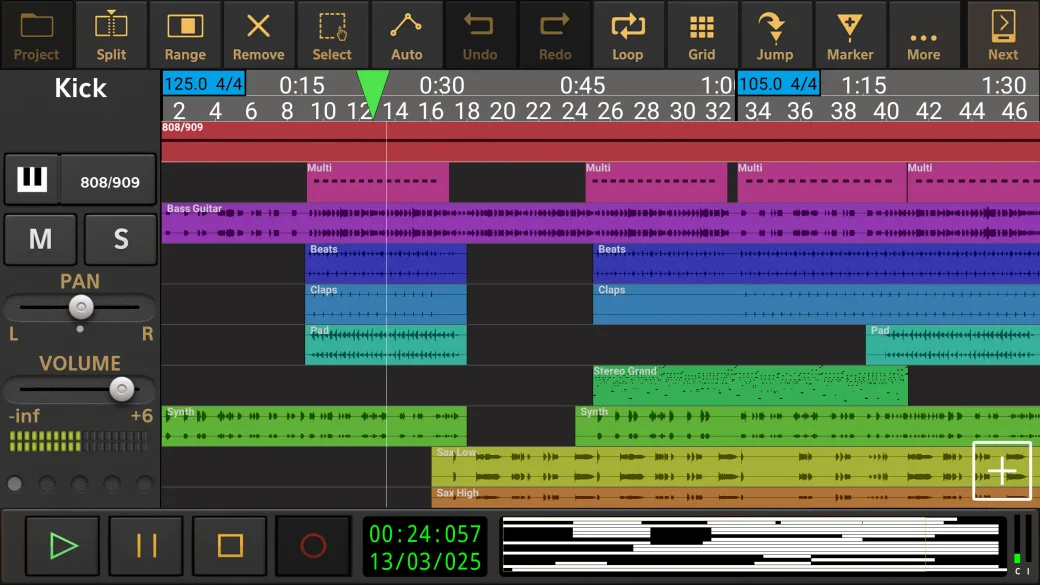
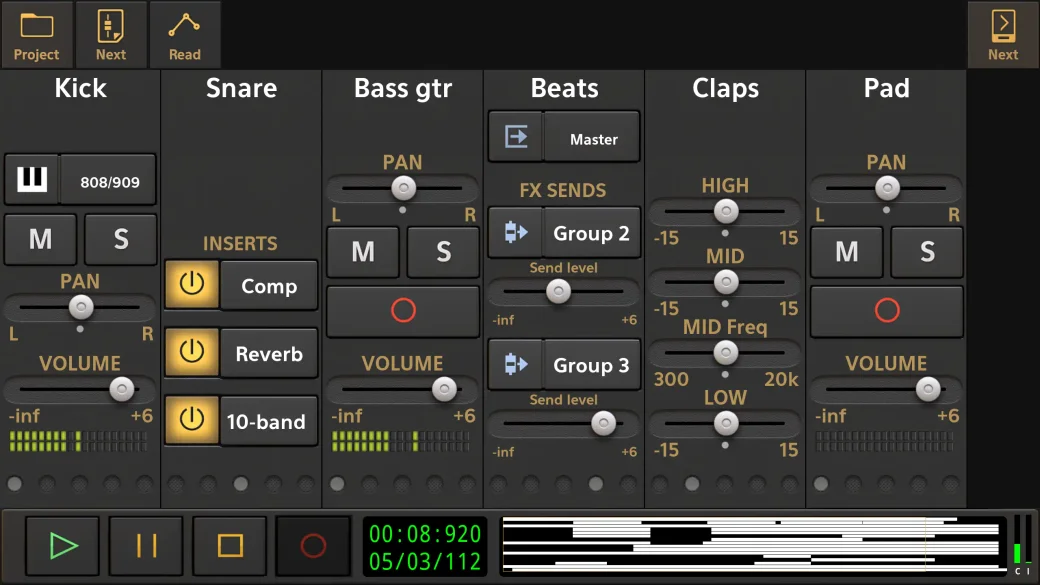
楽曲のアイデアを録音するところから本格的なモバイル制作まで、Audio Evolution MobileはAndroidにおける音楽制作、ミキシング、編集の新たなスタンダードを確立します。内蔵マイクでの録音はもちろん、マルチチャンネルUSBオーディオ(*)やMIDIインターフェースからの録音にも対応し、Audio Evolution MobileはデスクトップDAWに匹敵するクオリティを誇ります。バーチャルインストゥルメント、ボーカルピッチ&タイムエディター、バーチャルアナログシンセサイザー、リアルタイムエフェクト、ミキサーオートメーション、オーディオループ、ドラムパターン編集など、多彩な機能を搭載し、あなたの創造性を解き放ちます。
これは有料版のトライアル版であり、以下の制限事項があります。
• プロジェクトの読み込みは3トラックまでです。
• ミックスダウンは45秒までです。
• 録音と再生は2分後(USBオーディオの場合は45秒後)に停止します。
• アプリは20分後に終了します。
• アプリは一定時間経過後に動作を停止します。
機能:
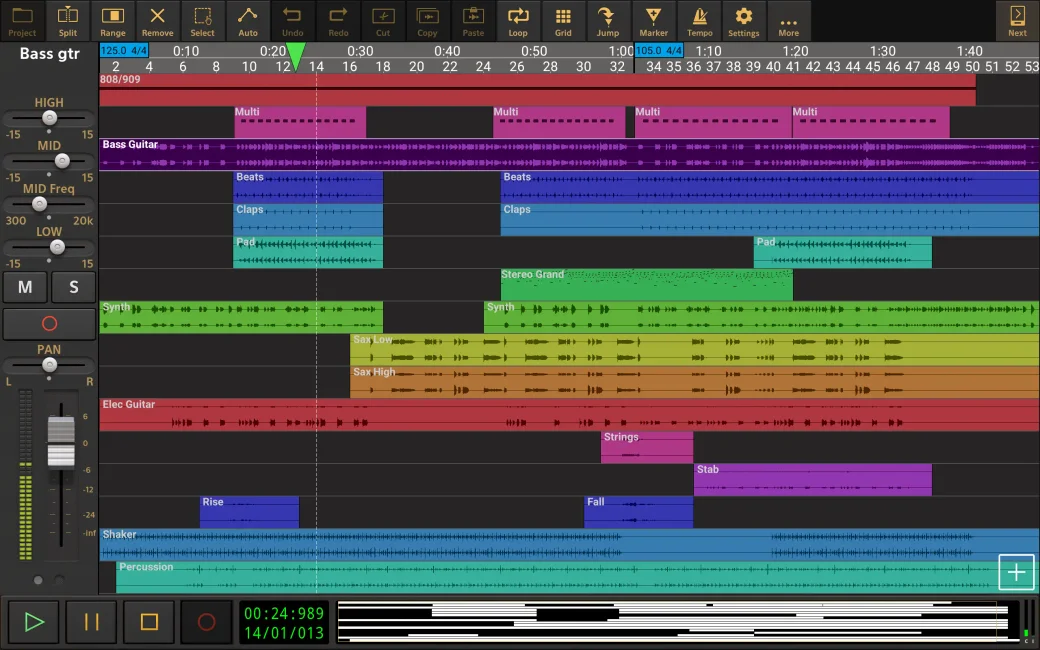
• マルチトラックオーディオおよびMIDIの録音/再生
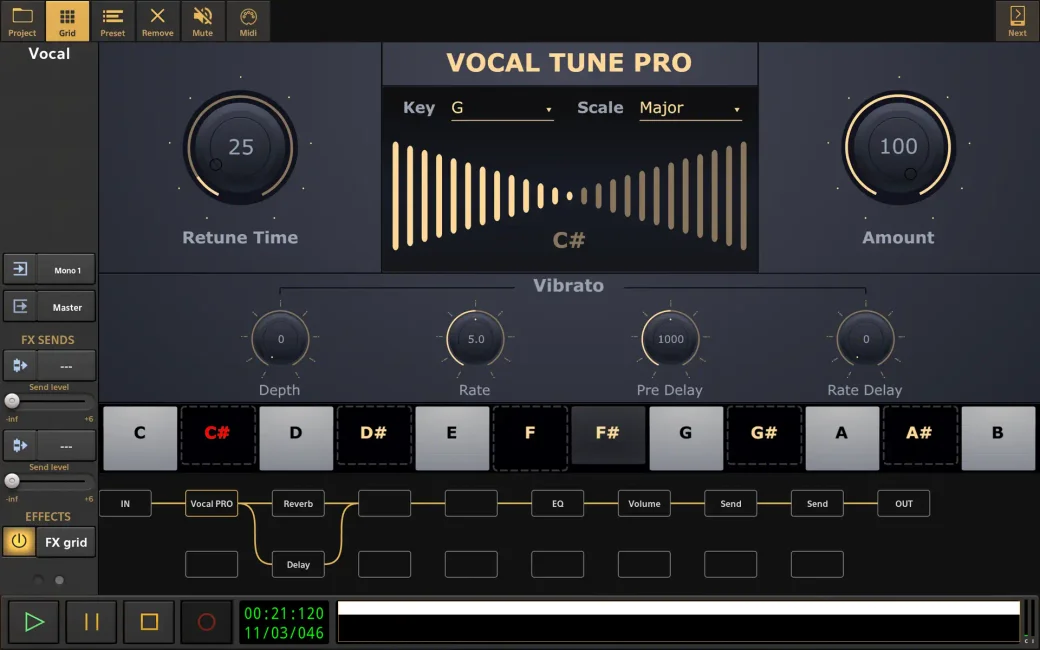
• Vocal Tune Studio (*) でボーカルを自動または手動でチューニング:ボーカル録音のピッチとタイミング、およびあらゆるオーディオ素材のタイミングを修正するエディターです。リチューン時間、リチューン量、ボリューム、各音符ごとのフォルマント補正、ビブラートコントロールなどの機能を備えています。
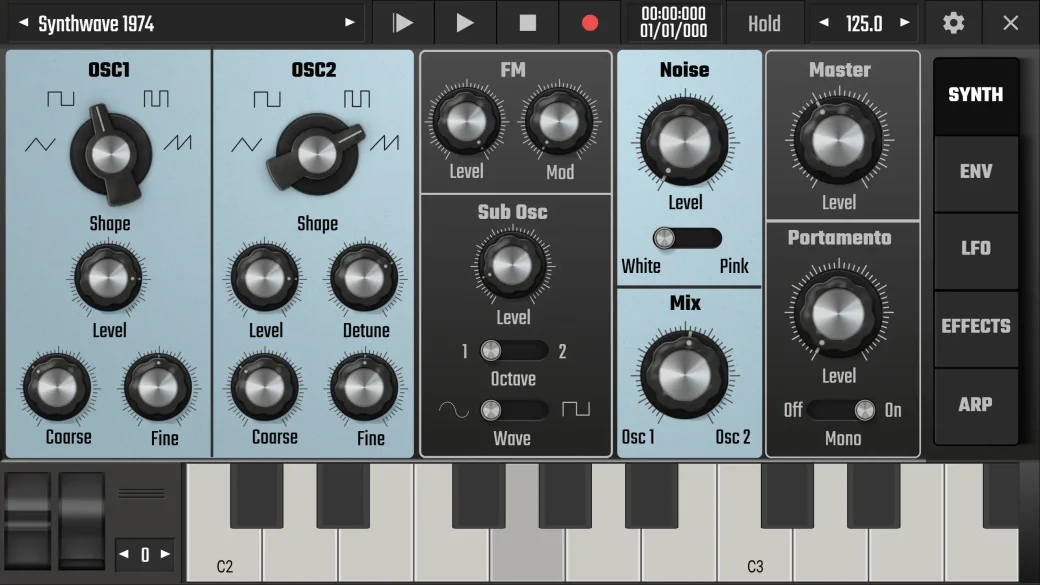
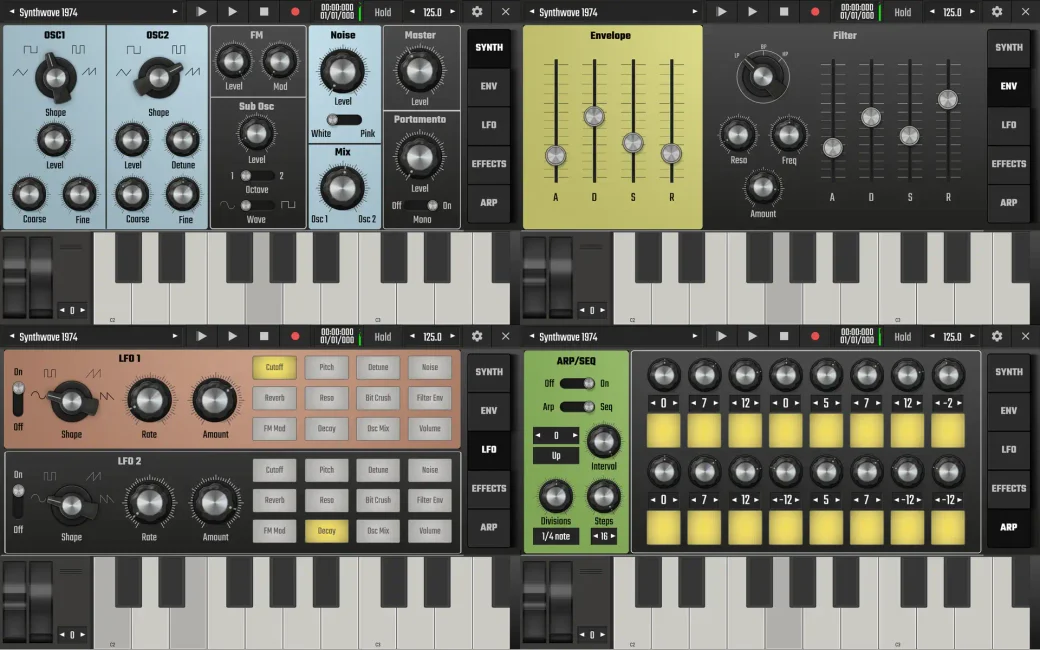
• AudioKitの人気シンセサイザー「Synth One」をベースにしたバーチャルアナログシンセサイザー「Evolution One」
• サンプルベースのサウンドフォント音源
• バーチャルインストゥルメントをライブで演奏するための特別なライブパフォーマンスモード。音源、トラックボリューム、エフェクトへのアクセスが容易です。
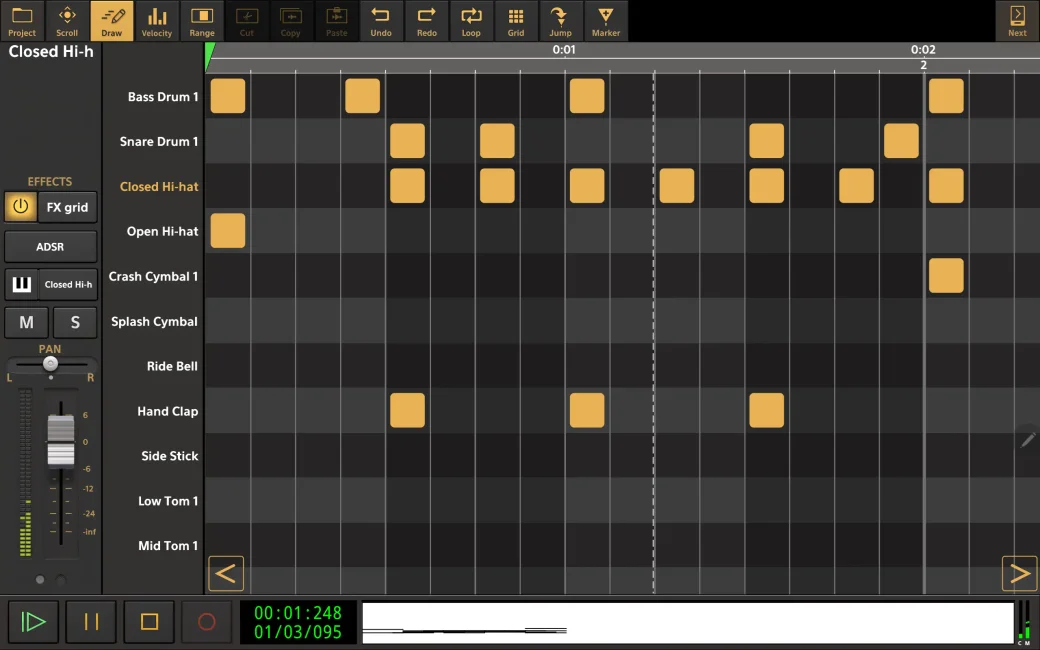
• ドラムパターンエディター(三連符や独自のオーディオファイルの使用にも対応)
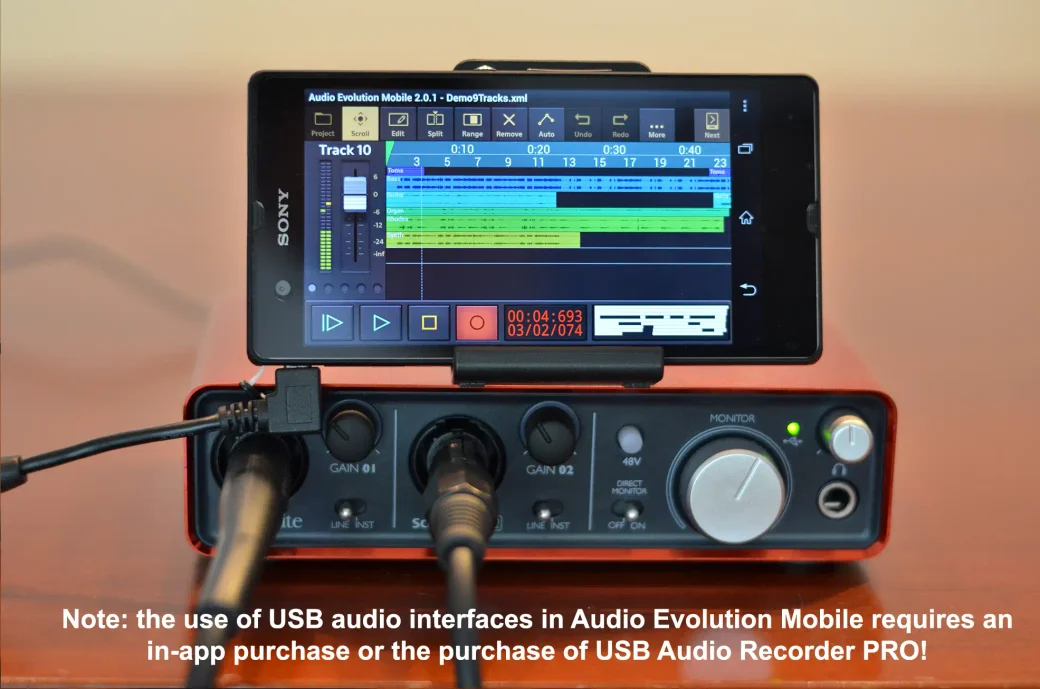
• USBオーディオインターフェース(*)を使用した低レイテンシーかつマルチチャンネル録音/再生
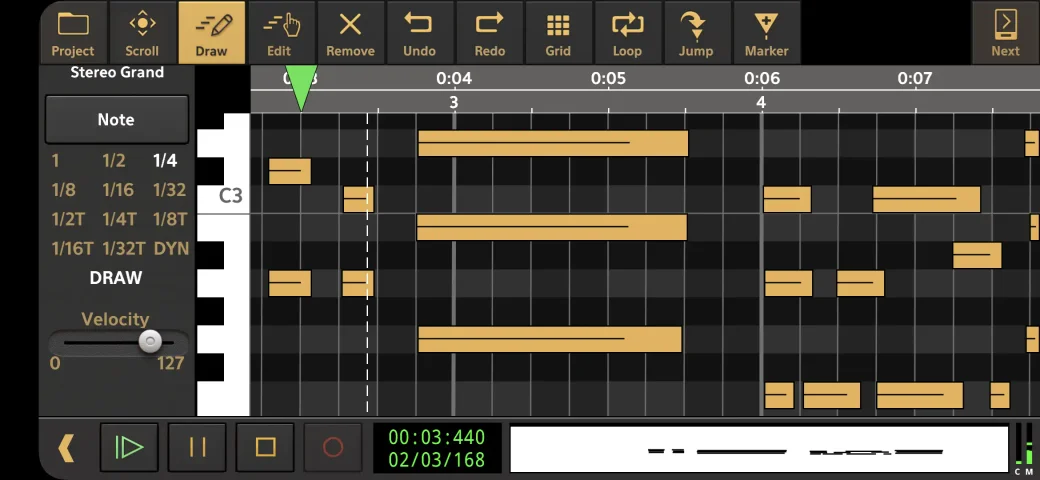
• 無制限のアンドゥ/リドゥ機能を備えたオーディオおよびMIDIクリップの編集
• テンポと拍子記号の変更(段階的なテンポ変更を含む)
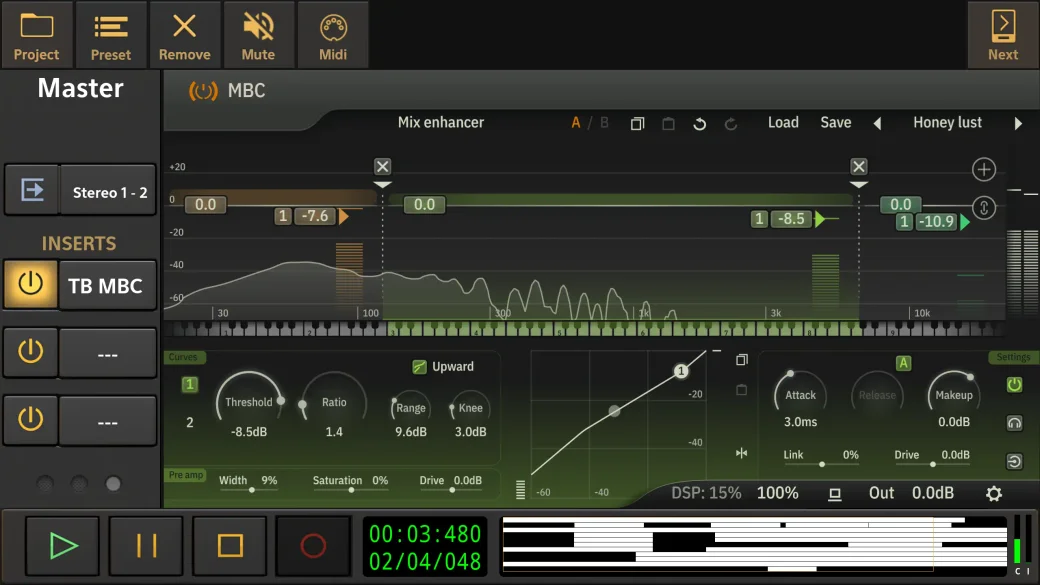
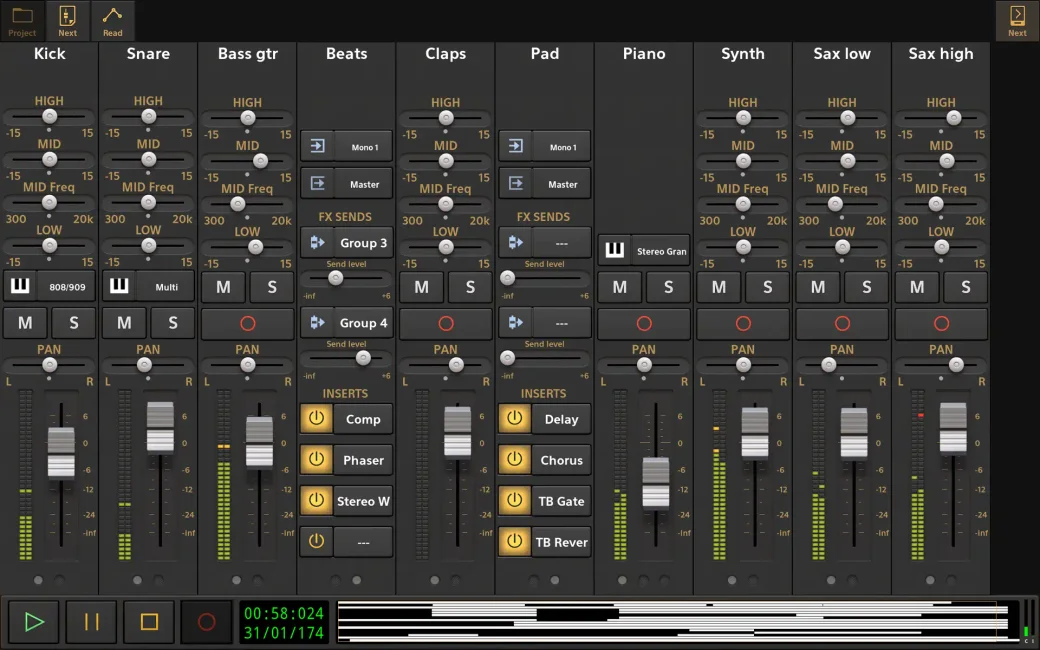
• コーラス、コンプレッサー、ディレイ、EQ、リバーブ、ノイズゲート、ピッチシフター、ボーカルチューンなどのリアルタイムエフェクト
• TONE3000と統合されたニューラルアンプモデラー(NAM)により、膨大なNAMキャプチャと実際のアナログアンプ、ペダル、キャビネットのIRライブラリにアクセス可能
• 柔軟なエフェクトルーティング:グリッド上に無制限の数のエフェクトを配置でき、並列エフェクトパスも利用可能。
• LFOをエフェクトパラメーターに割り当てたり、パラメーターをテンポにロックしたりできます
• コンプレッサーエフェクトのサイドチェーン機能
• ミキサーとエフェクトのすべてのパラメーターをオートメーションできます
• WAV、MP3、AIFF、FLAC、OGG、MIDIなどのフォーマットをインポートできます
• WAV、MP3、AIFF、FLAC、OGGファイルへのマスタリング(ミックスダウン)と共有オプション
• トラックとグループ数は無制限です
• オーディオのノーマライズ、自動分割、タイムストレッチ機能
• MIDIリモートコントロールに対応
• iOS版とプロジェクトを相互に交換できます
• すべてのトラックを個別のオーディオファイル(ステム)としてレンダリングすることで、他のDAWにエクスポートできます
• Googleドライブへのクラウド同期(バックアップ、他のデバイスとのプロジェクト共有/交換、友人との共同作業が可能)
(*) 以下のオプションのアプリ内購入はフルバージョンでご利用いただけます:
• USBオーディオインターフェース/マイク接続時にAndroidオーディオの制限を回避するカスタム開発のUSBオーディオドライバー:デバイスがサポートするあらゆるサンプルレートと解像度で、低レイテンシー、高音質のマルチチャンネル録音と再生が可能です(例: 24ビット/96kHzに対応しています。詳細情報およびデバイス互換性については、こちらをご覧ください:https://www.extreamsd.com/index.php/technology/usb-audio-driver
なお、アプリ内課金なしでAndroid USBオーディオドライバーをお試しいただくことも可能です(ただし、高レイテンシーや16ビットオーディオなどの制限があります)。
• Vocal Tune(2ボイスハーモナイザー搭載)とVocal Tune PRO
• Vocal Tune Studio
また、フルバージョンでは他社製のエフェクトやコンテンツも割引価格で販売しています。
• ToneBoosters Flowtones
• ToneBoostersパック1(Barricade、DeEsser、Gate、Reverb)
• ToneBoosters V3 EQ、Compressor、Ferox
• ToneBoosters V4 Barricade、BitJuggler、Enhancer、EQ、MBC、ReelBus、Reverbなど
• ループとサウンドフォント(各種価格)
Facebook: https://www.facebook.com/AudioEvolutionMobile
ユーザーマニュアル: https://www.audio-evolution.com/manual/android/index.html
原文を表示
From recording song ideas to full-fledged mobile productions, Audio Evolution Mobile sets the standard for music creation, mixing and editing on Android. Whether you are recording using the internal mic or recording from a multi-channel USB audio (*) or MIDI interface, Audio Evolution Mobile rivals desktop DAWs. Featuring virtual instruments, a vocal pitch and time editor, a virtual analog synthesizer, real-time effects, mixer automation, audio loops, drum pattern editing and more, the app powers your creativity.
Note that this is a TRIAL version of the full paid version and has several limitations:
• Loading of projects is limited to 3 tracks
• Mixdown is limited to 45 seconds
• Recording and playback stops after 2 minutes (45 seconds for USB audio)
• The app will quit after 20 minutes
• The app will stop working after a while
Features:
• Multitrack audio and MIDI recording / playback
• Auto or manually tune your vocals with Vocal Tune Studio (*) : an editor to correct pitch and time of vocal recordings and the timing of any audio material. It features retune time, retune amount, volume and formant correction per note as well as vibrato controls.
• Virtual analog synthesizer 'Evolution One' based on the popular Synth One from AudioKit.
• Sample-based Soundfont instruments
• Special Live performance mode for playing virtual instruments live with more easy access to instruments, track volume and effects.
• Drum pattern editor (including triplets and using your own audio files)
• Low latency and multichannel recording/playback using a USB audio interface (*)
• Edit audio and MIDI clips with unlimited undo/redo
• Tempo and time signature changes including gradual tempo change
• Real-time effects including chorus, compressor, delays, EQs, reverb, noise gate, pitch shifter, vocal tune etc.
• Neural Amp Modeler (NAM) with TONE3000 integration offering access to a massive library of NAM captures and IRs of real analog amps, pedals and cabs
• Flexible effect routing: an unlimited number of effects can be placed on a grid, featuring parallel effect paths.
• Assign LFO's to effect parameters or lock parameters to tempo
• Sidechain on the compressor effects
• Automation of all mixer and effect parameters
• Import formats such as WAV, MP3, AIFF, FLAC, OGG and MIDI
• Mastering (mixdown) to WAV, MP3, AIFF, FLAC or OGG file with share option
• Unlimited number of tracks and groups
• Normalize, auto split and time stretch audio
• MIDI remote control
• Projects are interchangeable with our iOS version
• Export to other DAW's by rendering all tracks to separate audio files (stems)
• Cloud sync to Google Drive (backup or share/exchange projects with one of your other devices and collaborate with friends)
(*) The following optional in-app purchases are available in the full version:
• A custom developed USB audio driver that bypasses the limits of Android audio when connecting a USB audio interface/mic: low latency, high quality multi-channel recording and playback at any sample rate and resolution that the device supports (for example 24-bit/96kHz). Please see here for more information and device compatibility: https://www.extreamsd.com/index.php/technology/usb-audio-driver
Note that you are always free to try the Android USB audio driver without this in-app purchase (with the limits that come with it like high latency and 16-bit audio).
• Vocal Tune with two-voice harmonizer and Vocal Tune PRO
• Vocal Tune Studio
We also sell effects and content from other vendors at reduced prices in the full version:
• ToneBoosters Flowtones
• ToneBoosters pack 1 (Barricade, DeEsser, Gate, Reverb)
• ToneBoosters V3 EQ, Compressor, Ferox
• ToneBoosters V4 Barricade, BitJuggler, Enhancer, EQ, MBC, ReelBus, Reverb, etc.
• Loops and Soundfonts at various prices
Facebook: https://www.facebook.com/AudioEvolutionMobile
User manual: https://www.audio-evolution.com/manual/android/index.html
データ セーフティ
このアプリが収集・共有するデータについて、eXtream Software DevelopmentがGoogle Playで申告している内容です。
- 第三者と共有されるデータはありません詳しくは、デベロッパーが共有を申告する方法についての説明をご覧ください
- データは収集されません詳しくは、デベロッパーが収集を申告する方法についての説明をご覧ください
新機能
バージョン 5.5.8.2 · 2026/11/11
* The modulation wheel now controls the cut-off filter in certain Soundfonts.
* Increased the range of the Output knob for the Neural Amp Modeler from +12 to +24dB. Warning: this will make existing projects featuring NAM louder! Please adjust and re-save.
* Improved handling of activity destruction when selecting files in NAM.
開発元の連絡先
- ウェブサイトextreamsd.com
- メールsupport@audio-evolution.com
- プライバシーポリシーextreamsd.com
- 住所Oda van Hornelaan 4 2553 DT 's-Gravenhage Netherlands
情報
- 提供元
- eXtream Software Development
- カテゴリ
- 音楽&オーディオ
- バージョン
- 5.5.8.2
- 更新日
- 2026/11/11
- リリース
- 2012/3/16
- 必要条件
- Android 7.0以降
- 対象年齢
- 3 歳以上
- 価格
- 無料
- パッケージ名
- com.extreamsd.aemobiledemo