Audio Remote
Samsung Electronics Co., Ltd.- 3 歳以上対象年齢
- 音楽&オーディオカテゴリ
- 2019/3/8更新日
- 無料価格
com.samsung.samsungbandのGoogle Play公式ページにリンクしています。最終確認:2026/11/28。

スクリーンショット
このアプリについて
Googleによる英語 (アメリカ合衆国)からの自動翻訳です。
Bluetooth経由でサムスンGIGA&サウンドバー用のオーディオリモートアプリ
Samsung Audio Remoteは、Bluetoothを介してSamsung GIGAシステムとサウンドバーを制御できる、専用の統合オーディオデバイス制御アプリです。
対応機種
サウンドバー:Y15 / Y16 / Y17 / Y18 / Y19モデル(HW-J / HW-K / HW-M / HW-N / HW-R)2/3/4/5/6シリーズ、HW-J6000(R) HW-Q6 * Rシリーズ。
(サウンドバーWi-Fi対応機種用「Wireless Audio - Multiroom」アプリのダウンロード)
GIGA:モデルコードMX-J ***、MX-JS ****シリーズ
(マイクロおよび非Bluetoothミニモデルを除く:MX-J640、MM-J430D、MM-J330、MM-J320)
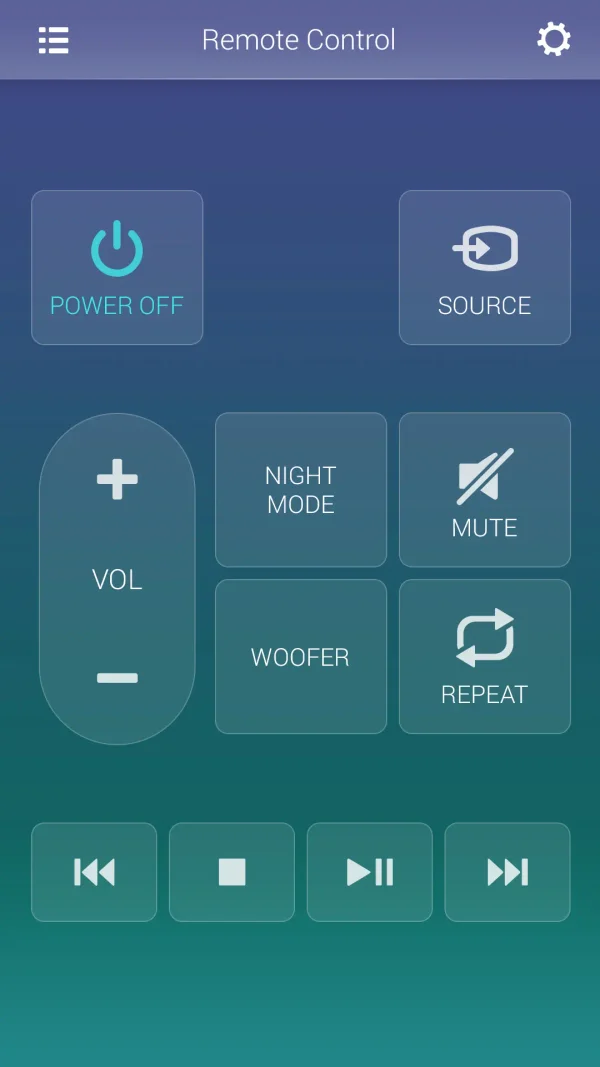
片手でサウンドバーを操作しよう! -
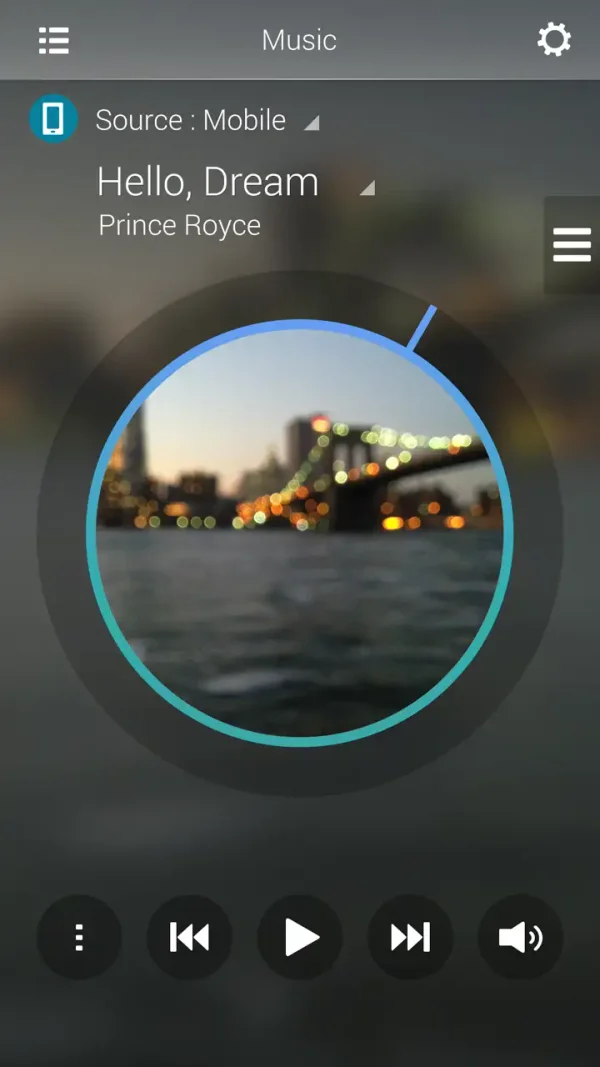
携帯をサウンドバーに接続して、テレビを見ながらサウンドバーのリモコン機能を簡単に使用することができます。 Soundbarを使ってスマートフォンから音楽を簡単に再生することもできます。
GIGAパーティーを最大限に活用 -
簡単な音楽再生とプレイリストコントロール!
スマートフォン、USB、またはCDから好きな音楽を再生できます。あなたが欲しい曲だけを聞くために待ち行列を作ることもできます。イコライザー設定とワイヤレスリモコン機能を便利に使用できます。
あなた自身のパーティーを作りましょう!
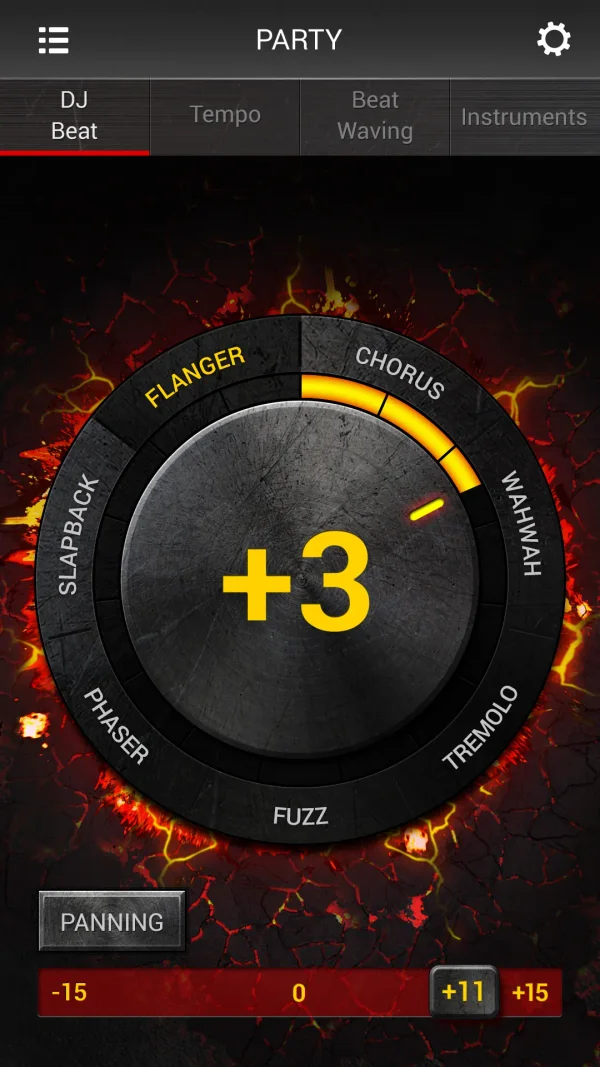
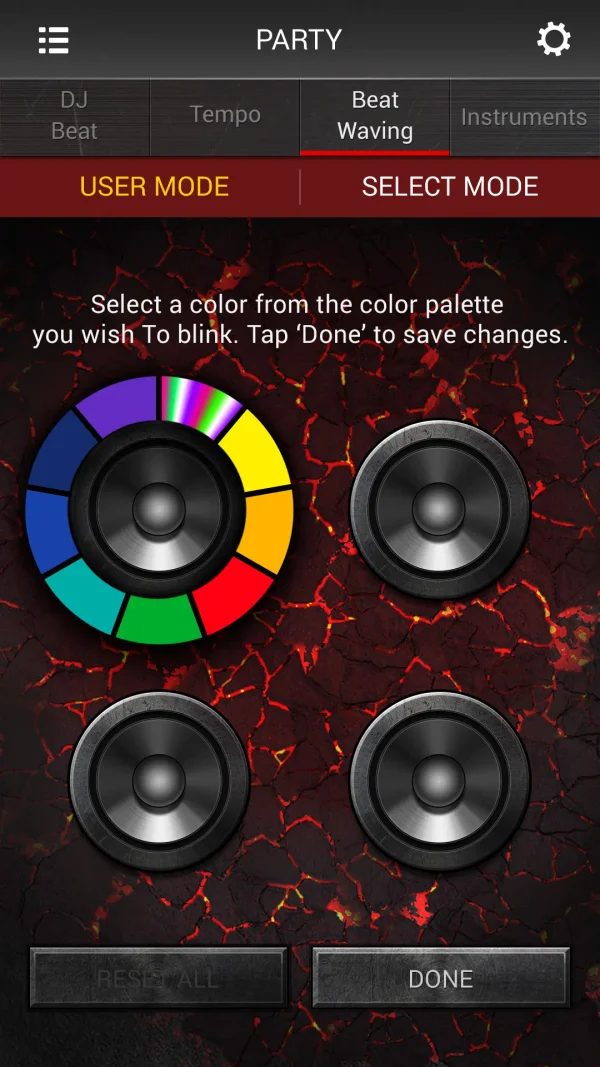
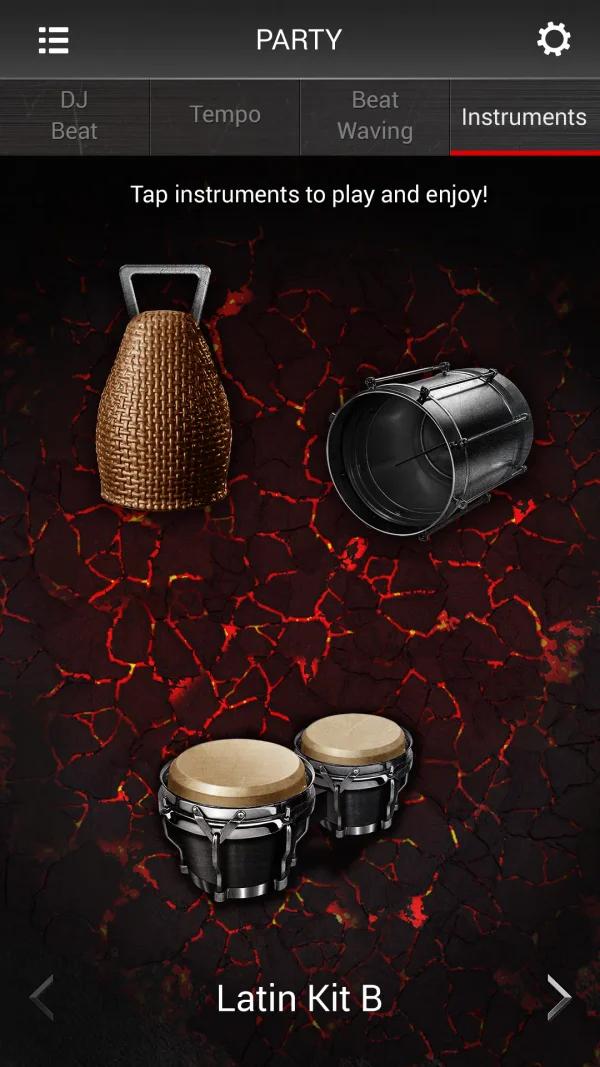
7つのDJエフェクト、パンエフェクト、および音楽のスピードコントロールを通じて、DJになる感覚をお楽しみください。スピーカーの照明色を自由に制御してパーティーの雰囲気を演出することができます。 DJサウンドを通して、あなた自身の演奏で約20の楽器を楽しむことさえできます。
スポーツ放送はそれほどずっとエキサイティングです!
TV SoundConnectを通じてSamsung TVのスポーツ放送を楽しんだり、好みに応じてアナウンサーの声やスタジアムのバックグラウンドノイズを増強します。歓声、歓声、ブブゼラ、またはサイレンの音を使ってスポーツ放送をさらに楽しくしましょう。
通知
オーディオモデルによっては、サポートされていない機能もあります。
スムーズに動作しない、サポートされていない、または画面表示の問題がお使いの携帯電話または通信事業者の方針によっては発生する可能性があります。
アプリを使用した後に他のBluetooth機器を使用する場合は、Bluetoothの音量を確認してから使用してください。
使用する最新バージョンに更新してください。
原文を表示
Samsung Audio Remote is an exclusive, integrated audio device control app that can control the Samsung GIGA system and Soundbar through Bluetooth.
Compatible Models
Soundbar : Y15 / Y16 / Y17 / Y18 / Y19 models (HW-J / HW-K / HW-M / HW-N / HW-R) 2 / 3 / 4 / 5 / 6 series, HW-J6000(R) and HW-Q6*R Series.
(Download "Wireless Audio - Multiroom" App for soundbar Wi-Fi supporting models)
GIGA : Model code MX-J***, MX-JS**** series
(excluding micro and non-bluetooth mini models : MX-J640, MM-J430D, MM-J330, MM-J320)
Control Soundbar with one hand! -
You can connect your mobile with Soundbar to easily use the Soundbar remote control function while watching TV. You can also easily play music from your smartphone through Soundbar.
Maximize your GIGA Party -
Simple music playback and playlist control!
You can play any music you want from your smartphone, USB, or CDs. You can also make a queue to hear only the songs you want. You can conveniently use equalizer settings and wireless remote control features.
Create your party yourself!
Enjoy the feeling of becoming a DJ through 7 DJ effects, panning effects, and music speed control. You can freely control the speaker lighting color and create a party atmosphere. You can even enjoy about 20 instruments with your own performance through DJ sound.
Sports broadcasts are that much more exciting!
Enjoy Samsung TV's sports broadcasts through TV SoundConnect and boost the announcer's voice or stadium background noise depending on your preference. Make sports broadcasts even more fun with cheering, jeering, vuvuzela, or siren noises.
Notice
Depending on the audio model, some features may not be supported.
May not operate smoothly, not be supported, or screen display problems may occur depending on your phone or the policy of telecom operators.
Check the Bluetooth volume when using other Bluetooth devices after using the app and then use.
Please update to the latest version to use.
データ セーフティ
このアプリが収集・共有するデータについて、Samsung Electronics Co., Ltd.がGoogle Playで申告している内容です。
- 第三者と共有されるデータはありません詳しくは、デベロッパーが共有を申告する方法についての説明をご覧ください
- データは収集されません詳しくは、デベロッパーが収集を申告する方法についての説明をご覧ください
新機能
バージョン 1.5.16 · 2019/3/8
2019 New Soundbar Models Support
開発元の連絡先
- メールvdmapp.sec@samsung.com
- プライバシーポリシーsamsung.com
- 住所대한민국 16677 경기도 수원시 영통구 삼성로 129 (매탄동)
情報
- 提供元
- Samsung Electronics Co., Ltd.
- カテゴリ
- 音楽&オーディオ
- バージョン
- 1.5.16
- 更新日
- 2019/3/8
- リリース
- 2015/2/2
- 必要条件
- Android 4.0以降
- 対象年齢
- 3 歳以上
- 価格
- 無料
- パッケージ名
- com.samsung.samsungband