Blue Screen Watch Face
RazorSharp Design Studio- 3 歳以上対象年齢
- カスタマイズカテゴリ
- 2026/10/27更新日
- 無料価格
com.rzrdesign.bluescreenのGoogle Play公式ページにリンクしています。最終確認:2026/11/14。
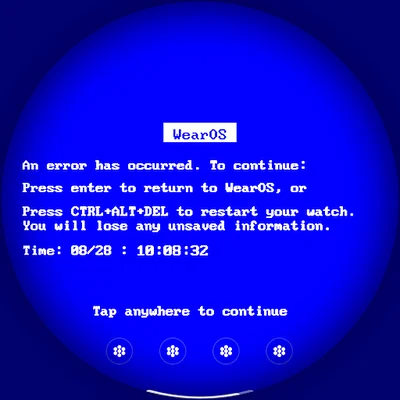
スクリーンショット
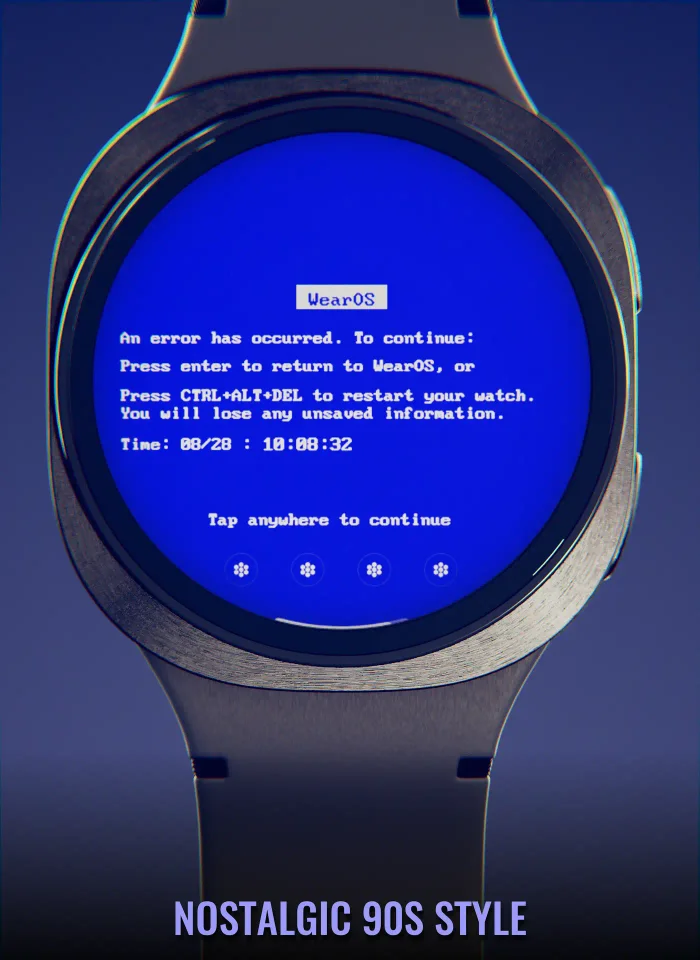
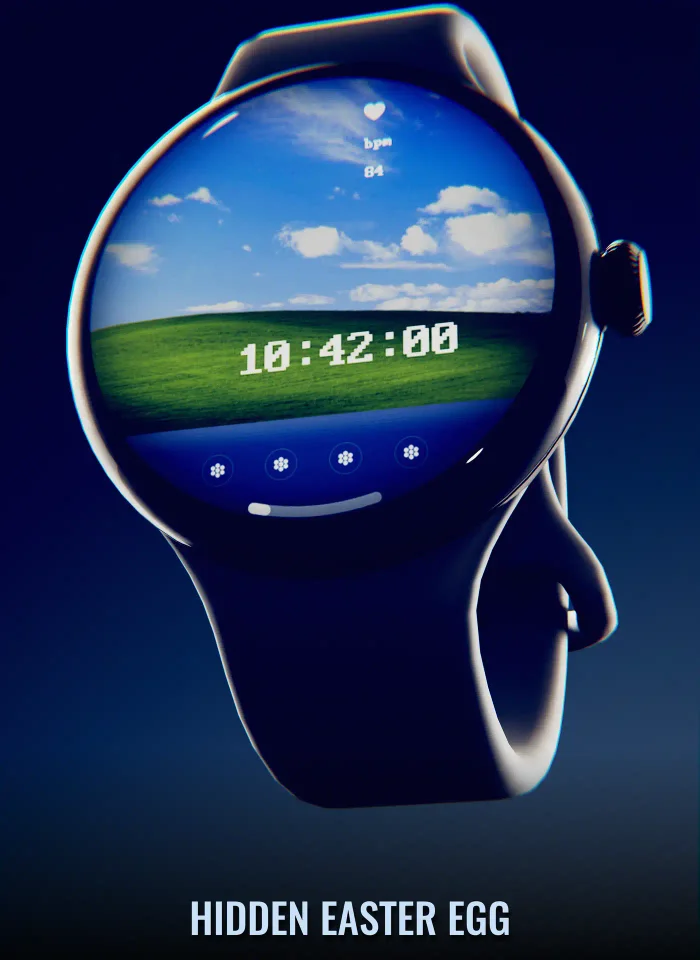
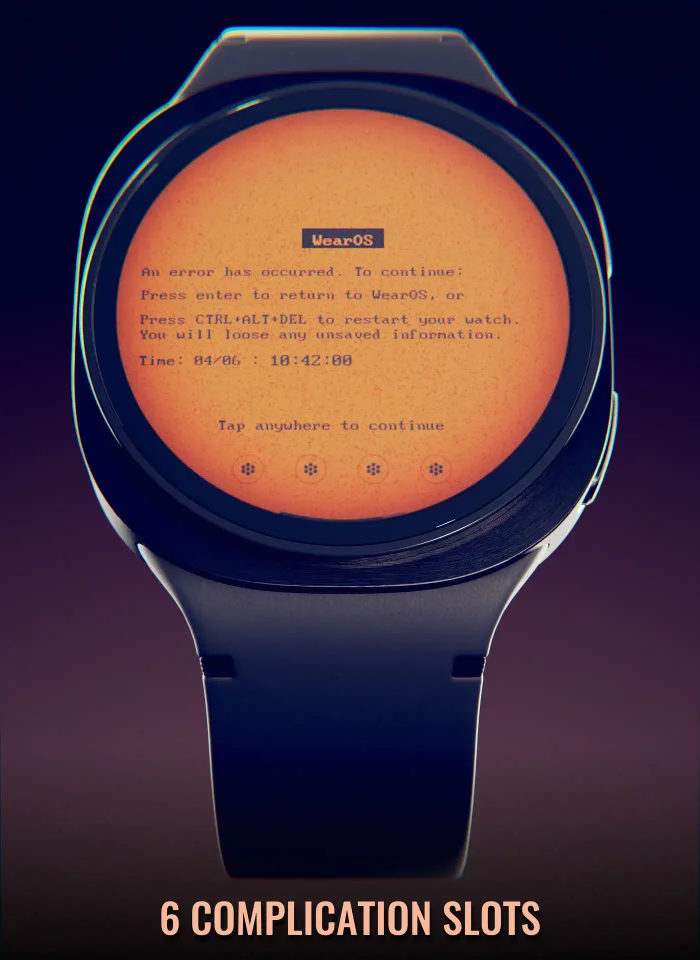
このアプリについて
Googleによる英語 (アメリカ合衆国)からの自動翻訳です。
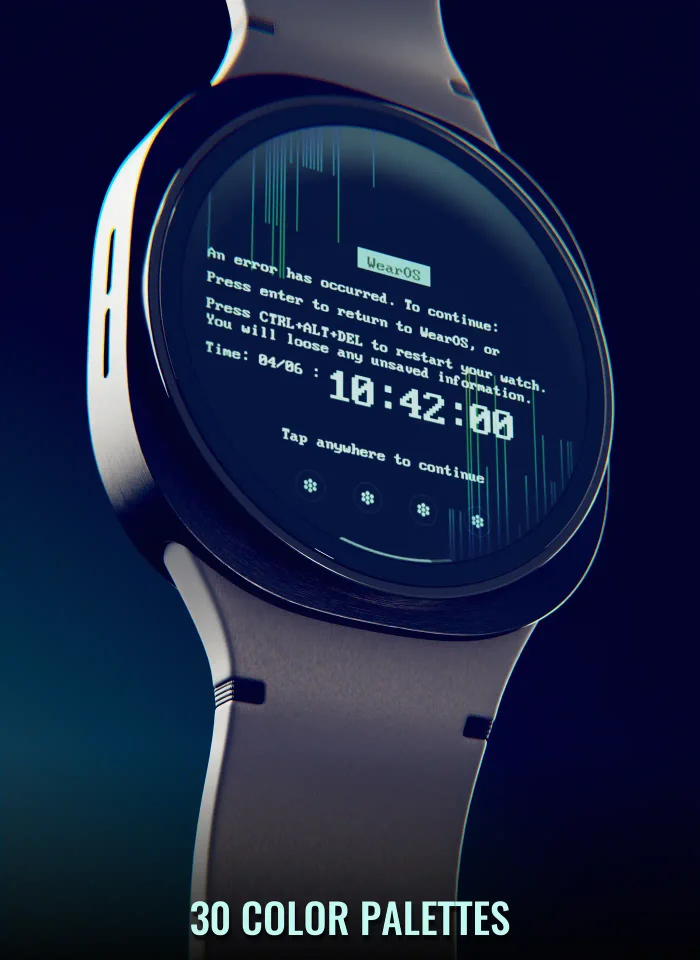
エラーが発生しました。続行するには、このウォッチフェイスをダウンロードしてください。
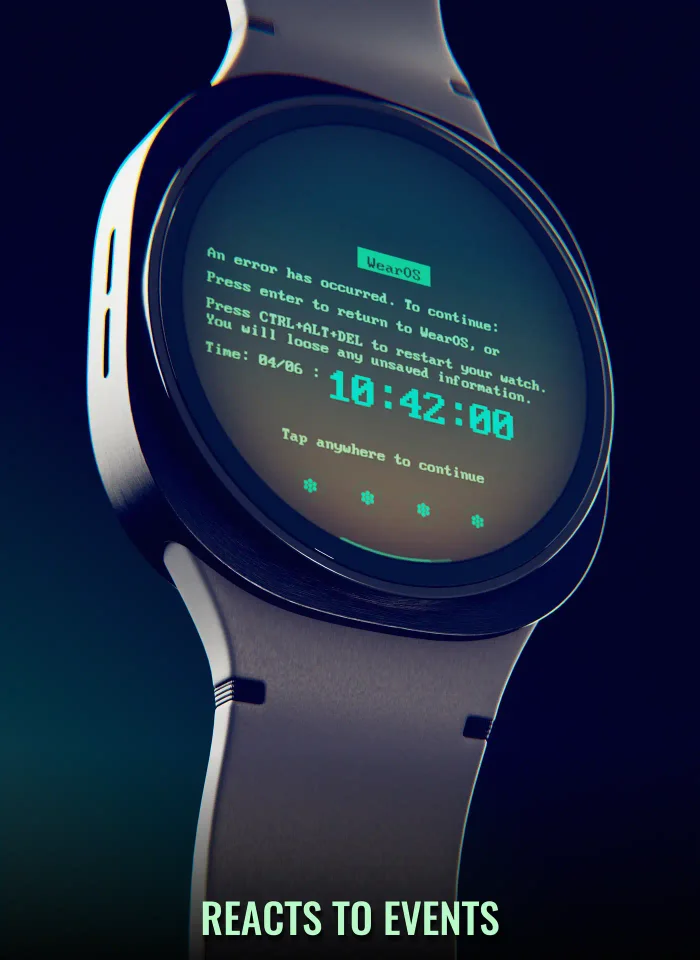
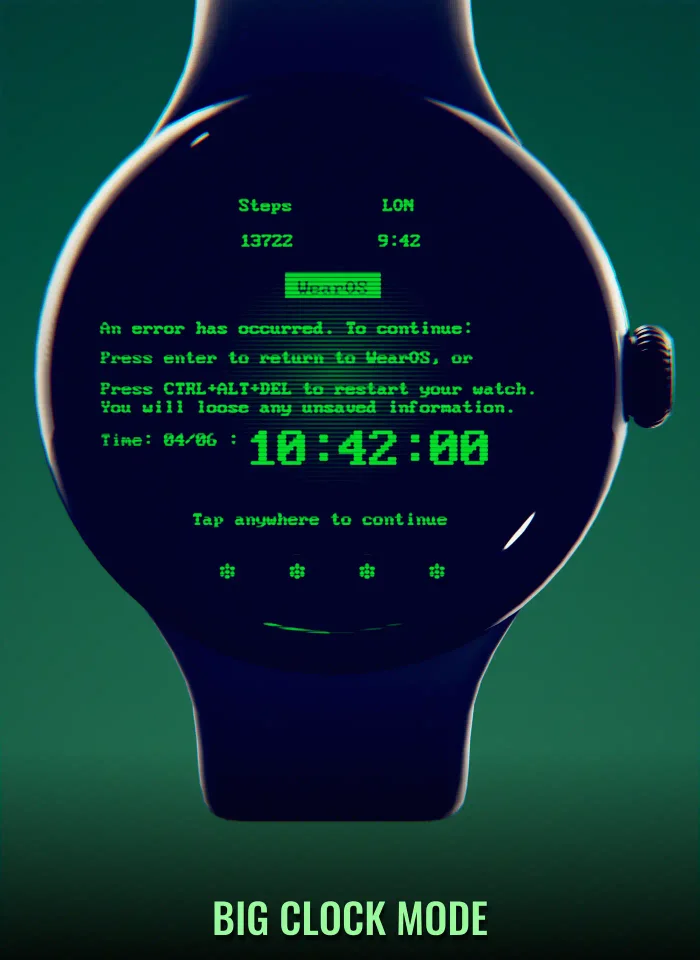
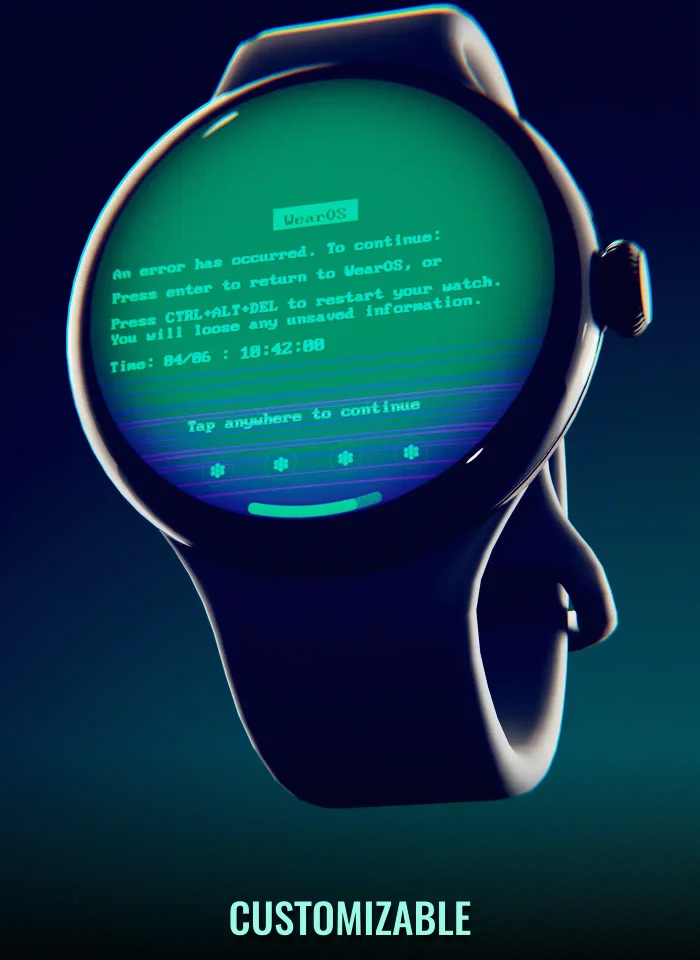
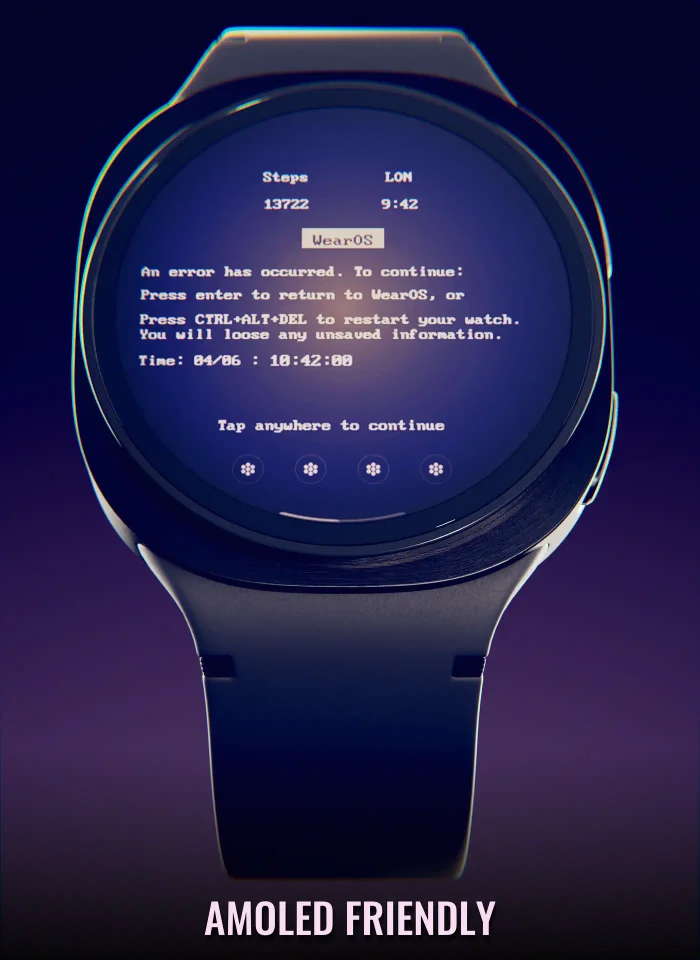
象徴的なブルースクリーン・オブ・デスをモチーフにしたウォッチフェイス。豊富なカスタマイズ機能と小さなイースターエッグを備えています。
これはネイティブのスタンドアロンの Wear OS ウォッチフェイスです。つまり、この OS を搭載した多くのスマートウォッチ(Samsung、Mobvoi Ticwatch、Fossil、Oppo、最新の Xiaomi など)にインストールできます。
唯一無二のウォッチフェイスを目指し、完全に手作りで作られています。
ウォッチフェイスには以下の機能が含まれています。
◉ 30種類のカラースキーム
◉ 豊富なカスタマイズ
◉ 大きな時計モード
◉ カスタマイズ可能なオーバーレイとバックライト
◉ バッテリー残量低下、通知、充電に反応
◉ 様々なサイズのカスタマイズ可能な6つのコンプリケーション
◉ 使いやすく(アンインストールも可能)コンパニオンアプリ
インストールは簡単です。ご安心ください!
手順と簡単なQ&Aはこちらです。
◉ スマートフォンにアプリをインストールします。
◉ アプリを開き、Wear OSスマートウォッチをデバイスに接続します。
◉ ウォッチが接続されている場合は、「スマートウォッチで表示してインストール」ボタンをタップできます。 (表示されない場合は、以下のQ&Aをご覧ください)
◉ ウォッチをご確認ください。ウォッチフェイスとインストールボタンが表示されます(価格が表示されている場合は、以下のQ&Aをご覧ください)
◉ スマートウォッチにインストールしてください
◉ 現在のウォッチフェイスを長押ししてください
◉ 「+」ボタンが表示されるまで左にスワイプし、タップしてください
◉ 新しいウォッチフェイスを探してタップしてください
◉ 完了です。必要であれば、コンパニオンアプリをアンインストールしてください!
Q&A
Q - 二重請求されています! / ウォッチが再度支払いを求めています / あなたは[蔑称]です
A - 落ち着いてください。これは、スマートフォンで使用しているアカウントとスマートウォッチで使用しているアカウントが異なる場合に発生します。同じアカウントを使用する必要があります(そうでないと、Googleはウォッチフェイスを既に購入済みであることを把握できません)。
質問 - スマートウォッチは接続されているのに、コンパニオンアプリのボタンが押せないのはなぜですか?
回答 - おそらく、古いSamsung製スマートウォッチやWear OS非対応のスマートウォッチ/スマートバンドなど、互換性のないデバイスをお使いのことが考えられます。ウォッチフェイスをインストールする前に、GoogleでデバイスがWear OSに対応しているかどうかを簡単に確認できます。Wear OS搭載デバイスを使っているのにボタンを押せない場合は、ウォッチでPlayストアを開き、私のウォッチフェイスを手動で検索してください。
質問 - Wear OSデバイスを持っているのですが、動作しません!星1つのレビューをつけます😏
回答 - そこまでで止めてください!手順の実行中に問題が発生したことはほぼ確実です。ですから、メールでご連絡ください(通常は週末に返信します)。誤解を招くような不適切なレビューで私を困らせないでください!
質問 - [機能名]が動作しません!
A - 別のウォッチフェイスを設定してから、もう一度自分のウォッチフェイスを設定するか、手動で権限を許可してみてください(もちろん、ウォッチ側で)。それでも問題が解決しない場合は、コンパニオンアプリに便利な「メールボタン」があります!
ご不明な点やご提案がございましたら、お気軽にメールをお送りください。できる限りお手伝いさせていただきます。
私は個人(会社ではありません)で仕事をしているため、返信は通常週末になりますので、しばらくお待ちください!
このアプリはバグ修正や新機能追加のためにサポートとアップデートを行っています。全体的なデザインは変更ありませんが、今後改善していく予定です!
価格は最安値ではないことは承知していますが、各ウォッチフェイスの開発に多くの時間を費やしました。考えてみれば、この価格にはサポートとアップデートも含まれています。稼いだお金は、役に立つことや家族のために必ず使います。あ、それから、説明を全部読んでくれてありがとう!誰もそんなことはしませんよ!
概要
これはネイティブのスタンドアロンの Wear OS ウォッチフェイスです。つまり、この OS を搭載した多くのスマートウォッチ(Samsung、Mobvoi Ticwatch、Fossil、Oppo、最新の Xiaomi など)にインストールできます。
唯一無二のウォッチフェイスを目指し、完全に手作りで作られています。
機能
ウォッチフェイスには以下の機能が含まれています。
◉ 30種類のカラースキーム
◉ 豊富なカスタマイズ
◉ 大きな時計モード
◉ カスタマイズ可能なオーバーレイとバックライト
◉ バッテリー残量低下、通知、充電に反応
◉ 様々なサイズのカスタマイズ可能な6つのコンプリケーション
◉ 使いやすく(アンインストールも可能)コンパニオンアプリ
インストール
インストールは簡単です。ご安心ください!
手順と簡単なQ&Aはこちらです。
◉ スマートフォンにアプリをインストールします。
◉ アプリを開き、Wear OSスマートウォッチをデバイスに接続します。
◉ ウォッチが接続されている場合は、「スマートウォッチで表示してインストール」ボタンをタップできます。 (表示されない場合は、以下のQ&Aをご覧ください)
◉ ウォッチをご確認ください。ウォッチフェイスとインストールボタンが表示されます(価格が表示されている場合は、以下のQ&Aをご覧ください)
◉ スマートウォッチにインストールしてください
◉ 現在のウォッチフェイスを長押ししてください
◉ 「+」ボタンが表示されるまで左にスワイプし、タップしてください
◉ 新しいウォッチフェイスを探してタップしてください
◉ 完了です。必要であれば、コンパニオンアプリをアンインストールしてください!
Q&A
Q - 二重請求されています! / ウォッチが再度支払いを求めています / あなたは[蔑称]です
A - 落ち着いてください。これは、スマートフォンで使用しているアカウントとスマートウォッチで使用しているアカウントが異なる場合に発生します。同じアカウントを使用する必要があります(そうでないと、Googleはウォッチフェイスを既に購入済みであることを把握できません)。
質問 - スマートウォッチは接続されているのに、コンパニオンアプリのボタンが押せないのはなぜですか?
回答 - おそらく、古いSamsung製スマートウォッチやWear OS非対応のスマートウォッチ/スマートバンドなど、互換性のないデバイスをお使いのことが考えられます。ウォッチフェイスをインストールする前に、GoogleでデバイスがWear OSに対応しているかどうかを簡単に確認できます。Wear OS搭載デバイスを使っているのにボタンを押せない場合は、ウォッチでPlayストアを開き、私のウォッチフェイスを手動で検索してください。
質問 - Wear OSデバイスを持っているのですが、動作しません!星1つのレビューをつけます😏
回答 - そこまでで止めてください!手順の実行中に問題が発生したことはほぼ確実です。ですから、メールでご連絡ください(通常は週末に返信します)。誤解を招くような不適切なレビューで私を困らせないでください!
質問 - [機能名]が動作しません!
A - 別のウォッチフェイスを設定してから、もう一度自分のウォッチフェイスを設定するか、手動で権限を許可してみてください(もちろん、ウォッチ側で)。それでも問題が解決しない場合は、コンパニオンアプリに便利な「メールボタン」があります!
サポート
ご不明な点やご提案がございましたら、お気軽にメールをお送りください。できる限りお手伝いさせていただきます。
私は個人(会社ではありません)で仕事をしているため、返信は通常週末になりますので、しばらくお待ちください!
このアプリはバグ修正や新機能追加のためにサポートとアップデートを行っています。全体的なデザインは変更ありませんが、今後改善していく予定です!
価格は最安値ではないことは承知していますが、各ウォッチフェイスの開発に多くの時間を費やしました。考えてみれば、この価格にはサポートとアップデートも含まれています。稼いだお金は、役に立つことや家族のために必ず使います。あ、それから、説明を全部読んでくれてありがとう!誰もそんなことはしませんよ!
原文を表示
A watch face based on the iconic blue screen of death, featuring a good amount of customization and a tiny little easter egg.
This is a native, standalone Wear OS watch face. This means that it can be installed on many smartwatches running this OS (like Samsung, Mobvoi Ticwatch, Fossil, Oppo, the latest Xiaomi and more).
It is completely handcrafted, to be unique.
The watch face includes:
◉ 30 color schemes
◉ Many different customizations
◉ Big clock mode
◉ Customizable Overlay and backlight
◉ Reacts to low battery, notifications and charging
◉ 6 customizable complications, in different sizes!
◉ Easy to use (and uninstallable) companion app
The installation is straightforward, don't worry!
Here's the procedure and a quick Q&A:
◉ Install this app in your smartphone
◉ Open it, and connect your Wear OS smartwatch to your device
◉ If the watch is connected, you will be able to tap the "view and install on smartwatch" button. (if not, refer to the Q&A below)
◉ Check your watch, you should see my watch face and the install button (if you see the price instead, refer to the Q&A below)
◉ Install it in your smartwatch
◉ Long press on your current watch face
◉ Swipe left until you see a "+" button, tap on it
◉ Look for the new watch face, tap on it
◉ Done. If you want, you can uninstall the companion app now!
Q&A
Q - I'm being charged twice! / The watch is asking me to pay again / you're a [derogatory adjective]
A - Keep calm. This happens when the account you’re using on the smartphone is different from the account used on the smartwatch. You have to use the same account (else, Google has no way to know that you already bought the watch face).
Q - I can't press the button in the companion app but my smartwatch is connected, why?
A - Most probably, you're using an incompatible device, like an old Samsung smartwatch or any other non-Wear OS smartwatch/smartband. You can easily check on Google if your device runs Wear OS before installling any watch face. If you're sure you have a Wear OS device and still you can't press the button, open the Play Store on your watch and search for my watch face manually!
Q - I have a Wear OS device, but it's not working! I'm gonna leave a one star review 😏
A - Stop right there! Most definitely there's an issue on your side while following the procedure, so please just send me an email (i usually reply during the weekends) and don't damage me with a bad and misleading review!
Q - The [name of a feature] is not working!
A - Try setting another watch face and then set mine again, or try allowing the permissions manually (on the watch obviously). If it still doesn't work, there's an handy "email button" in the companion app!
If you need help or you have a suggestion, feel free to send me an email, I'll do my best to help.
I usually reply during the weekend because I'm just one person (not a company) and I have a job, so be patient!
This app is supported and updated to fix bugs and add new features. The overall design won't change, but it will surely be improved over time!
I know that the price isn't the lowest, but I worked a lot of hours on each watch face and the price also includes the support and the updates, if you think about it. And i assure you, I'll invest any earning on useful things and to help my family. Oh, and thanks for reading the full description! Nobody does it!
Introduction
This is a native, standalone Wear OS watch face. This means that it can be installed on many smartwatches running this OS (like Samsung, Mobvoi Ticwatch, Fossil, Oppo, the latest Xiaomi and more).
It is completely handcrafted, to be unique.
Features
The watch face includes:
◉ 30 color schemes
◉ Many different customizations
◉ Big clock mode
◉ Customizable Overlay and backlight
◉ Reacts to low battery, notifications and charging
◉ 6 customizable complications, in different sizes!
◉ Easy to use (and uninstallable) companion app
Installation
The installation is straightforward, don't worry!
Here's the procedure and a quick Q&A:
◉ Install this app in your smartphone
◉ Open it, and connect your Wear OS smartwatch to your device
◉ If the watch is connected, you will be able to tap the "view and install on smartwatch" button. (if not, refer to the Q&A below)
◉ Check your watch, you should see my watch face and the install button (if you see the price instead, refer to the Q&A below)
◉ Install it in your smartwatch
◉ Long press on your current watch face
◉ Swipe left until you see a "+" button, tap on it
◉ Look for the new watch face, tap on it
◉ Done. If you want, you can uninstall the companion app now!
Q&A
Q - I'm being charged twice! / The watch is asking me to pay again / you're a [derogatory adjective]
A - Keep calm. This happens when the account you’re using on the smartphone is different from the account used on the smartwatch. You have to use the same account (else, Google has no way to know that you already bought the watch face).
Q - I can't press the button in the companion app but my smartwatch is connected, why?
A - Most probably, you're using an incompatible device, like an old Samsung smartwatch or any other non-Wear OS smartwatch/smartband. You can easily check on Google if your device runs Wear OS before installling any watch face. If you're sure you have a Wear OS device and still you can't press the button, open the Play Store on your watch and search for my watch face manually!
Q - I have a Wear OS device, but it's not working! I'm gonna leave a one star review 😏
A - Stop right there! Most definitely there's an issue on your side while following the procedure, so please just send me an email (i usually reply during the weekends) and don't damage me with a bad and misleading review!
Q - The [name of a feature] is not working!
A - Try setting another watch face and then set mine again, or try allowing the permissions manually (on the watch obviously). If it still doesn't work, there's an handy "email button" in the companion app!
Support
If you need help or you have a suggestion, feel free to send me an email, I'll do my best to help.
I usually reply during the weekend because I'm just one person (not a company) and I have a job, so be patient!
This app is supported and updated to fix bugs and add new features. The overall design won't change, but it will surely be improved over time!
I know that the price isn't the lowest, but I worked a lot of hours on each watch face and the price also includes the support and the updates, if you think about it. And i assure you, I'll invest any earning on useful things and to help my family. Oh, and thanks for reading the full description! Nobody does it!
データ セーフティ
このアプリが収集・共有するデータについて、RazorSharp Design StudioがGoogle Playで申告している内容です。
- 第三者と共有されるデータはありません詳しくは、デベロッパーが共有を申告する方法についての説明をご覧ください
- データは収集されません詳しくは、デベロッパーが収集を申告する方法についての説明をご覧ください
- Play ファミリー ポリシーの遵守に努めています
開発元の連絡先
- ウェブサイトm-i-n-a-r.github.io
- メールrzrshrpstudio@gmail.com
- プライバシーポリシーdoc-hosting.flycricket.io
- 住所Via Tommaso Albinoni, 114 00052 Valcanneto Italy
情報
- 提供元
- RazorSharp Design Studio
- カテゴリ
- カスタマイズ
- 更新日
- 2026/10/27
- リリース
- 2025/4/15
- 対象年齢
- 3 歳以上
- 価格
- 無料
- パッケージ名
- com.rzrdesign.bluescreen