Brightness Control per app
Galaxy studio appsアプリ内課金
- 3 歳以上対象年齢
- ツールカテゴリ
- 2026/10/27更新日
- ¥100価格
com.bhanu.brightnessschedulerのGoogle Play公式ページにリンクしています。最終確認:2026/11/26。
スクリーンショット
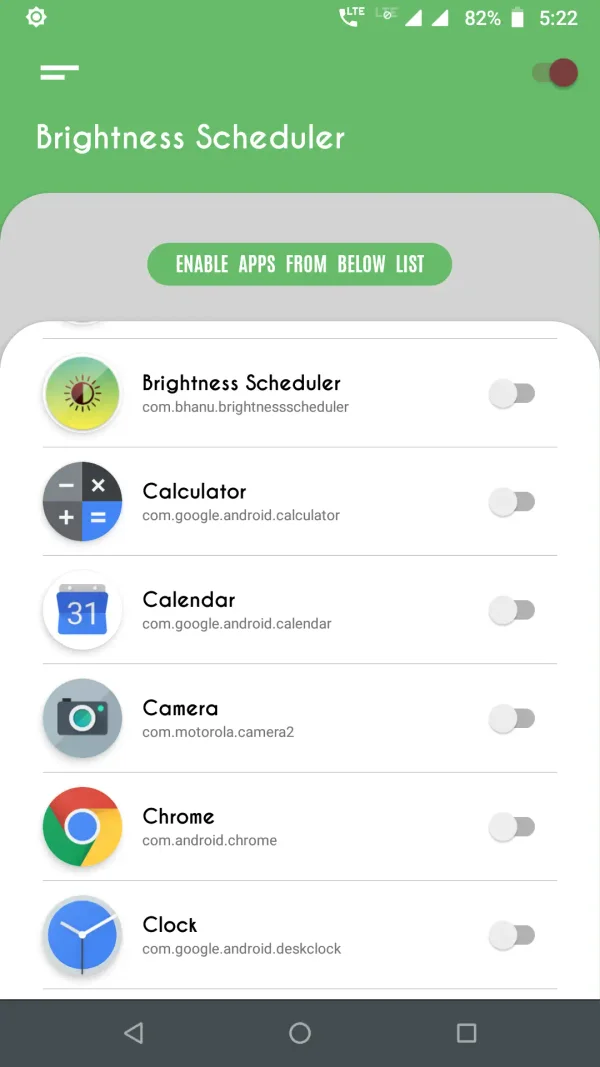
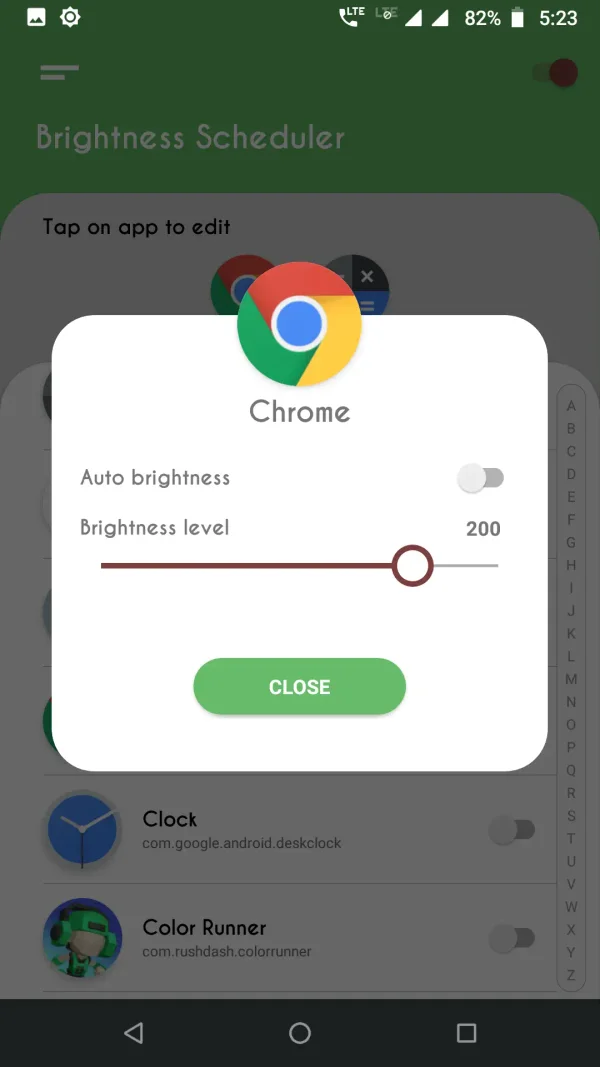
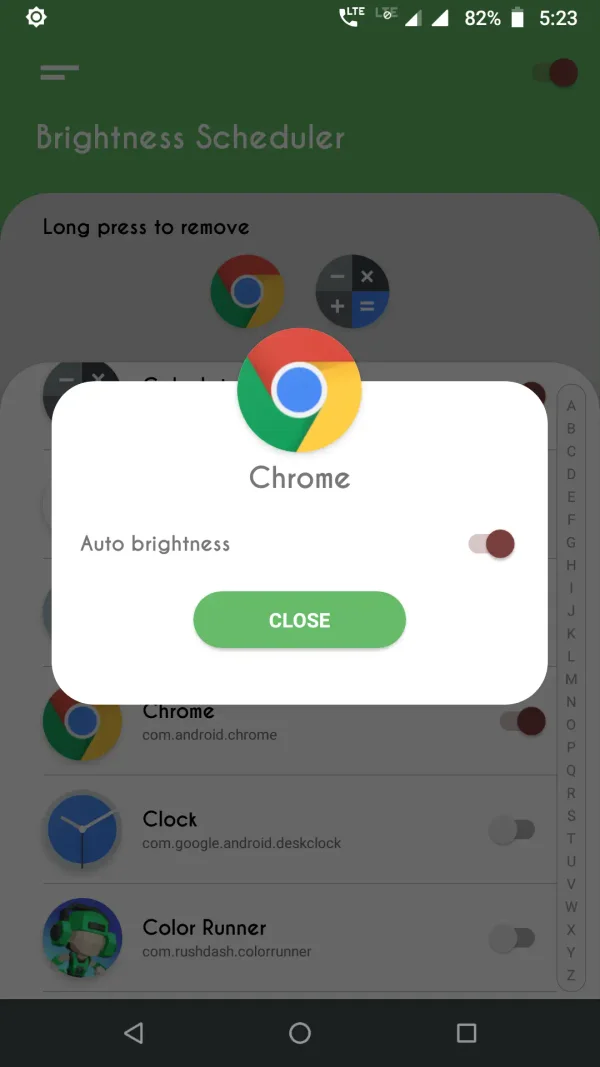
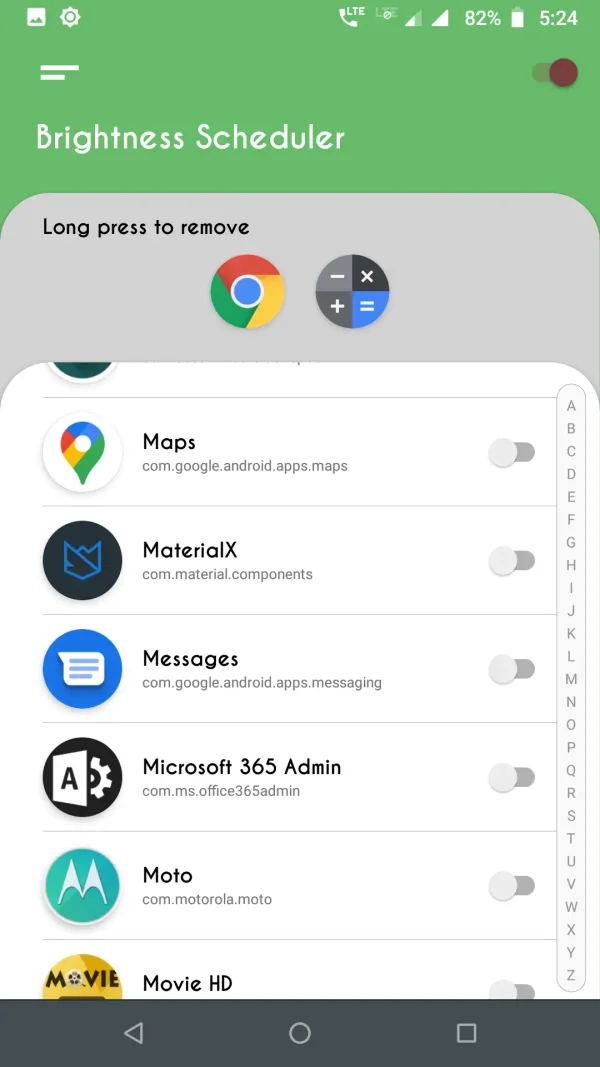
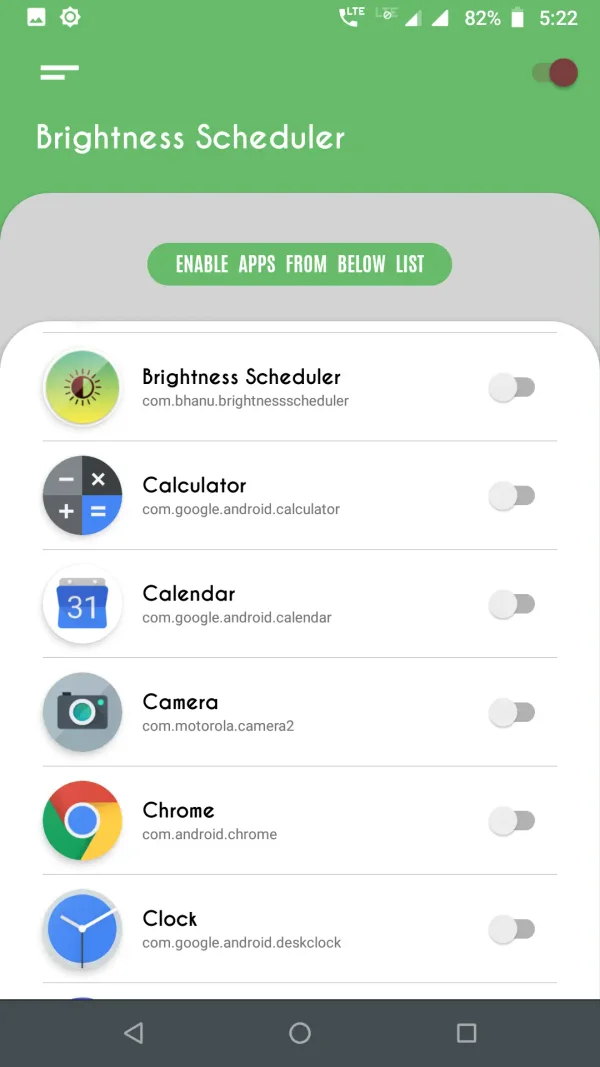

このアプリについて
Googleによる英語 (アメリカ合衆国)からの自動翻訳です。
Brightness Managerは、実行中のアプリのデバイスの明るさを自動的に変更します。
最大輝度: 画面調光 - 画面の光を最適化します!
最大輝度: 画面調光アプリを使用して画面を簡単にカスタマイズする方法をご覧ください。アプリごとにデバイスのライトを自動的に調整し、時間を節約し、視聴の快適さを高めます。夜間の読書に調光器を使用する場合でも、日中の視認性を高める場合でも、このアプリは効果的な管理に頼りになります。最大輝度で完璧なバランスを体験してください: 画面調光器。ダークモードと低輝度ナイトモードアプリで夜間の使用に最適化されています。すべてのアプリで楽な視聴体験を実現するために、画面のライトを強化する準備をしましょう。
📄 最大輝度: 画面調光の主な機能: 📄
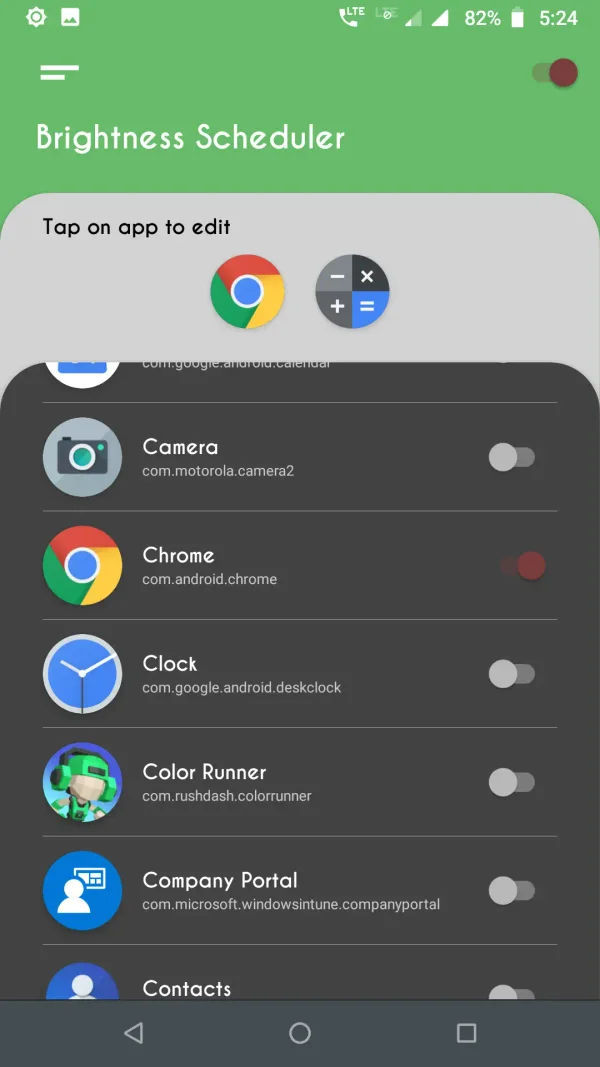
🌟 個々のアプリのカスタムライト設定を有効にします。
🌟 開いているアプリに基づいてレベルを自動調整します。
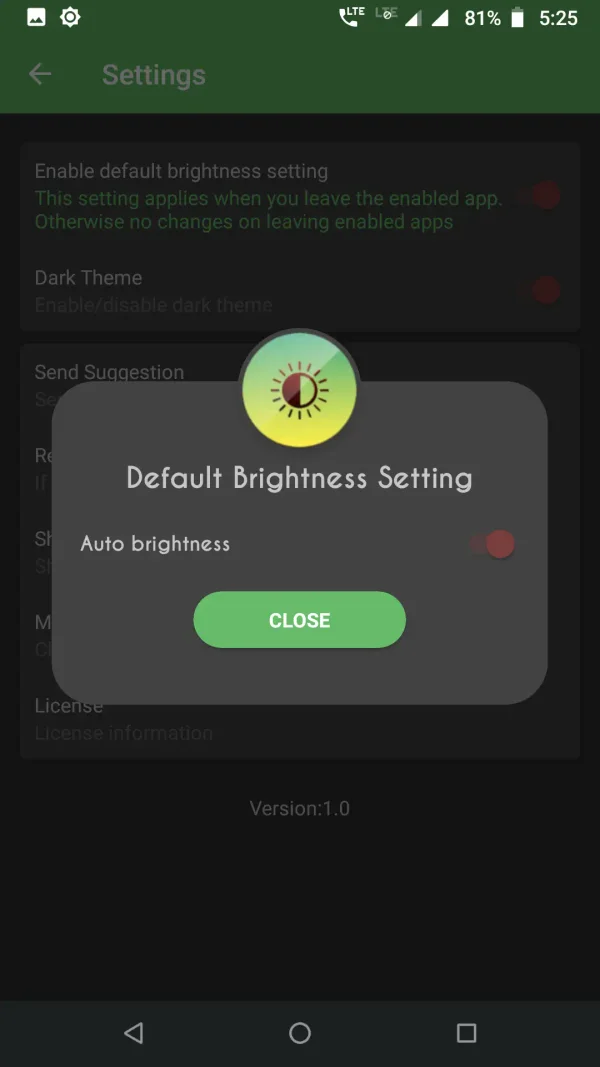
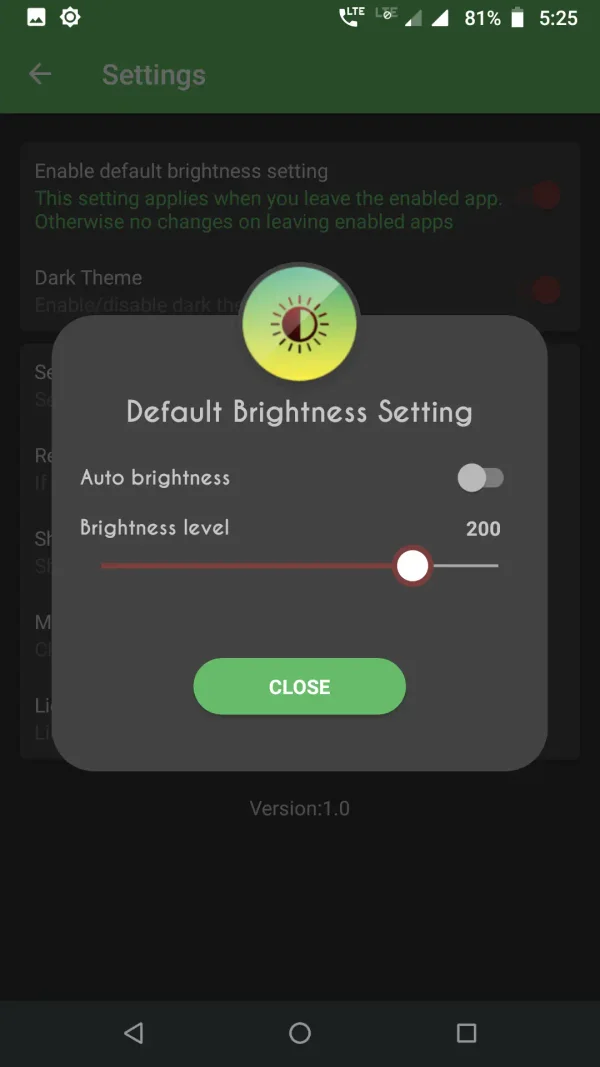
🌟 未構成のアプリのデフォルトレベルを設定します。
🌟 シンプルでユーザーフレンドリーなインターフェイスにより、迅速な設定が可能です。
🌟 夜間の画面のまぶしさを軽減する低輝度ナイトモードアプリ。
🌟 あらゆる環境に合わせて明るさを調整して画面の視認性を最大化します。
すべてのアプリの画面ライトを簡単に調整
明るさの調整ディマーを使用すると、アプリに基づいて画面のライトをシームレスに制御できます。特定の光レベルを使用するように各アプリを構成し、さまざまな環境でカスタマイズされた視認性と快適さを実現します。画面の明るさ: ダーク モードを有効にすると、夜間の使用では画面が自動的に暗くなり、明るい環境では画面が明るくなる、直感的で手間のかからないエクスペリエンスをお楽しみいただけます。明るさの調光器を調整 - 快適さと利便性を考慮して最適化: 🌓
最大光レベルがより高いデバイスの場合、最大明るさ: 画面調光アプリには、デバイスの光の上限を検出して適用するための詳細設定が含まれています。この「明るさの調整」ディマー設定を一度カスタマイズすると、設定が保存され、一貫したパフォーマンスが保証されます。画面の明るさ: ダークモードで理想的なエクスペリエンスを実現するために、数秒で光を調整します。
画面の明るさ: ダークモード - スムーズな機能:
低輝度ナイト モード アプリは、バックグラウンド サービスを使用して、アプリ全体の照明設定を効率的に管理します。このサービスを有効にすると、アプリを切り替えるときに照明が自動的に調整され、定期的に手動で調整する必要がなく、よりスムーズなエクスペリエンスが提供されます。
常に適切な照明を確保します: 🌞🌜
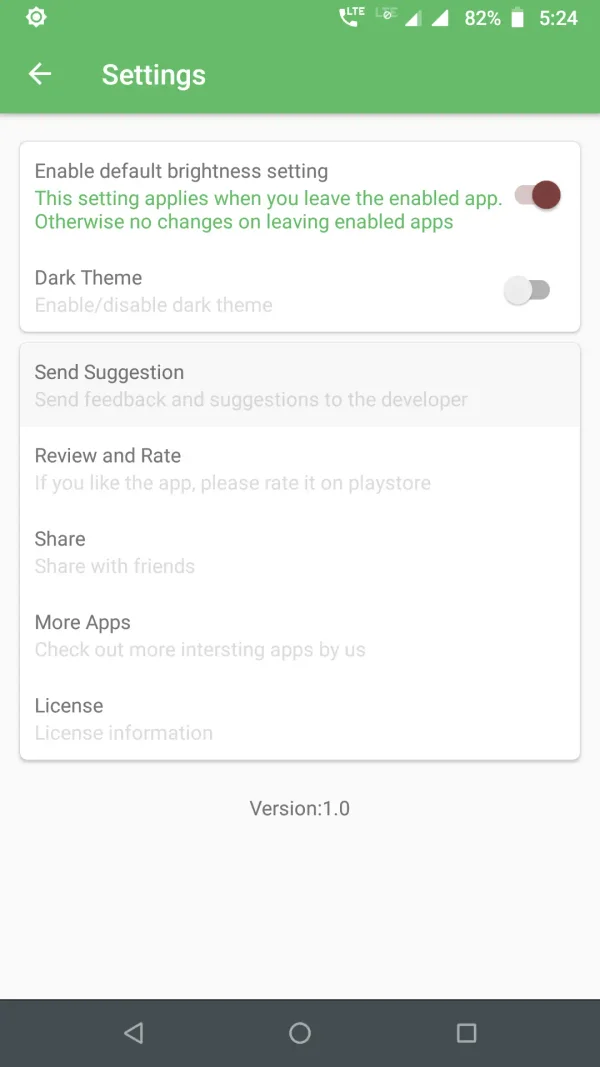
未構成のアプリのデフォルトのライト設定を制御し続けます。この設定は、画面の明るさ: ダーク モード アプリを終了するときに自動的に適用されます。こうすることで、手動で調整する手間をかけずに、すべてのアプリケーションで画面の光が一定に保たれます。
最大輝度で完全に制御: 画面調光!
低輝度ナイト モード アプリで簡単にカスタマイズされた光制御を活用してください。夜間のまぶしさの軽減から明るい環境での鮮明度の最大化まで、このアプリはデバイスをあらゆる設定に確実に適応させます。最大の明るさをお試しください: あらゆるユーザーと環境向けに設計された、信頼性が高く便利な光管理を実現するスクリーン ディマーです。原文を表示
Max Brightness: Screen Dimmer - Optimize Your Screen's Light!
Discover how to easily customize your screen using the Max Brightness: Screen Dimmer app. Adjust your device light automatically for each app, saving time and enhancing viewing comfort. Whether using a dimmer for nighttime reading or enhancing visibility during the day, this app is your go-to for effective management.Experience the perfect balance with Max Brightness: Screen Dimmer, optimized for dark mode and nighttime use with the Low Brightness Night Mode App. Get ready to enhance your screen light for an effortless viewing experience across all your apps!
📄 Max Brightness: Screen Dimmer Key Features: 📄
🌟 Enable custom light settings for individual apps;
🌟 Auto-adjust levels based on the app you open;
🌟 Set default levels for unconfigured apps;
🌟 Simple, user-friendly interface for quick configuration;
🌟 Low Brightness Night Mode App to reduce screen glare at night;
🌟 Maximize screen visibility with Adjust Brightness Dimmer for any environment.
Effortlessly Adjust Screen Light for All Your Apps
Adjust Brightness Dimmer provides seamless control over your screen's light based on the app. Configure each app to use a specific light level, allowing for tailored visibility and comfort across various environments. With Screen Brightness: Dark Mode enabled, you’ll enjoy an intuitive, hassle-free experience that automatically dims your screen for nighttime use and boosts it for bright environments.Adjust Brightness Dimmer - Optimized for Comfort and Convenience: 🌓
For devices with higher maximum light levels, the Max Brightness: Screen Dimmer app includes an advanced setting to detect and apply the device's top light limit. Customize this Adjust Brightness Dimmer setting once, and your preferences are saved to ensure consistent performance. Adjust light in seconds for an ideal experience with Screen Brightness: Dark Mode.
Screen Brightness: Dark Mode - Smooth Functionality:
The Low Brightness Night Mode App uses a background service to efficiently manage light settings across apps. Once enabled, this service ensures that light adjusts automatically as you switch between apps, providing a smoother experience without needing constant manual adjustments.
Ensure the Right Light Every Time: 🌞🌜
Stay in control with a default light setting for unconfigured apps, which is automatically applied when exiting our Screen Brightness: Dark Mode app. This way, your screen’s light remains consistent across all applications, without the hassle of manual adjustments.
Take Full Control with Max Brightness: Screen Dimmer!
Embrace easy, customized light control with the Low Brightness Night Mode App. From reducing glare at night to maximizing clarity in bright conditions, this app ensures your device adapts to any setting. Try Max Brightness: Screen Dimmer for reliable, convenient light management designed for every user and environment!データ セーフティ
このアプリが収集・共有するデータについて、Galaxy studio appsがGoogle Playで申告している内容です。
- このアプリはサードパーティと以下の種類のデータを共有することがありますファイル、ドキュメント
- データは収集されません詳しくは、デベロッパーが収集を申告する方法についての説明をご覧ください
- データは送信中に暗号化されます
- データを削除できません
新機能
バージョン 2.1.0 · 2026/10/27
issue on android 10 and above is fixed now, android 10 onward system overlay permission require to run activity from background service, so this permission requirement added to permission dialog.
開発元の連絡先
- ウェブサイトgalaxystudioapps.me
- メールsupport.brightnesscontrol@galaxystudioapps.me
- プライバシーポリシーgalaxystudioapps.me
- 住所8 The Grn Ste 4184 Dover, DE 19901-3618 United States
情報
- 提供元
- Galaxy studio apps
- カテゴリ
- ツール
- バージョン
- 2.1.0
- 更新日
- 2026/10/27
- リリース
- 2020/4/2
- 必要条件
- Android 5.0以降
- 対象年齢
- 3 歳以上
- 価格
- ¥100
- アプリ内課金
- ¥110~¥10,900/アイテム
- パッケージ名
- com.bhanu.brightnessscheduler