CELEST5572 Data Hub Watch
CELEST Watches広告を含む
- 3 歳以上対象年齢
- カスタマイズカテゴリ
- 2026/8/5更新日
- ¥350価格
com.watchfacestudio.celest5572のGoogle Play公式ページにリンクしています。最終確認:2026/11/28。
スクリーンショット

このアプリについて
Googleによる英語 (アメリカ合衆国)からの自動翻訳です。
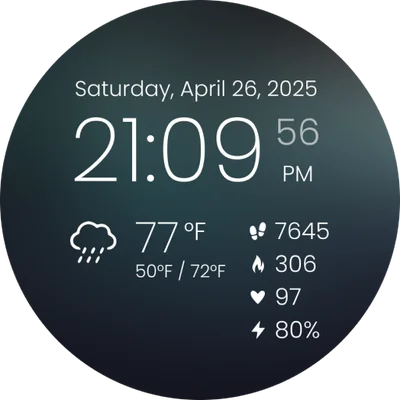
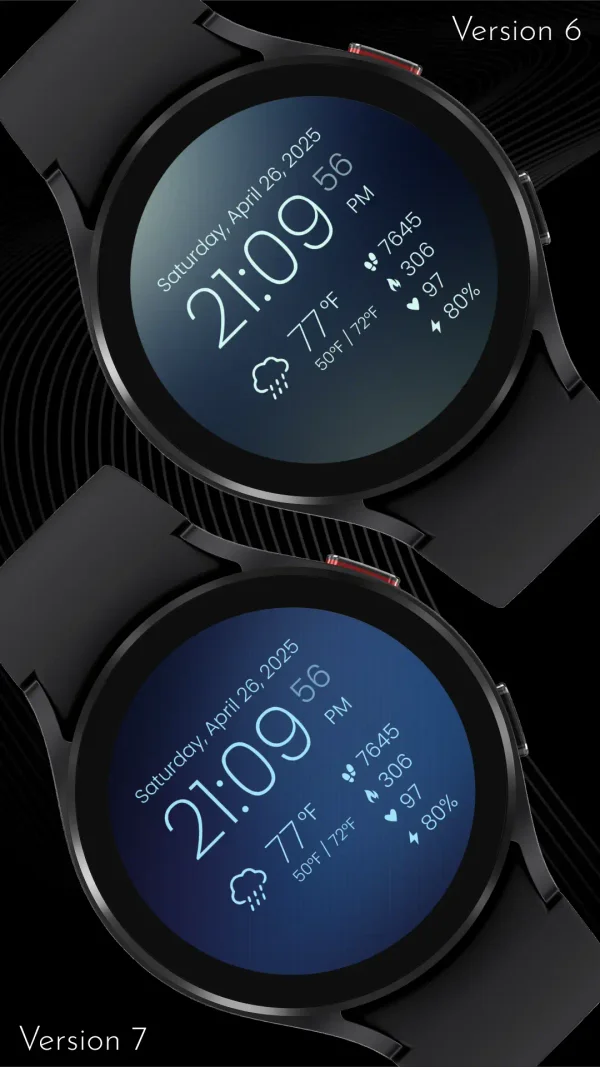
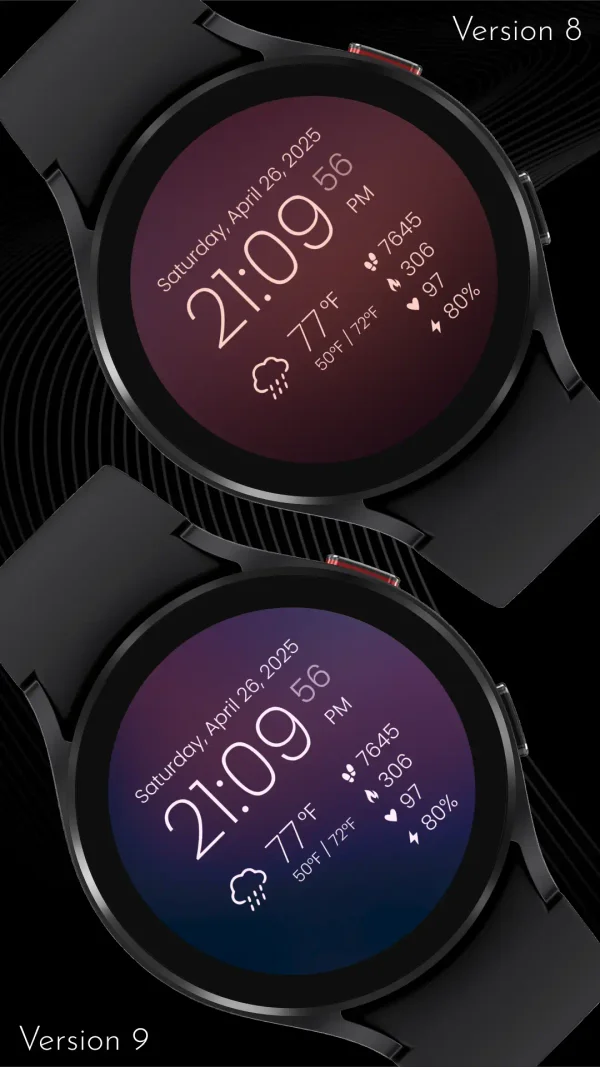
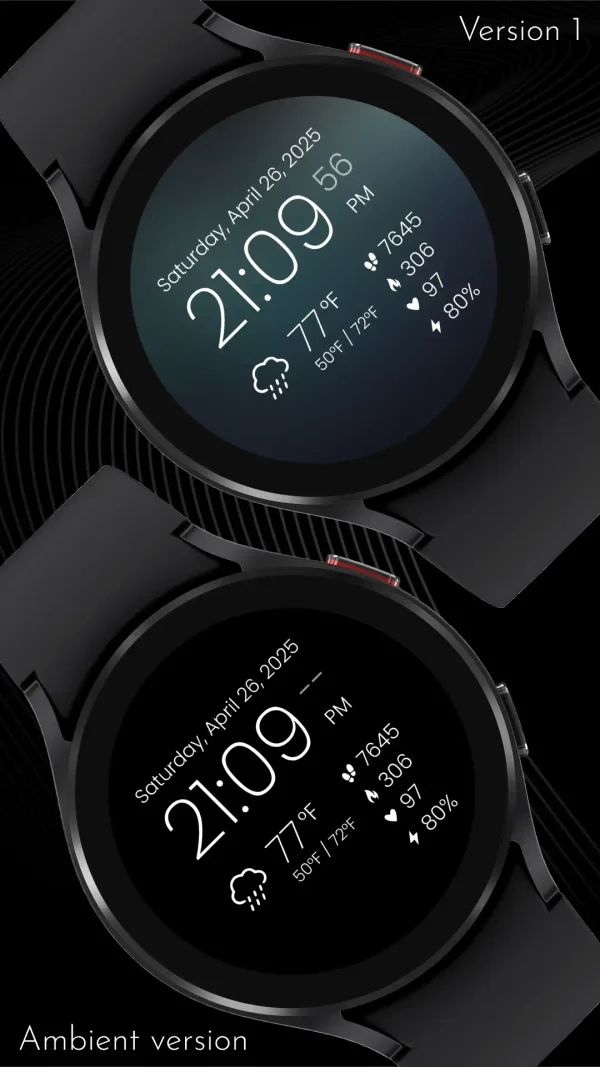
大きな文字、天気予報、フィットネス統計情報、10種類の背景を備えたデジタル時計の文字盤。
目に優しいサイズでデジタル表示:CELEST5572 Data Hub Watchは、文字盤中央に明るいオープンフォントで時刻を表示し、周囲の情報を一般的なウォッチよりも大きく表示します。Wear OS 5+が必要です(Galaxy Watch、Pixel Watch、およびすべてのWear OS 5+デバイスに対応)。
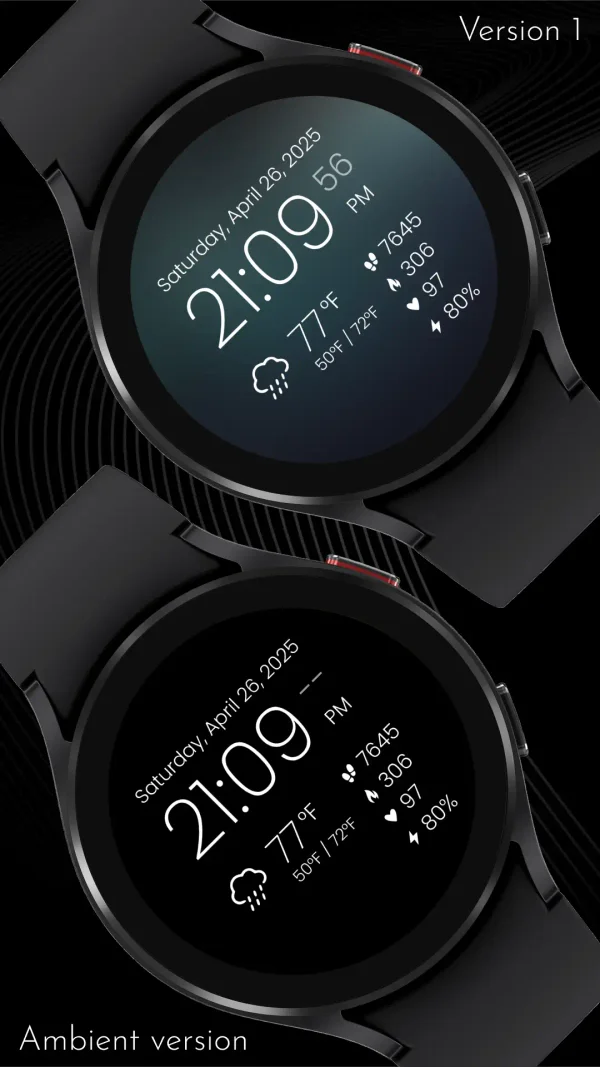
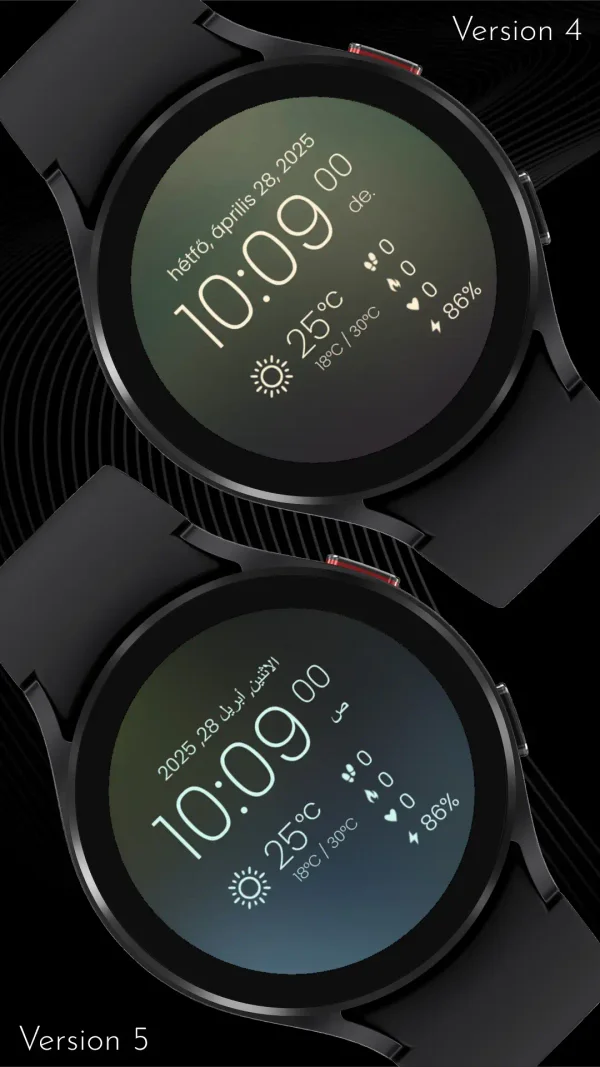
時刻の上には日付がフルフォントで表示され、右側には秒とAM/PMが縦に並んでいます。文字盤は左右に分かれており、左側には現在の気温と今日の気温差を表示する天気アイコン、右側には歩数、消費カロリー、心拍数、バッテリー残量がそれぞれ小さなアイコンで縦一列に表示されます。背景の端に柔らかな色合いが施されているため、情報量の多い暗い文字盤でも、重たい印象になりません。時刻は12時間表示または24時間表示に対応しています。
⚡ 機能
- 秒とAM/PM表示付きの大きなデジタル時刻表示
- 上部に日付をフル文字で表示
- 現在の気温と今日の気温差を表示する天気アイコン
- 歩数、消費カロリー、心拍数、バッテリー残量をラベル付き列で表示
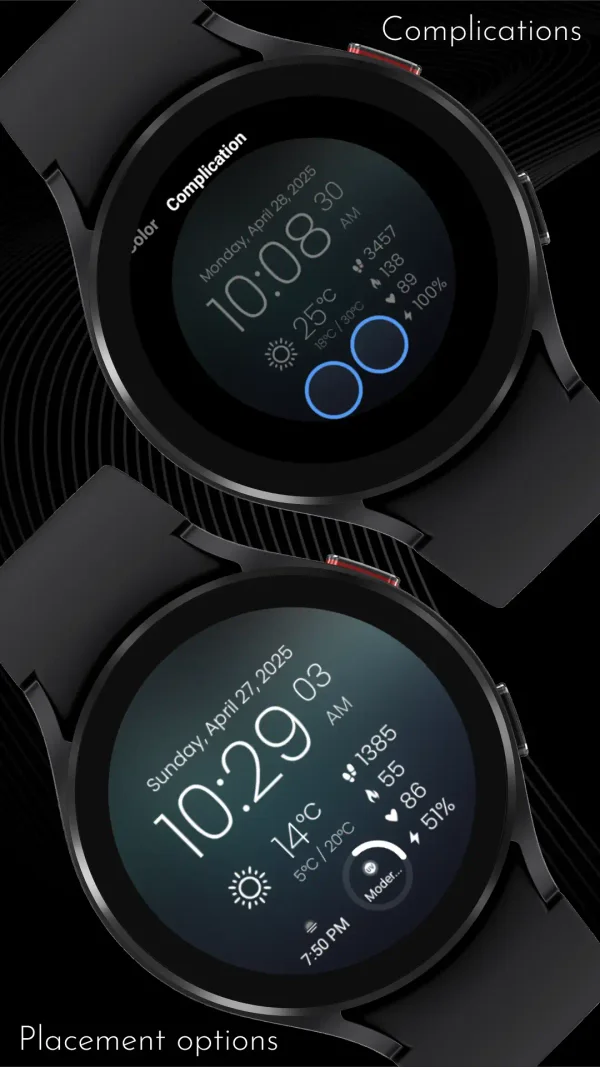
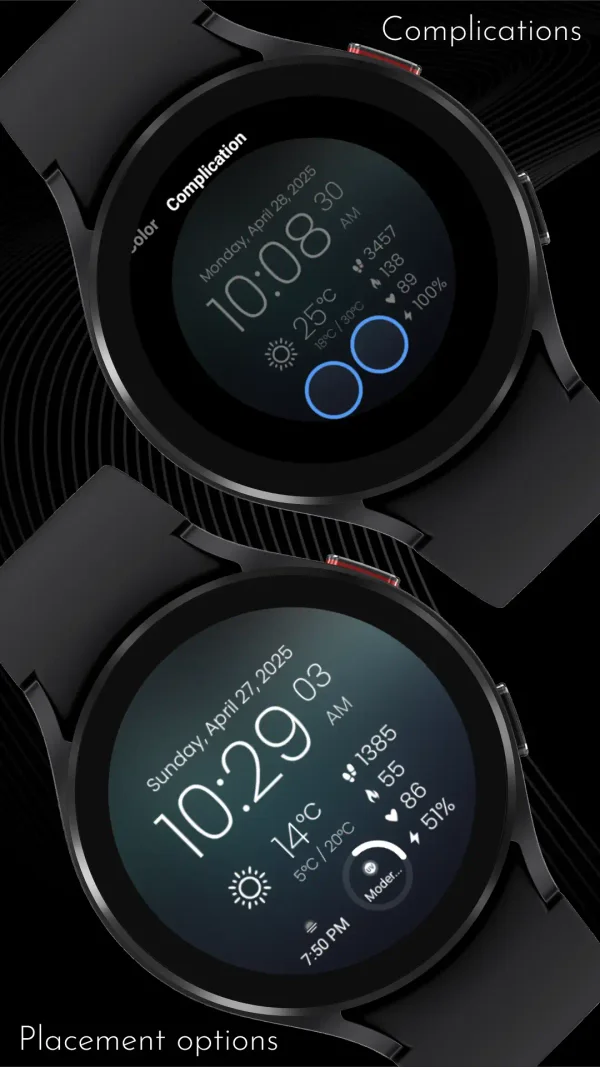
- 日の出・日の入り、UV指数など、2種類の円形コンプリケーション(オプション)
- アプリショートカット用の3つの非表示ラインコンプリケーション
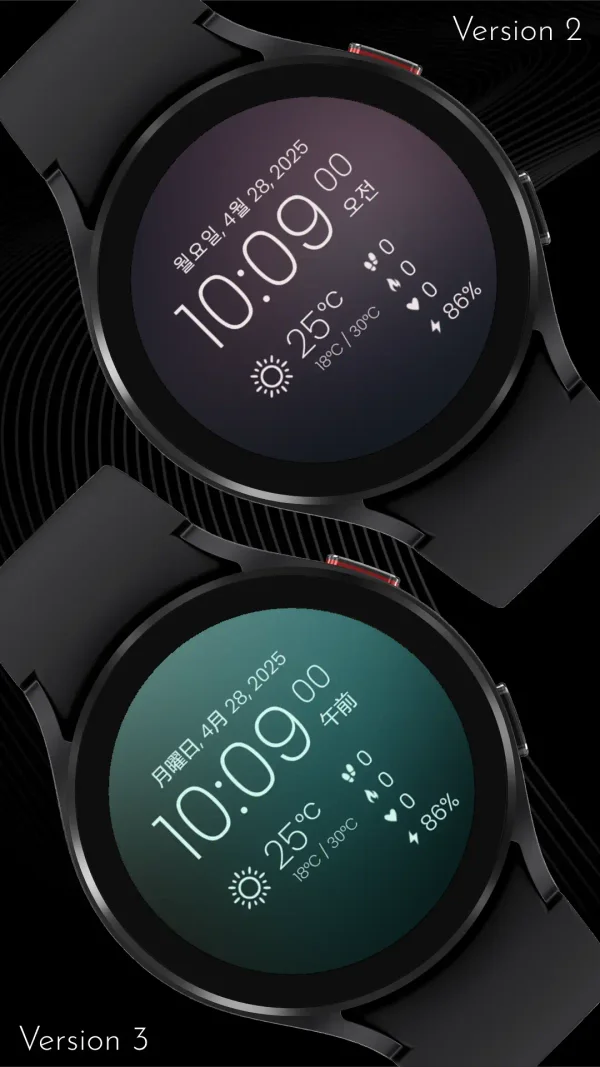
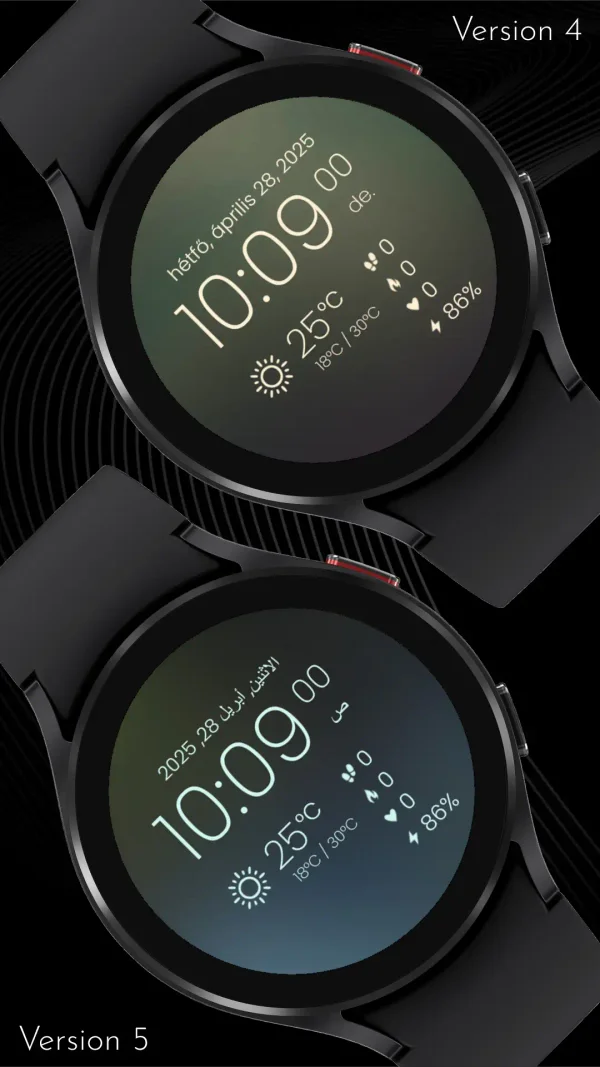
- 多言語対応
🎨 カスタマイズ
- 10種類の背景デザイン
- 20種類のカラーバリエーション
- 2種類のカラーマッチング円形コンプリケーション
- 天気、歩数、消費カロリー表示の上に3つの非表示ラインショートカットを配置
ⓘ カロリーと距離の統計について
統計に関する注意:ウォッチフェイスに直接表示されるカロリーと距離の値は、Wear OSがウォッチのセンサーからウォッチフェイスにデータを提供しないため、平均的なユーザーの歩数に基づいて推定されたものです。コンプリケーションはシステムから実際のデータを受け取ります。内蔵されているカロリーと距離の数値は、正確な測定値ではなく、あくまで目安としてご利用ください。
✅ 対応デバイス
- Google Pixel Watch/2/3/4/5
- OnePlus Watch 2/2R/3/4
- Oppo Watch X2/X3
- Samsung Galaxy Watch 4/4 Classic/5/5 Pro/6/6 Classic/7/8/8 Classic/9/FE/Ultra (2024)/(2025)/Ultra 2
- Xiaomi Watch 2/2 Pro/5
🎁 BOGOキャンペーン:https://celest-watches.com/bogo/
✨ CELESTカタログアプリで、Wear OS、HUAWEI、Apple Watchの文字盤をはじめ、アプリやツールなど、CELESTの全コレクションをまとめてご覧いただけます:https://play.google.com/store/apps/details?id=com.celestwatches.catalog
🔧 インストールヘルプ
お困りですか?ご安心ください。
- スマートフォンの「インストール」横にあるドロップダウンメニューから、お使いの時計のモデルを選択するか、時計のPlayストアアプリから直接インストールしてください。
- 天気予報データ(ウォッチフェイスに天気予報が表示される場合)の更新には、インストール後に時間がかかる場合があります。別のウォッチフェイスに切り替えてから元に戻すか、時計とスマートフォンの両方を再起動すると、通常は問題が解決します。
- インストールとトラブルシューティングガイドをご覧ください:https://celest-watches.com/installation-troubleshooting/
- 迅速なサポートが必要な場合は、info@celest-watches.comまでお問い合わせください。
📞 サポート&コミュニティ
📧 サポート:info@celest-watches.com
📱 Instagramで@celestwatchesをフォローし、ニュースレターにご登録いただくと、新製品やお得な情報をお知らせします:https://celest-watches.com/newsletter/
原文を表示
Digital, set at a size that spares your eyes: CELEST5572 Data Hub Watch runs the time in light, open type across the middle of the dial and keeps everything around it larger than most faces would. Wear OS 5+ required — Galaxy Watch, Pixel Watch, and all Wear OS 5+ devices.
The full written date sits above the time, with seconds and AM/PM stacked at the right. Below, the dial splits: a weather icon with the current temperature and today's range on the left, and steps, calories, heart rate, and battery in a column on the right, each behind a small icon. A soft color wash lifts one edge of the background, which is what keeps a dark, information-dense face from reading as severe. Time follows your 12- or 24-hour setting.
⚡ Features
- Large open digital time with seconds and AM/PM
- Full written date across the top
- Weather icon with current temperature and today's range
- Steps, calories, heart rate, and battery in a labeled column
- Two optional circular complications for sunrise and sunset, UV index, or anything else
- Three invisible line complications for app shortcuts
- Fully multilingual text
🎨 Customization
- 10 background designs
- 20 color variations
- Two color-matched circular complications
- Three invisible line shortcuts, over the weather, steps, and calories
ⓘ About Calorie & Distance Stats
A note on stats: When shown directly on the watch face, calorie and distance values are estimated from your steps based on an average user, because Wear OS doesn't provide this data to watch faces from the watch's sensors. Complications are different — they receive real data from the system. Treat the built-in calorie and distance figures as a helpful approximation rather than an exact measurement.
✅ Compatible Devices
- Google Pixel Watch/2/3/4/5
- OnePlus Watch 2/2R/3/4
- Oppo Watch X2/X3
- Samsung Galaxy Watch 4/4 Classic/5/5 Pro/6/6 Classic/7/8/8 Classic/9/FE/Ultra (2024)/(2025)/Ultra 2
- Xiaomi Watch 2/2 Pro/5
🎁 BOGO Promotion: https://celest-watches.com/bogo/
✨ Explore the complete CELEST collection in one place — including all Wear OS, HUAWEI, and Apple Watch faces, along with our apps and tools — with the CELEST Catalog app: https://play.google.com/store/apps/details?id=com.celestwatches.catalog
🔧 Installation Help
Having trouble? We've got you covered:
- Use the dropdown menu next to "Install" on your phone to select your watch model or install directly from your watch's Play Store app.
- Updating weather data (if the watch face shows weather) may take time after installation but switching to another watch face and switching back or restarting both the watch and phone usually helps.
- Check out our installation and troubleshooting guide: https://celest-watches.com/installation-troubleshooting/
- Contact us at info@celest-watches.com for quick support
📞 Support & Community
📧 Support: info@celest-watches.com
📱 Follow @celestwatches on Instagram and subscribe to our newsletter to get notified of new releases and deals: https://celest-watches.com/newsletter/
データ セーフティ
このアプリが収集・共有するデータについて、CELEST WatchesがGoogle Playで申告している内容です。
- 第三者と共有されるデータはありません詳しくは、デベロッパーが共有を申告する方法についての説明をご覧ください
- データは収集されません詳しくは、デベロッパーが収集を申告する方法についての説明をご覧ください
新機能
2026/8/5
Updated to target Android 16 (API 36).
開発元の連絡先
- ウェブサイトcelest-watches.com
- メールinfo@celest-watches.com
- プライバシーポリシーcelest-watches.com
- 住所Budapest ERZSEBET UTCA 32 04. 5 em. 28 a. 1041 Hungary
情報
- 提供元
- CELEST Watches
- カテゴリ
- カスタマイズ
- 更新日
- 2026/8/5
- リリース
- 2025/4/27
- 対象年齢
- 3 歳以上
- 価格
- ¥350
- パッケージ名
- com.watchfacestudio.celest5572
類似のアプリ
-
 Kanso Digital
カスタマイズ
-
 Minimal - Elegant - RE19
カスタマイズ
-
 CELEST5573 Data Hub Watch
カスタマイズ
-
 CELEST5583 Data Hub Watch
カスタマイズ
-
 CELEST5571 Data Hub Watch
カスタマイズ
-
 Material Shadow WatchFace 2026
カスタマイズ
-
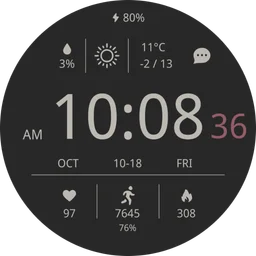 CELEST5568 Data Hub Watch
カスタマイズ
-
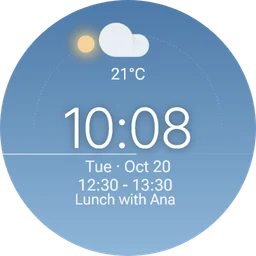 WatchSky: サンセットウォッチフェイス
ライフスタイル
-
 Minimal - Digital - RE16
カスタマイズ
-
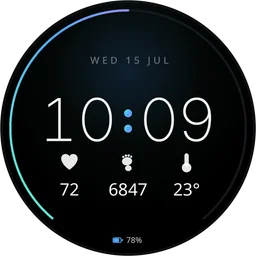 Aurora: AMOLED Minimal
カスタマイズ
-
 Single Glance ウォッチフェイス
カスタマイズ
-
 Minimalist Weather
カスタマイズ