Champ Calc Pro
Bens Apps- 3 歳以上対象年齢
- ツールカテゴリ
- 2026/3/5更新日
- ¥330価格
com.bens.apps.ChampCalc.proのGoogle Play公式ページにリンクしています。最終確認:2026/11/24。
スクリーンショット

このアプリについて
Googleによる英語 (アメリカ合衆国)からの自動翻訳です。
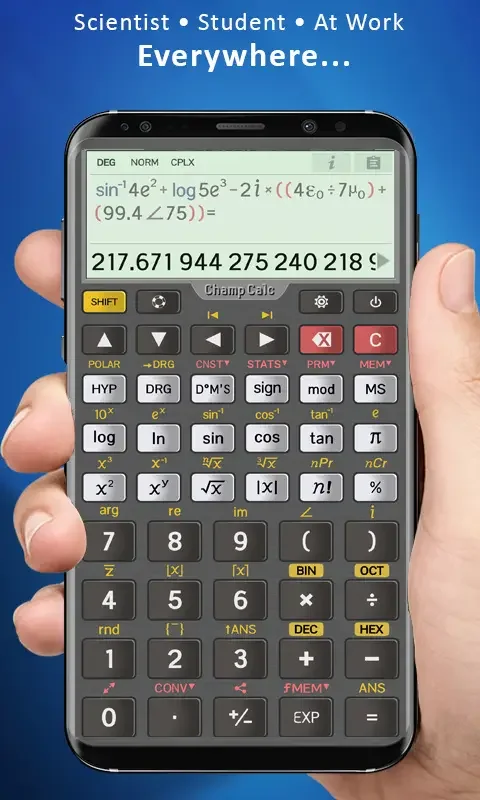
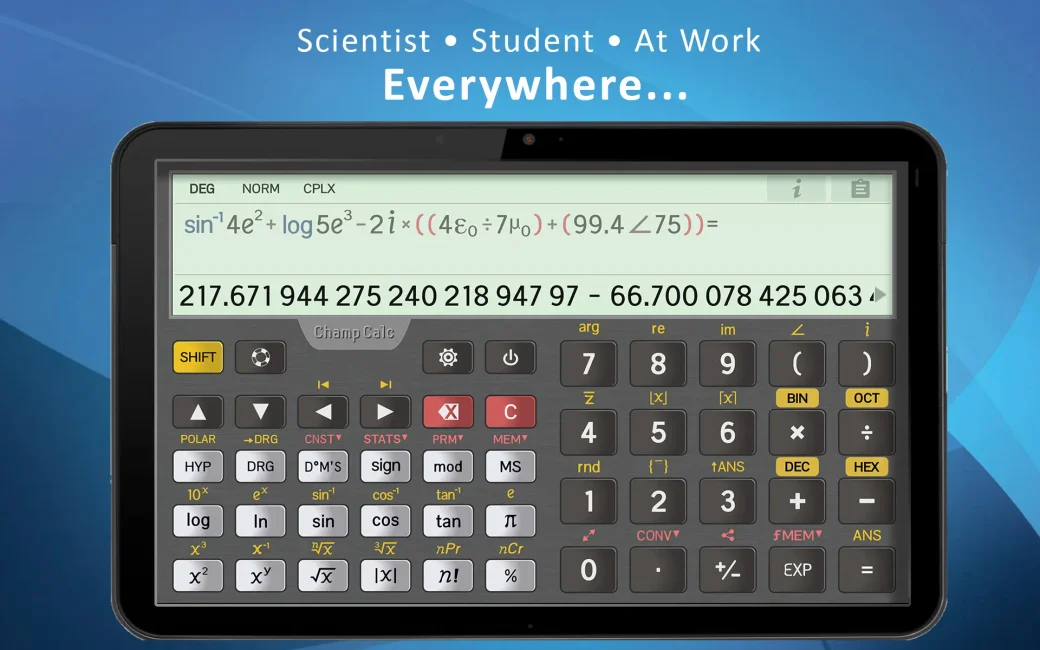
高性能で任意精度の関数電卓
Champ Calc Pro© は、非常に大きな数値と 130 桁を超える極めて高い精度をサポートする強力な関数電卓です。
この電卓は、数学、三角法、対数、統計、パーセント計算、n を底とする演算、科学定数、単位変換など、さまざまな領域を提供します。
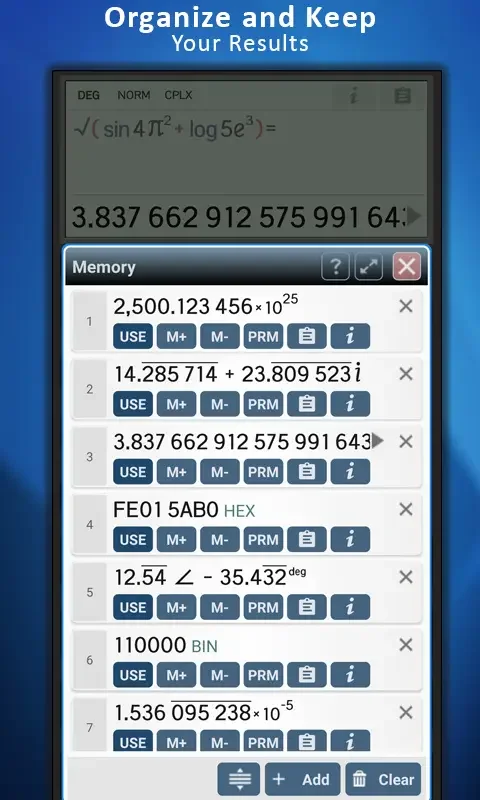
電卓は、繰り返し 10 進数 (周期数) を検出してディスプレイとインターフェイスに表示し、式内でそれらを編集できるようにします。
この計算機は、方形形式と極形式の両方、および度-分-秒 (DMS) 形式の複素数を完全にサポートしています。これらの形式は、式内、関数内、およびさまざまなインターフェイス間で自由に使用できます。さらに、表示される結果に対してこれらの形式のいずれかを選択するオプションもあります。
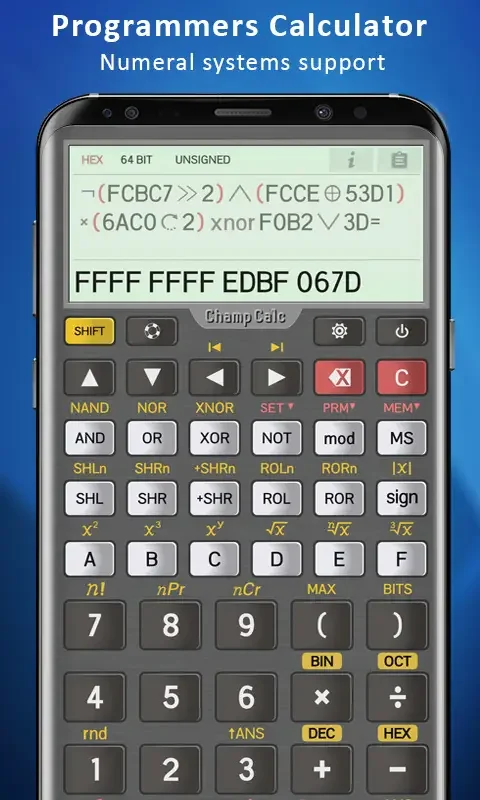
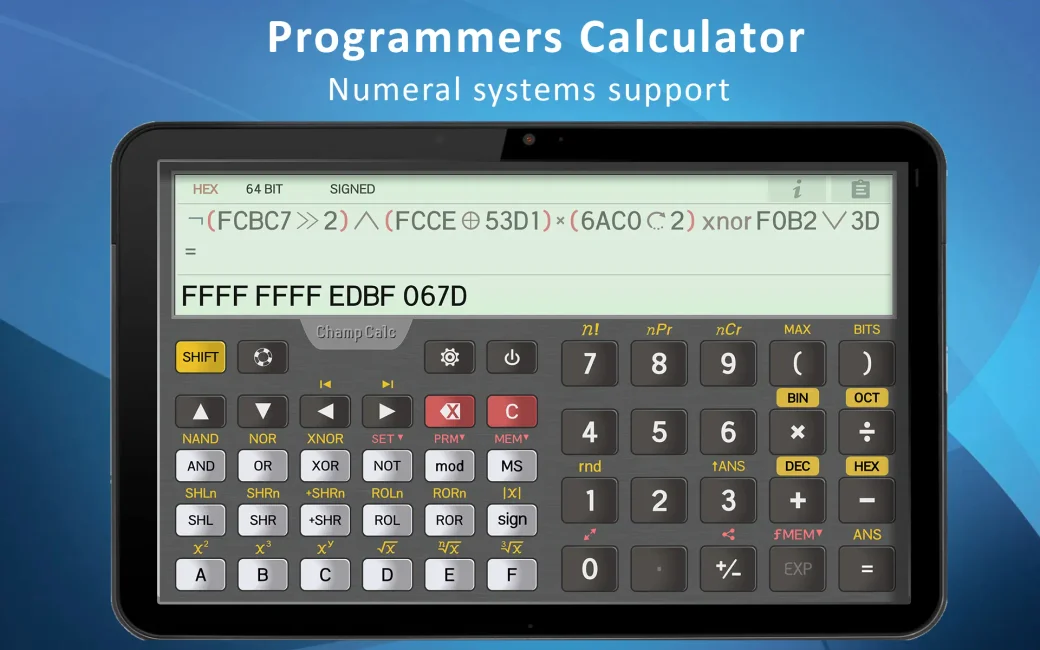
さらに、この電卓には、2 進数、8 進数、および 16 進数の表記法をサポートする高度なプログラマ モードが含まれています。論理演算、ビット単位のシフト、回転などを提供します。計算を行うためのビット数を調整したり、符号付きまたは符号なしの数値表現を選択したりできます。
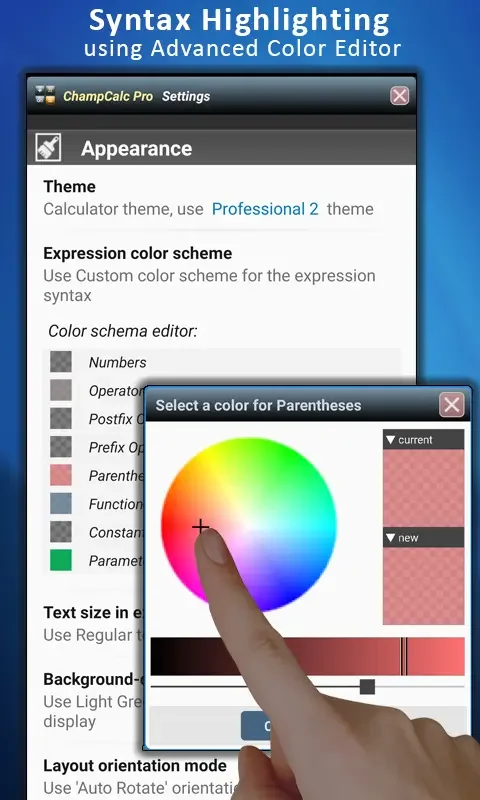
複数行の式エディタとカスタマイズ可能な構文の強調表示により、計算の編集が簡単になり、ユーザーフレンドリーなエクスペリエンスが保証されます。電卓のデザインは、使いやすさ、プロフェッショナルな美しさ、高品質のテーマ、カスタマイズ可能な構文の色に重点を置いています。
主な機能:
• 構文の強調表示を備えた複数行の式エディター
• 大きな数値と極めて高い精度をサポート
• 仮数部の 10 進数 130 桁までを処理します
• 複素数と極座標ビューを完全にサポート
• 包括的な機能: 数学、三角関数、対数、統計など
• 三角関数と双曲線関数のサポート
• 2 進数、8 進数、16 進数の表記
• 論理演算、ビット単位のシフト、回転
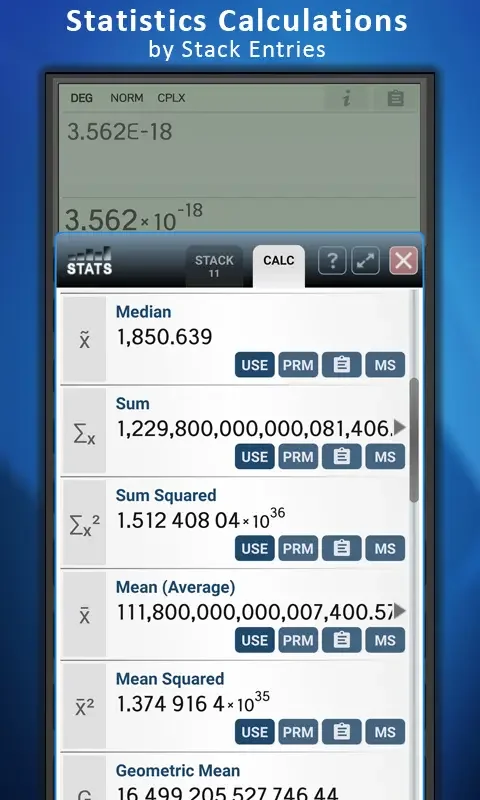
• スタックエントリを使用した統計計算
• パーセンテージの計算
• 式内でのパラメータの使用 (PRO 機能)
• 計算結果に関する拡張情報
• 値を保存および利用するための対話型インターフェイス
• スタックエントリを備えた統計計算機
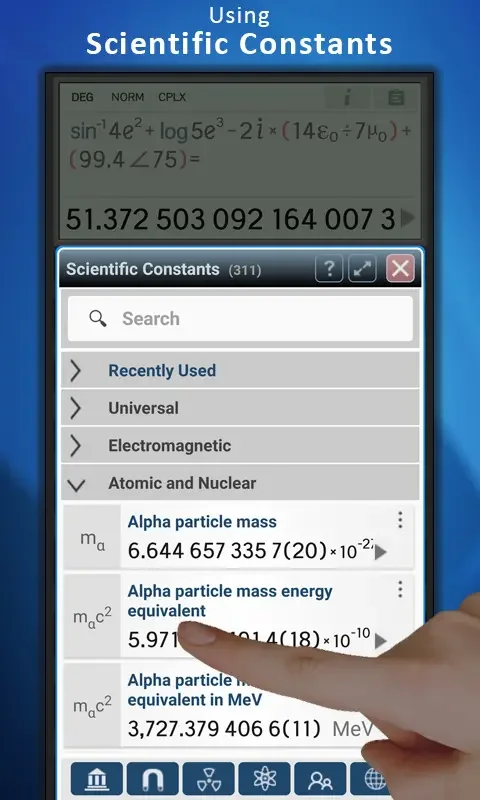
• 300 を超える科学定数 (CODATA)
• 760 を超える変換ユニット
• 共有とクリップボードの操作
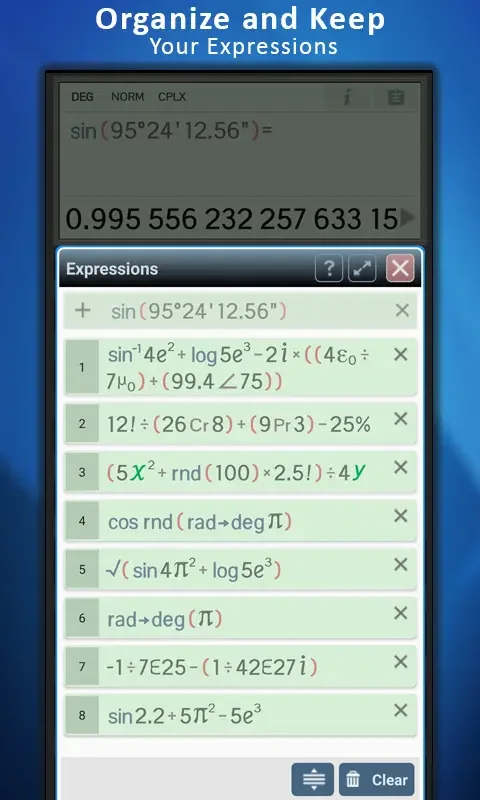
• 式履歴を簡単にナビゲートできます
• メモリと表現のためのインタラクティブなインターフェイス
• 角度モード: 度、ラジアン、および勾配
• 角度モードの変換関数
• DMS サポート (度、分、秒)
• 構成可能な数値形式と精度
• 固定モード、科学モード、工学モード
• 繰り返し小数の検出、表示、編集
• 高品質のテーマ
• カスタマイズ可能な構文の強調表示
• 表示時の文字サイズを調整可能
• 統合ユーザーマニュアル
PRO バージョンの機能:
★ 式の管理と保存
★高度なパラメータインターフェイス
★ 構文強調表示のためのリッチカラーエディタ
★ 複雑な引数を持つトリガー関数
★プロジェクトを応援してください☺
原文を表示
Champ Calc Pro© is a powerful scientific calculator that supports very large numbers and extreme precision of more than 130 digits.
The calculator provides a wide variety of domains such as mathematics, trigonometry, logarithms, statistics, percentage calculations, base-n operations, scientific constants, unit conversions, and more.
The calculator detects and shows repeating decimal numbers (periodic numbers) on the display and interfaces, allowing editing them inside the expression.
The calculator fully supports complex numbers in both rectangular and polar forms and in Degrees-Minutes-Seconds (DMS) format. These formats can be used freely in expressions, within functions, and across various interfaces. Additionally, you have the option to select any of these formats for the displayed result.
Additionally, the calculator includes an advanced programmer's mode that supports binary, octal, and hexadecimal number systems. It offers logical operations, bitwise shifts, rotations, and more. You can adjust the number of bits for making the calculations and also select between Signed or Unsigned number representations.
Editing calculations is made easy with a multi-line expression editor and customizable syntax highlighting, ensuring a user-friendly experience. The calculator's design focuses on ease of use, professional aesthetics, high-quality themes, and customizable syntax colors.
Key Features:
• Multi-line expression editor with syntax highlighting
• Supports large numbers and extreme precision
• Handles up to 130 decimal digits of significand
• Full support for Complex Numbers and Polar view
• Comprehensive functions: Math, Trig, Logarithmic, Statistics, and more
• Trigonometric and hyperbolic function support
• Binary, octal, and hexadecimal numeral systems
• Logical operations, bitwise shifts, and rotations
• Statistical calculations using stack entries
• Percentage calculations
• Use of parameters within expressions (PRO feature)
• Extended information about calculation results
• Interactive interface for storing and utilizing values
• Statistical calculator with stack entries
• Over 300 scientific constants (CODATA)
• Over 760 conversion units
• Sharing and clipboard operations
• Quick navigation through expression history
• Interactive interfaces for memory and expressions
• Angular modes: degrees, radians, and grads
• Conversion functions for angular modes
• DMS support (degrees, minutes, and seconds)
• Configurable number format and precision
• Fixed, scientific, and engineering modes
• Detection, display, and editing of repeating decimals
• High-quality themes
• Customizable syntax highlighting
• Adjustable text size for display
• Integrated user manual
PRO Version Features:
★ Managing and saving expressions.
★ Advanced parameter interface.
★ Rich color editor for syntax highlighting.
★ Trig functions with complex args.
★ Support the project ☺
データ セーフティ
このアプリが収集・共有するデータについて、Bens AppsがGoogle Playで申告している内容です。
- 第三者と共有されるデータはありません詳しくは、デベロッパーが共有を申告する方法についての説明をご覧ください
- データは収集されません詳しくは、デベロッパーが収集を申告する方法についての説明をご覧ください
新機能
バージョン 7.20 · 2026/3/5
- Bug fixes and performance improvements.
開発元の連絡先
- ウェブサイトchampcalc.com
- メールapps.bens@gmail.com
- プライバシーポリシーbensapps.wixsite.com
- 住所שחם 31 פתח תקווה, 4951700 Israel
情報
- 提供元
- Bens Apps
- カテゴリ
- ツール
- バージョン
- 7.20
- 更新日
- 2026/3/5
- リリース
- 2016/8/30
- 必要条件
- Android 5.0以降
- 対象年齢
- 3 歳以上
- 価格
- ¥330
- パッケージ名
- com.bens.apps.ChampCalc.pro