Daypad - Simple Time Tracker
Graspery- 3 歳以上対象年齢
- 仕事効率化カテゴリ
- 2026/11/23更新日
- 無料価格
com.graspery.www.sink_timer.sink_timerのGoogle Play公式ページにリンクしています。最終確認:2026/11/24。

スクリーンショット

このアプリについて
Googleによる英語 (アメリカ合衆国)からの自動翻訳です。
請求可能な作業時間を追跡し、未請求の作業を確認し、スマートフォンから請求書を作成できます。
請求可能な作業時間を追跡し、未請求の作業を確認し、スマートフォンから請求書を作成できます。Daypadは、フリーランサーや独立請負業者向けに、タイマー、プロジェクト、経費、請求書作成を1つのワークスペースに統合します。
プロジェクトごとの時間追跡
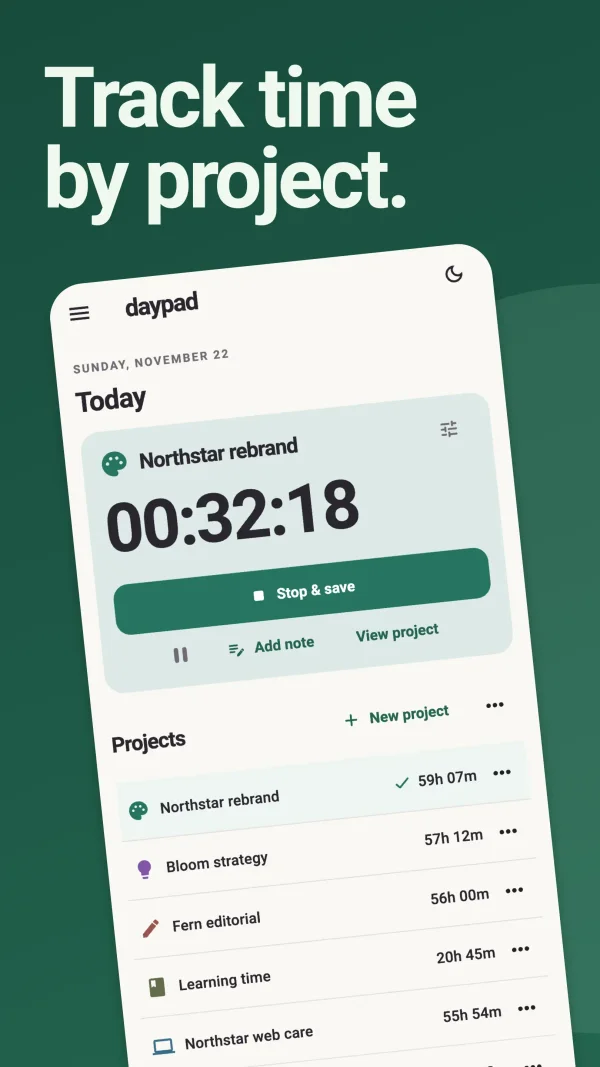
• ワンタップでプロジェクトタイマーを開始または再開できます。休憩のために一時停止し、中断したところから再開できます。
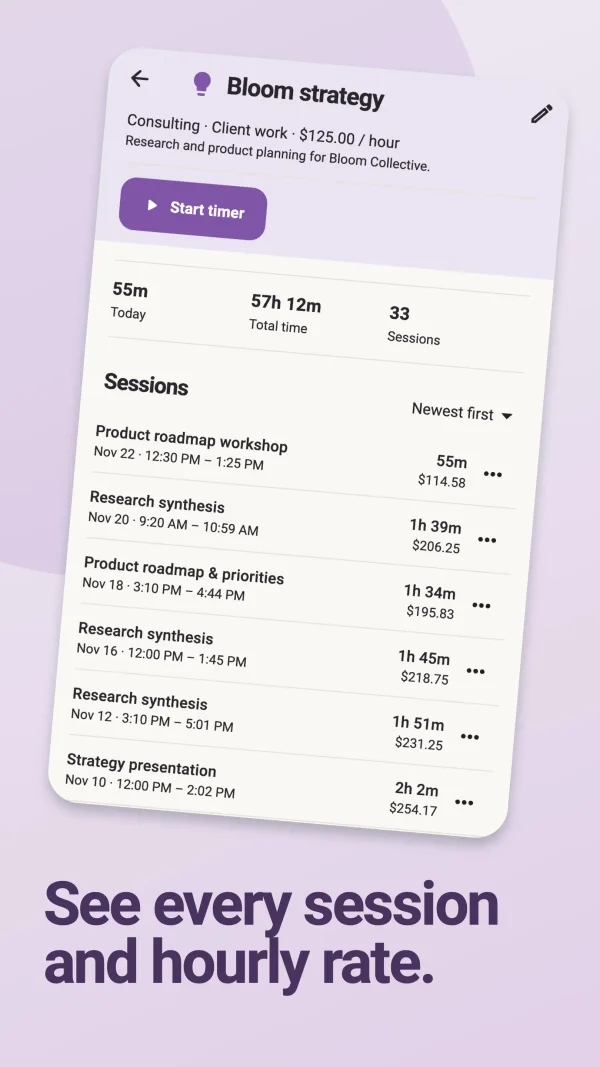
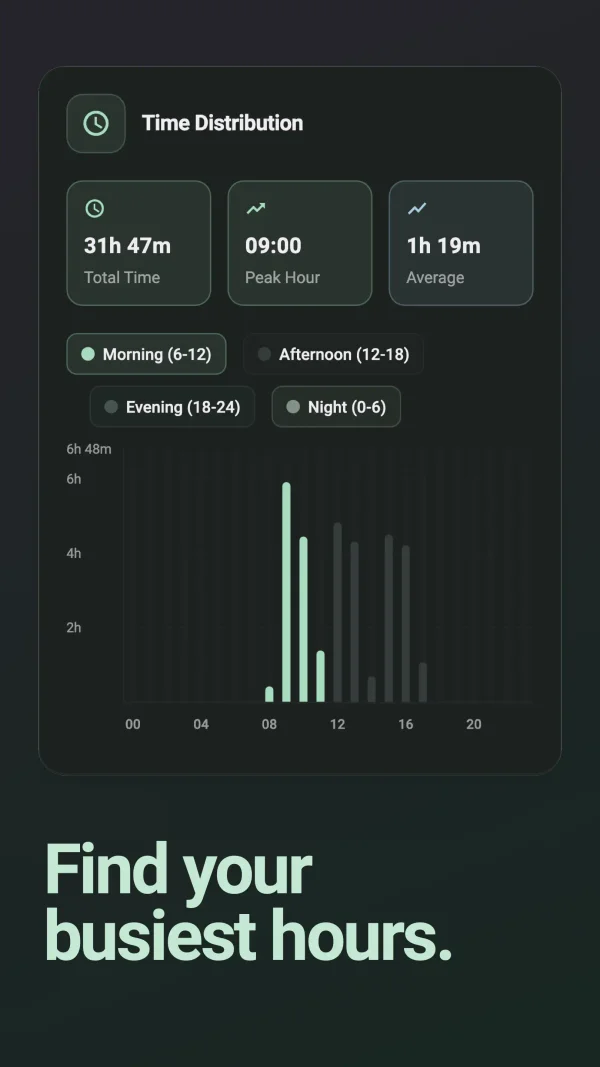
• 時間を手動で追加し、タイムラインの欠落や重複を確認し、請求前に入力内容を修正できます。
• Androidのホーム画面ウィジェットから最近の作業を開始したり、オプションのカレンダー提案機能を使用して、不足している時間を埋めることができます。
時間を請求書に変換
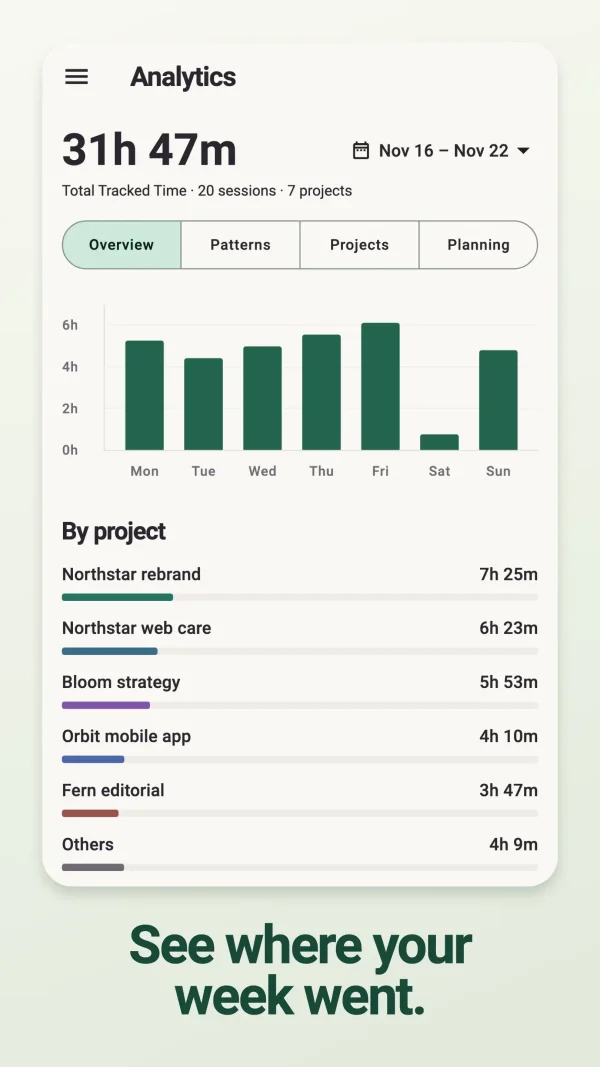
• 未請求時間の概算を確認し、予算に近づいているプロジェクトをチェックできます。
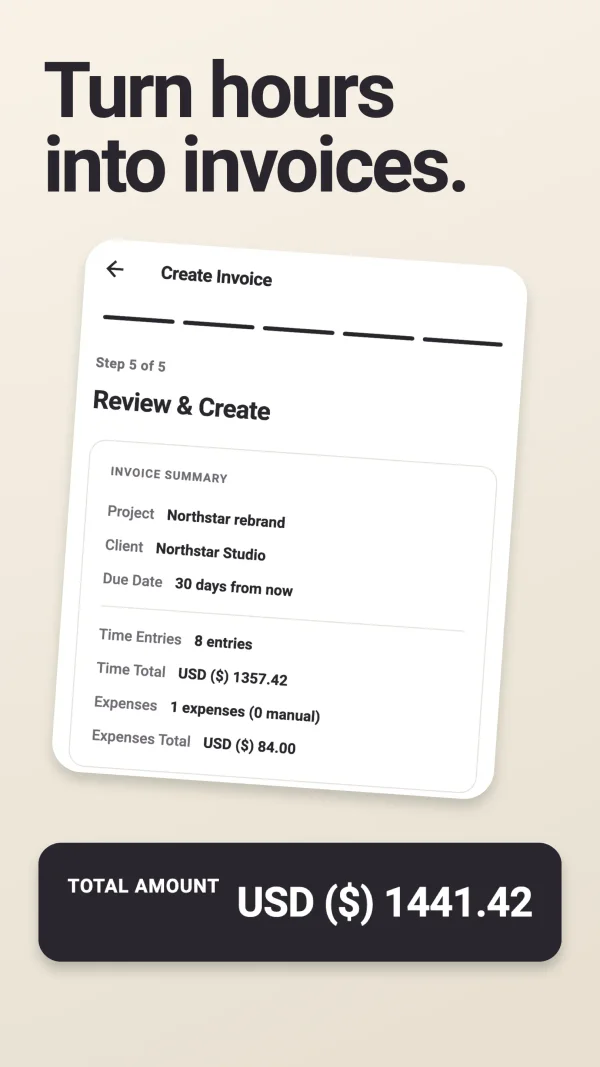
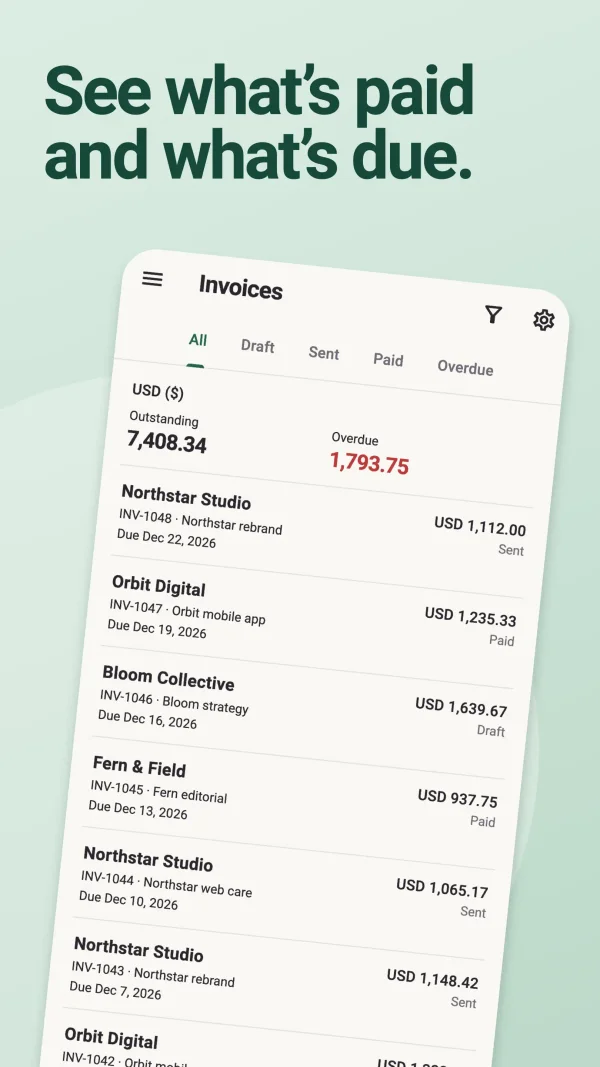
• 完了した請求可能な作業と経費から請求書を作成し、PDF形式でエクスポートしてクライアントと共有できます。
• 支払いを記録し、未払いの請求書を確認できます。
ワークスペースを管理
• アカウントなしで追跡を開始できます。 Daypadはデフォルトでワークスペースをデバイスに保存します。広告や分析SDKは一切使用しません。
• Androidでは、ワークスペースの完全なバックアップをエクスポートするか、Googleドライブのバックアップを有効にできます。手動またはスケジュールによるバックアップを選択でき、リカバリキーによる暗号化を有効にし、復元前にレコードをプレビューできます。
• 必要に応じて作業場所を追加できます。位置情報は任意で、Daypadはバックグラウンドで位置情報を追跡しません。地図と住所検索には外部サービスを使用します。
• Daypadは英語またはアラビア語で使用でき、ライトモードとダークモードも利用可能です。
サポート:graspery@gmail.com
原文を表示
Track billable hours, review unbilled work, and create invoices from your phone. Daypad brings timers, projects, expenses, and invoicing into one workspace for freelancers and independent contractors.
TRACK TIME BY PROJECT
• Start or resume a project timer in one tap. Pause for breaks and pick up where you left off.
• Add hours manually, review your timeline for gaps and overlaps, and correct entries before billing.
• Start recent work from the Android home-screen widget or use optional calendar suggestions to fill in time you missed.
TURN HOURS INTO INVOICES
• See an estimate of unbilled time and check which projects are nearing their budgets.
• Create invoices from completed billable work and expenses, then export PDFs to share with clients.
• Record payments and see which invoices still have a balance.
KEEP CONTROL OF YOUR WORKSPACE
• Start tracking without an account. Daypad stores your workspace on your device by default, with no advertising or analytics SDKs.
• Export a full workspace backup or opt into Google Drive backups on Android. Choose manual or scheduled backups, enable encryption with a recovery key, and preview records before restoring.
• Add a work location when useful. Location is optional, and Daypad does not track it in the background. Maps and address lookup use external services.
• Use Daypad in English or Arabic, with light and dark modes.
Support: graspery@gmail.com
データ セーフティ
このアプリが収集・共有するデータについて、GrasperyがGoogle Playで申告している内容です。
- このアプリはサードパーティと以下の種類のデータを共有することがありますユーザー ID
- このアプリは以下の種類のデータを収集することがあります位置情報、個人情報、他 5 件
- データは送信中に暗号化されます
- データを削除できません
新機能
バージョン 2.3.4 · 2026/11/23
• Optional Google Drive backups with daily/weekly schedules, verified upload status, and encryption with recovery keys.
• Preview backups before restoring.
• Improved timer pause/resume, reminders, and time-entry corrections.
• Calendar imports, a clearer timeline, and Android home-screen controls.
• More reliable reports, invoices, and workspace recovery.
開発元の連絡先
- メールgraspery@gmail.com
- プライバシーポリシーdaypad.kulyyev.com
- 住所500 N St #805 Sacramento, CA 95814-4329 United States
情報
- 提供元
- Graspery
- カテゴリ
- 仕事効率化
- バージョン
- 2.3.4
- 更新日
- 2026/11/23
- リリース
- 2025/4/14
- 必要条件
- Android 7.0以降
- 対象年齢
- 3 歳以上
- 価格
- 無料
- パッケージ名
- com.graspery.www.sink_timer.sink_timer
類似のアプリ
-
 To-Do Adventure:ToDoリスト記録
仕事効率化
-
 日記、ジャーナル、メモ 記録 - Daybook
ライフスタイル
-
 Timesheet - 勤務時間記録・工数管理
仕事効率化
-
 Kubbo: 習慣トラッカー&習慣化
仕事効率化
-
 Daily Planner Organizer: Brite
仕事効率化
-
 Mindbook: Markdown Cloud Notes
仕事効率化
-
 SupaTask - タスク , 日常のプランナー
仕事効率化
-
 日々のウイークプランナー、オーガナイザー、カレンダー、日誌
仕事効率化
-
 Notesnook 鍵付きメモ帳 暗号化
仕事効率化
-
 メモ帳
仕事効率化
-
 Chaos Control 2: AI Organizer
仕事効率化
-
 フォルダで整理できるメモ帳 - Folino
仕事効率化