Dexcom G6
Dexcom- 3 歳以上対象年齢
- 医療カテゴリ
- 2026/10/22更新日
- 無料価格
com.dexcom.g6のGoogle Play公式ページにリンクしています。最終確認:2026/11/20。

Dexcom G6は現在Google Playで入手できない可能性があります
前回の確認時、ストアのページにアクセスできませんでした。リンク先は引き続きGoogle Playの公式ページです。
スクリーンショット
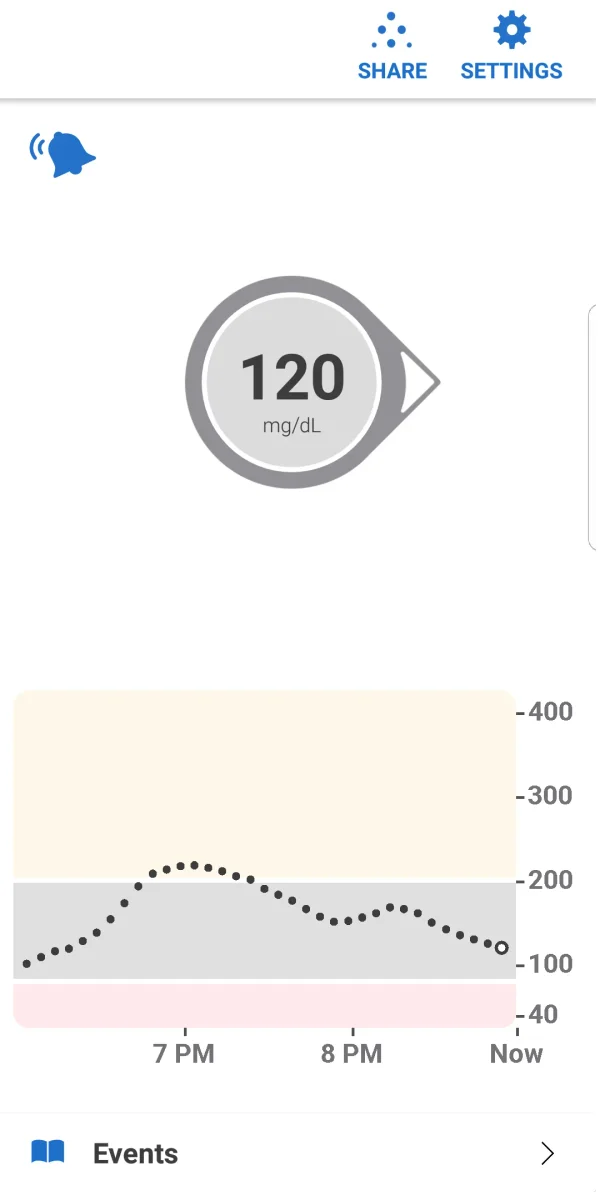
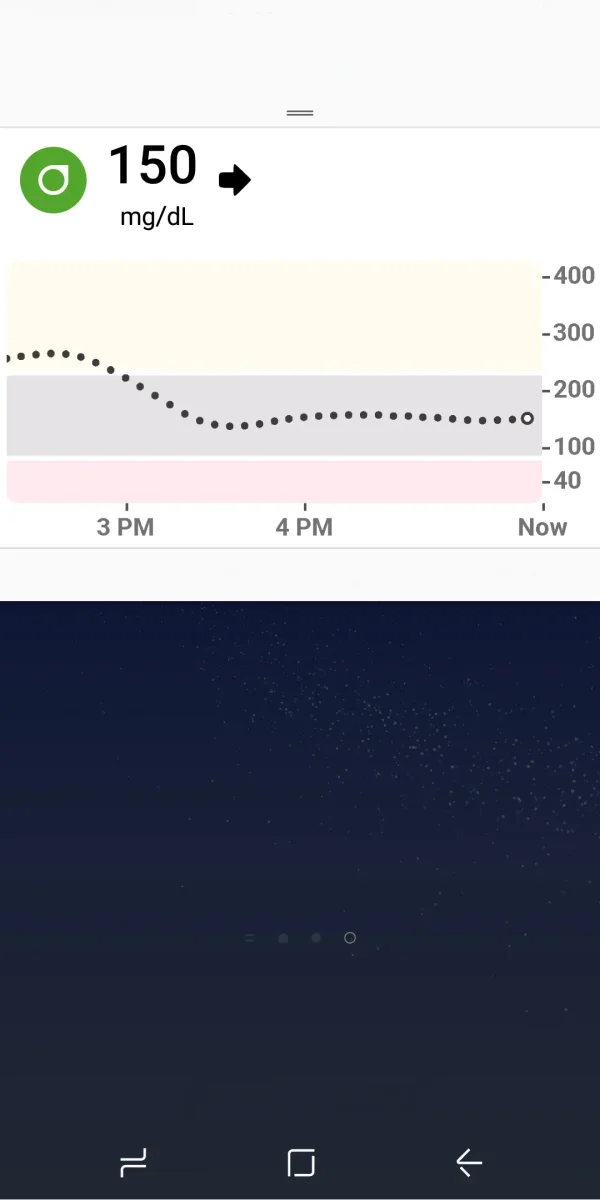
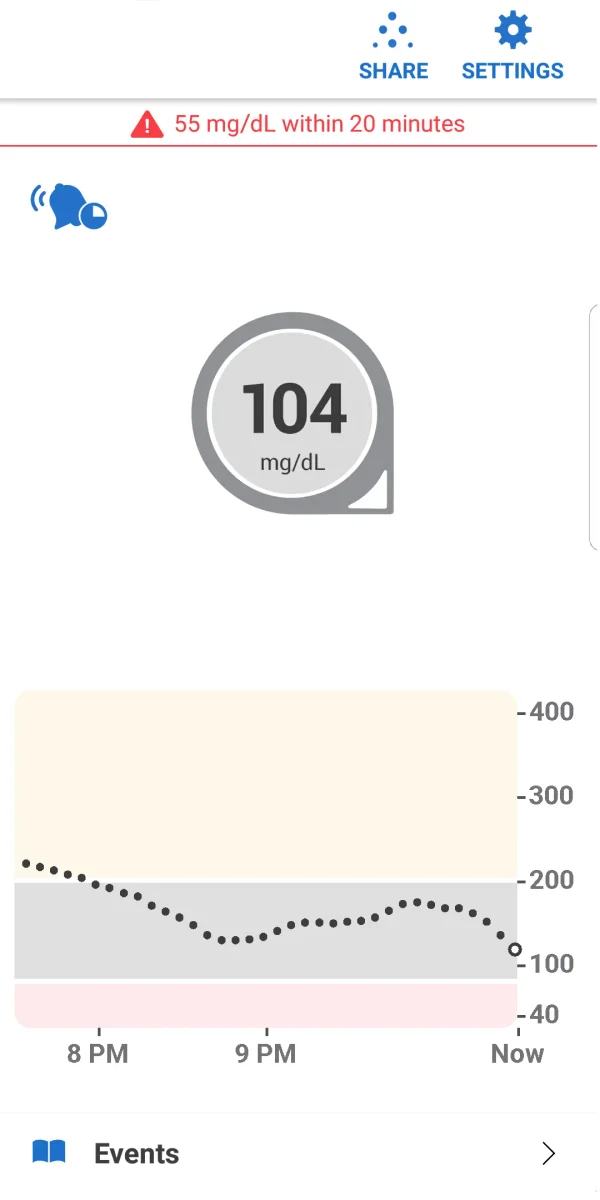
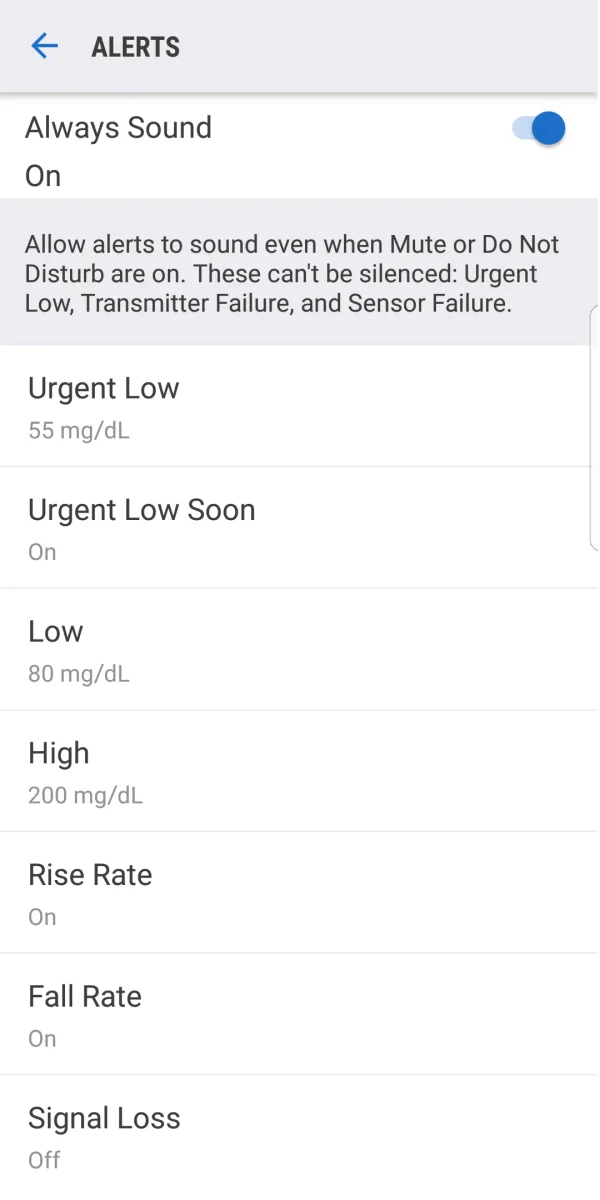
このアプリについて
Googleによる英語 (アメリカ合衆国)からの自動翻訳です。
Dexcom G6連続グルコース監視システム
このアプリは、Dexcom G6またはG6 Pro CGMシステムをお持ちの方のみご利用ください。
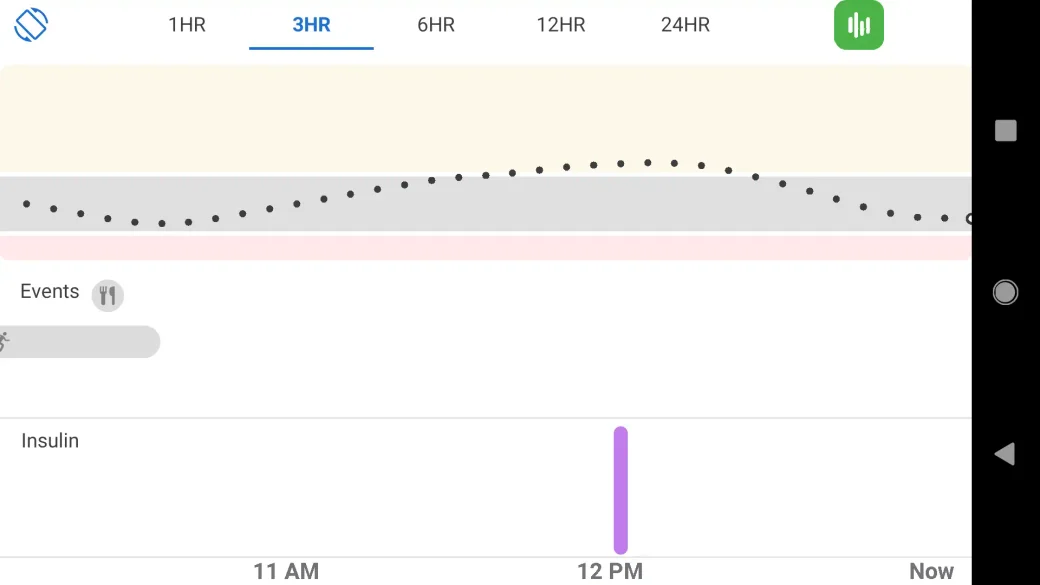
Dexcom G6およびG6 Pro持続血糖モニタリング(CGM)システムを使えば、血糖値とその推移を常に把握できます。指先穿刺やキャリブレーション不要で、糖尿病治療の判断に役立ちます*。Dexcom G6およびG6 Proシステムの主要機能の一つは、血糖値に基づいてアラーム/アラートを提供することです。
*症状と測定値が一致しない場合は、糖尿病管理の判断のために指先穿刺が必要です。
Dexcom G6およびG6 Proは、1型または2型糖尿病患者向けに、5分ごとにリアルタイムの血糖値を提供します。Dexcom G6およびG6 Proは、2歳以上のお子様にもご利用いただけます。
Dexcom G6およびG6 Proシステムは、スマートデバイス上でパーソナライズされた血糖値推移アラートを提供し、血糖値が低すぎる場合や高すぎる場合を把握できるため、糖尿病をより効果的に管理できます。アラートスケジュール**機能を使用すると、2つ目のアラートセットをスケジュール設定してカスタマイズできます。たとえば、勤務時間に合わせてスケジュールを設定し、それ以外の時間帯には異なるアラート設定を行うことができます。カスタムアラート音も利用可能で、血糖値アラートにはスマートフォンのバイブレーションのみのオプションも用意されています。ただし、緊急低血糖アラームはオフにできません。
デフォルトでオンになっている「常時サウンド**」設定では、スマートフォンのサウンドがオフ、バイブレーション、またはおやすみモードに設定されていても、特定のDexcom CGMアラートを受信できます。これにより、通話やテキストメッセージを消音しても、緊急低血糖アラーム、低血糖・高血糖アラート、緊急低血糖間近アラート**、血糖値上昇・下降率アラート**などのCGMアラームとアラートを音声で受信できます。ホーム画面のアイコンで、アラートが鳴るかどうかを確認できます。安全のため、緊急低血糖アラームと、トランスミッター故障、センサー故障、アプリ停止の3つのアラートは消音できません。
その他の機能:
最大10人のフォロワーとリアルタイムで血糖値データを共有**できます。フォロワーは、Dexcom Follow**アプリをインストールした対応スマートデバイスで、あなたの血糖値データと傾向をリアルタイムで確認できます。共有およびフォロー機能にはインターネット接続が必要です。
Health Connectへのアクセスにより、過去の血糖値データをサードパーティアプリと共有できます。
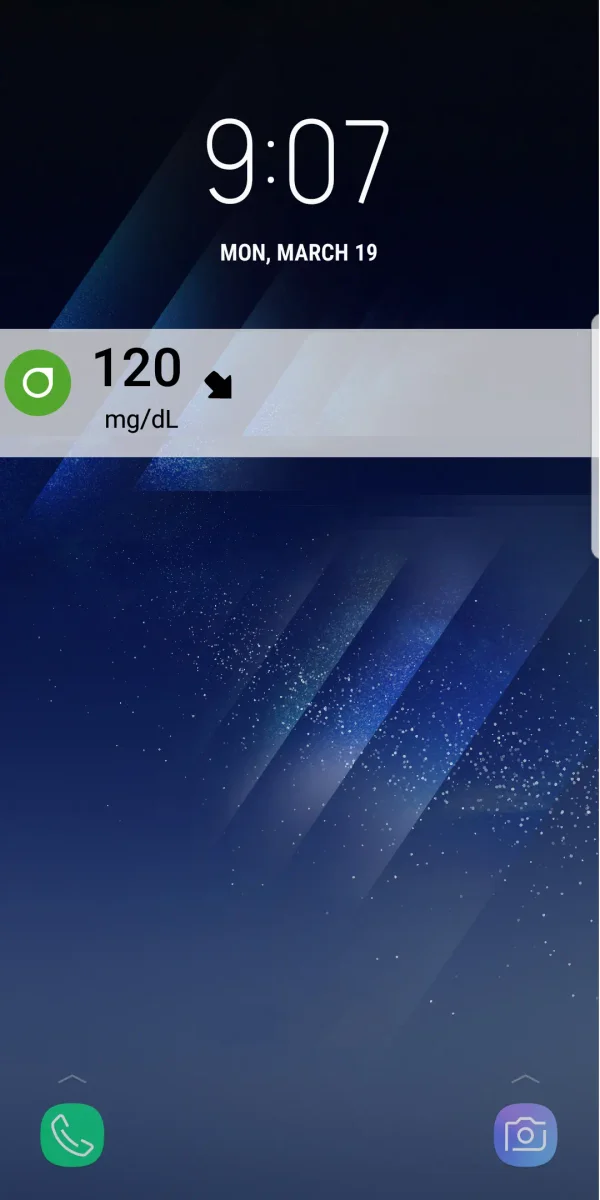
クイックグランス機能を使用すると、スマートデバイスのロック画面で血糖値データを確認できます。
**Dexcom G6 Proシステムではご利用いただけません。
Wear OSとの連携により、Wear OSウォッチの血糖値アラートとアラームをアプリ、ウォッチフェイスのコンプリケーション、またはWear OSタイルで確認できます。
お客様の声
このアプリストアは、技術的な問題やカスタマーサービスに関するお問い合わせの最初の窓口として使用しないでください。お客様のプライバシーと個人情報を保護し、Dexcom製品に関する技術的な問題やカスタマーサービスの問題に迅速に対応するため、1-888-738-3646までご連絡ください。
Dexcomは、製品に関する苦情についてお客様にフォローアップを行う義務があります。 Dexcomがお客様のご意見・苦情について対応が必要と判断した場合、技術サポート担当者がお客様にご連絡し、ご意見・苦情に関する詳細情報をお伺いいたします。
Dexcomは米国における登録商標です。
原文を表示
Only use this app if you have the Dexcom G6 or G6 Pro CGM Systems.
Always know your glucose number and where it’s heading with the Dexcom G6 and G6 Pro Continuous Glucose Monitoring (CGM) Systems –indicated for diabetes treatment decisions with zero fingersticks and no calibration.* A core feature of the Dexcom G6 and G6 Pro Systems is providing users with alarm/alerts based on their glucose level.
*Fingersticks required for diabetes management decisions if symptoms do not match readings.
Dexcom G6 and G6 Pro provide real-time glucose readings for patients with type 1 or type 2 diabetes every five minutes. Dexcom G6 and G6 Pro are indicated for children age 2 years and older.
The Dexcom G6 and G6 Pro Systems provide personalized trend alerts right on your smart device and lets you see when your glucose levels are going too low, or too high, so you can better manage your diabetes. The Alert Schedule** feature lets you schedule and customize a second set of alerts. For example, you can set the schedule to match your work hours and have different alert settings during the rest of the day. Custom alert sounds are available, including a Vibrate-Only option on the phone for glucose alerts. The only exception is the Urgent Low Alarm, which you can’t turn off.
The Always Sound** setting, which is on by default, allows you to receive certain Dexcom CGM Alerts even if your phone sound is off, set to vibrate, or in Do Not Disturb mode. This will allow you to silence calls or texts but still receive audible CGM Alarm and Alerts, including the Urgent Low Alarm, Low and High Glucose alerts, Urgent Low Soon Alert**, and Rise and Fall Rate alerts**. A Home screen icon shows you if your Alerts will sound or not. For safety, the Urgent Low Alarm and three alerts cannot be silenced: Transmitter Failed, Sensor Failed, and App Stopped.
Other features:
Share** your glucose data with up to ten followers in real time. Followers can monitor your glucose data and trends in real time on their compatible smart device with the Dexcom Follow** app. Share and Follow functions require an internet connection.
Health Connect access so you can share retrospective glucose data with third party apps
Quick Glance allows you to view your glucose data on the lock screen of your smart device
**Not available on Dexcom G6 Pro System
Wear OS Integration allows you to view glucose alerts and alarms from your Wear OS watch through the app, watch face complication, or Wear OS tile.
Customer Reviews
This app store should not be used as your first point of contact to resolve technical or customer services issues. In order to protect your privacy and personal information, and promptly resolve any technical or customer services issues you are having with any Dexcom product, please contact 1-888-738-3646.
Dexcom is required to follow up with customers regarding product-related complaints. If Dexcom determines that your comment/complaint requires follow up, a technical support representative will attempt to contact you to gather more information regarding your comment/complaint.
Dexcom is a registered trademark in the US.
データ セーフティ
このアプリが収集・共有するデータについて、DexcomがGoogle Playで申告している内容です。
- 第三者と共有されるデータはありません詳しくは、デベロッパーが共有を申告する方法についての説明をご覧ください
- このアプリは以下の種類のデータを収集することがあります個人情報、健康、フィットネス、他 3 件
- データは送信中に暗号化されます
- データを削除するようリクエストできます
- Play ファミリー ポリシーの遵守に努めています
新機能
バージョン 1.17.1.336 · 2026/10/22
Bug fixes and performance enhancements
開発元の連絡先
- ウェブサイトdexcom.com
- メールappsupport@dexcom.com
- プライバシーポリシーdexcom.com
- 住所6340 Sequence Dr San Diego, CA 92121 United States
情報
- 提供元
- Dexcom
- カテゴリ
- 医療
- バージョン
- 1.17.1.336
- 更新日
- 2026/10/22
- リリース
- 2018/4/25
- 対象年齢
- 3 歳以上
- 価格
- 無料
- パッケージ名
- com.dexcom.g6
類似のアプリ
-
 Blood: Period & Cycle Tracker
健康&フィットネス
-
 Wonderschool
教育
-
 Ivy Period & Pregnancy Tracker
健康&フィットネス
-
 OurRitual: Couples Support
健康&フィットネス
-
 Nice Healthcare
医療
-
 Gia® by MVP
健康&フィットネス
-
 Atlas Pet Clinic
通信
-
 Ciba Health
健康&フィットネス
-
 Nourish: Eating Well Made Easy
健康&フィットネス
-
 Unika Health
健康&フィットネス
-
 ブラダリー: AI 排尿日誌
健康&フィットネス
-
 オレンジセオリーフィットネス
健康&フィットネス