Eclipse: Digital Watch Face
Active Design Studio- 3 歳以上対象年齢
- カスタマイズカテゴリ
- 2025/10/15更新日
- ¥310価格
com.watchfacestudio.eclipse.activedesignのGoogle Play公式ページにリンクしています。最終確認:2026/11/14。
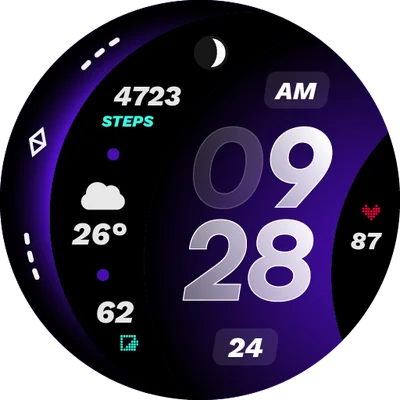
スクリーンショット
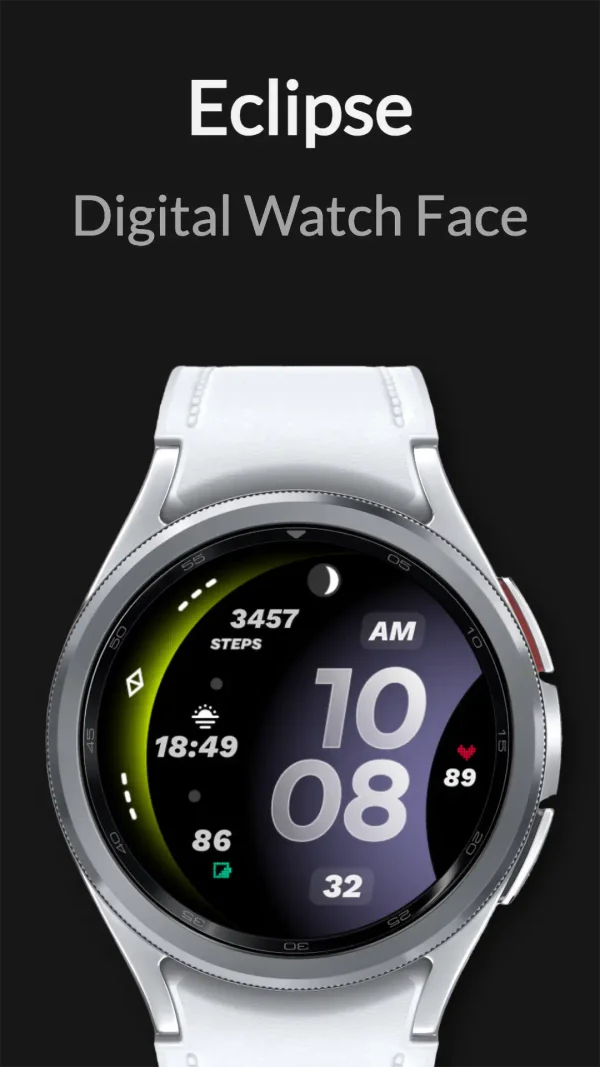
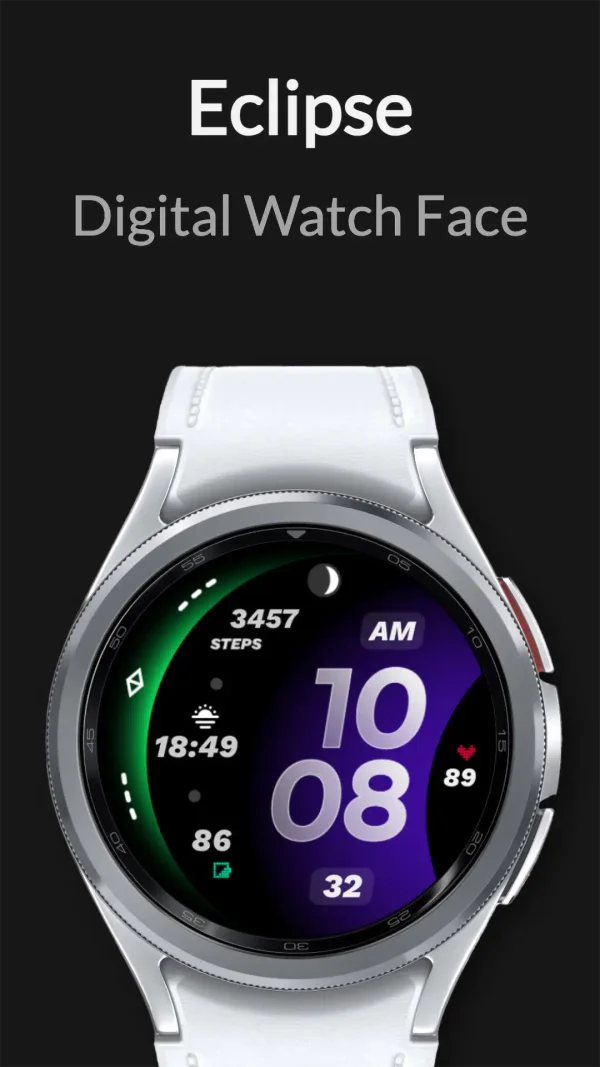

このアプリについて
Googleによる英語 (アメリカ合衆国)からの自動翻訳です。
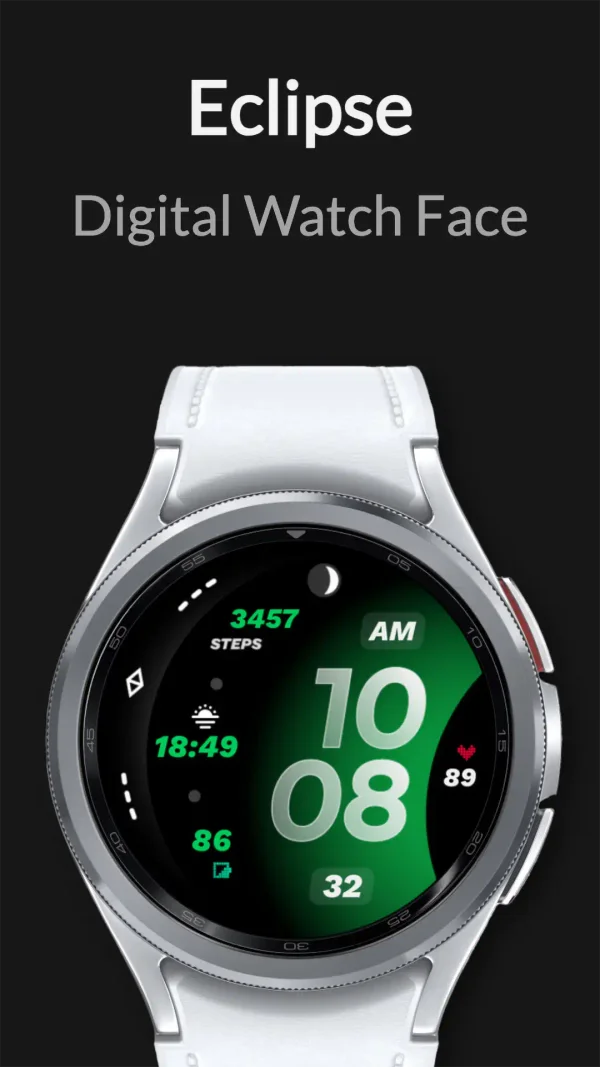
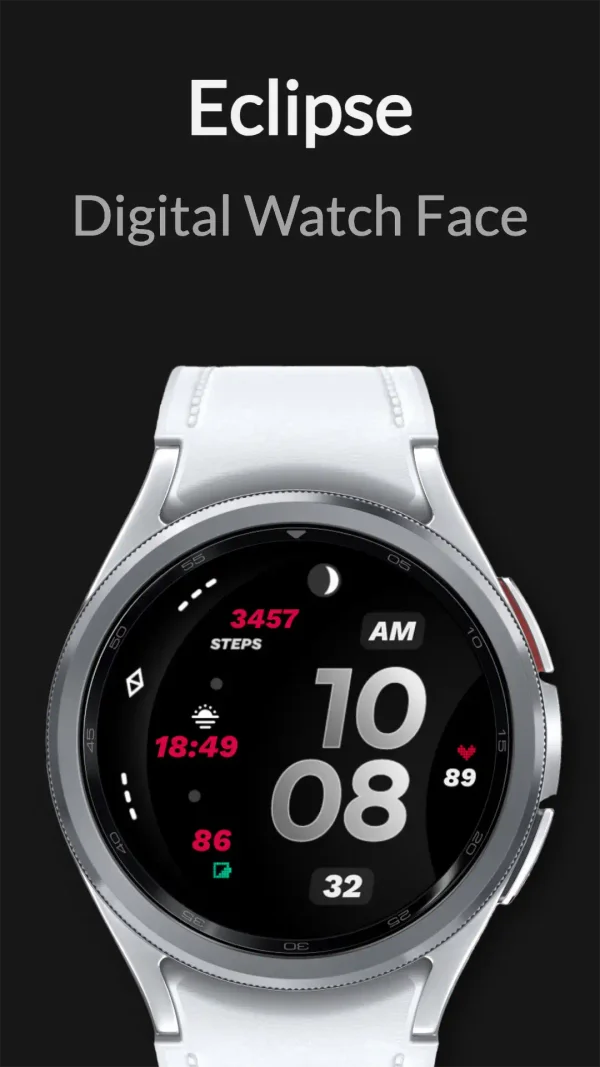
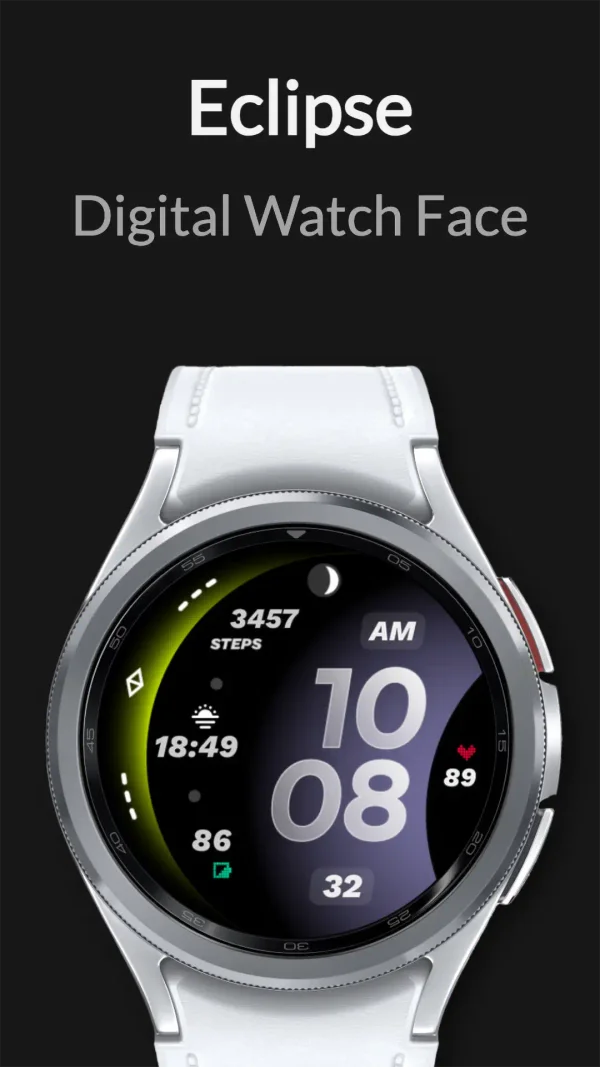
カラーテーマとスマートなカスタマイズを備えた未来的なデジタルウォッチフェイス。
Eclipse – Wear OS by Active Design 対応デジタルウォッチフェイス
未来的なスタイルと日常的な機能性が完璧に融合した Eclipse をぜひご体験ください。大胆な曲線レイアウトと輝くグラデーションアクセントが、印象的なビジュアル体験を生み出すとともに、一日を通して必要な情報を分かりやすく表示します。
主な機能
• 未来的で宇宙をイメージした、ユニークな曲線デジタルデザイン
• AMOLEDディスプレイに最適化された、輝くグラデーションアクセント
• 読みやすさを追求した、すっきりとしたモダンなインターフェース
• Galaxy Watch、Pixel Watch、そしてすべてのWear OSデバイスに最適化
• 歩数計*
• 心拍数モニタリング*
• バッテリーインジケーター
• 日付、AM/PM、秒表示
• 12時間制/24時間制の自動切り替え
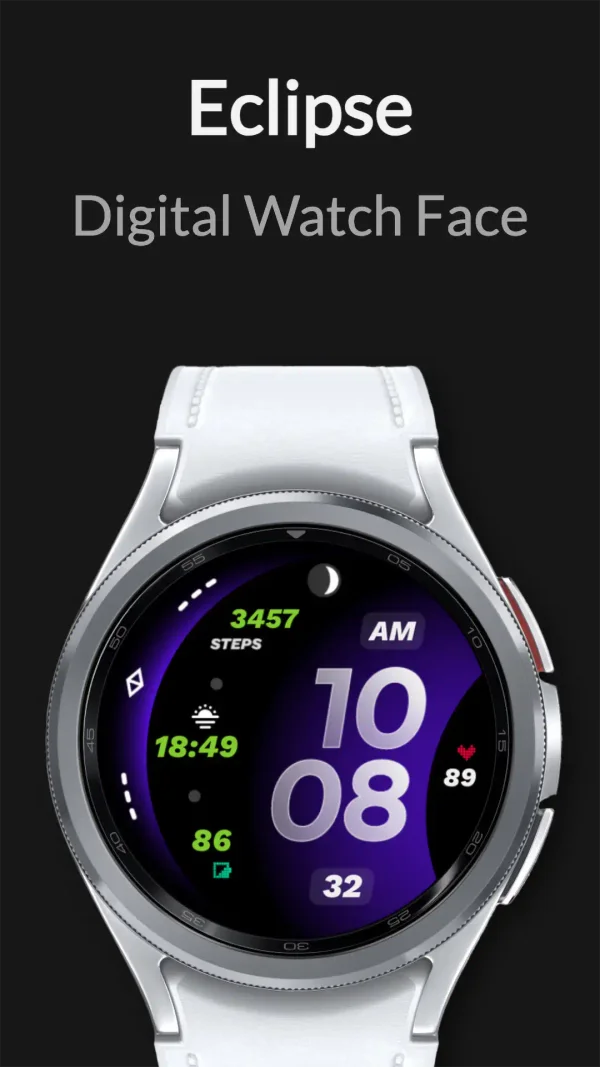
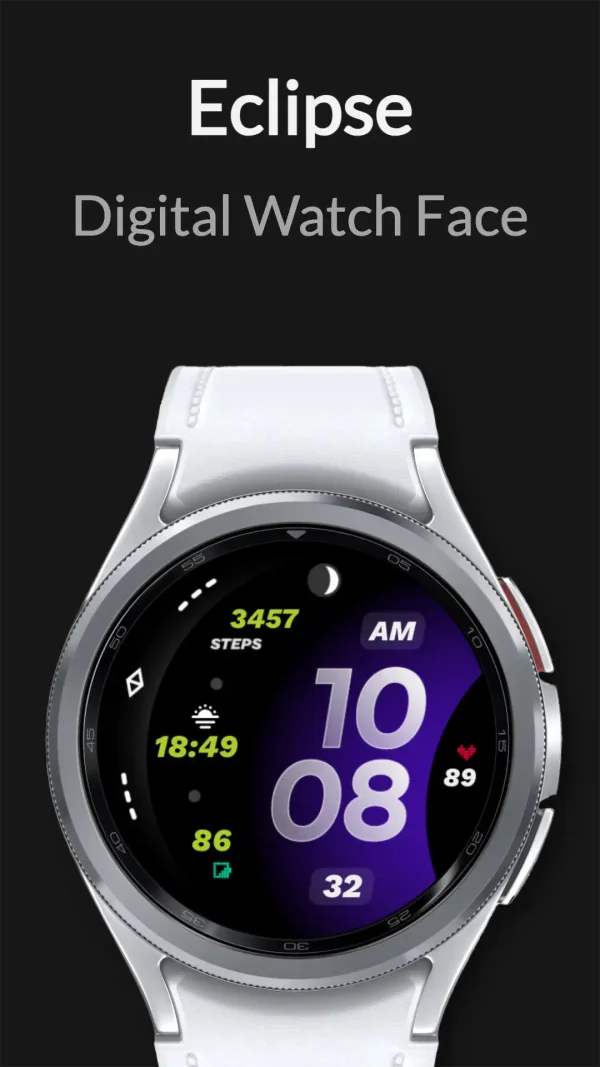
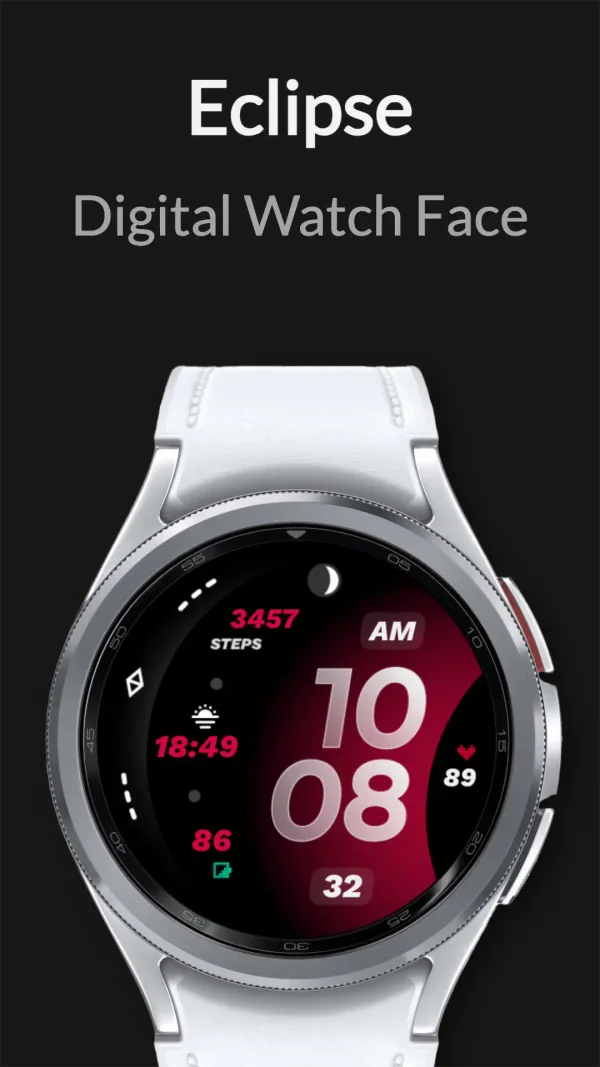
• 複数のグラデーションカラーの組み合わせ
• 素早くアクセスするためのカスタムアプリショートカット2つ
• パーソナライズされたデータを表示するためのカスタムコンプリケーション1つ
• バッテリー消費を抑える常時表示(AOD)モード
• 見やすくシンプルなAODレイアウト
• 軽量でスムーズ、そしてバッテリー効率に優れたパフォーマンス
• 未来的で輝きのあるミニマルなウォッチフェイスを好むユーザーに最適
使用方法
1. Google PlayからEclipseをインストールします。
2. スマートウォッチがWear OS 5以降を実行していることを確認します。
3. 現在のウォッチフェイスを長押しし、スクロールして Active Design の Eclipse を選択します。
注意
• 健康データ(歩数、心拍数など)は、ウォッチのセンサーとシステムサービスによって提供されます。*
• すべての機能を使用するには、必要なすべての権限を許可してください。
ACTIVE DESIGN について
Active Design は、明瞭性、カスタマイズ性、モダンな美しさを重視した、プレミアムなデジタル、アナログ、ハイブリッドウォッチフェイスを開発しています。Google Play で 「Active Design ウォッチフェイス」を検索して、詳細をご覧ください。
Eclipse を今すぐ有効化して、手首に未来的な輝きを添えましょう。
原文を表示
Eclipse – Digital Watch Face for Wear OS by Active Design
Experience the perfect fusion of futuristic style and everyday functionality with Eclipse. Its bold curved layout and glowing gradient accents create a striking visual experience while keeping essential information clear and accessible throughout your day.
KEY FEATURES
• Unique curved digital design with a futuristic, space-inspired look
• Glowing gradient accents optimized for AMOLED displays
• Clean, modern interface built for fast readability
• Optimized for Galaxy Watch, Pixel Watch, and all Wear OS devices
• Steps counter*
• Heart rate monitoring*
• Battery indicator
• Date with AM/PM and seconds display
• Automatic 12h / 24h time format
• Multiple gradient color combinations
• 2x custom app shortcuts for fast access
• 1x custom complication for personalized data
• Battery-optimized Always-On Display (AOD) mode
• Clear, simplified AOD layout for easy viewing
• Lightweight, smooth, and battery-efficient performance
• Ideal for users who enjoy futuristic, glowing, and minimalist watch faces
HOW TO USE
1. Install Eclipse from Google Play.
2. Ensure your smartwatch is running Wear OS 5 or later.
3. Touch and hold your current watch face, then scroll and select Eclipse by Active Design.
NOTE
• Health data (steps, heart rate, etc.) is provided by your watch sensors and system services.*
• Grant all required permissions for full functionality.
ABOUT ACTIVE DESIGN
Active Design creates premium digital, analog, and hybrid watch faces with a focus on clarity, customization, and modern aesthetics. Discover more by searching "Active Design Watch Face" on Google Play.
Activate Eclipse today and bring a futuristic glow to your wrist.
データ セーフティ
このアプリが収集・共有するデータについて、Active Design StudioがGoogle Playで申告している内容です。
- 第三者と共有されるデータはありません詳しくは、デベロッパーが共有を申告する方法についての説明をご覧ください
- データは収集されません詳しくは、デベロッパーが収集を申告する方法についての説明をご覧ください
開発元の連絡先
- メールactivewatchdesign@gmail.com
- プライバシーポリシーsites.google.com
- 住所Jl. Raya Cipaku No.36, RT.02 / RW.04 Cipaku Sukaasih, Dekeng Bawah Bogor Jawa Barat 16133 Indonesia
情報
- 提供元
- Active Design Studio
- カテゴリ
- カスタマイズ
- バージョン
- 1.0.0
- 更新日
- 2025/10/15
- リリース
- 2025/10/15
- 対象年齢
- 3 歳以上
- 価格
- ¥310
- パッケージ名
- com.watchfacestudio.eclipse.activedesign