Flowchart Creator
Anvaysoft広告を含む
- 3 歳以上対象年齢
- 教育カテゴリ
- 2025/3/11更新日
- 無料価格
com.anvaysoft.flowchartcreatorのGoogle Play公式ページにリンクしています。最終確認:2026/11/18。

スクリーンショット
このアプリについて
Googleによる英語 (アメリカ合衆国)からの自動翻訳です。
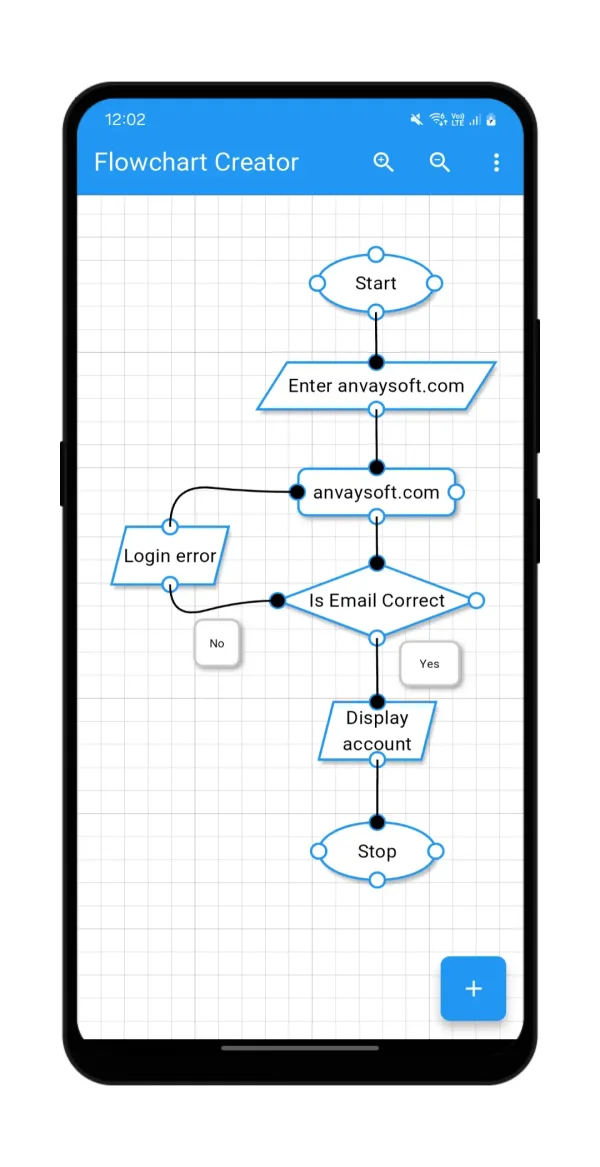
フローチャートの作成
Flowchart Creator アプリへようこそ。このアプリは、直感的で強力な作図体験を提供するように設計されています。学生、専門家、愛好家を問わず、当社のアプリはアイデア、プロセス、ワークフローを簡単に視覚化するシームレスな方法を提供します。
主な特徴:
多様なフローチャート要素
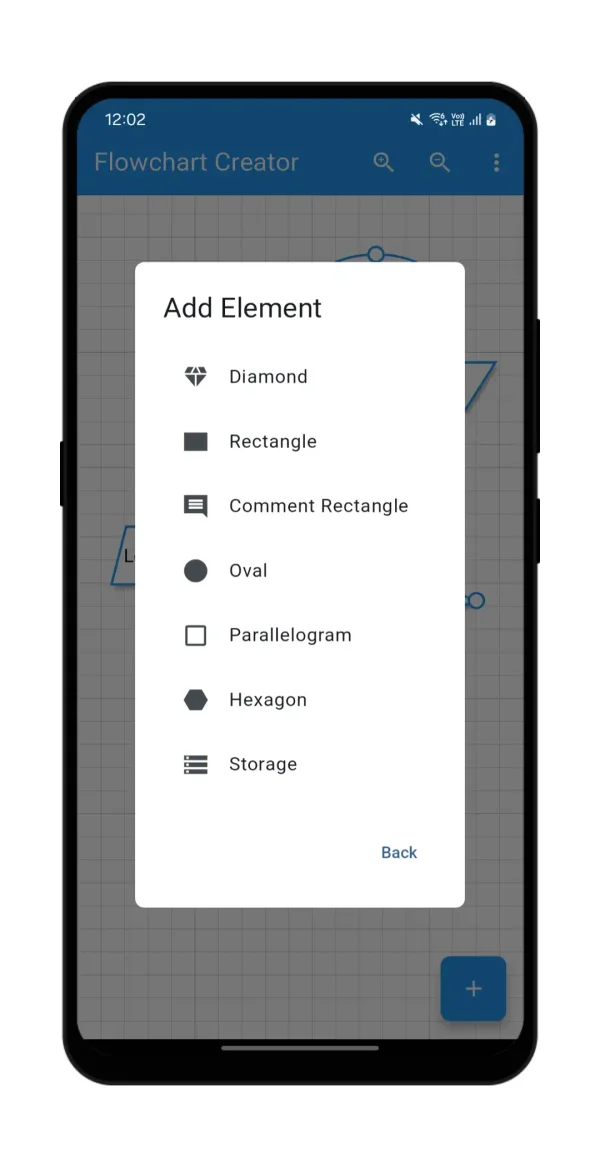
長方形、ひし形、楕円形、平行四辺形、六角形など、さまざまな形で見事なフローチャートを作成します。すべての要素は、デザインのニーズに合わせて完全にカスタマイズ可能です。
テキストのカスタマイズ
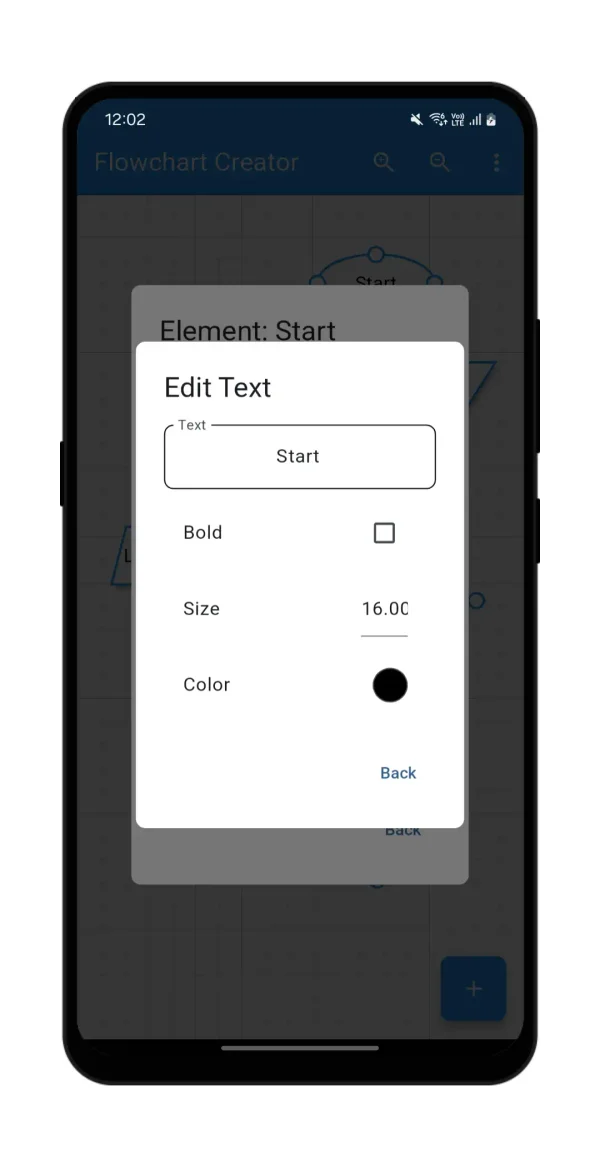
完全に編集可能なテキストを使用して図をカスタマイズします。フォントのスタイル、サイズ、色を調整して、フローチャートをより読みやすく魅力的なものにします。
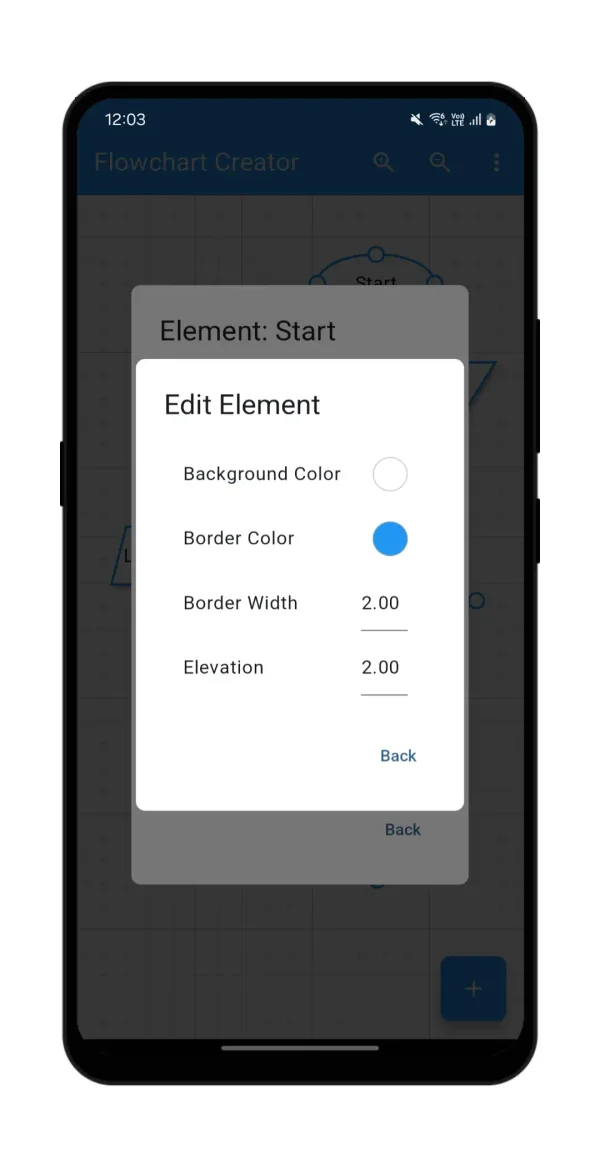
要素のカスタマイズ
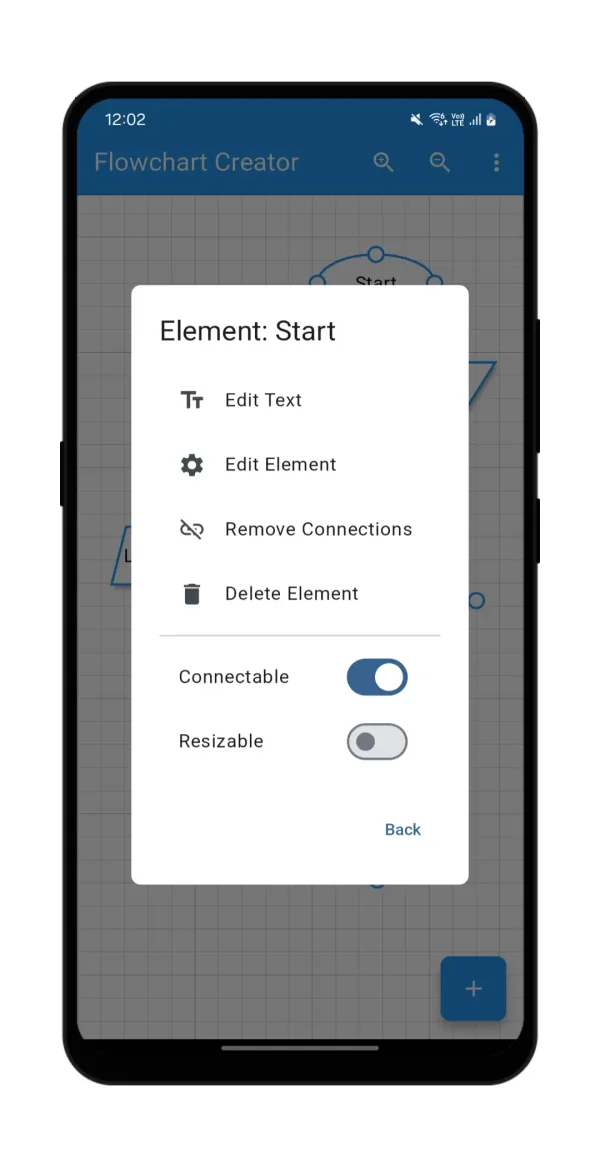
各要素の色、境界線、透明度、サイズを変更して、プロジェクトに合わせた視覚的に魅力的なフローチャートを作成します。
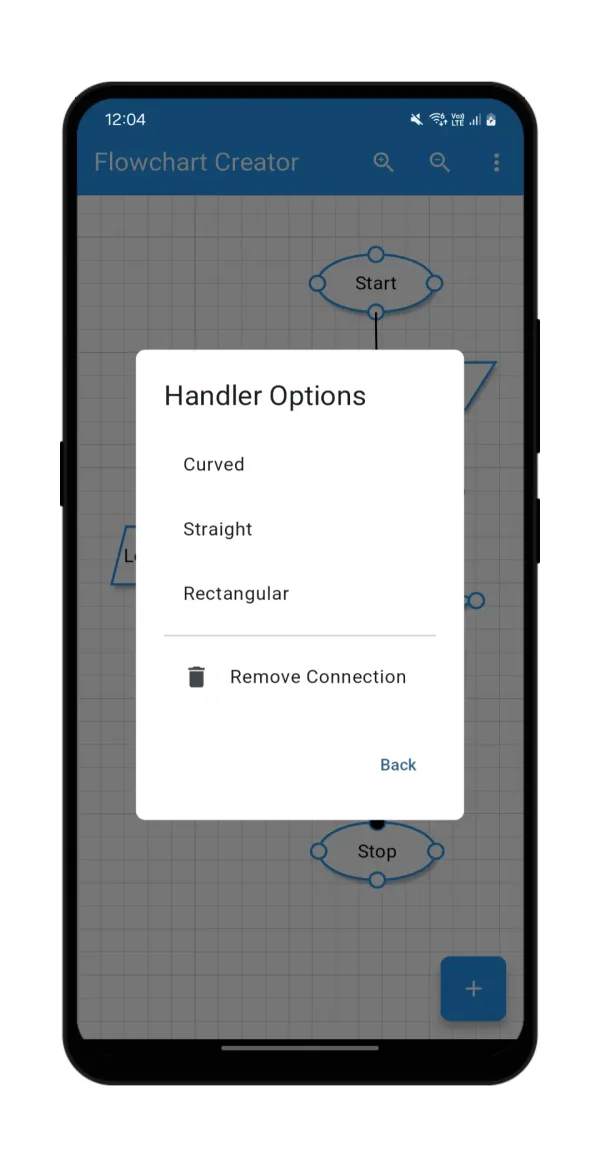
ハンドラーのカスタマイズ
カスタマイズ可能な接続スタイルを使用して要素を簡単に接続します。直線、曲線、または長方形のコネクタを選択して、図のフローを定義します。ドラッグ アンド ドロップ ハンドラーにより、接続をスムーズかつ直感的に調整できます。
サイズ変更可能な要素
明瞭さを失うことなく、レイアウトに合わせて要素を自由に拡大縮小できます。図形のサイズ変更、回転、位置合わせを簡単に実行して、適切に構造化されたフローチャートを作成します。
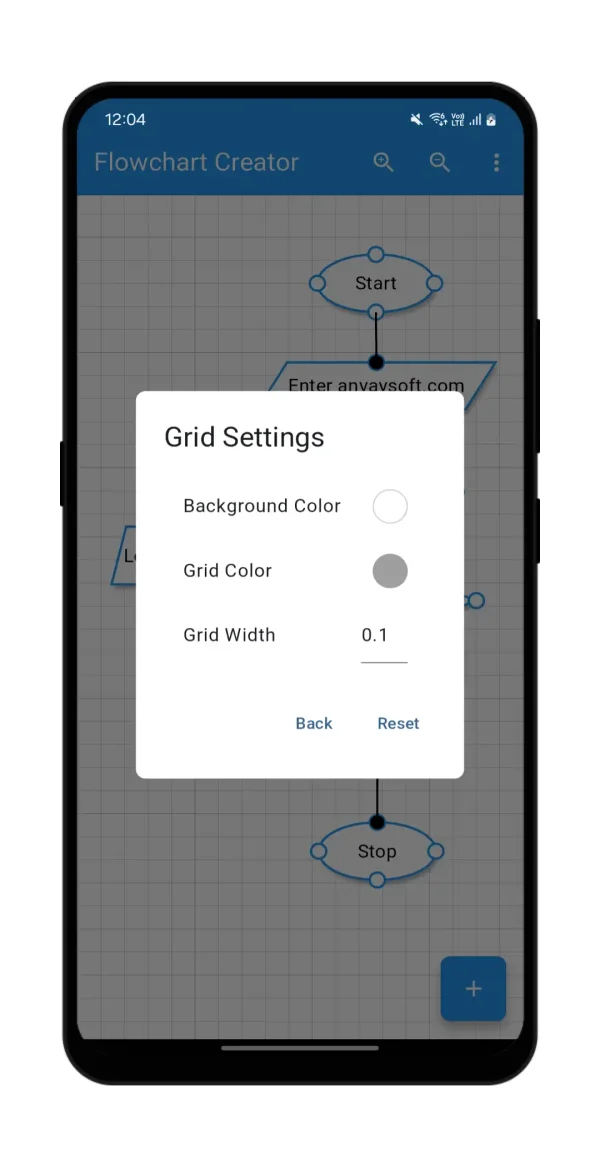
グリッドのカスタマイズ
好みのワークフローに合わせて背景色、グリッド色、グリッド線の幅をカスタマイズし、フローチャートの明瞭さを高めます。
アルゴリズムを設計している場合でも、ビジネス ワークフローを設計している場合でも、アイデアをブレインストーミングしている場合でも、Flowchart Creator アプリは完璧な相棒です。豊富な機能セットと使いやすいツールを使用して、コンセプトを簡単に実現できます。
アンベイソフトによって開発されました
プログラマー - Hrishi Suthar
インドで愛を込めて作られました
原文を表示
Welcome to the Flowchart Creator app, designed to provide an intuitive and powerful diagramming experience. Whether you’re a student, professional, or an enthusiast, our app offers a seamless way to visualise ideas, processes, and workflows with ease.
Key Features:
Diverse Flowchart Elements
Create stunning flowcharts with a variety of shapes, including rectangles, diamonds, ovals, parallelograms, hexagons, and more. Every element is fully customisable to suit your design needs.
Text Customisation
Personalise your diagrams with fully editable text. Adjust font style, size and colour to make your flowcharts more readable and engaging.
Element Customisation
Modify the colour, border, transparency, and size of each element to create visually appealing flowcharts tailored to your project.
Handler Customisation
Connect elements effortlessly with customisable connection styles. Choose between straight, curved, or rectangular connectors to define the flow of your diagram. Drag-and-drop handlers make adjusting connections smooth and intuitive.
Resizable Elements
Scale elements freely to fit your layout without losing clarity. Resize, rotate, and align shapes effortlessly for a well-structured flowchart.
Grid Customisation
Customise the background colour, grid colour, and grid line width to match your preferred workflow and enhance the clarity of your flowchart.
Whether you’re designing algorithms, business workflows, or brainstorming ideas, the Flowchart Creator app is your perfect companion. With a rich set of features and user-friendly tools, you can bring your concepts to life effortlessly.
Developed by Anvaysoft
Programmer- Hrishi Suthar
Made with love in India
データ セーフティ
このアプリが収集・共有するデータについて、AnvaysoftがGoogle Playで申告している内容です。
- 第三者と共有されるデータはありません詳しくは、デベロッパーが共有を申告する方法についての説明をご覧ください
- データは収集されません詳しくは、デベロッパーが収集を申告する方法についての説明をご覧ください
開発元の連絡先
- ウェブサイトq3b1c7537.app-ads-txt.com
- メールanvaysoft@gmail.com
- プライバシーポリシーtechbajao.blogspot.com
- 住所17, Karnavati bungalows, Near Haridarshan cross roads Nikol-Naroda road Ahmedabad, Gujarat 382330 India
情報
- 提供元
- Anvaysoft
- カテゴリ
- 教育
- バージョン
- 1.0
- 更新日
- 2025/3/11
- リリース
- 2025/3/11
- 必要条件
- Android 5.0以降
- 対象年齢
- 3 歳以上
- 価格
- 無料
- パッケージ名
- com.anvaysoft.flowchartcreator