Gamepad Remote Game Controller
FastSoft広告を含む · アプリ内課金
- 3 歳以上対象年齢
- ライブラリ&デモカテゴリ
- 2026/10/30更新日
- 無料価格
com.qobic.gamepadremoteのGoogle Play公式ページにリンクしています。最終確認:2026/11/27。
スクリーンショット
このアプリについて
Googleによる英語 (イギリス)からの自動翻訳です。
お使いのスマートフォンを、テレビ、PC、ゲーム機用のBluetoothゲームパッドおよびゲームコントローラーに変身させましょう。
Androidスマートフォンをスマートテレビ用のワイヤレスゲームパッドに変身させましょう。追加のハードウェアも、ケーブルも、サブスクリプションも不要です。アプリを起動して接続するだけで、1分以内にプレイ開始できます。
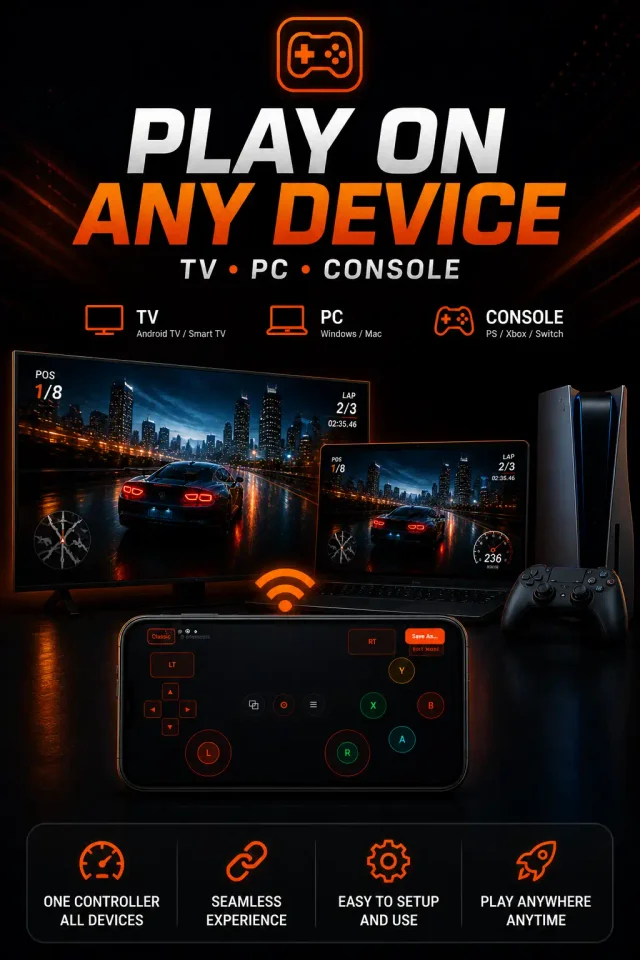
Android TV、Samsung Tizen、LG webOS、Amazon Fire TVなど、どのOSでゲームをプレイしていても、Gamepad Remoteを使えば、スマートフォンの画面から直接、まるで本物のコントローラーのような操作感を得られます。
――――――――――――――――――――――――――――――――――
すぐに使える5種類のコントローラーレイアウト
🎮 クラシックゲームパッド ― スマートフォンで本格的なコンソールゲーム体験を実現。方向キー、デュアルアナログスティック、ABXYボタン、左右バンパー、トリガー、スタートボタン、セレクトボタンなど、ゲームパッドに求められるすべての機能をタッチ操作に最適化。
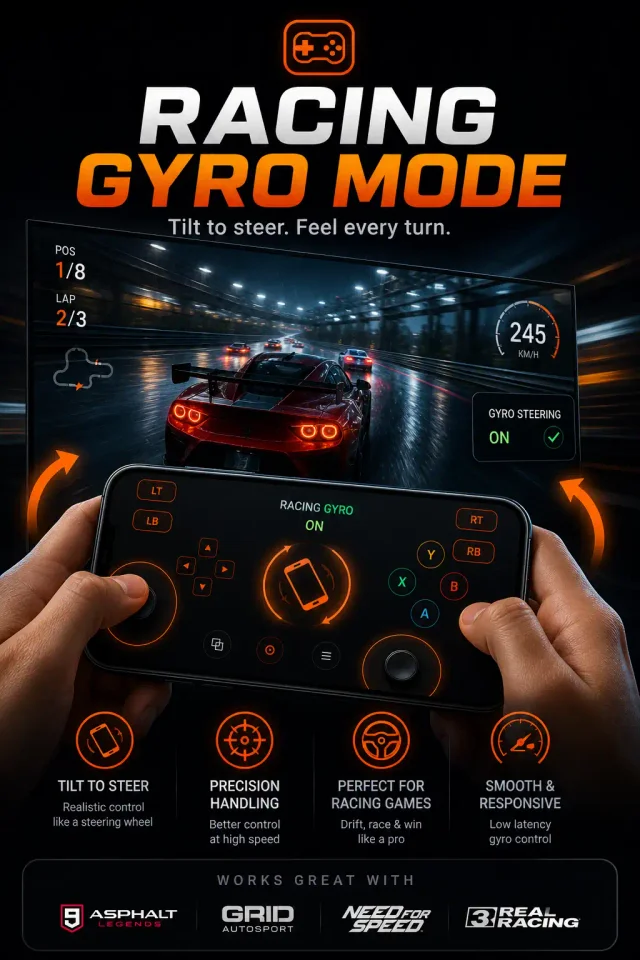
🏎️ レーシングコントローラー ― スマートフォンを左右に傾けるだけでステアリング操作が可能。ジャイロスコープによるステアリングは、実際の身体の動きに反応し、大型のアクセルペダルとブレーキボタンで、自然で臨場感あふれるレーシングコントロールを実現します。Android TVのあらゆるレーシングゲームで快適にプレイできます。
🕹️ アーケードジョイスティック — 6つのアクションボタンを備えた大型バーチャルジョイスティック。レトロゲーム、アーケードエミュレーター、ベルトスクロールアクション、格闘ゲームに最適です。横向きモードでも快適な操作性を実現します。
📱 タッチパッドモード — 左右クリックに対応した、滑らかでスクロール可能なトラックパッド。スマートTVのホーム画面、ストリーミングアプリ、YouTube、Netflix、ウェブブラウザなどをソファから快適に操作できます。
🖱️ マウスモード — 高精度ポインターコントロール。マウスのように、テレビ画面上のどこにでもカーソルを移動できます。クリック操作にも対応。複雑なテレビインターフェースの操作に最適です。
――――――――――――――――――――――――――――――――
レイアウトをカスタマイズ
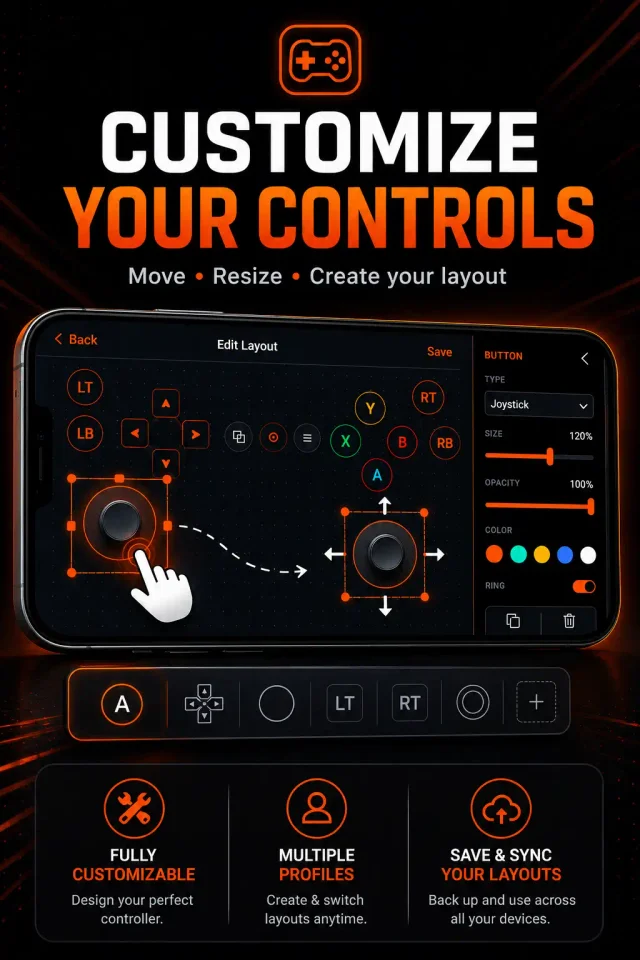
プリセットに満足できない場合は、コントローラーをゼロから完全にカスタマイズできます。ボタン、アナログジョイスティック、タッチパッドを画面上の好きな場所に配置できます。各要素のサイズ変更、位置変更、ラベル付けも可能です。レイアウトを保存して、レイアウト選択画面からいつでも切り替えられます。
――――――――――――――――――――――――――――――――――
スマートBluetooth接続
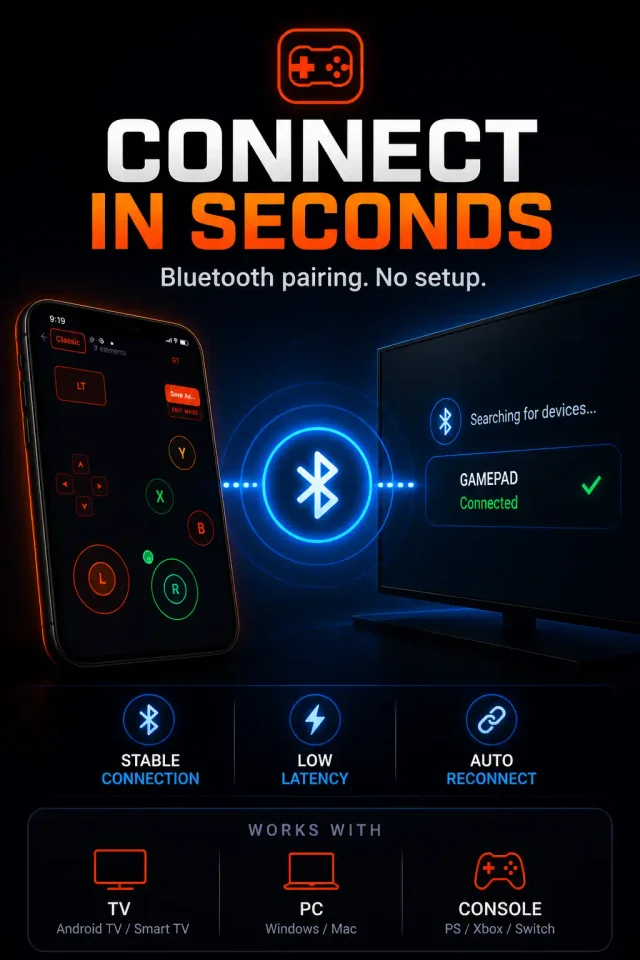
Bluetoothで直接ペアリングできます。インターネット接続不要、サーバー不要、アカウント作成不要です。接続後は、入力が最小限の遅延で瞬時に送信されるため、リアルタイムゲームプレイにも十分対応できます。
Wi-Fiスキャン機能を使えば、ペアリング前に近くのデバイスを検出できます。アプリはネットワーク上の利用可能なテレビやAndroidデバイスを表示するので、ワンタップで接続できます。セットアップウィザードもペアリングコードも不要。スキャンして接続するだけです。
――――――――――――――――――――――――――――――――
使い方
AndroidスマートフォンでGamepad Remoteアプリを開きます。
「接続」をタップして、近くのデバイスをスキャンします。
リストからスマートテレビまたはAndroidデバイスを選択します。
ゲームに合ったコントローラーレイアウトを選択します。
ゲームを開始しましょう。スマートフォンがワイヤレスゲームパッドになります。
――――――――――――――――――――――――――――――――
ゲームのために設計
✔ ボタンを押すたびにハプティックフィードバックで、触覚的な反応を実現
✔ レーシングゲームやモーションコントロールに最適なジャイロスコープステアリング
✔ フルスクリーン横向き没入モード - システムUIが邪魔になりません
✔ 画面オンオプションで、ゲーム中にコントローラーがスリープ状態になるのを防ぎます
✔ 手の大きさや好みに合わせてボタンサイズを調整可能
✔ ペアリング後は完全にオフラインで動作 - インターネット接続は不要
✔ 暗い場所でのゲームプレイに最適なダークUI
✔ ログイン不要、アカウント不要、Bluetooth以外の権限は一切不要
対応機種
Android TVおよびGoogle TV
Samsung Smart TV (Tizen OS)
LG Smart TV (webOS)
Amazon Fire TVおよびFire TV Stick
Androidスマートフォンまたはタブレットをセカンドスクリーンとして使用可能
Raspberry PiおよびAndroidベースのメディアプレーヤー
セットトップボックスおよびAndroidミニPC
Gamepad Remoteを選ぶ理由
ほとんどのテレビリモコンアプリはナビゲーションメニュー向けに作られており、ゲームプレイには適していません。Gamepad Remoteはコントローラーとしてゼロから設計されています。すべてのレイアウトはタッチ入力に最適化されており、大きくてタップしやすいボタンを備えています。すべての機能は、長時間の使用でも快適で低遅延になるように設計されています。
埃をかぶるBluetoothコントローラーはもう必要ありません。テレビのリモコンを探しにソファから立ち上がる必要もありません。スマートフォンは常に手元にあります。それが今やゲームパッドにもなります。
サブスクリプション不要。アカウント不要。不要な権限も不要。
ダウンロードして接続すれば、1分以内にプレイ開始できます。
原文を表示
Turn your Android phone into a wireless gamepad for your Smart TV. No extra hardware. No cables. No subscription. Just launch the app, connect, and play — in under a minute.
Whether you're gaming on Android TV, Samsung Tizen, LG webOS, or Amazon Fire TV, Gamepad Remote gives you real controller input directly from your phone screen.
――――――――――――――――――――――――――――――――
5 READY-TO-USE CONTROLLER LAYOUTS
🎮 Classic Gamepad — The full console experience on your phone. D-pad, dual analog sticks, ABXY face buttons, left and right bumpers, triggers, Start and Select. Everything you expect from a gamepad, optimized for touch.
🏎️ Racing Controller — Tilt your phone left and right to steer. Gyroscope-powered steering responds to real physical movement, with a large accelerator pedal and brake button for natural, immersive racing control. Works great with any racing game on Android TV.
🕹️ Arcade Joystick — A large virtual joystick with 6 action buttons. Built for retro games, arcade emulators, beat-em-ups, and fighting games. Responsive and comfortable in landscape mode.
📱 Touchpad Mode — A smooth, scrollable trackpad surface with left and right click support. Perfect for navigating Smart TV home screens, streaming apps, YouTube, Netflix, and web browsers from the couch.
🖱️ Mouse Mode — Full precision pointer control. Move the cursor anywhere on your TV just like a mouse, with complete click support. Ideal for navigating complex TV interfaces.
――――――――――――――――――――――――――――――――
BUILD YOUR OWN LAYOUT
Not happy with the presets? Design a fully custom controller from scratch. Place buttons, analog joysticks, and touchpads exactly where you want them on screen. Resize, reposition, and label each element. Save your layout and switch to it anytime from the layout picker.
――――――――――――――――――――――――――――――――
SMART BLUETOOTH CONNECTION
Pairs directly over Bluetooth — no internet required, no server in the middle, no account to create. Once connected, input is transmitted instantly with minimal latency, making it reliable enough for real-time gameplay.
Wi-Fi scanning lets you discover nearby devices before pairing. The app shows available TVs and Android devices on your network so you can connect with a single tap. No setup wizard, no pairing codes — just scan and connect.
――――――――――――――――――――――――――――――――
HOW IT WORKS
Open Gamepad Remote on your Android phone
Tap "Connect" and scan for nearby devices
Select your Smart TV or Android device from the list
Choose a controller layout that fits your game
Start playing — your phone is now a wireless gamepad
――――――――――――――――――――――――――――――――
DESIGNED FOR GAMING
✔ Haptic feedback on every button press for tactile response
✔ Gyroscope steering for racing games and motion controls
✔ Full-screen landscape immersive mode — no system UI in the way
✔ Keep-screen-on option so your controller never sleeps mid-game
✔ Adjustable button size to fit your hand size and preference
✔ Works completely offline after pairing — no internet needed
✔ Dark UI designed for low-light gaming sessions
✔ No login, no account, no permissions beyond Bluetooth
COMPATIBLE WITH
Android TV and Google TV
Samsung Smart TV (Tizen OS)
LG Smart TV (webOS)
Amazon Fire TV and Fire TV Stick
Any Android phone or tablet as a second screen
Raspberry Pi and Android-based media players
Set-top boxes and Android mini PCs
WHY GAMEPAD REMOTE?
Most TV remote apps are built for navigation menus — not gaming. Gamepad Remote is designed from the ground up as a controller. Every layout is optimized for touch input with large, tap-friendly buttons. Every feature is built around low latency and comfort during long sessions.
You don't need a physical Bluetooth controller collecting dust, and you don't need to leave the couch to find the TV remote. Your phone is always in your hand — now it's also your gamepad.
No subscription. No account. No unnecessary permissions.
Download it, connect, and play in under a minute.
データ セーフティ
このアプリが収集・共有するデータについて、FastSoftがGoogle Playで申告している内容です。
- このアプリはサードパーティと以下の種類のデータを共有することがあります位置情報、アプリのアクティビティ、他 2 件
- データは収集されません詳しくは、デベロッパーが収集を申告する方法についての説明をご覧ください
- データは送信中に暗号化されます
開発元の連絡先
- ウェブサイトfastsoftdev.blogspot.com
- メールalbertdidix@outlook.fr
- プライバシーポリシーfastsoftapps.blogspot.com
- 住所2435 Rue Jean-Talon E Montréal, QC H2E 1W1 Canada
情報
- 提供元
- FastSoft
- カテゴリ
- ライブラリ&デモ
- バージョン
- 1.1.0
- 更新日
- 2026/10/30
- リリース
- 2026/5/7
- 必要条件
- Android 9以降
- 対象年齢
- 3 歳以上
- 価格
- 無料
- アプリ内課金
- ¥2,890/アイテム
- パッケージ名
- com.qobic.gamepadremote
類似のアプリ
-
 One Emulator ゲーム機エミュレーター
ツール
-
 nzb360 - Media Server Manager
ツール
-
 Netzero for Powerwall
ツール
-
 Elgato Stream Deck Mobile
仕事効率化
-
 Final Surge
健康&フィットネス
-
 Wheel Fit - Wheelchair Fitness
スポーツ
-
 MILLIONS: Sports & Commerce
スポーツ
-
 BLEUSALT
ショッピング
-
 AIO Launcher: 生産性
カスタマイズ
-
 Spatial Touch™
ツール
-
 GranPlayer
ツール
-
 Cross DJ Pro - Mix & Remix
音楽&オーディオ