HEY Email
37signals- 3 歳以上対象年齢
- 通信カテゴリ
- 2026/11/11更新日
- 無料価格
com.basecamp.heyのGoogle Play公式ページにリンクしています。最終確認:2026/11/24。

スクリーンショット


このアプリについて
Googleによる英語 (アメリカ合衆国)からの自動翻訳です。
メール、予期せぬ
必要だとは知らなかったが、これなしでは生きていけない機能が満載です。
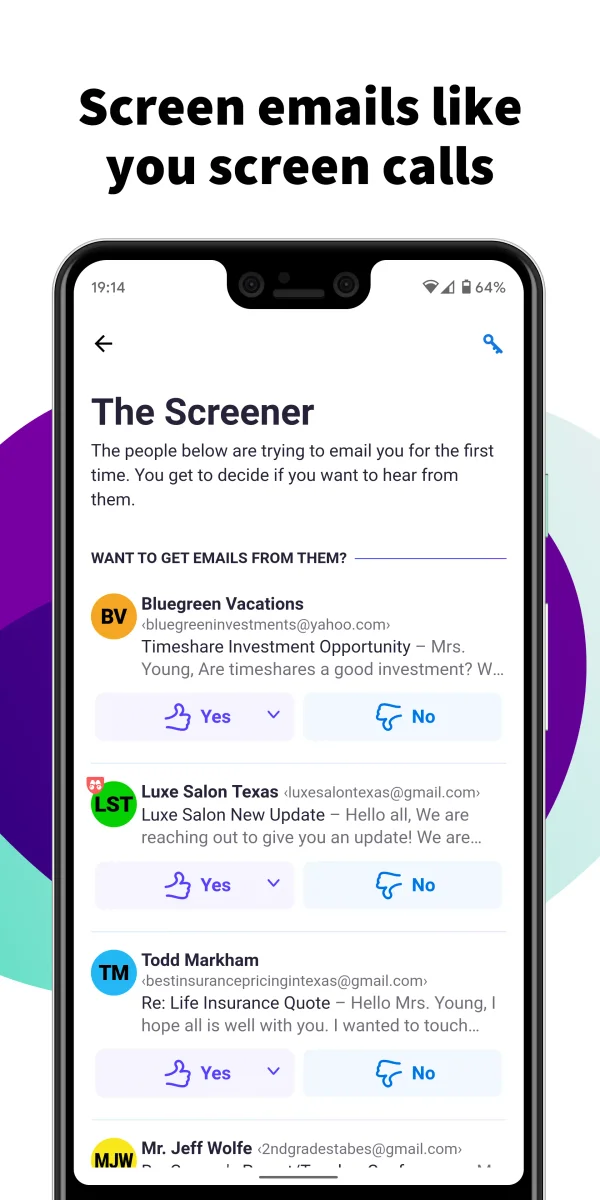
通話をスクリーンするのと同じようにメールをスクリーンする
あなたは通話を選別しているのに、なぜメールを選別できないのでしょうか? HEYならそれが可能です。 HEY を使用すると、誰にメールを送信できるかを完全に制御できます。誰かがあなたに初めてメールを送ったとき、あなたはその人からもう一度連絡を取りたいかどうかを決めることができます。
ウェブにメールを送信する
個人出版がかつてないほど簡単になりました。個人の HEY アカウントから world@hey.com に電子メールを送信し、全世界が閲覧できる Web ページに公開します。電子メールで購読したり、RSS でフォローしたりできます。
受信トレイ: タイプミスではありません
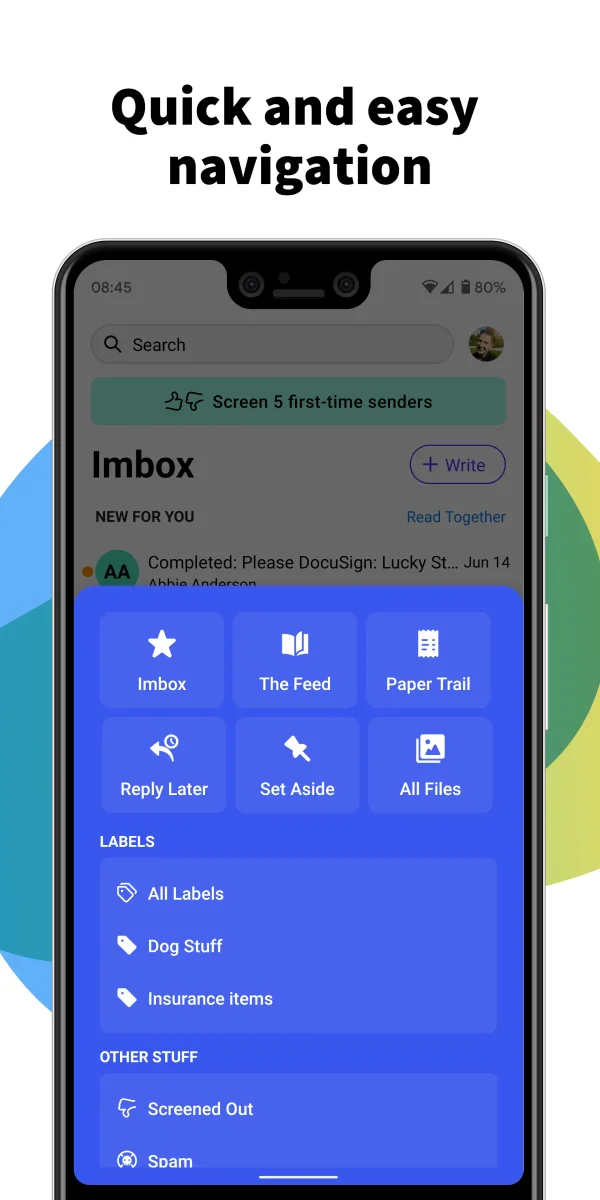
受信トレイが肥大化することは誰もが嫌うので、HEY は代わりに集中した受信トレイを用意しています。 Imbox は、関心のある人やサービスからの重要な即時メールが届く場所です。ランダムな領収書や、「めったに読まない」ニュースレター、そして本当に気になるものを締め出す特別オファーはありません。
段階的にメールの進行状況を追跡する
多数の電子メール スレッドと複数の手順を伴う状況を処理していると、事態は複雑になります。 HEY では、ワークフローを使用してステージを定義し、複数ステップのプロセスを通じて電子メールの進行状況を視覚的に追跡できます。
連絡先に簡単で検索可能なメモを追加します
連絡先の詳細を覚えておく必要がありますか?どこで会ったか、電話番号、いつフォローアップするかなど。連絡先メモは、メールを調べなくても連絡先の詳細を文書化する優れた方法です。
デフォルトでは静かですが、あなたの判断で大声で鳴らせます
HEY プッシュ通知はデフォルトでオフになっているため、重要でないメールが受信箱に届くたびに携帯電話が注意を奪うことはありません。ただし、HEY を使用すると、特定の連絡先またはスレッドに対して選択的にオンにすることができるため、本当に関心のあるものを見逃すことはありません。
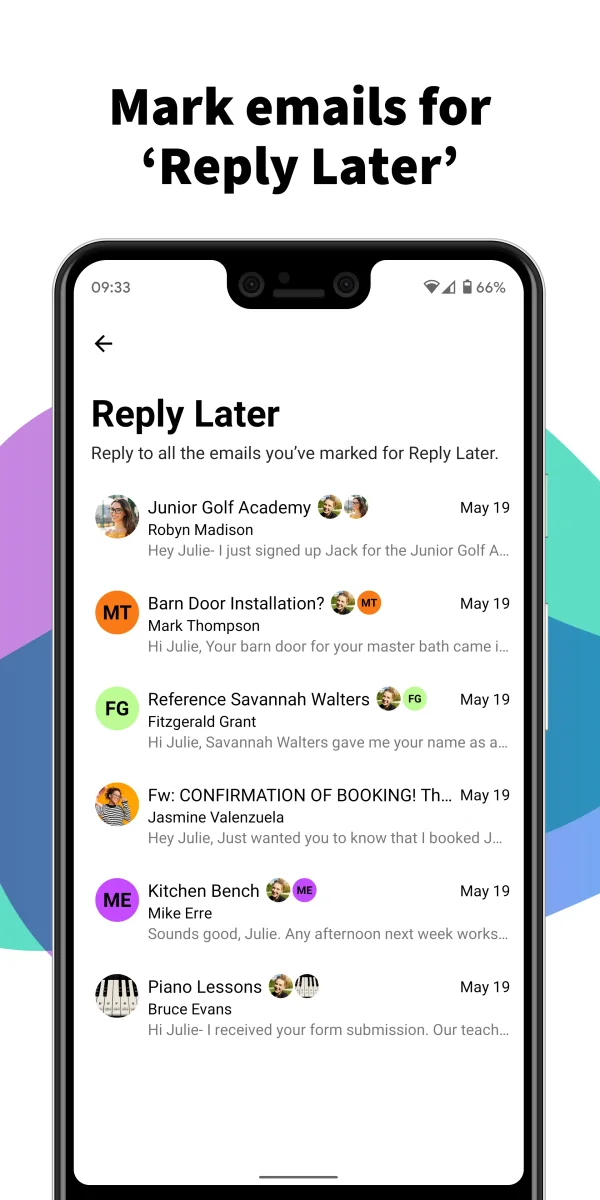
組み込みの「後で返信」ワークフロー
返信する必要があるが、今は時間がない場合はどうすればよいですか? HEY を使用すると、「後で返信」ボタンをクリックするだけで、メールを画面下部の専用の「後で返信」パイルに移動できるため、紛失したり忘れたりすることがなくなります。
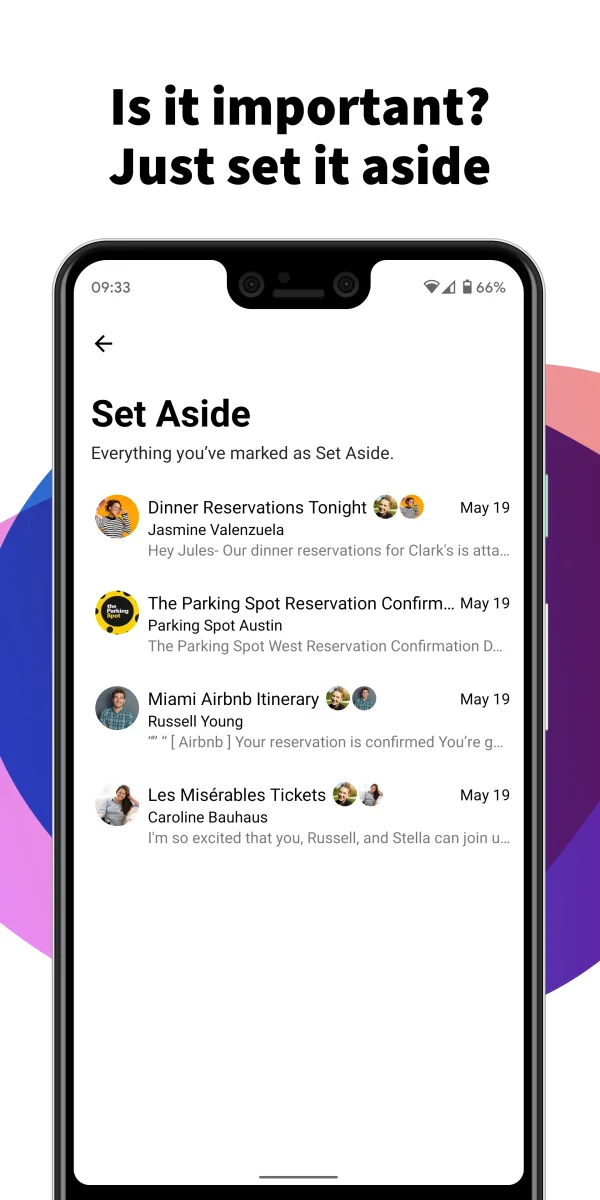
そのままにしておいてください
旅行情報、便利なリンク、必要な番号など、後で参照する必要があるメールを受け取ることがあります。HEY を使用すると、必要なときにいつでも簡単にアクセスできるように、メールをきちんとした小さな山に「保存」できます。手元にありますが、顔の外にあります。
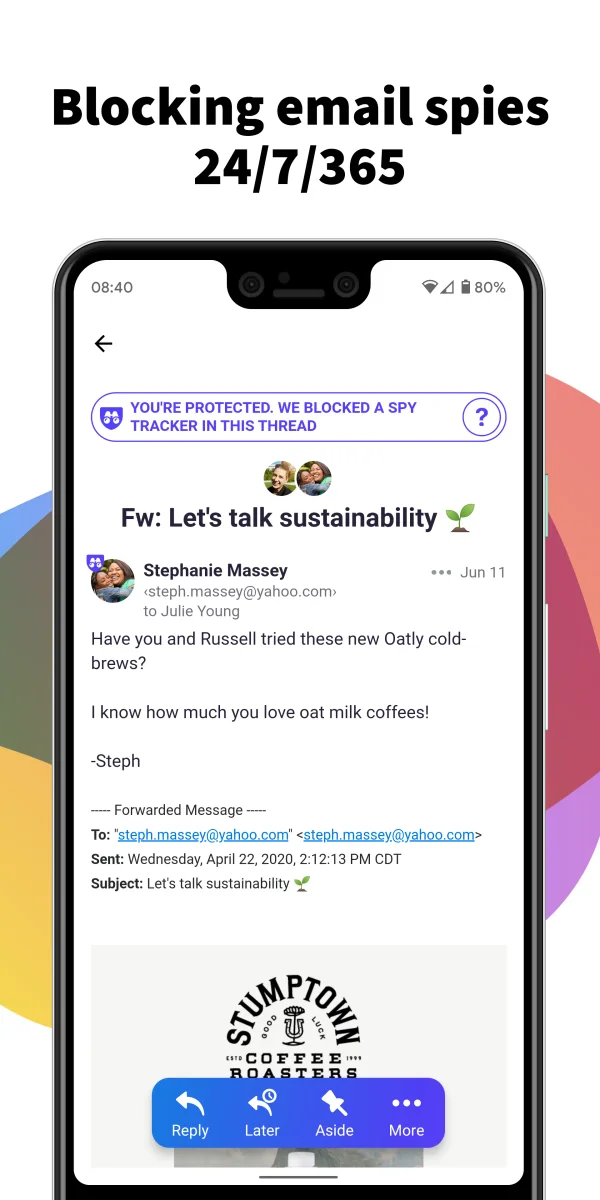
スパイメールを 24 時間 365 日ブロック
多くの企業は、あなたがどの電子メールを開封したか、どれくらいの頻度で開封したか、さらには開封時にどこにいたかまで追跡しています。それはあなたのプライバシーの重大な侵害です。 HEY はこれらのトラッカーをブロックし、誰があなたをスパイしているかを通知します。
E pluribus unum
誰かが同じことについて別のスレッドをメールで送ってくるのは嫌だと思いませんか?うん! HEY を使用すると、別々のメールを 1 つに結合できるので、すべてを 1 つのページにまとめることができます。別々のスレッドにまたがる断片的な会話に対処する必要はもうありません。
カバーアートで受信トレイにスタイルを追加
HEY は流れに任せることがすべてですが、「目に見えず、意識から外れる」アプローチを好む人もいます。そこでカバー アートの出番です。スタイルを選択するか、独自の画像をアップロードすると、以前に見たメールの上にカバーがスライドして表示されます。これは、Imbox に活気を与える素晴らしい方法です。
アカウントをリンクすると、すべてのメールを 1 か所で確認できます
個人用と仕事用など、複数の HEY アカウントをお持ちの場合は、ログインしたりログアウトしたりすることなく、それらをまとめて表示できます。
広げて一緒に読んでください
未読メールが 7 件あるとします。なぜ 1 つを開けて、1 つを閉じ、1 つを開けて、1 つを閉じ、1 つを開けて、1 つを閉じる、というようにしなければならないのですか。とんでもなく非効率です。 HEY を使用すると、ニュースフィードと同じように、一度に複数のメールを開いてスクロールすることができます。これはメールを読むための革新的な方法です。昔のやり方に戻ることは決してありません。
その他にも... 詳細については、hey.com にアクセスしてください。
原文を表示
Full of features you didn’t know you needed, but you won’t be able to live without.
Screen emails like you screen calls
You screen your calls, so why can’t you screen your emails? With HEY, you can. HEY puts you in complete control of who’s allowed to email you. The first time someone emails you, you get to decide if you want to hear from them again.
Send an email to the web
Personal publishing has never been easier. Send an email to world@hey.com from your personal HEY account to publish it on a webpage that the whole world can see. People can subscribe via email, or follow along via RSS.
The Imbox: It’s not a typo
Everyone hates their bloated inbox, so HEY has a focused Imbox instead. Your Imbox is where important, immediate emails go from people or services you care about. No random receipts, no “I rarely read these” newsletters, and no special offers crowding out the stuff you really care about.
Track an email’s progress through stages
Things get messy when you’re handling a situation with numerous email threads and multiple steps. With HEY, you can use Workflows to define stages and visually track an email’s progress through a multi-step process.
Add a simple, searchable note to any contact
Need to remember details about a contact? Where you met, their phone number, when to follow-up, etc. Contact Notes are a great way to document details about a contact without having to go digging through your emails.
Quiet by default, loud at your discretion
HEY push notifications are off by default so your phone doesn’t steal your attention every time an inconsequential email hits your Imbox. However, HEY lets you selectively turn them on for specific contacts or threads so you don’t miss the things you really care about.
A built-in “Reply Later” workflow
What if you need to reply, but you don’t have time right now? With HEY, just click the “Reply Later” button to move an email to a dedicated ‘Reply Later’ pile at the bottom of the screen so you don’t lose or forget it.
Just set it aside
Sometimes you get emails you need to reference later - travel info, handy links, numbers you need, etc. With HEY, you can ‘Set Aside’ any email in a neat little pile for easy access whenever you need it. At hand, but out of your face.
Blocking email spies 24-7-365
Many companies track which emails you open, how often you open them, and even where you were when you opened them. It’s a massive invasion of your privacy. HEY blocks these trackers and tells you who’s spying on you.
E pluribus unum
Doesn’t it suck when someone emails you separate threads about the same thing? Yup! With HEY, you can merge separate emails into one so you can keep everything together on a single page. No more dealing with fragmented conversations across separate threads.
Add some style to your Imbox with Cover Art
HEY is all about letting it flow, but some folks prefer an “out of sight, out of mind” approach. That’s where Cover Art comes in. Choose a style or upload your own image, and a cover will slide up over your previously seen emails. It’s a great way to add some life to your Imbox.
Link accounts and see all your email in one place
If you have multiple HEY accounts — like one for personal use and one for work — you can view them together without having to log in and out.
Spread ’em out, read ’em together
Let’s say you have 7 unread emails. Why do you have to open one, close one, open one, close one, open one, close one, and so on. It’s ridiculously inefficient. With HEY, you can open multiple emails at once and just scroll through them, just like you would a newsfeed. It’s a revolutionary way to read your emails. You’ll never go back to the old way.
And much more... Visit hey.com to learn more.
データ セーフティ
このアプリが収集・共有するデータについて、37signalsがGoogle Playで申告している内容です。
- このアプリはサードパーティと以下の種類のデータを共有することがありますおおよその現在地
- このアプリは以下の種類のデータを収集することがあります個人情報、メッセージ、他 6 件
- データは送信中に暗号化されます
- データを削除するようリクエストできます
新機能
バージョン 1.34.0 · 2026/11/11
🐛 Bug fixes
開発元の連絡先
- ウェブサイトhey.com
- メールsupport@hey.com
- プライバシーポリシーhey.com
- 住所137 N Oak Park Ave Ste 208 Oak Park, IL 60301-1340 United States
情報
- 提供元
- 37signals
- カテゴリ
- 通信
- バージョン
- 1.34.0
- 更新日
- 2026/11/11
- リリース
- 2020/6/15
- 必要条件
- Android 10以降
- 対象年齢
- 3 歳以上
- 価格
- 無料
- パッケージ名
- com.basecamp.hey
類似のアプリ
-
 OnePageCRM - Simple CRM System
ビジネス
-
 impact.com
ビジネス
-
 Sherlock Holmes Detect
ビジネス
-
 Mailer: AIメールアシスタント
仕事効率化
-
 Zoho Solo - To do, CRM, bills
ビジネス
-
 Valdi Catalyst Market
ビジネス
-
 Calendly: Meeting Scheduling
ビジネス
-
 Confluence Cloud
仕事効率化
-
 Paystub Maker
ビジネス
-
 MoreApp Forms
ビジネス
-
 Beekeeper - Frontline Success
仕事効率化
-
 Zoho Sheet: Spreadsheet アプリ
仕事効率化