Iris585 Multi-Function Watch
Iriswatchfaces- 3 歳以上対象年齢
- カスタマイズカテゴリ
- 2026/9/7更新日
- ¥260価格
com.watchfacestudio.iris585のGoogle Play公式ページにリンクしています。最終確認:2026/11/15。
スクリーンショット

このアプリについて
Googleによる英語 (アメリカ合衆国)からの自動翻訳です。
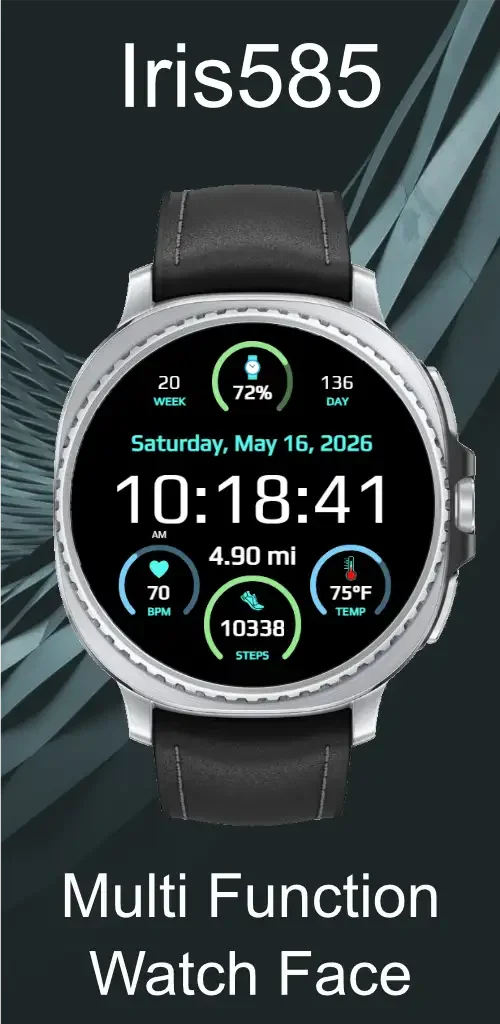
スタイリッシュで視認性の高い、洗練されたモダンなWear OSフェイス
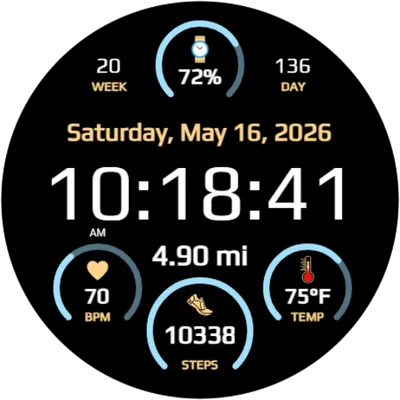
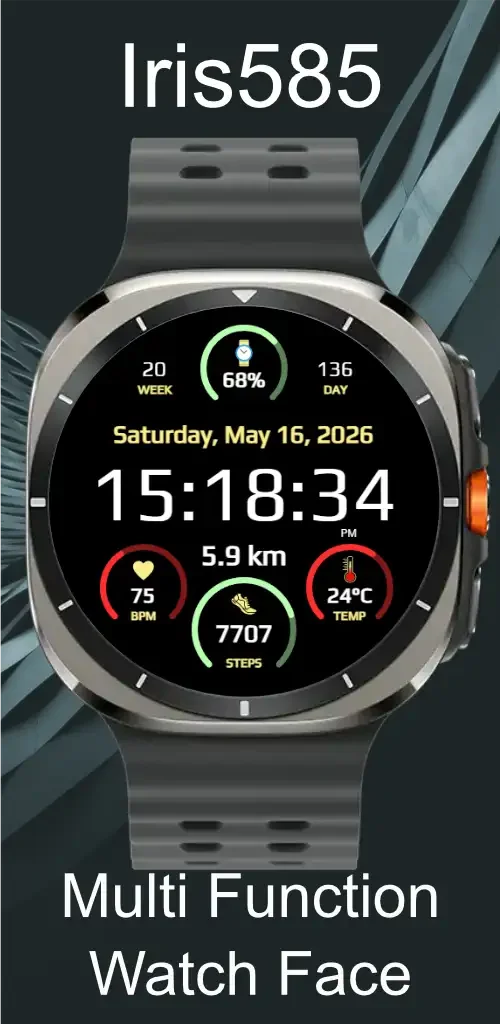
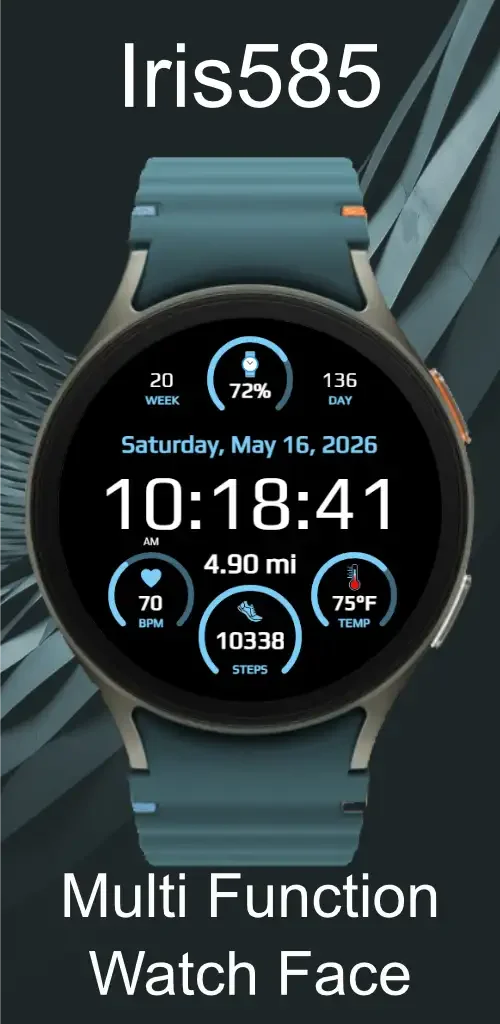
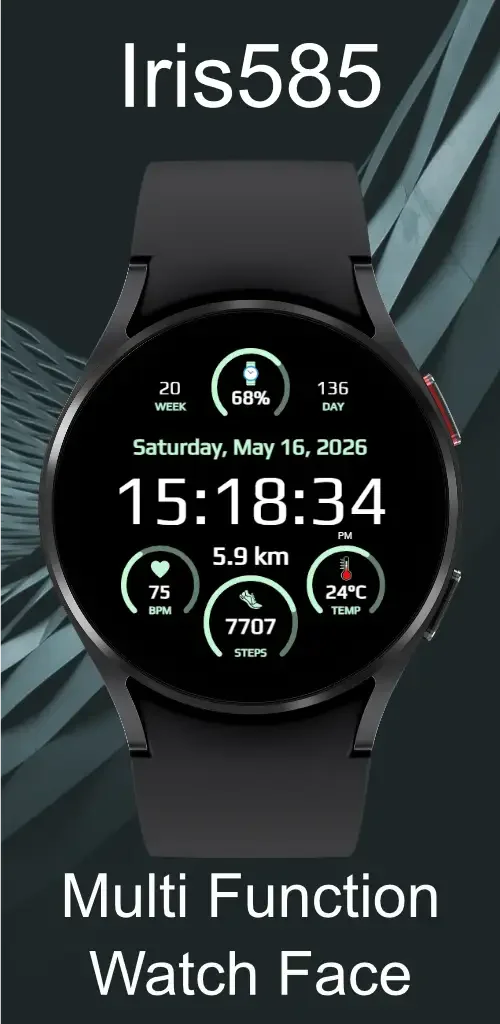
Iris585は、Wear OSスマートウォッチ向けのシンプルで鮮明なデジタルウォッチフェイスです。視認性を重視し、すっきりとした表示を実現しています。バッテリー残量、日付(曜日、月、年)、歩数、歩行距離、心拍数、温度を表示します。ショートカットキーも用意されており、必要な情報を素早く確認できます。
________________________________________
デバイス互換性に関する免責事項:
このウォッチフェイスは、Wear OSスタイルのスマートウォッチ専用です。サポート対象外または互換性のないデバイスでのインストールおよび動作は保証できません。Wear OSウォッチフェイス形式をサポートしていないデバイスでは、このウォッチフェイスは動作しません。
Wear OS 4以降が必要です。対応機種:Galaxy Watch 6・7・Ultra、Pixel Watch 2/3、OnePlus Watch 2、TicWatch Pro 5
Watch4/Watch5シリーズおよびそれ以前のシリーズのウォッチには対応していません。
時計の互換性に関する詳細は、下記のサイトをご覧ください。
https://free-5181333.webadorsite.com/information
________________________________________
主な機能の概要は以下のとおりです。
主な機能:
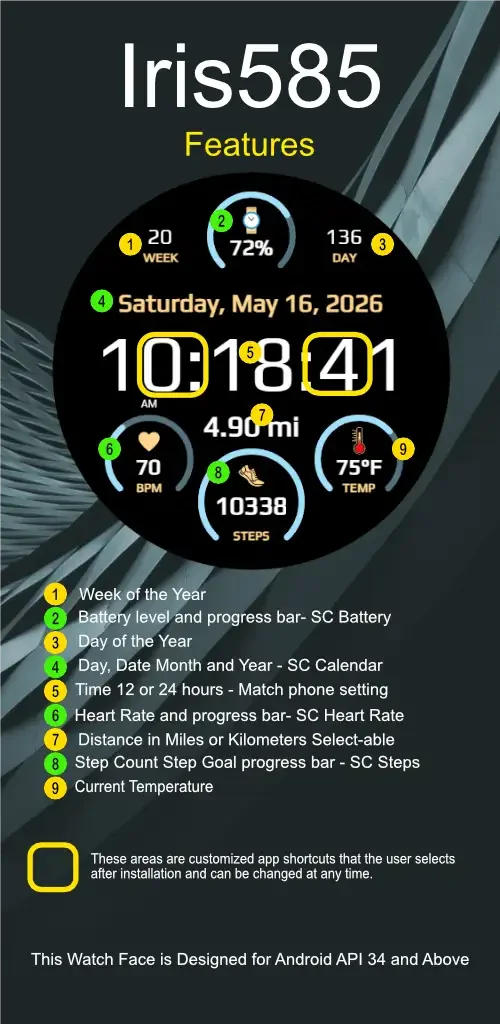
• 時刻と日付表示:時、分、秒をデジタル形式で表示します。
• バッテリー:バッテリー残量を表示し、バッテリーアプリへのショートカットがあります。
• 日付:曜日、日、月、年を表示し、カレンダーへのショートカットがあります。
• 歩数計(アプリへのショートカットと歩数目標達成度バー付き)
• 距離(マイルまたはキロメートルを選択可能)
• 心拍数(アプリへのショートカット付き)
• 現在の気温
• 現在の週と日付を表示
• アプリショートカット:合計6つのショートカット(固定4つ、選択可能2つ)があります。
________________________________________
カスタマイズオプション:
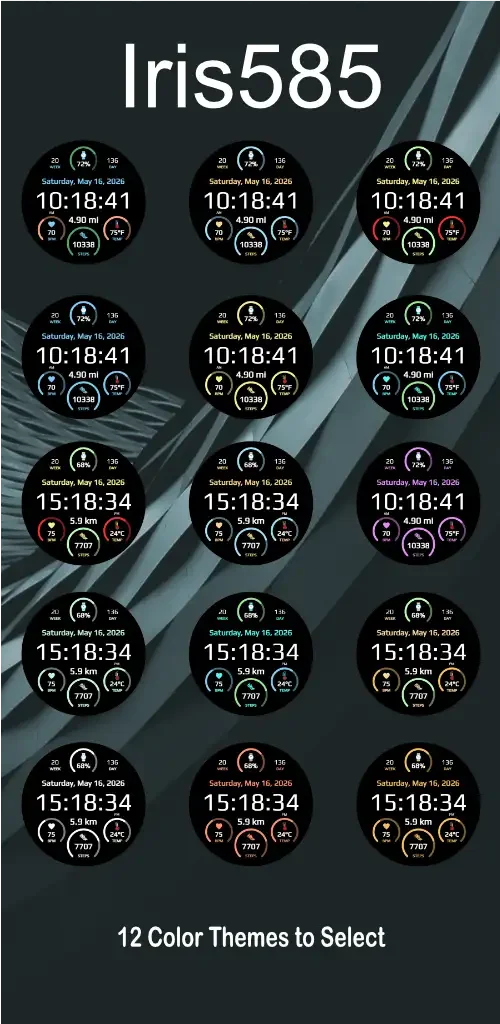
• カラーテーマ:12種類の文字盤カラーテーマから選択して、時計の外観を変更できます。
________________________________________
常時表示ディスプレイ(AOD):
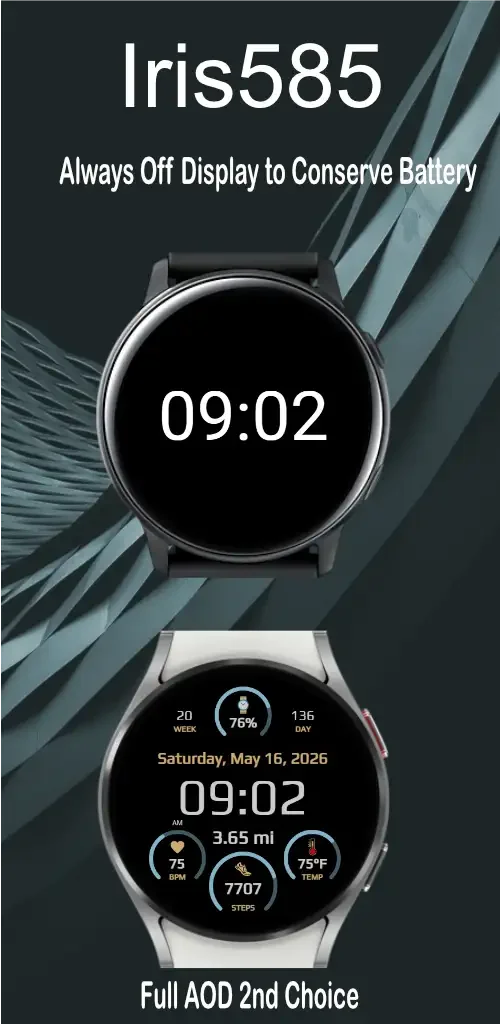
• バッテリー節約のための機能制限:フルウォッチフェイスに比べて表示機能と色数を抑えることで消費電力を削減する2種類のAODがあり、選択可能です。
• テーマ同期:メインウォッチフェイスに設定したカラーテーマは、常時表示ディスプレイにも適用され、統一感のある外観を実現します。
________________________________________
互換性:コンパニオンアプリを使用してウォッチフェイスをインストールする場合、お使いのウォッチが互換性がない場合、インストールできません。
互換性に関する免責事項
• Wear OS専用:Iris585ウォッチフェイスは、Wear OSオペレーティングシステムを搭載したスマートウォッチ専用に設計されています。
• 互換性:ウォッチの最小ソフトウェアバージョンはWear OS 4で、APIレベルは34以上である必要があります。一部の旧型ウォッチは、今後このアップデートが提供され、互換性を持つようになる可能性があります。
• プラットフォーム間の差異:時刻、日付、バッテリー情報などの主要機能はデバイス間で共通していますが、AOD(常時表示ディスプレイ)、テーマのカスタマイズ、ショートカットなどの一部の機能は、デバイスのハードウェアまたはソフトウェアのバージョンによって動作が異なる場合があります。
• お使いのスマートウォッチが要件を満たしていない場合、ウォッチフェイスはインストールされません。これはデバイスの互換性の問題であり、ウォッチフェイスアプリ自体の問題ではありません。
• インストールに関する問題が発生した場合は、レビューを投稿する前にiriswatchfaces@gmail.comまでご連絡ください。問題解決のお手伝いをさせていただきます。すべての要件を満たしている場合は、インストールは迅速かつスムーズに行われます。
ご理解いただきありがとうございます。
________________________________________
言語サポート:
• 多言語対応:ウォッチフェイスは幅広い言語に対応しています。ただし、文字サイズや言語スタイルの違いにより、一部の言語ではウォッチフェイスの表示が若干異なる場合があります。
________________________________________
追加情報:
ウェブサイト:https://free-5181333.webadorsite.com/
Instagram:https://www.instagram.com/iris.watchfaces/
Facebook:https://www.facebook.com/profile.php?id=61574312759607
コンパニオンアプリを使用したインストール方法:https://www.youtube.com/watch?v=IpDCxGt9YTI
原文を表示
Iris585 is a simple crisp, clean, clear digital watch face for Wear OS smartwatches. Its main purpose is for high visibility with a clean display. It has battery status as well as date, day, month and year, step count, distance walked, heart rate and temperature. Shortcuts are available to provide information quickly.
________________________________________
Device Compatibility Disclaimer:
This watch face design is intended exclusively for Wear OS style smartwatches. Installation and functionality on unsupported or non-compatible devices cannot be guaranteed. This watch faces will not operate on devices that do not support Wear OS watch face formats.
Requires Wear OS 4 or newer Compatible: Galaxy Watch 6 · 7 · Ultra · Pixel Watch 2/3 · OnePlus Watch 2 · TicWatch Pro 5
Not compatible with Watch4 / Watch5 series or older series watches.
For more information on watch compatibility Please visit the site below
https://free-5181333.webadorsite.com/information
________________________________________
Here’s a detailed overview of its features:
Key Features:
• Time & Date Display: Displays simple hours, minutes and seconds in a digital format.
• Battery: Battery percentage is displayed and has a battery app shortcut
• Date: Displays the day, date, month, and year and has a short cut to your calendar
• Step count with app shortcut and Step goal progress bar
• Distance in miles or kilometers selectable
• Heart rate with app shortcut
• Current Temperature
• Displays the current Week of the year and Day of the year
• App Short-cuts: In total there are 6 short-cuts 4 fixed and 2 selectable
________________________________________
Customization Options:
• Color Themes: You will have 12 face color themes to choose from to change the look of the watch.
________________________________________
Always-On Display (AOD):
• Limited Features for Battery Saving: There are two AOD’s that reduces power consumption by displaying fewer features and simpler colors compared to the full watch face and are selectable.
• Theme Syncing: The color theme you set for the main watch face will also be applied to the Always-On Display for a consistent look.
________________________________________
Compatibility:
If you are using the companion app to install the watch face and your watch is not compatible it will not be installed.
Compatibility Disclaimer
• Wear OS Only: Iris585 watch face is designed specifically for Smart Watches using Wear OS operating system.
• Compatibility: The minimum required software version of your watch is Wear OS 4 and use API level 34 and above. Some older watches may receive this update in the future, which would then make them compatible.
• Cross-Platform Variability: While the core features like time, date, and battery information are consistent across devices, certain features (such as AOD, theme customization, and shortcuts) may behave differently depending on the specific hardware or software version of the device.
• If your watch does not meet the requirements, the watch face will not be installed. This is due to device compatibility and not an issue with the watch face app itself.
• If you encounter any installation issues, please contact us at iriswatchfaces@gmail.com before leaving a review—we’re happy to help resolve the problem. When everything is compatible, installation should be quick and seamless.
Thank you for your understanding!
________________________________________
Language Support:
• Multiple Languages: The watch face supports a wide range of languages. However, due to varying text sizes and language styles, some languages might slightly alter the visual appearance of the watch face.
________________________________________
Additional Information:
Website: https://free-5181333.webadorsite.com/
Instagram: https://www.instagram.com/iris.watchfaces/
Facebook: https://www.facebook.com/profile.php?id=61574312759607
Using the companion app for installation: https://www.youtube.com/watch?v=IpDCxGt9YTI
データ セーフティ
このアプリが収集・共有するデータについて、IriswatchfacesがGoogle Playで申告している内容です。
- 第三者と共有されるデータはありません詳しくは、デベロッパーが共有を申告する方法についての説明をご覧ください
- データは収集されません詳しくは、デベロッパーが収集を申告する方法についての説明をご覧ください
新機能
2026/9/7
This watch face is designed for Wear OS style smartwatches only. It will not install or function on non-compatible devices.
開発元の連絡先
- ウェブサイトfree-5181333.webadorsite.com
- メールiriswatchfaces@gmail.com
- プライバシーポリシーfree-5181333.webadorsite.com
- 住所104 Snappy Ln Salina, NY 13090-3748 United States
情報
- 提供元
- Iriswatchfaces
- カテゴリ
- カスタマイズ
- 更新日
- 2026/9/7
- リリース
- 2026/5/17
- 対象年齢
- 3 歳以上
- 価格
- ¥260
- パッケージ名
- com.watchfacestudio.iris585