Modern Tick
ChronoHarvest- 3 歳以上対象年齢
- カスタマイズカテゴリ
- 2025/10/29更新日
- 無料価格
com.chronoharvest.moderntickのGoogle Play公式ページにリンクしています。最終確認:2026/11/14。
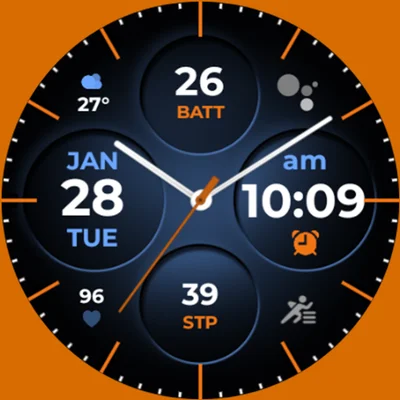
スクリーンショット
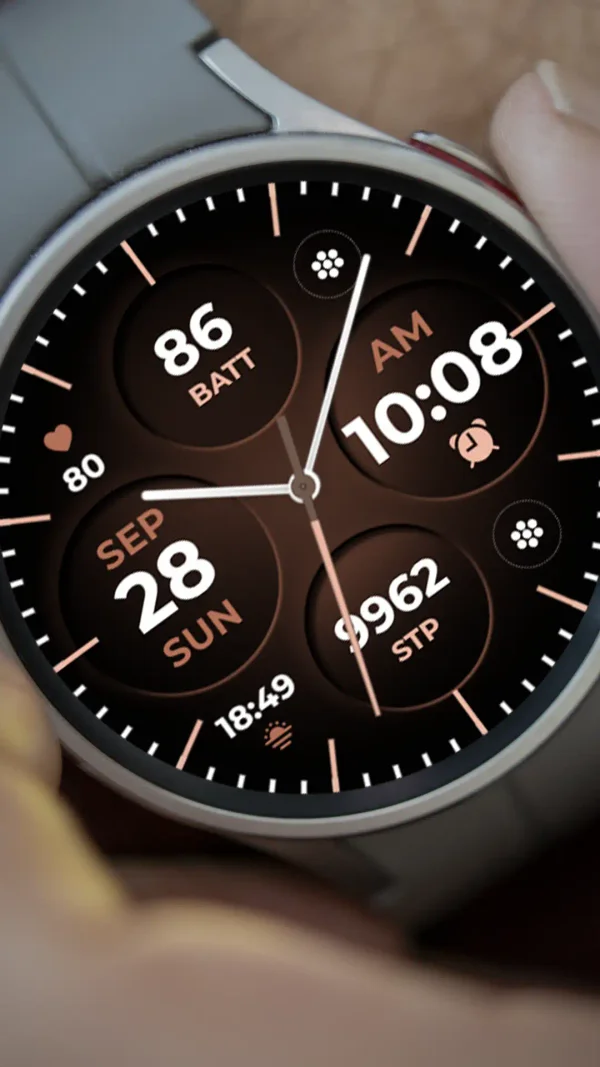
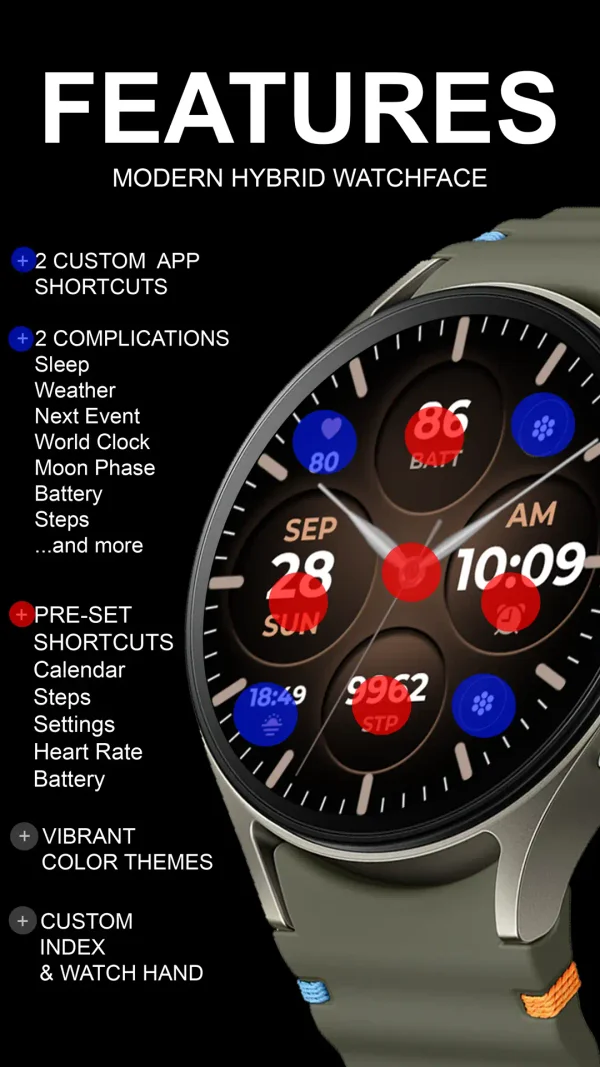
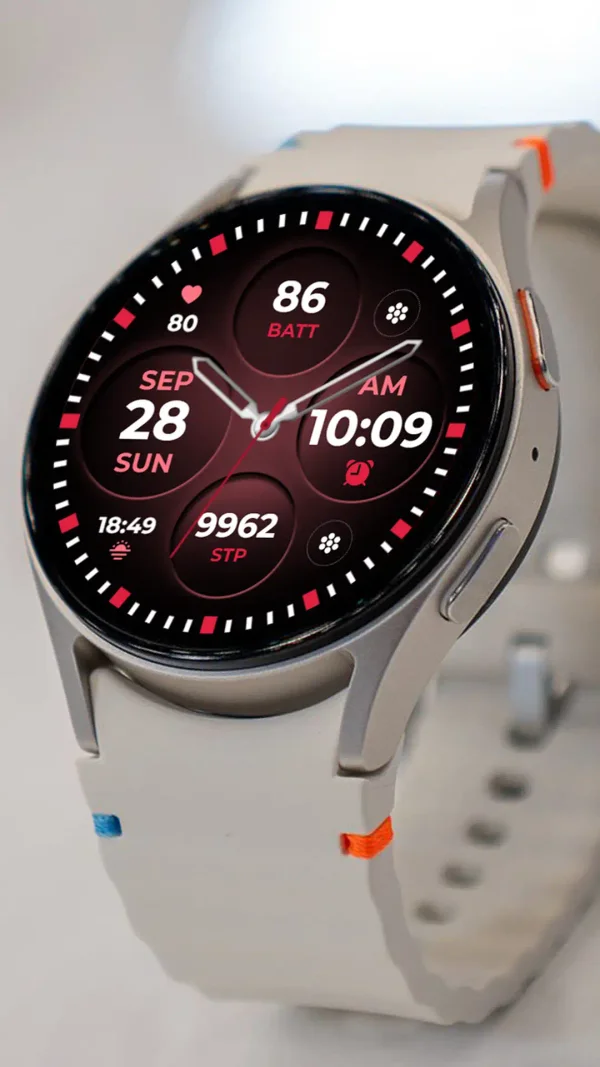


このアプリについて
Googleによる英語 (アメリカ合衆国)からの自動翻訳です。
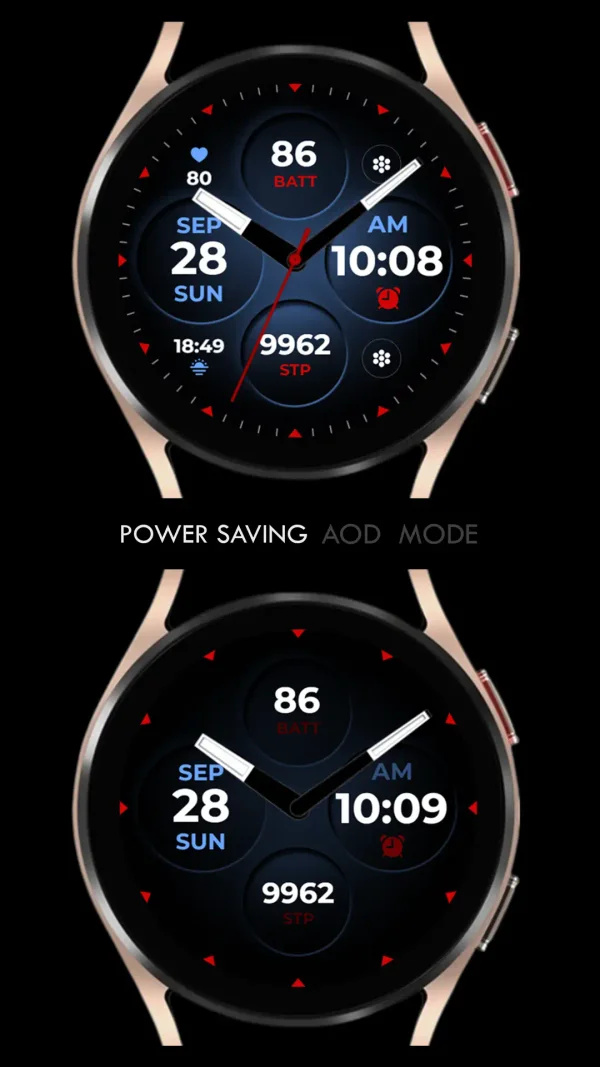
必須機能を備えた無料のモダンなハイブリッドウォッチフェイス
📍インストールに関する注意事項
⭐️Galaxy Watchユーザーへの注意:Samsung Wearableアプリのウォッチフェイスエディターは、複雑なウォッチフェイスの同期と読み込みに失敗することがあります。
これはウォッチフェイスの問題ではありません。Samsungがこの問題を解決するまでは、ウォッチフェイスを直接カスタマイズすることをお勧めします。
📍このウォッチフェイスは、APIレベル34以上(Wear OS 4以降)のすべてのWear OSデバイスをサポートしています。
(一部の機能は一部のウォッチではご利用いただけない場合があります。)
⭐️主な機能:
- アーティスティックなデジタル時計
- プリセットアプリショートカット - 固定(アラーム、カレンダー、バッテリー、設定、歩数)
- カスタムアプリショートカット2種類
- カスタムコンプリケーション2種類(任意のデータでコンプリケーションをカスタマイズできます)
例えば、日付、天気、歩数、世界時計、日の出/日の入り、次の予定、歩行距離などを選択できます。
***サードパーティ製のコンプリケーションを追加でインストールする必要がある場合があります。
- カスタムカラーパレット
ご注意ください❗️❗️❗️
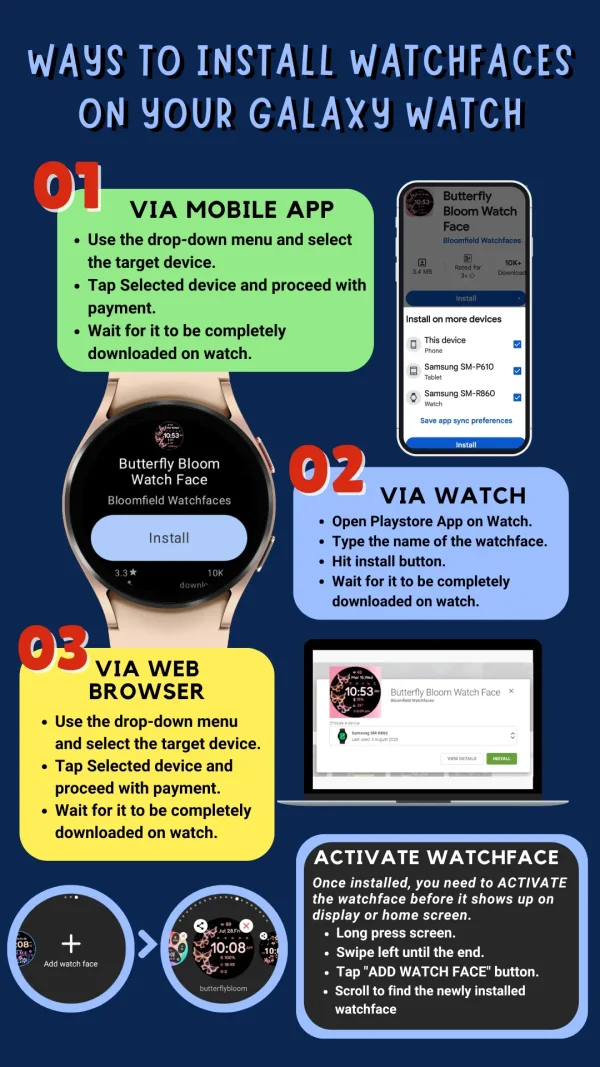
1️⃣ ウォッチフェイスはWEAR OSウォッチに自動的にインストールされます。
2️⃣ スムーズにインストールするには、ウォッチが同じメールアドレスを使用してスマートフォンと同期されていることを確認してください。
3️⃣ ダウンロード後、ウォッチフェイスがウォッチに転送されるまで数分間お待ちください。(ウォッチフェイスが正常に転送されると、ウォッチに通知が表示されます。)
4️⃣ 通知がない場合は、ウォッチのPlayストアにアクセスし、検索ボックスに「Animals Owl Neon」と入力してください。
⭐️ インストールが正常に完了しても、ウォッチフェイスは自動的に表示/変更されません。ホーム画面に戻ってください。画面を長押しし、最後までスワイプして「+」をタップすると、ウォッチフェイスが追加されます。ベゼルを回転するかスクロールして、ウォッチフェイスを見つけてください。
📍設定 > アプリケーション > 権限から、すべての権限を許可/有効化してください。
⚠️⚠️⚠️ 返金は24時間以内に限り可能です。
お問い合わせ:ajgearbusiness@gmail.com
インストールチュートリアル:https://www.youtube.com/watch?v=vMM4Q2-rqoM
原文を表示
📍INSTALLATION NOTES
⭐️Note for Galaxy Watch Users: The watch face editor in the Samsung Wearable app often fails to sync and load complex watch faces.
This is not an issue with the watch face. It is recommended to customize the watch face directly on the watch until Samsung resolves this issue.
📍This watch face supports all Wear OS devices with API Level 34+ | Wear OS 4 and later versions
(Some features may not be available on some watches)
⭐️KEY FEATURES:
- Artistic Digital Clock
- Pre-Set App Shortcut - FIXED (Alarm, Calendar, Battery, Settings and Steps)
- 2 Custom App Shortcuts
- 2 Custom Complications (you can customize the complication with the any data you want)
For example, you can select Date, weather, steps, world clock, sunset/sunrise, next appointment, distance walked and more.
***You may need to install additional third-party complications.
- Custom Color Palette
TAKE NOTE❗️❗️❗️
1️⃣ Watch faces automatically install on WEAR OS watch.
2️⃣ MAKE SURE THE WATCH IS SYNCED TO YOUR PHONE USING THE SAME EMAIL ADDRESS FOR SEAMLESS INSTALLATION.
3️⃣ After download, WAIT for a few minutes for the watch face to be transferred on watch. (There will be a notification on your watch if the watch face was successfully transferred.)
4️⃣ If incase there is no notification, Go to PLAYSTORE ON YOUR WATCH and type on the SEARCH BOX "Animals Owl Neon"
⭐️ Watch faces don't automatically display/change after successful installation. Go back to home display. Tap and hold display, swipe until the end and tap + to add the watch face. Rotate Bezel or scroll to find the watch face.
📍ALLOW / ENABLE all permissions from settings -> applications -> permissions.
⚠️⚠️⚠️ Refund is ONLY allowed within 24 hours.
Contact us at: ajgearbusiness@gmail.com
Installation Tutorial: https://www.youtube.com/watch?v=vMM4Q2-rqoM
データ セーフティ
このアプリが収集・共有するデータについて、ChronoHarvestがGoogle Playで申告している内容です。
- 第三者と共有されるデータはありません詳しくは、デベロッパーが共有を申告する方法についての説明をご覧ください
- データは収集されません詳しくは、デベロッパーが収集を申告する方法についての説明をご覧ください
開発元の連絡先
- メールajgearbusiness@gmail.com
- プライバシーポリシーsites.google.com
- 住所B 5 L 15 BEVERLY HOMES HUGO PEREZ, TRECE MARTIRES CITY 4109 Philippines
情報
- 提供元
- ChronoHarvest
- カテゴリ
- カスタマイズ
- 更新日
- 2025/10/29
- リリース
- 2025/1/28
- 対象年齢
- 3 歳以上
- 価格
- 無料
- パッケージ名
- com.chronoharvest.moderntick