OfficeSuite QuickSpell
MobiSystems- 3 歳以上対象年齢
- ビジネスカテゴリ
- 2015/3/25更新日
- 無料価格
com.mobisystems.spellcheckerpremiumのGoogle Play公式ページにリンクしています。最終確認:2026/11/20。
スクリーンショット

このアプリについて
Googleによる英語 (アメリカ合衆国)からの自動翻訳です。
40の言語であなたのタイピングの正確さと文書編集を向上させる!
%%%これは、アドオン製品OfficeSuiteプレミアムのためであり、OfficeSuiteプレミアムのみ一緒に作業することができ%%%
QuickSpellと40の言語であなたのタイピングの正確さと文書編集を向上させる!
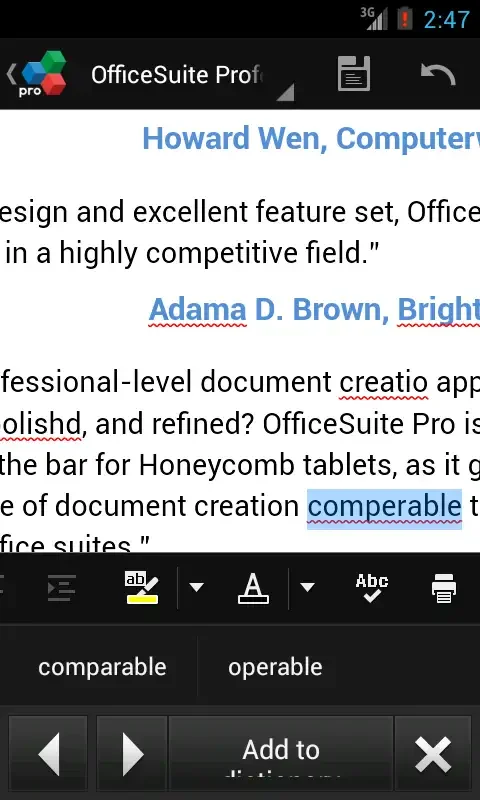
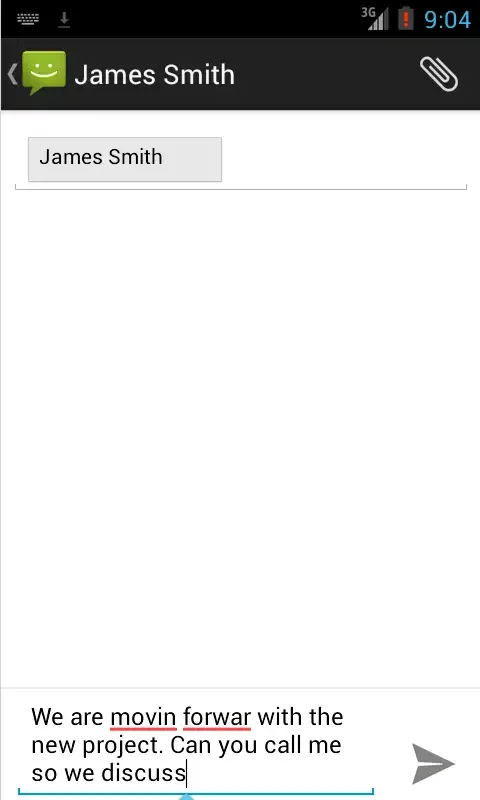
あなたが視覚的に下線が引かれたエラーの場所を提示代替語をタップして、それらを修正することで、簡単にスペルミスを修正することができます。
有名なOfficeSuiteの開発者から提供され、QuickSpellはOfficeSuiteプレミアム用のアドオンアプリです。
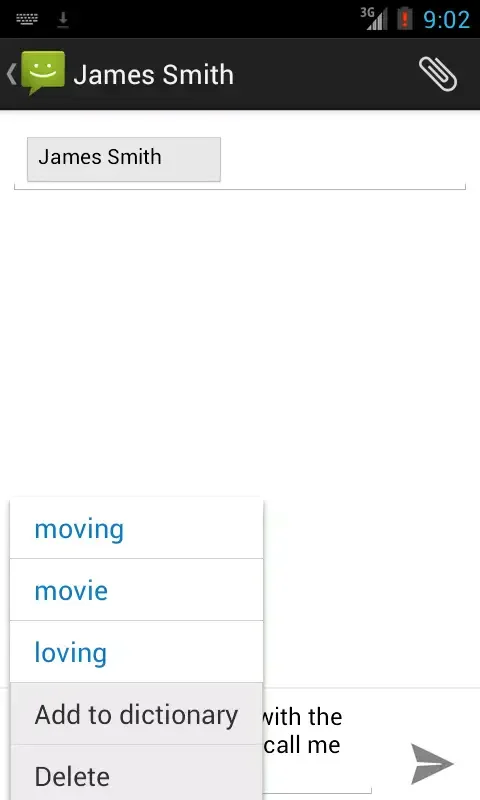
OfficeSuiteプレミアムに加えて、QuickSpellは、すべてのスペルチェックが有効の編集フィールドとビューと一緒になど、連絡先、カレンダー、電子メール、Facebookやなどのアプリケーションで動作します。
ただスペルチェックがシステム設定で有効になっていることを確認してください。
***どのようQuickSpellは、他のスペルのツールよりも良いですか? ***
* QuickSpellは、標準的なAndroidのスペルツールで利用できない言語の範囲を提供しています。
* QuickSpellはクローム、Mac OS Xでは、FirefoxやOpenOfficeや他の多くで使用されているよく知られており、実績のあるHunspellはエンジンに基づいています。
* QuickSpellは、このように劇的にスペルチェックの効率を向上させるような形態素解析、ツーフォールド接尾ストリッピング、拡張接辞と同音異義語などの実績のあるスペル·チェック·アルゴリズムの数を使用しています。
* QuickSpellのスペル辞書を開発し、大規模なコミュニティの努力によってサポートされています。
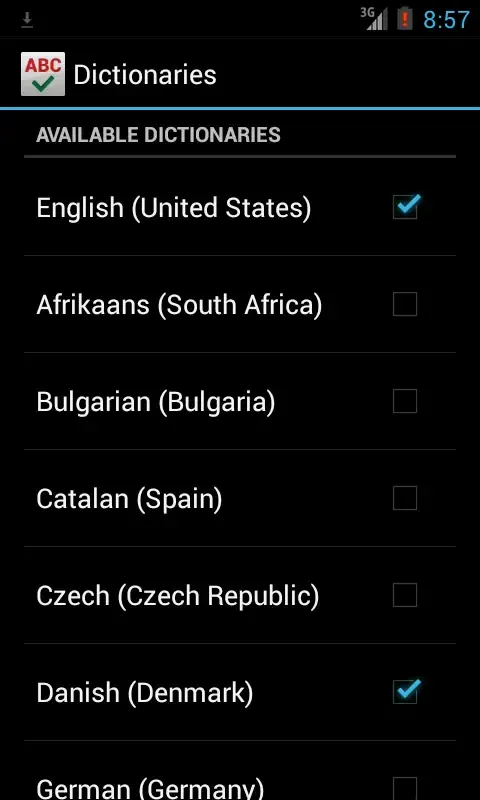
*あなたはあなたが必要とするだけの辞書をダウンロードして、ローカルに保存することができます。
*あなたは携帯電話の連絡先リストと、標準のAndroidのユーザー辞書からエントリを使用することができます。
* QuickSpellは、あなたの便宜のために、組み込みのユーザー辞書エディタを持っています。
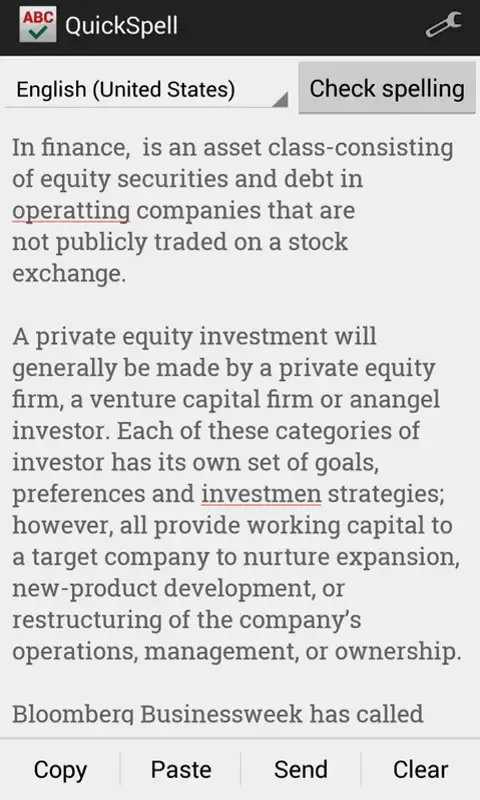
QuickSpellアプリでチェックテキストをコピーして綴る*能力
***対応言語:***
QuickSpellは40以上の言語で提供されています。
ユーザーは、自分の好きなだけスペル辞書をダウンロードして使用することができます。
英語(オーストラリア)
英語(カナダ)
英語(イギリス)
英語(米国)
ドイツ語(ドイツ)
イタリア語(イタリア)
フランス語(フランス)
スペイン語(スペイン)
....................................。
アルバニア語(アルバニア)
ブルガリア(ブルガリア)
アフリカーンス語(南アフリカ)
カタロニア語(スペイン)
クロアチア語(クロアチア)
チェコ(チェコ共和国)
デンマーク語(デンマーク)
オランダ語(オランダ)
ギリシャ語(ギリシャ)
エストニア語(エストニア)
フェロー語(フェロー諸島)
ヘブライ語(イスラエル)
ヒンディー語(インド)
ハンガリー語(ハンガリー)
インドネシア語(インドネシア)
韓国語(韓国)
リトアニア語(リトアニア)
ラトビア語(ラトビア)
ノルウェー語(ノルウェー)
ポーランド語(ポーランド)
ポルトガル語(ブラジル)
ポルトガル語(ポルトガル)
ルーマニア語(ルーマニア)
ロシア語(ロシア)
セルボ·クロアチア語(ボスニア·ヘルツェゴビナ、クロアチア)
スロバキア語(スロバキア)
スロベニア語(スロベニア)
セルビア語(セルビア)
スウェーデン語(スウェーデン)
タミル語(インド)
トルコ語(トルコ)
ウクライナ語(ウクライナ)
ベトナム語(ベトナム)
*** OSのバージョンのサポート:***
*アイスクリームサンドイッチアンドロイド4.0以上
*ソフトウェアは、OfficeSuite ProのようなMobiSystemsのアプリでサポートされて後にアンドロイド2.2を有し、すべてのデバイスで動作します。
警告:QuickSpellは、例えばサムスンTouchWizがデバイス用として大量にカスタマイズされたAndroidのディストリビューションで、上のデフォルトのAndroidスペルチェッカーとして動作することはできません。このようなデバイスを持つユーザーは、Androidのスペルチェックの設定画面を見ることができないため、内蔵のAndroidアプリケーションにQuickSpellの恩恵を受けることができない場合があります。しかし、QuickSpellはMobiSystems OfficeSuite Proに引き続き動作します。
QuickSpellはAndroidスペルチェッカーの設定に表示されるようにするために、初期インストール後に必要になる可能性があるいくつかのカスタマイズされたAndroidの4.0.xのデバイスの再起動であることに注意してください。
*** QuickSpellをアクティブにするには? ***
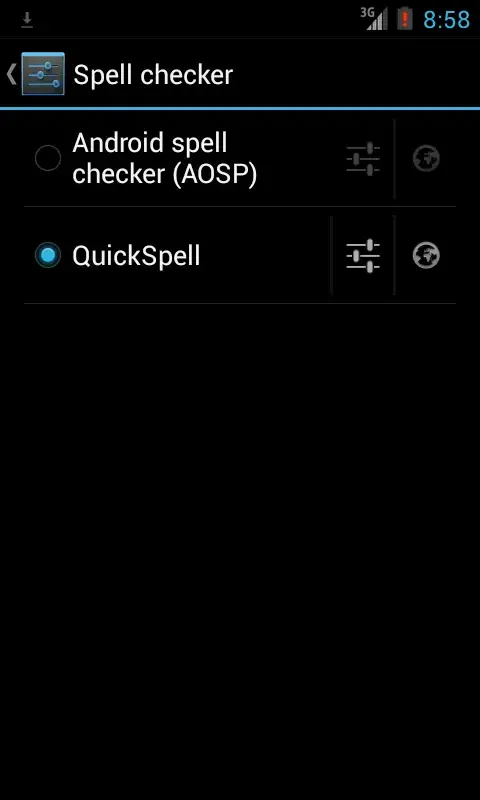
インストールが完了したら、[設定に行く>言語と入力換算>(使用可能な場合、デバイス上の)スペルチェックのデフォルトのAndroidスペルチェックプロバイダとしてQuickSpellを選択するために。
***プライバシーステートメント***
MobiSystemsで私達は非常に真剣にあなたのプライバシーを取る - QuickSpellは、パスワードやクレジットカード番号のように、あなたの個人的なデータを収集することはありません。インターネットアクセス許可は、辞書をダウンロードするために使用される。
原文を表示
%%% This is an add-on product for OfficeSuite Premium and can work only together with OfficeSuite Premium %%%
Improve your typing accuracy and document editing in 40 languages with QuickSpell!
You will be able to fix misspelled words easily, by visually locating the underlined errors and correcting them by tapping on suggested replacement words.
Offered from the developer of the renowned OfficeSuite, QuickSpell is an add-on app for OfficeSuite Premium.
In addition to OfficeSuite Premium, QuickSpell will work with applications like Contacts, Calendar, Email, Facebook, etc. along with all spellcheck enabled Edit fields and Views.
Just make sure that Spell Checking is enabled in System Settings.
*** How is QuickSpell better than the other spelling tools? ***
* QuickSpell offers a range of languages not available in the standard Android spelling tool.
* QuickSpell is based on the well-known and proven Hunspell engine that is used in Chrome, Mac OS X, Firefox, OpenOffice and many others.
* QuickSpell uses a number of proven spell check algorithms such as Morphological analysis, Twofold suffix stripping, Extended affixes and Homonyms, thus dramatically improving the spell check efficiency.
* The spelling dictionaries in QuickSpell are developed and supported by large community efforts.
* You can download and store locally only dictionaries that you need.
* You are able to use entries from phone's Contacts list and standard Android user dictionary.
* QuickSpell has a built-in User Dictionary Editor for your convenience.
* Ability to copy and spell check text in the QuickSpell app
*** Supported Languages: ***
QuickSpell is available in more than 40 languages.
Users can download and use only spelling dictionaries of their choice.
English (Australia)
English (Canada)
English (United Kingdom)
English (United States)
German (Germany)
Italian (Italy)
French (France)
Spanish (Spain)
……………………………….
Albanian (Albania)
Bulgarian (Bulgaria)
Afrikaans (South Africa)
Catalan (Spain)
Croatian (Croatia)
Czech (Czech Republic)
Danish (Denmark)
Dutch (Netherlands)
Greek (Greece)
Estonian (Estonia)
Faroese (Faroe Islands)
Hebrew (Israel)
Hindi (India)
Hungarian (Hungary)
Indonesian (Indonesia)
Korean (Korea)
Lithuanian (Lithuania)
Latvian (Latvia)
Norwegian Bokmål (Norway)
Polish (Poland)
Portuguese (Brazil)
Portuguese (Portugal)
Romanian (Romania)
Russian (Russia)
Serbo-Croatian (Bosnia and Herzegovina, Croatia)
Slovak (Slovakia)
Slovenian (Slovenia)
Serbian (Serbia)
Swedish (Sweden)
Tamil (India)
Turkish (Turkey)
Ukrainian (Ukraine)
Vietnamese (Vietnam)
*** OS Version Support: ***
* Ice Cream Sandwich Android 4.0 or higher
* The software also works on all devices having Android 2.2 and later with supported by MobiSystems apps as OfficeSuite Pro.
Warning: QuickSpell cannot work as default Android spell checker on heavily customized Android distributions, such as for example Samsung TouchWiz devices. Users with such devices might not be able to see Android Spell Check settings screen and thus not being able to benefit from QuickSpell in the built-in Android applications. However, QuickSpell will continue to work with MobiSystems OfficeSuite Pro.
Please note that on some customized Android 4.0.x device restart might be needed after the initial installation, in order for QuickSpell to appear in Android Spell Checker settings.
*** How to activate QuickSpell? ***
After installation, go to Settings->Language and input->Spell checker (if available on your device) in order to select QuickSpell as default Android spell check provider.
*** Privacy Statement ***
At MobiSystems we take your privacy very seriously – QuickSpell will never collect your personal data, like passwords or credit card numbers. Internet access permission is used to download dictionaries only.
データ セーフティ
このアプリが収集・共有するデータについて、MobiSystemsがGoogle Playで申告している内容です。
- 第三者と共有されるデータはありません詳しくは、デベロッパーが共有を申告する方法についての説明をご覧ください
- このアプリは以下の種類のデータを収集することがありますアプリのアクティビティ、アプリの情報、パフォーマンス、デバイスまたはその他の ID
- データは送信中に暗号化されます
開発元の連絡先
- ウェブサイトmobisystems.com
- メールsupport@mobisystems.com
- プライバシーポリシーmobisystems.com
- 住所4501 Mission Bay Dr Ste 3A San Diego, CA 92109 United States
情報
- 提供元
- MobiSystems
- カテゴリ
- ビジネス
- バージョン
- 2.1.101
- 更新日
- 2015/3/25
- リリース
- 2014/4/25
- 必要条件
- Android 2.2以降
- 対象年齢
- 3 歳以上
- 価格
- 無料
- パッケージ名
- com.mobisystems.spellcheckerpremium