OpenVPN Connect
OpenVPN- 3 歳以上対象年齢
- ツールカテゴリ
- 2026/11/10更新日
- 無料価格
net.openvpn.openvpnのGoogle Play公式ページにリンクしています。最終確認:2026/11/19。

スクリーンショット
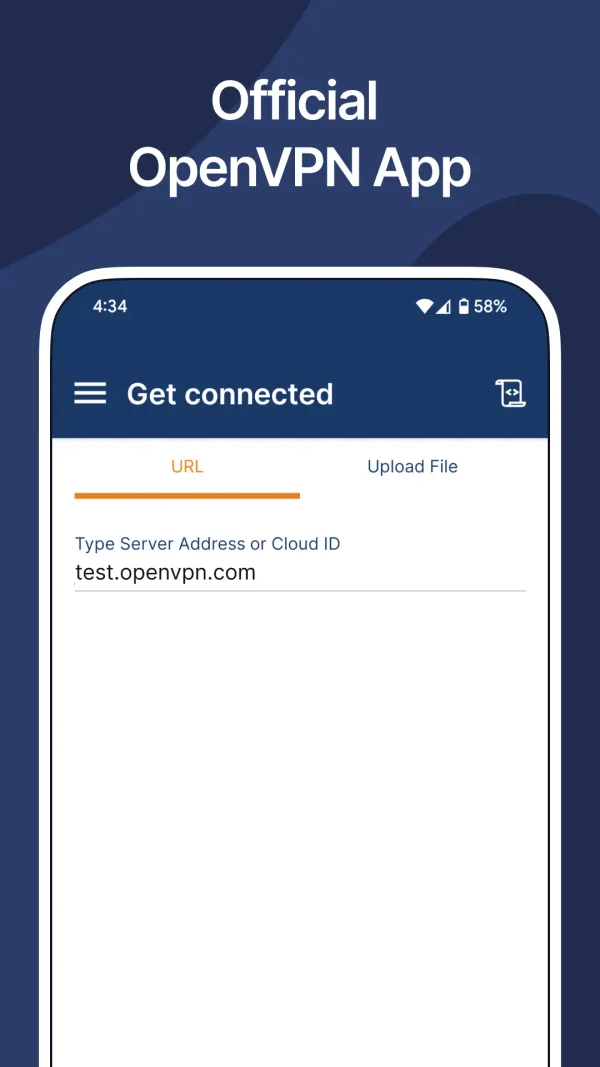
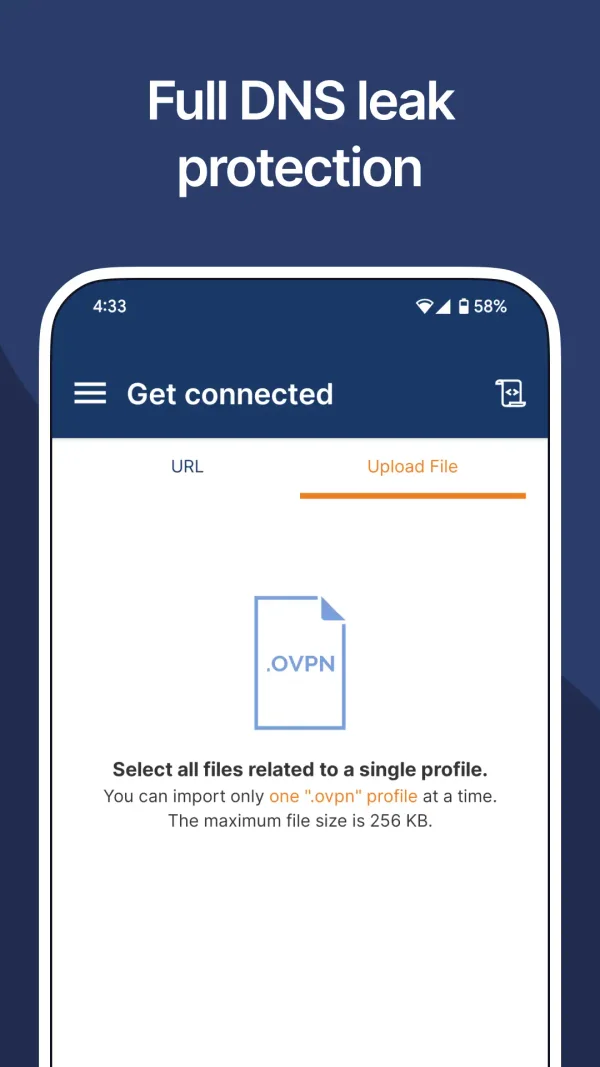
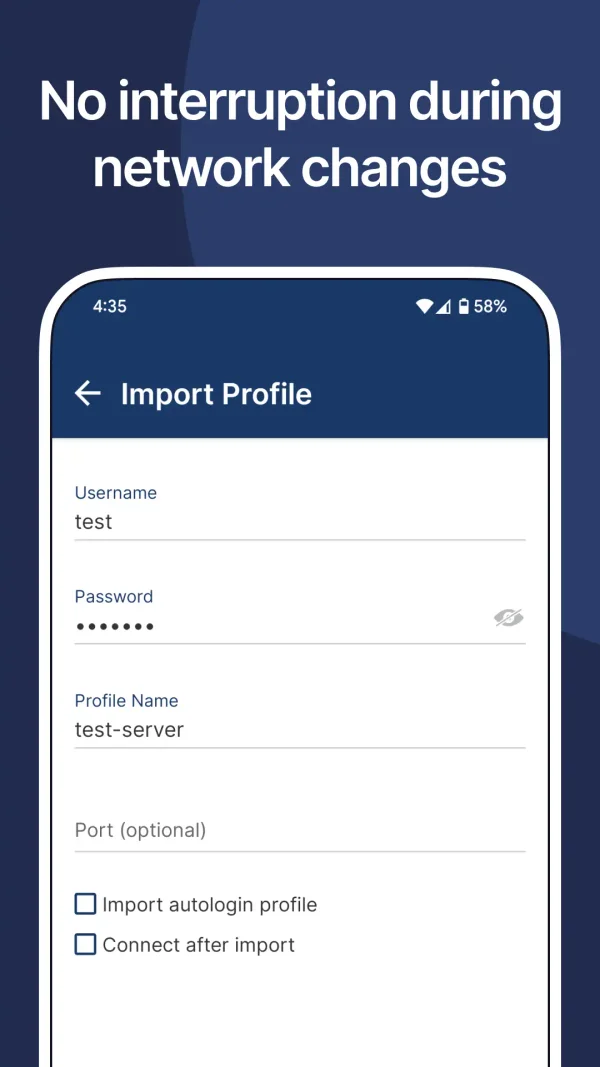
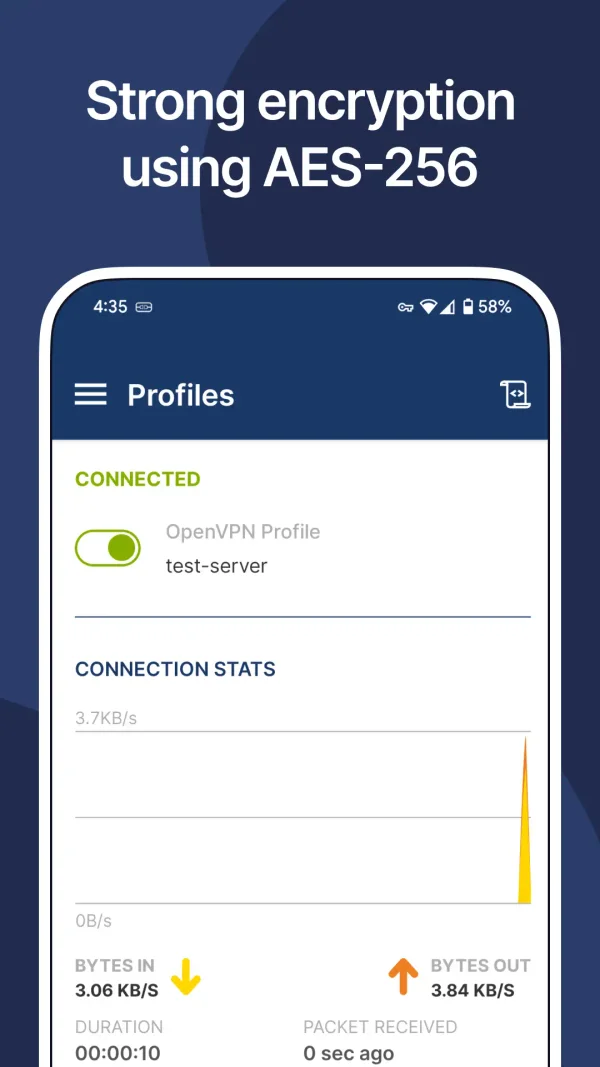
このアプリについて
Googleによる英語 (アメリカ合衆国)からの自動翻訳です。
OpenVPN の Access Server および CloudConnexa® で使用するゼロトラスト VPN アプリ。
OPENVPN CONNECTとは?
OpenVPN Connectは、OpenVPN®プロトコルの開発元であるOpenVPN Inc.が開発した公式OpenVPNクライアントアプリです。OpenVPNのゼロトラストビジネスVPNソリューション向けに設計されたこのアプリは、社内ネットワーク、クラウドリソース、プライベートアプリケーションへの安全なリモートアクセスを可能にします。ゼロトラストVPNとは、ユーザーの所在地に関わらず、「決して信頼せず、常に検証する」という原則に基づき、アクセス要求ごとに継続的なIDとデバイスの検証を必要とする仮想プライベートネットワークです。
重要事項:
このアプリにはVPNサービスは組み込まれていません。OpenVPNプロトコルと互換性のあるVPNサーバーまたはサービスへのOpenVPNトンネルを確立します。 OpenVPNのビジネス向けゼロトラストVPNソリューションと併用できます。
⇨ Access Server(セルフホスト型)
⇨ CloudConnexa®(クラウド配信型)
主な機能:
⇨ OpenVPNプロトコルによる高速で安全なVPNトンネリング
⇨ 強力なAES-256暗号化とTLS 1.3のサポート
⇨ グローバル設定ファイルによるMDM対応
⇨ デバイスポスチャチェック**
⇨ URLによる接続プロファイルのインポート**
⇨ Android Always-on VPNのサポート
⇨ キャプティブWi-Fiポータル検出
⇨ SAML SSOサポートのためのWeb認証
⇨ HTTPプロキシ設定
⇨ シームレスなスプリットトンネリングと自動再接続
⇨ Wi-Fi、LTE/4G、5G、そしてすべてのモバイルネットワークで動作
⇨ .ovpnプロファイルの簡単な設定とインポート
⇨ フェイルセーフ保護のためのキルスイッチ
⇨ IPv6およびDNSリーク保護
⇨ サポート証明書、ユーザー名/パスワード、外部証明書、およびMFA認証用
** Access ServerおよびCloudConnexaと連携
OPENVPN CONNECTの使い方
組織のURLとログイン情報を入力するだけで簡単に接続できます。複雑な設定は不要です。
OPENVPNビジネスソリューションとの最適な組み合わせ:
⇨ Access Server – Webベースの管理、アクセス制御、水平スケーリングのためのクラスタリング、柔軟な認証方法、ゼロトラスト制御を備えたセルフホスト型のゼロトラストVPNソフトウェアサーバー。
⇨ CloudConnexa® – 世界30以上の拠点から提供されるクラウド配信型のゼロトラストビジネスVPNサービス。ZTNA、アプリケーションドメイン名ルーティング、ネットワーク接続のためのIPsecサポート、高度なID、デバイスポスチャ、ロケーションコンテキストの継続的なチェック機能を備えています。
グローバル企業からの信頼:
Salesforce、Target、Boeingなど、20,000を超える組織がOpenVPNのゼロトラストVPNソリューションを活用しています。
原文を表示
WHAT IS OPENVPN CONNECT?
OpenVPN Connect is the official OpenVPN client app developed by OpenVPN Inc., the creators of the OpenVPN® protocol. Designed for use with OpenVPN’s zero-trust business VPN solutions, this app enables secure remote access to internal networks, cloud resources, and private applications. A zero-trust VPN is a virtual private network that requires continuous identity and device verification for every access request, adhering to the principle of 'never trust, always verify,' regardless of the user's location.
IMPORTANT NOTE:
This app does NOT include a built-in VPN service. It establishes an OpenVPN tunnel to a VPN server or service that is compatible with the OpenVPN protocol. It is meant for use with OpenVPN’s business Zero-trust VPN solutions:
⇨ Access Server (self-hosted)
⇨ CloudConnexa® (cloud-delivered)
KEY FEATURES:
⇨ Fast, secure VPN tunneling with OpenVPN protocol
⇨ Strong AES-256 encryption and TLS 1.3 support
⇨ MDM-friendly with a global configuration file
⇨ Device posture checks**
⇨ Import of connection profile with URL**
⇨ Android Always-on VPN support
⇨ Captive Wi-Fi portal detection
⇨ Web authentication for SAML SSO support
⇨ HTTP proxy configuration
⇨ Seamless split-tunneling and auto-reconnect
⇨ Works over Wi-Fi, LTE/4G, 5G, and all mobile networks
⇨ Easy setup & import of .ovpn profiles
⇨ Kill switch for fail-safe protection
⇨ IPv6 and DNS leak protection
⇨ Support for certificate, username/password, external certificate, and MFA authentication
** Works with Access Server and CloudConnexa
HOW TO USE OPENVPN CONNECT?
Easily get connected by simply entering your organization’s URL and login—no complex setup required.
BEST PAIRED WITH OPENVPN BUSINESS SOLUTIONS:
⇨ Access Server – Self-hosted zero-trust VPN software server with web-based administration, access control, clustering for horizontal scaling, flexible authentication methods, and zero-trust controls.
⇨ CloudConnexa® – Cloud-delivered Zero-Trust business VPN service offered from 30+ worldwide locations with ZTNA, application domain name routing, IPsec support for connecting networks, and advanced identity, device posture, and location context continuous checks.
Trusted by Global Businesses:
Over 20,000 organizations, including Salesforce, Target, Boeing, and others, rely on OpenVPN’s Zero-Trust VPN solutions.
データ セーフティ
このアプリが収集・共有するデータについて、OpenVPNがGoogle Playで申告している内容です。
- 第三者と共有されるデータはありません詳しくは、デベロッパーが共有を申告する方法についての説明をご覧ください
- このアプリは以下の種類のデータを収集することがありますファイル、ドキュメント
- データは送信中に暗号化されます
- データを削除できません
新機能
バージョン 3.7.3 · 2026/11/10
What's New in 3.7.3:
This update resolves several issues that caused the app to crash
開発元の連絡先
- ウェブサイトopenvpn.net
- メールsupport@openvpn.net
- プライバシーポリシーopenvpn.net
- 住所6200 Stoneridge Mall Rd Ste 300 Pleasanton, CA 94588 United States
情報
- 提供元
- OpenVPN
- カテゴリ
- ツール
- バージョン
- 3.7.3
- 更新日
- 2026/11/10
- リリース
- 2012/10/16
- 必要条件
- Android 9以降
- 対象年齢
- 3 歳以上
- 価格
- 無料
- パッケージ名
- net.openvpn.openvpn